All Activity
- Past hour
-
 I've got Win-7 Ultimate 32-bit installed on a Dell 6420, it was installed from a pre-configured install image with rolled-in updates as of the fall of 2016 (when telemetry started). It has never done any windoze / micro$oft updating. A blue-screen crash has been happening more and more often over the past year. A few months ago I swapped out it's 4 gb of ram for new 16 gb. It happened again this morning. It takes a few minutes to reboot after these crashes, it sits there with black screen, mouse pointer only, while the drive is doing something. I looked at event logs, I see this: Session "ReadyBoot" stopped due to the following error: 0xC0000188 The maximum file size for session "ReadyBoot" has been reached. As a result, events might be lost (not logged) to file "C:\Windows\Prefetch\ReadyBoot\ReadyBoot.etl". The maximum files size is currently set to 20971520 bytes. I have no idea what this readyboot thing is. It may not be causing the crash, but is it causing the long start-up? Can I configure this readyboot, optimize it or maybe eliminate it if it's not doing anything useful?
 -
Can you put up a screen grab showing the issue you have? Then I can compare it with what I have. As I said, it all looks fine to me, but I may be missing something if it's quite subtle!
- Today
-
oh, youtube started providing AI-upscaled videos, I wonder if there is switch to stop yt-dlp downloading such contents? source: https://mk.pars.ee/notes/agjpqvu44z7300tu
-
Lucky you! My fonts in Supermium have ALWAYS been offset on the left. Strictly referring to GUI fonts, in XP and 10. Fonts rendered on web pages have always been fine. Thorium had this font alignment issue also. But I only ever tried one or two Thorium versions so unsure if ever fixed.
-
I have five different installations of Supermium, x86 and x64, on different machines and operating systems, Windows XP and Windows 10. FWIW, I have never been aware of any problems with fonts on any of them.
-
FYI: Thw BSOD 07b was caused by the Intel RST driver. I had to add the Standard SATA AHCI Controller driver (mshdc.inf) to the VHD and then do a safe boot to remove the Intel Controller driver. After that, I was able to use the VHD in Vbox.
-
 I tested the new Chromium on Win XP. It runs faster than Supermium. But there are a few things to note. The RAM consumption bug when C++ is installed can be resolved by adding the corrected_api_sets.zip folder from Supermium. In XP x64, there is enormous virtual memory consumption, and I haven't found a solution. WebGL is completely disabled, even the software version, which means that websites that require it do not work. Manifest v2 is available but disabled by default. You need to add the parameter --disable-features=ExtensionManifestV2Unsupported,ExtensionManifestV2Disabled to the shortcut. To disable the notification that the OS is not supported, add --test-type to the shortcut. The browser requires a CPU with SSE3. Browser crash during import fixed in version 144.
 -
 Apparently, I'm not the only one who has noticed such abnormal delays when starting up Panda while system start: 16 minutes! That's record-breaking. Any other here observing similar issues? Until Panda fixes this bug, I will avoid using the latest version 22.03.05. When starting my Windows XP computer, I am not prepared to accept lazy compromises. The start-up process must run smoothly as I always managed in the past. Panda offers two different installers, one of which is a "legacy" one. This installer does not solve the delayed start-up problem either. All 22.0x.0x versions have start-up problems on my computer. Especially the PSANHost.exe process leads to a full utilisation of the system during computer start-up. During my tests and investigations, I have now also looked at older versions. One of these seems to run much better, with start-up behaviour that appears almost normal. Let's see if this proves to be true over the next few days.
 -
 I'm archiving a bunch of historical Microsoft updates, device drivers and software packages at the moment, and I'm trying to find one in particular - the download version of the Microsoft IntelliType Pro 1.2 keyboard software for Windows Millennium Edition. The file name is itp12eng.exe, and it was available for download from Microsoft's keyboard website (microsoft.com/keyboard) between 2000 and 2002 or so. Unfortunately the Internet Archive Wayback Machine didn't grab any of these, I get almost no hits on any of the search engines I've tried, two hits in FTP searches but the FTP servers they point to (ftp.pcf.pl and ftp.mustek.co.za) are both long gone. I found the 1.2 installer on a CDROM image available in the Internet Archive's catalogue, but that version attempts to install Internet Explorer at the same time, which is something that the download version of the bundle didn't do. So far I've managed to archive the other IntelliPoint, IntelliType and Sidewinder software bundles, but this one particular one has been impossible to track down so far. What makes this more complicated is that version 1.2 was specifically for Windows Me - Microsoft continued to distribute version 1.1f for Windows 95/98 around the same time, but that fails with an error when attempting to install on Millennium. I'm sure it can be made to work, but for the sake of completing this archive, I'd like to track down the original file. If anyone has a lead on where to find it, or has it backed up on one of their hard drives, I would love to get ahold of it.
 -
https://github.com/LordOfMice/Tools/blob/master/nvme9x.zip 1. Partial handling of Windows 9x specific requests that use Linear Scatter/Gather buffer. 2. Cut out hassles came from NT code, in particular two or more NVMe controllers should detected and work without problem now.
-

Flash 9 not working on NT 4.0? (consolidated thread)
reboot12 replied to ironman14's topic in Windows 2000/2003/NT4
But IE 6 or 6 SP1 ?? Take screenhot. What version SP in WinNT? Take screenshot menu start > Run >winver Take screenshots like this: -

My Browser Builds (Part 5)
roytam1 replied to roytam1's topic in Browsers working on Older NT-Family OSes
it is fine as long as DLLs are newer than 3 Dec, as I don't rebuild whole thing. -
is the missposition of the fonts still persistend ? in the past there was a smaller discussion, i reverted that GDI problem once and saw that they changed the distance handler from float to int i didnt have the problem of missposition, however in that gdi-chromium i think the int variant was choosen but if you dont revert it to float then probaly some fonts are missplaced or even not visable who dont know what a font is : a font is like every sign ABC123@|^ ect. - it is key for a webbrowser
-

My Browser Builds (Part 5)
anton12 replied to roytam1's topic in Browsers working on Older NT-Family OSes
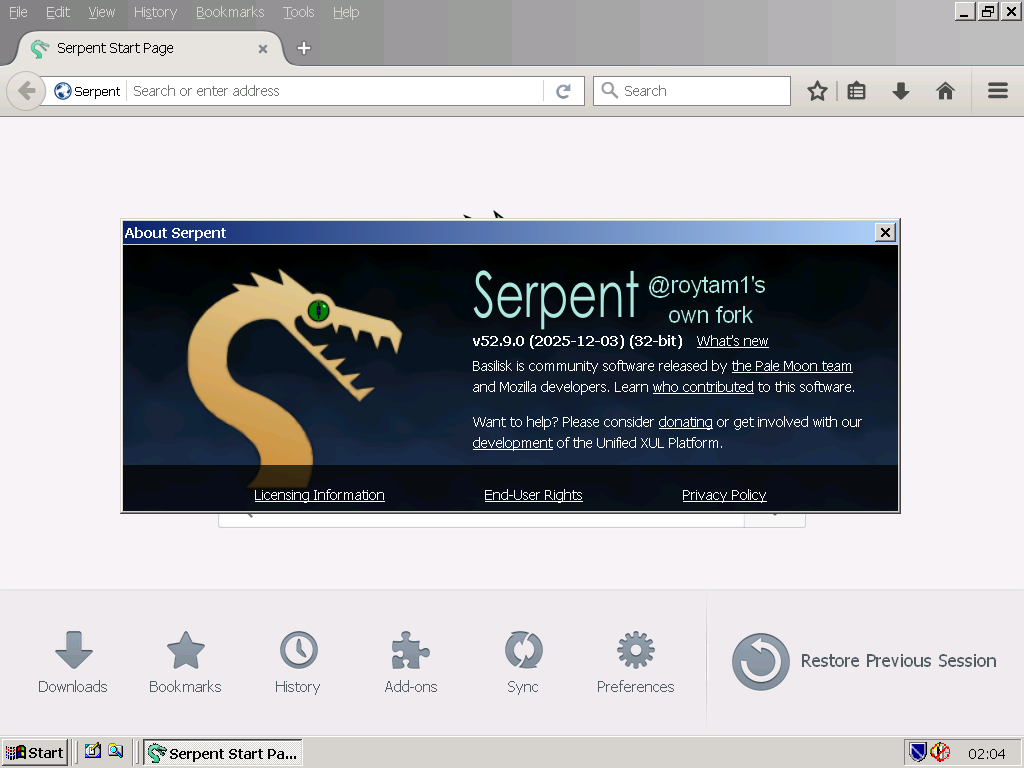
Hello roytam1, Please notice, when downloading: https://o.rthost.win/basilisk/basilisk52-g4.8.win32-git-20251220-3219d2d-uxp-b9f12b43c6-xpmod-ia32.7z it installs: St52 25-12-03
-

Flash 9 not working on NT 4.0? (consolidated thread)
Leokids123 replied to ironman14's topic in Windows 2000/2003/NT4
Internet Explorer 6 My Host Hardware? I prefer not to tell much of it but...my CPU model is I5-8400. - Yesterday
-
Flash 9 not working on NT 4.0? (consolidated thread)
reboot12 replied to ironman14's topic in Windows 2000/2003/NT4
VMware has exactly the same problem. What version of IE do you have installed? Show screenshot of System Properties What is you host hardware, CPU model ? -
Flash 9 not working on NT 4.0? (consolidated thread)
Leokids123 replied to ironman14's topic in Windows 2000/2003/NT4
You should probably get Virtualbox or VMWare,i never got this problem on my VM... And i did check my winver... -
Flash 9 not working on NT 4.0? (consolidated thread)
reboot12 replied to ironman14's topic in Windows 2000/2003/NT4
I meant the WinNT version > start menu > Run > winver Your installation method doesn't work. I must first install some Flash Player using an installer, e.g. install_flash_player_9.0.289.0.exe and then unpack the archive to ...Macromed\Flash subfolder but still crash and Dr Watson -
Flash 9 not working on NT 4.0? (consolidated thread)
Leokids123 replied to ironman14's topic in Windows 2000/2003/NT4
My host PC spec?! Man,i really wanted to upgrade to Windows 11 but Windows won't let me despite my specs being compatible...updated bios,enabled secure boot so vtpm appears and no matter how i do,it stops at 73%-75% and rollbacks...
-
Flash 9 not working on NT 4.0? (consolidated thread)
reboot12 replied to ironman14's topic in Windows 2000/2003/NT4
I use MS VirtualPC 2007. What is your host PC spec? Give me screenshot from menu Start > Run > winver -
Flash 9 not working on NT 4.0? (consolidated thread)
Leokids123 replied to ironman14's topic in Windows 2000/2003/NT4
Here you go! I use Virtualbox and i gave the name Emilio like i did in the past. As for how to install the patched flash95nt.zip Open Windows Explorer Select C:/ (or any you chose for the HDD) Go to WINNT select System32 There should be a Macromed folder,if not,make it yourself Close the browser before doing the other steps. Copy all files on the .zip you just downloaded Paste it on that folder Now open your browser,you can now play flash files that require Flash 9 or lower! Flash 10 or later movies (including games) won't work,sorry... That's how you do it. I can't understand why Flash 10 doesn't even work..even if it successfully installs...
-
Flash 9 not working on NT 4.0? (consolidated thread)
reboot12 replied to ironman14's topic in Windows 2000/2003/NT4
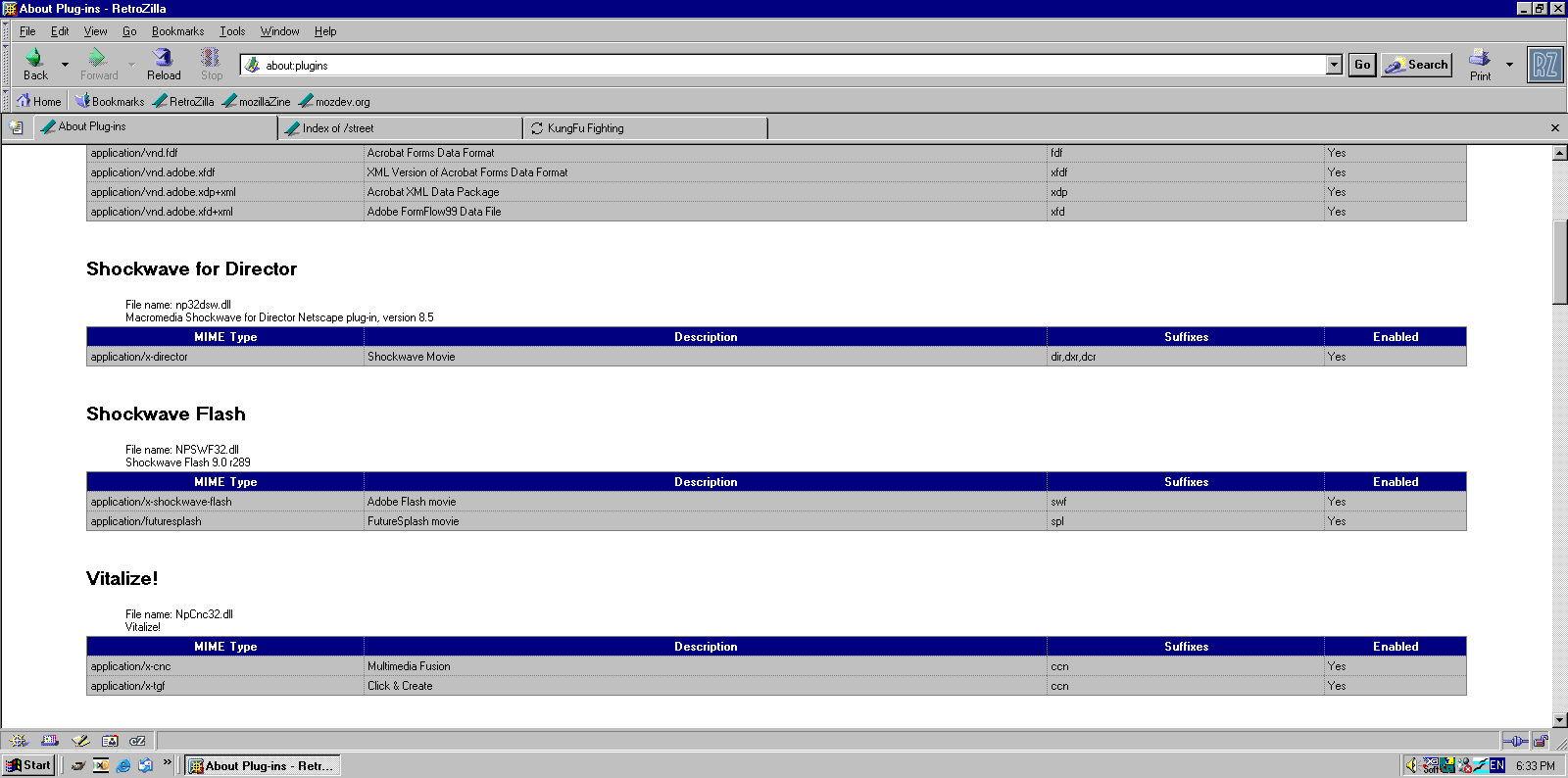
@Leokids123 Show screenshot about:plugins How do I install this patched FlashPlayer 9 - flash95nt.zip ? What VM you use ? -

KB2839299_2003 derived fltMgr upgrade that it is not...
Multibooter replied to modnar's topic in Windows XP
I have not had any problems with fltmgr.sys build 5107. fltmgr.sys build 5107 seems to work fine for me on my old Inspiron 7500 under WinXP SP3 + WinXP SP2 + Win2003 SP2 I have installed fltmgr.sys v5.2.379.5107, extracted from KB2839229, on an old Inspiron 7500 (Pentium III of the year 2001, 700MHz) two days ago, and EVERYTHING WORKS FINE , at least up to now. Mulitple operating systems are installed on the Inspiron 7500. I have installed fltmgr.sys build 5107 under Windows XP SP3 and under Windows Server 2003 on the Inspiron 7500. I didnot install fltmgr.sys v5.2.379.5107 on my i7 desktop under WinXP SP3, because speed/efficiency is not an issue with the i7 desktop. Windows XP SP3 and Windows Server 2003 SP2 feel MUCH crisper on the old 700MHz Inspiron after having installed fltmgr.sys build 5107. Windows Explorer and New Moon, for example, feel perceptably crisper. With the original fltmgr.sys, WinXP and Win2003 have felt like using a heavily fragmented HDD, with fltmgr.sys build 5107 it now feels like working with a freshly defragmented HDD. I have subsequently installed fltmgr.sys build 5107 on another old Inspiron 7500 under WinXP SP2, i.e. fltmgr.sys build 5107 seems to work OK also under WinXP SP2. Here some comments: 1) My old Inspiron 7500 has a single-core 700MHz Pentium III. WindowsServer2003-KB2839229-x86-ENU.exe also contains ntkrnlmp.exe (aka NT Kernel, Multi-Processor Version). Maybe fltmgr.sys build 5107 works OK under WinXP with single-core CPUs, but not with dual core, quad core etc? 2) I have not made any special registry settings, e.g. GroupOrderList 3) WinXP SP3, WinXP2 and Win2003 used with fltmgr.sys build 5107 are installed on FAT32 partitions, not on NTFS partitions. 4) I did not use Hirens Boot CD etc for replacing fltmgr.sys. There are multiple operating systems on my Inspirons, with System Commander 9.04 as boot manager. The installation of fltmgr.sys build 5107 was made with a simple file copy under a different operating system, i.e. by booting into another operating system (e.g. Win2003), then renaming fltmgr.sys on the WinXP partition, then copying the new build 5107 to the WinXP partition and then rebooting back into WinXP. Download and description page of KB2839229 for Win2003: https://www.microsoft.com/en-us/download/details.aspx?id=39169 Download link: https://download.microsoft.com/download/d/9/d/d9d3677c-e57f-4066-85b1-b7642fcaa1f1/WindowsServer2003-KB2839229-x86-ENU.exe I have used UniExtract (koros) to extract fltmgr.sys v5.2.379.5107 from WindowsServer2003-KB2839229-x86-ENU.exe -

KB2839299_2003 derived fltMgr upgrade that it is not...
modnar replied to modnar's topic in Windows XP
Indeed. I have the KB4512788 (x86 for Win2003 Server); it contains fltmgr build 6912 and all 4 kernel HALs again and also kernel. This fltmgr works in XPSP3/uSP4, but hitches even more than 5107... If this thing would work normally in XP, it is a much better experience because it isn't maimed like the XPSP3_fltmgr_build5512 is. When it works, the system feels much more robust as WinNT always used to feel when coming from / dual booting 98 and NT4 and NT5. Now XP just because of this one very low level component feels like Windows 98. But hey, it's all we've got so it'll have to be enough until someone backports a proper fltmgr for it. -
ProxHTTPSProxy and HTTPSProxy in Windows XP for future use
AstroSkipper replied to AstroSkipper's topic in Windows XP
Even today, the proxies ProxHTTPSProxy, HTTPSProxy and ProxyMII have lost none of their importance for Windows XP. There are programmes that still run on Windows XP but require a secure TLS connection. A good example of this is Panda Antivirus Free, which requires such a connection to activate the user account, albeit only once.