-
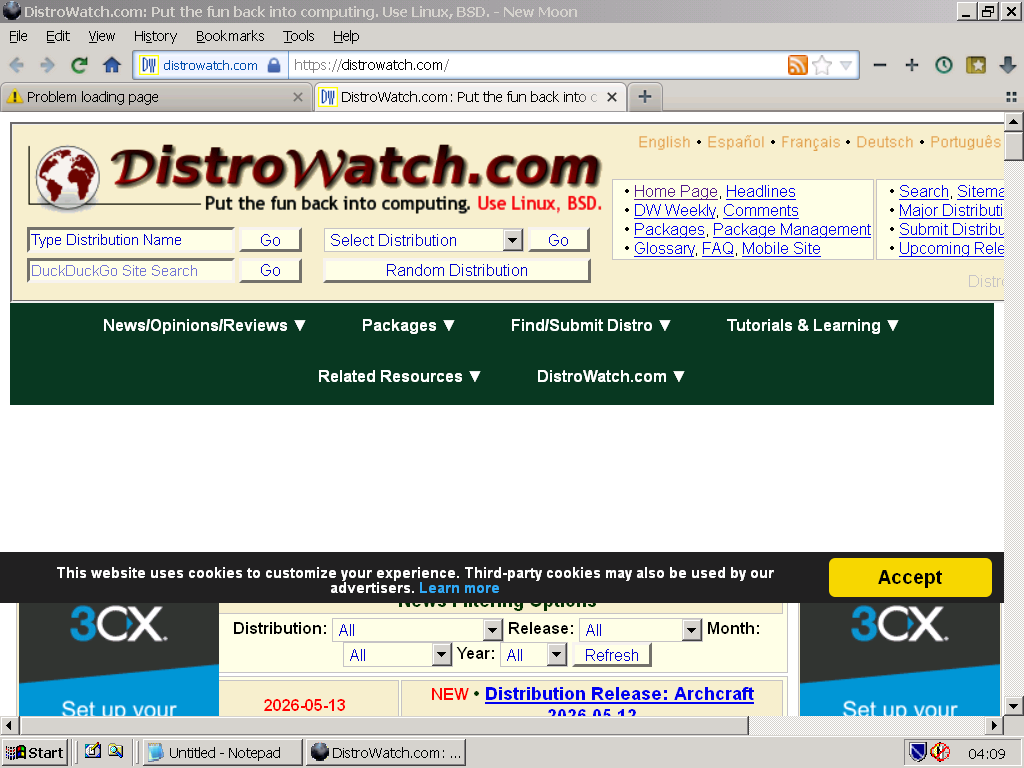
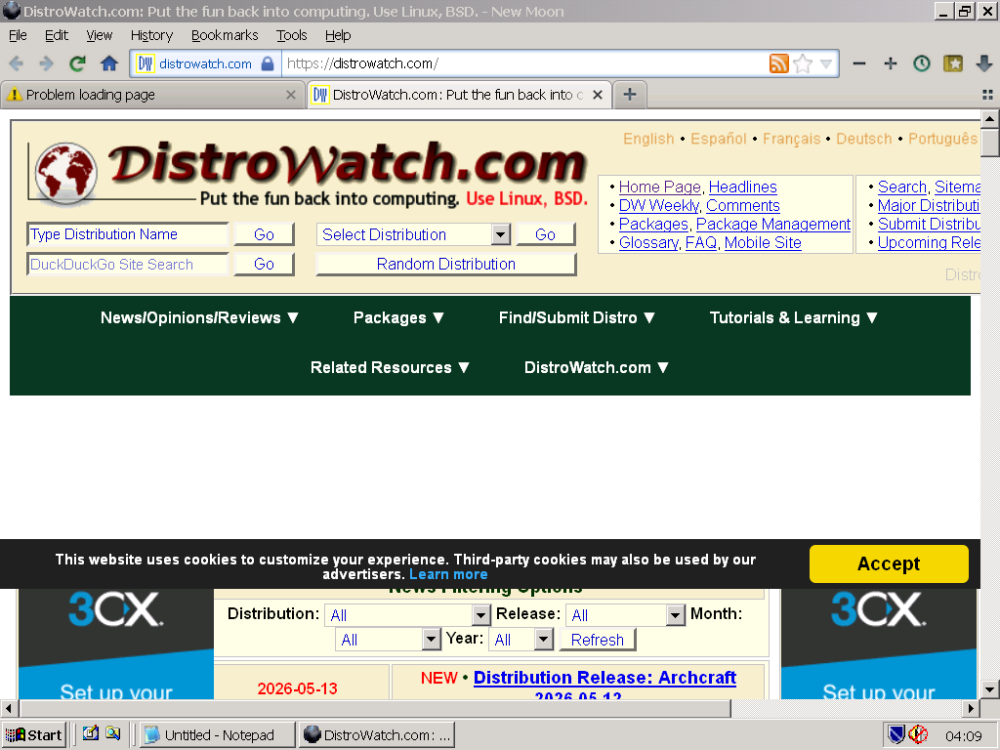
Re: www.distrowatch.org -> www.distrowatch.com For me with latest NM28 (26-05-08) the following UA did not work: general.useragent.override.distrowatch.com Mozilla/5.0 (X11; Linux i686; rv:150.0) Gecko/20100101 Firefox/150.0 Error code: SSL_ERROR_RX_MALFORMED_SERVER_HELLO And also: URL with no general.useragent.override: www.distrowatch.com Error code: SSL_ERROR_RX_MALFORMED_SERVER_HELLO But(!): URL with no general.useragent.override: www.distrowatch.org This URL is changed by the server to www.distrowatch.com and gives this result:
-
basilisk-dev said: "I do use roytam1's Serpent builds on a Ryzen 3600X running Windows 2000 though" Please,can you tell which version of KernelEx for Win2000 you use ?
-
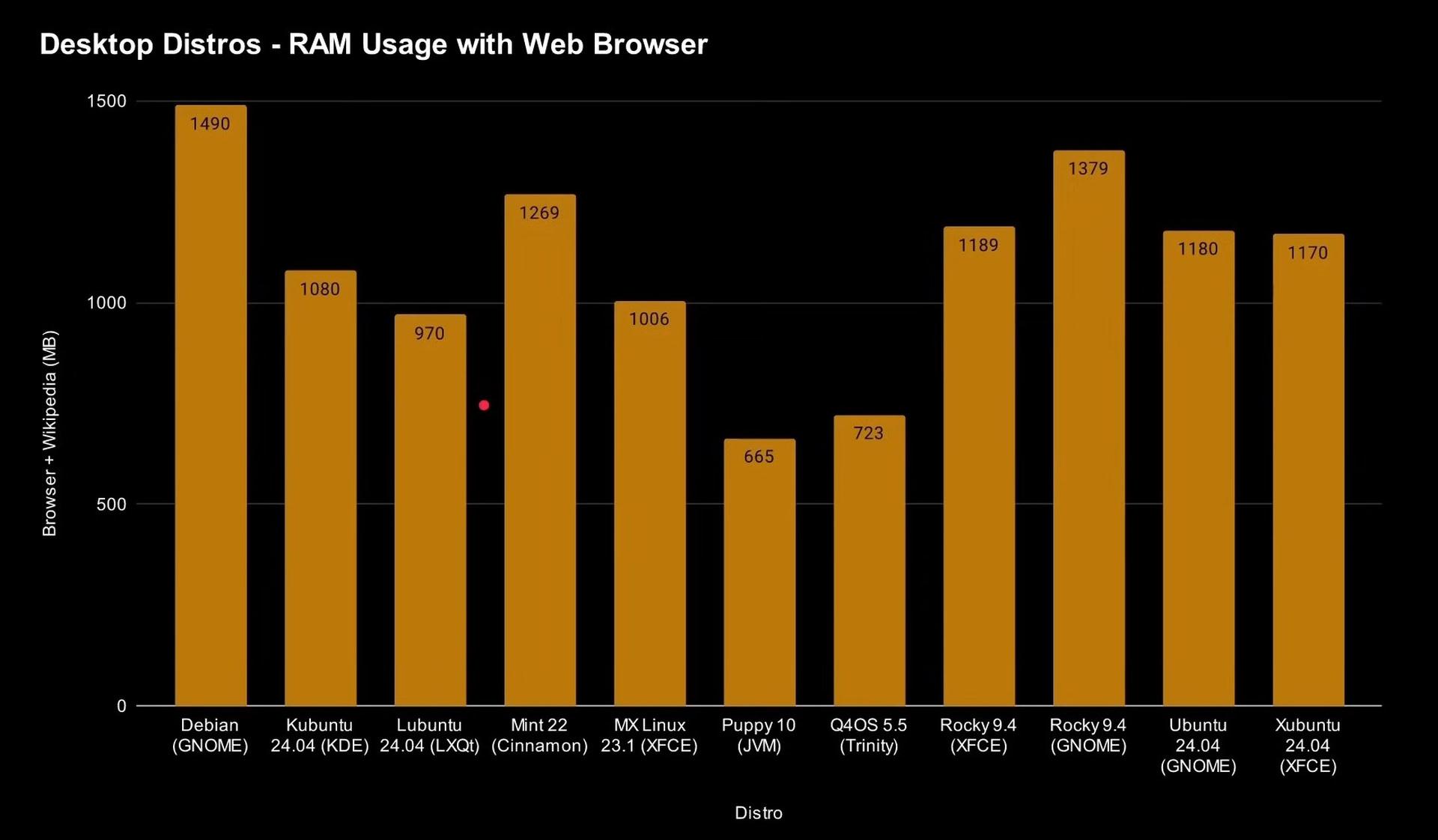
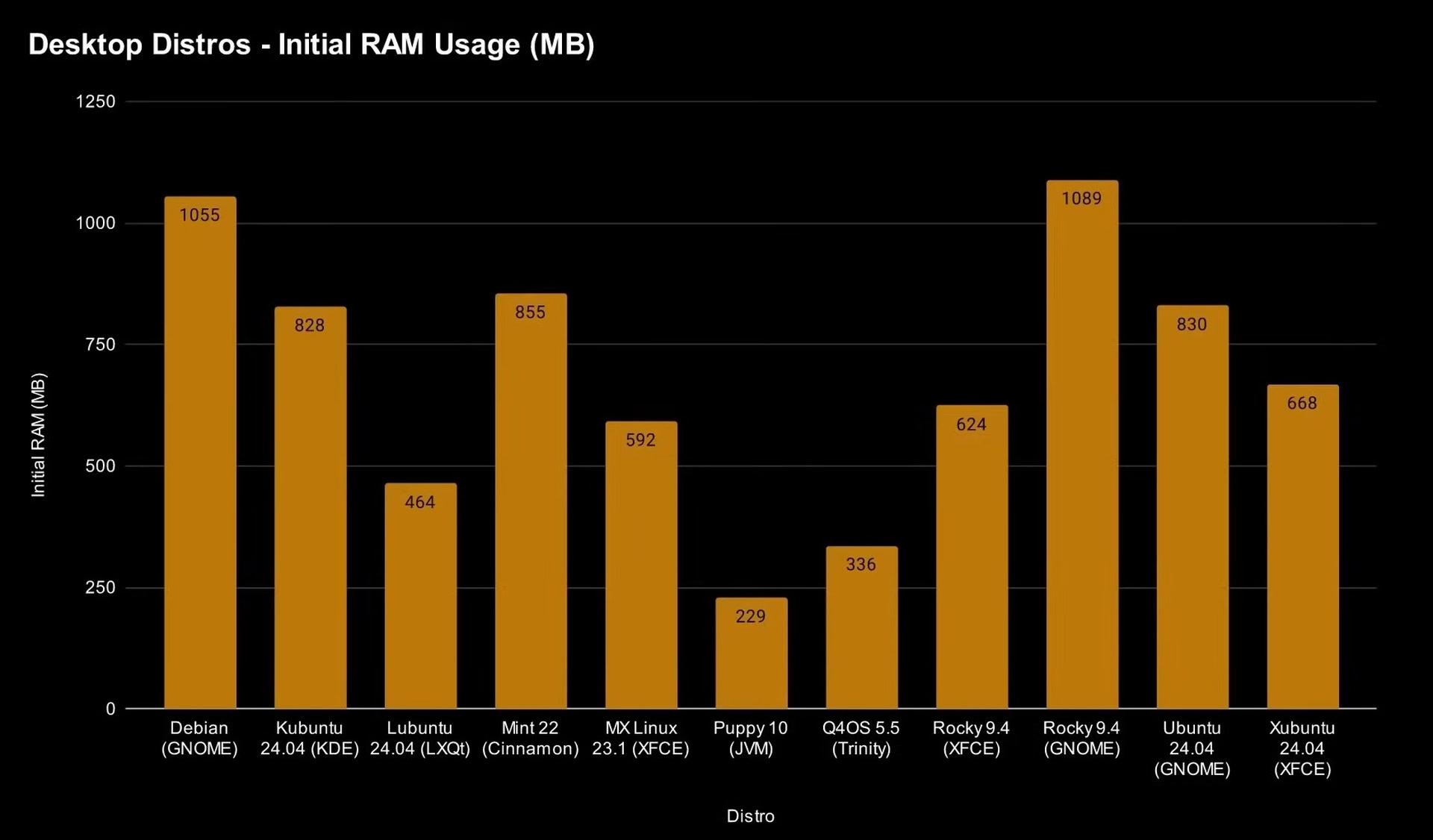
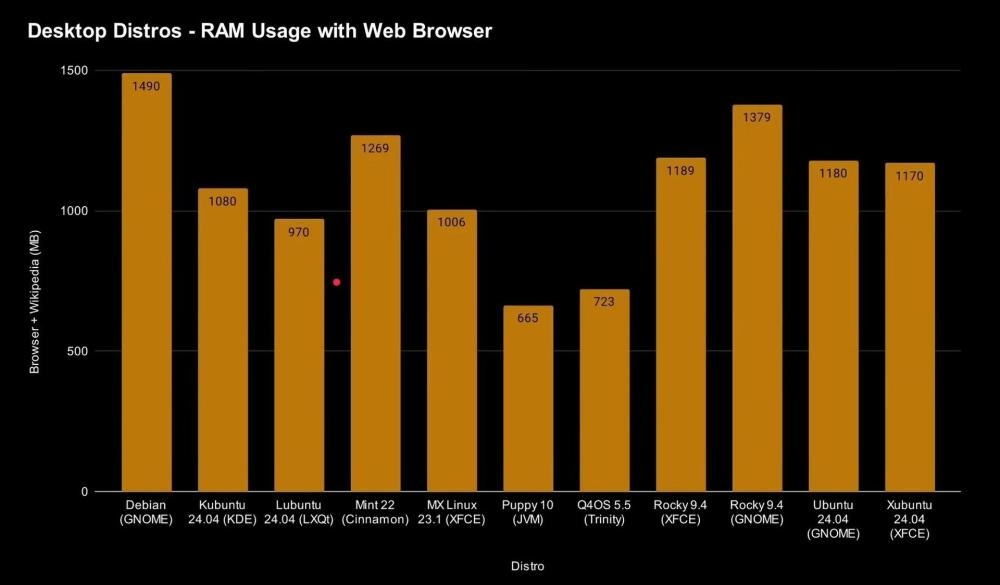
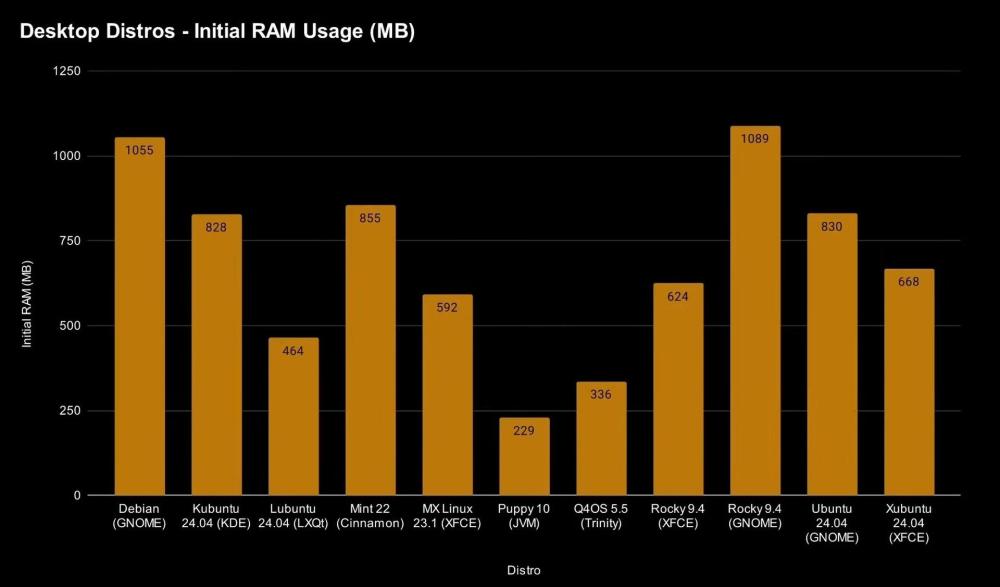
Hello NotHereToPlayGames, MSFN certainly is no forum for Linux experts. Nevertheless here are some charts for you. Contrast these charts with M$ Windows11 !! (By Gary Sims & Andy Walker)
-
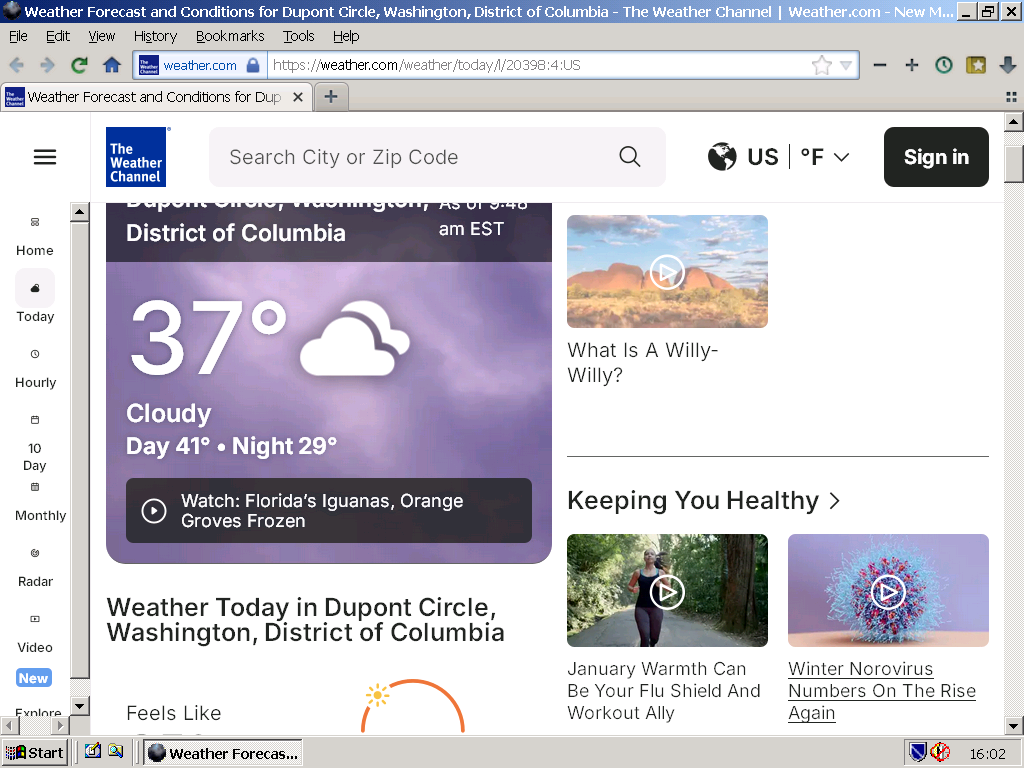
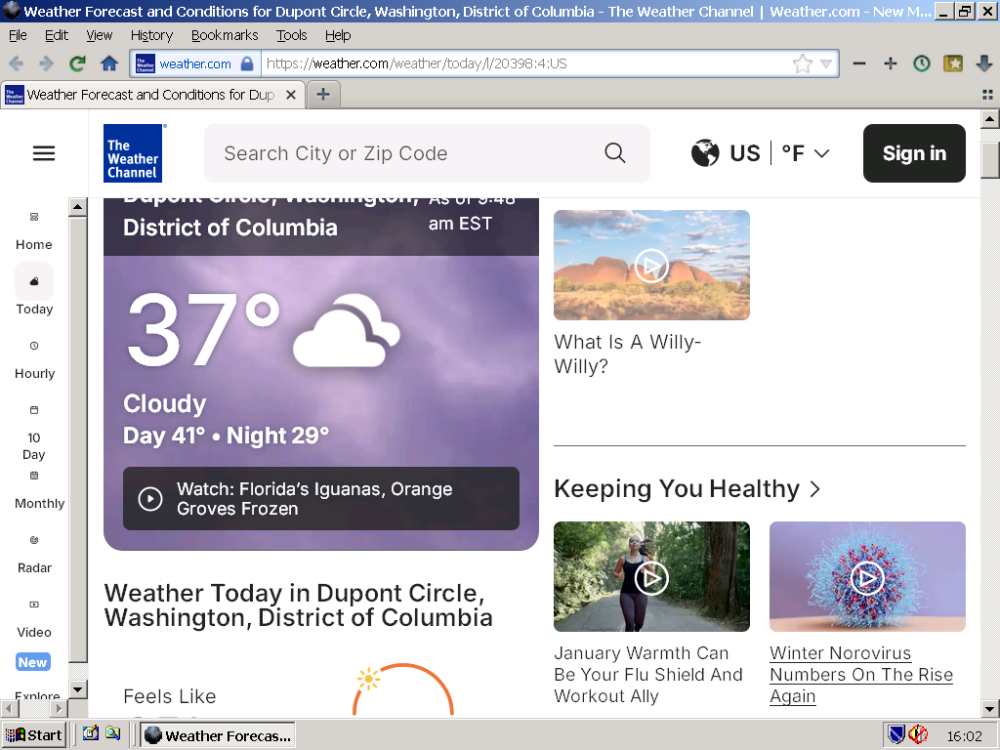
https://weather.com/weather/today/l/20398:4:US Here the above URL with the latest NM28 - from Germany:
-
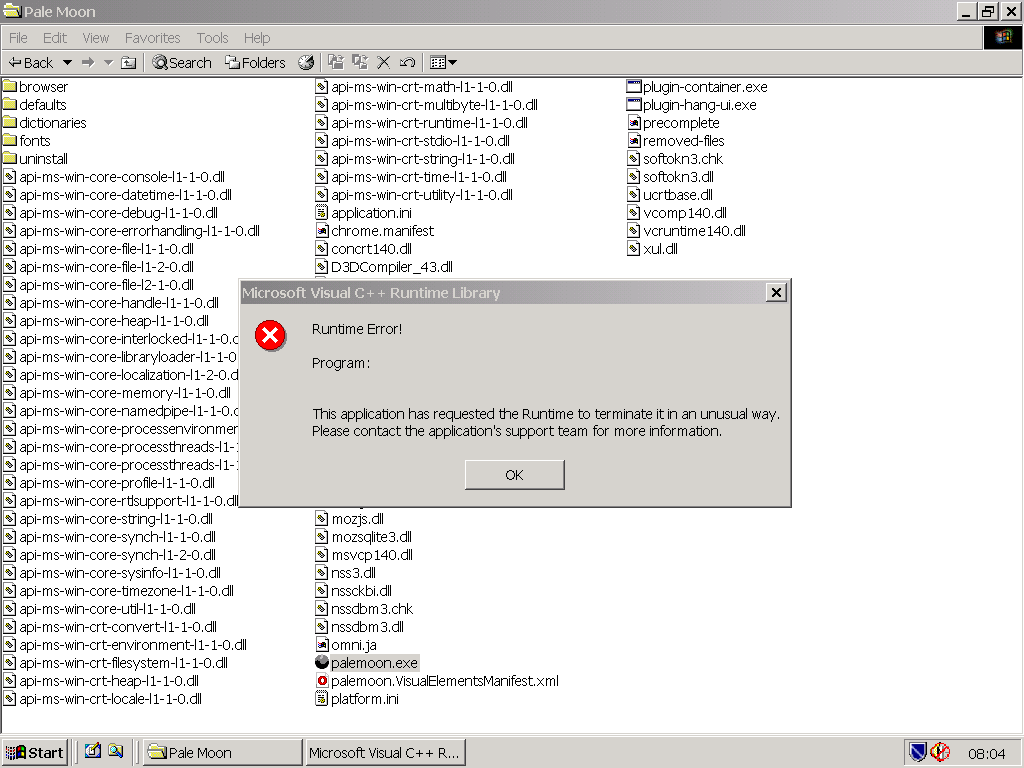
Hello nicolaasjan and roytam1, nicolaasjan said: "I have : msvcr100.dll 10.0.40219.473 (Windows 2000) msvcr100.dll 10.0.40219.325 (Windows XP SP3) Those belong to Microsoft Visual C++ 2010 (direct link; no idea if it will work for your system)." I tried Windows2000-VC2019u2-INTL.wlu for W2K by blackwingcat which installs the latest M$ Visual C++ 2019, together with W2K-Kex v31l, and it didn't help (runtime error). Next I returned to my old v30fM and NM28 25-12-24 and St52 25-12-24 work ok. roytam1 said: "hmm, confirmed v30i and v31 also works. and it seems to be broken in v31a and later." W2K-Kex from v31 to v31h had problems that were finally fixed with W2K-Kex v31l. The strange thing is that this fixed version v31l that worked quite well for over a year - incl. NM28 and St52 - now has problems with the latest version of NM28 and St52.
-
Hello roytam1 and nicolaasjan, Thanks for the feedback ! roytam1 said: "v31l here and it just triggered vc++ runtime error." nicolaasjan said: "I have Windows 2000 with extended kernel here in a VM and the latest New Moon works fine." "Ah... I have Windows2000-KB935839-v30fM-x86-ENU" anton12 says: Win2000-KEX-KB935839-v31lM here and I have Visual C++ Runtime error as well (s.a.). ------------------------------------------------------------------------------ roytam1 said: "runtime files are not changed and it works on XP SP2 with hotfix or SP3 using same runtime files, so the problem could be in w2k extended kernel." Which M$ Visual C++ Runtime do you use in W2K-Kex (v31lM) and XP SP2/SP3. Is it newer than M$ Visual++ Runtime 2008 ?
-
roytam1 said: "runtime files are not changed and it works on XP SP2 with hotfix or SP3 using same runtime files, so the problem could be in w2k extended kernel." https://o.rthost.win/palemoon/palemoon-28.10.7a1.win32-git-20251225-d849524bd-uxp-fd19819276-xpmod.7z https://o.rthost.win/palemoon/palemoon-28.10.7a1.win32-git-20251225-d849524bd-uxp-fd19819276-xpmod-ia32.7z Please,can someone confirm if W2K with KernelEx works with the above latest versions of NM28 ?
-
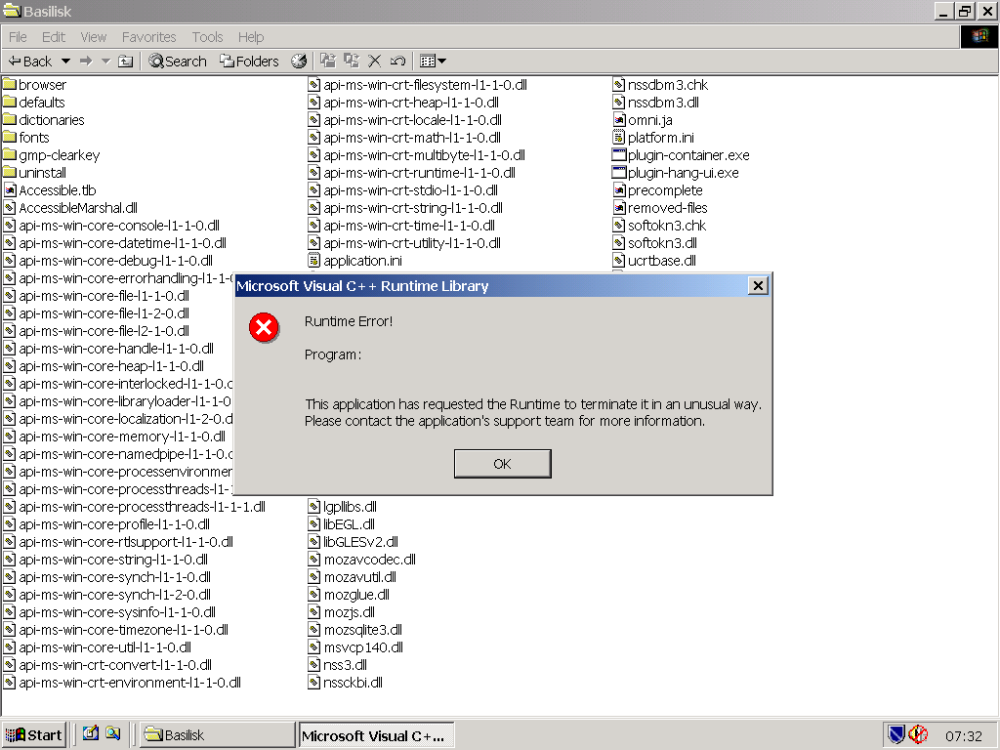
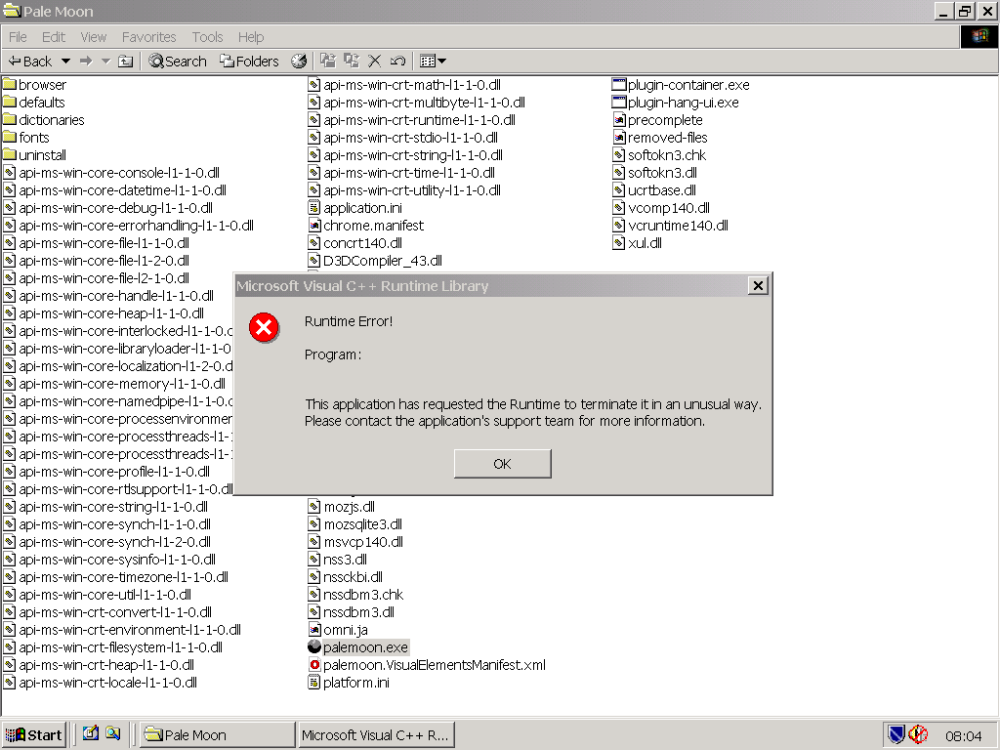
Hello roytam1, You said: "Merry Christmas and please enjoy a freshly specially experimental build!" I hope you and everyone here had a merry Christmas. "....and please enjoy a freshly specially experimental build!" Well,......let the enjoyment begin: When trying to start basilisk.exe and palemoon.exe from https://o.rthost.win/basilisk/basilisk52-g4.8.win32-git-20251225-3219d2d-uxp-fd19819276-xpmod-ia32.7z and https://o.rthost.win/palemoon/palemoon-28.10.7a1.win32-git-20251225-d849524bd-uxp-fd19819276-xpmod-sse.7z these are the results:
-
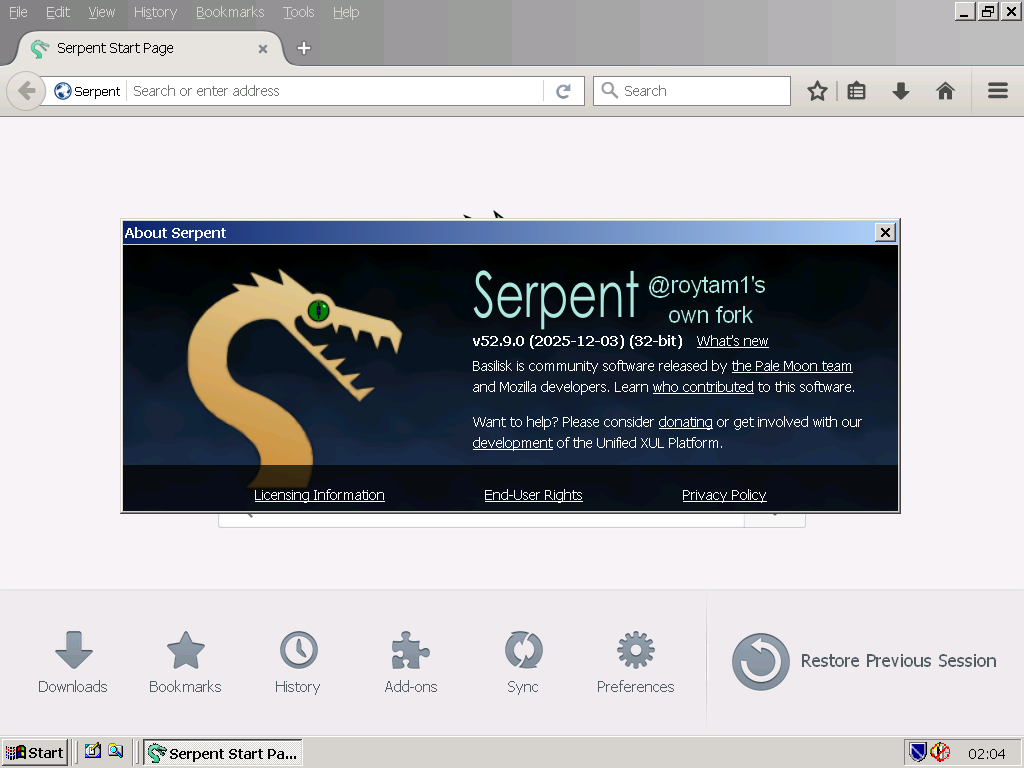
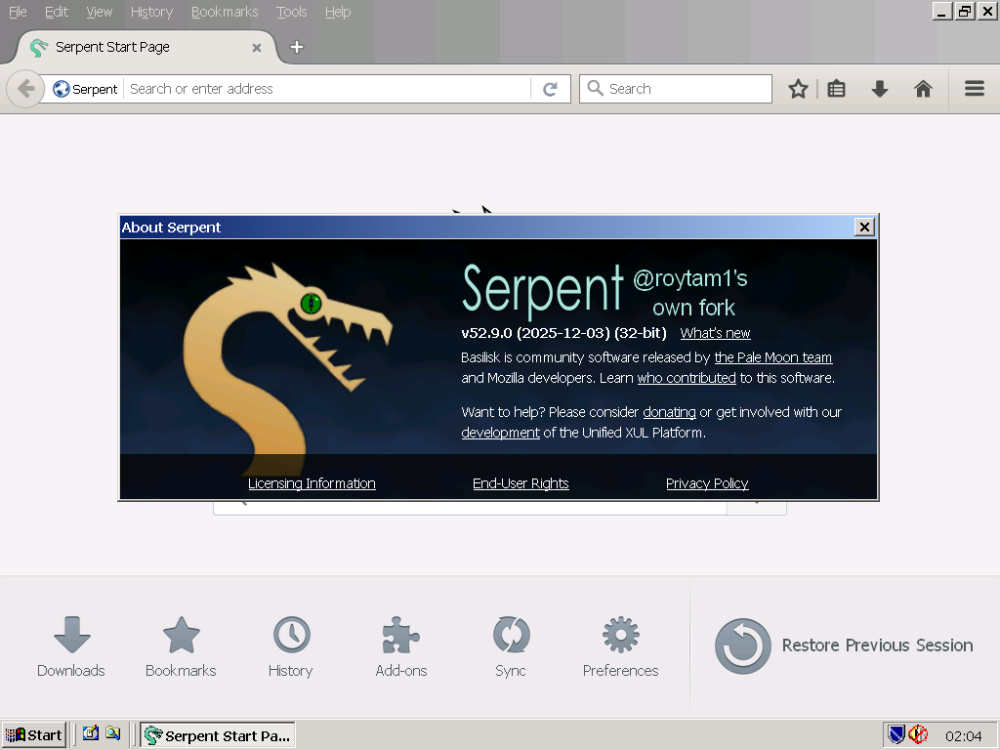
Hello roytam1, Please notice, when downloading: https://o.rthost.win/basilisk/basilisk52-g4.8.win32-git-20251220-3219d2d-uxp-b9f12b43c6-xpmod-ia32.7z it installs: St52 25-12-03
-
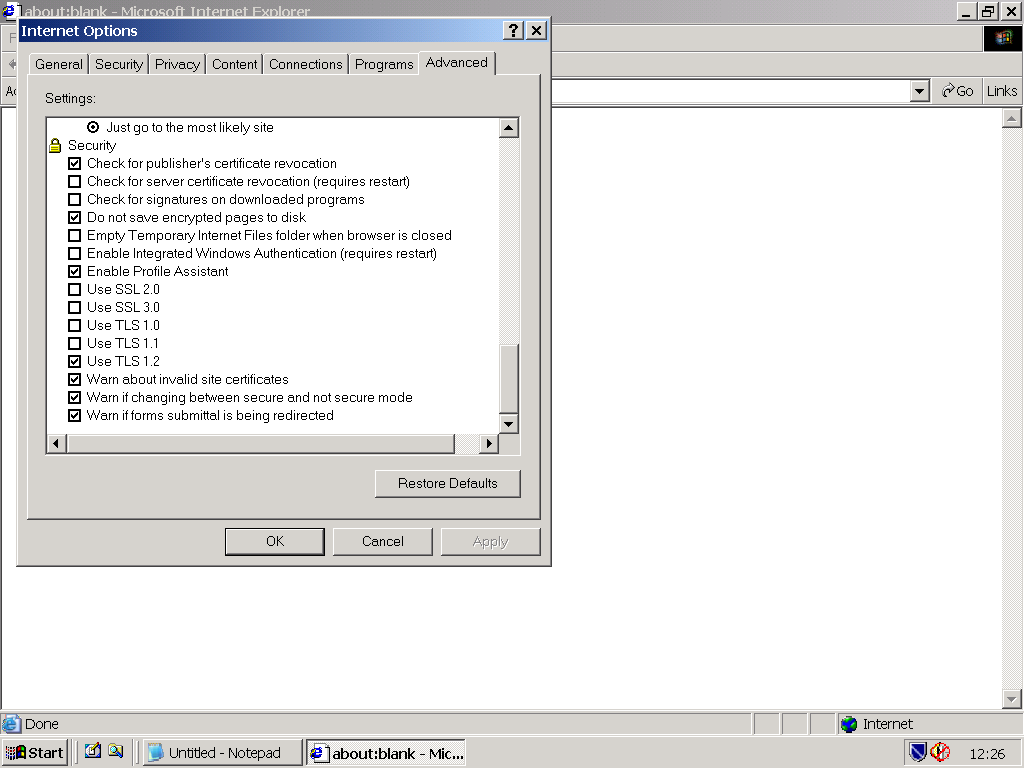
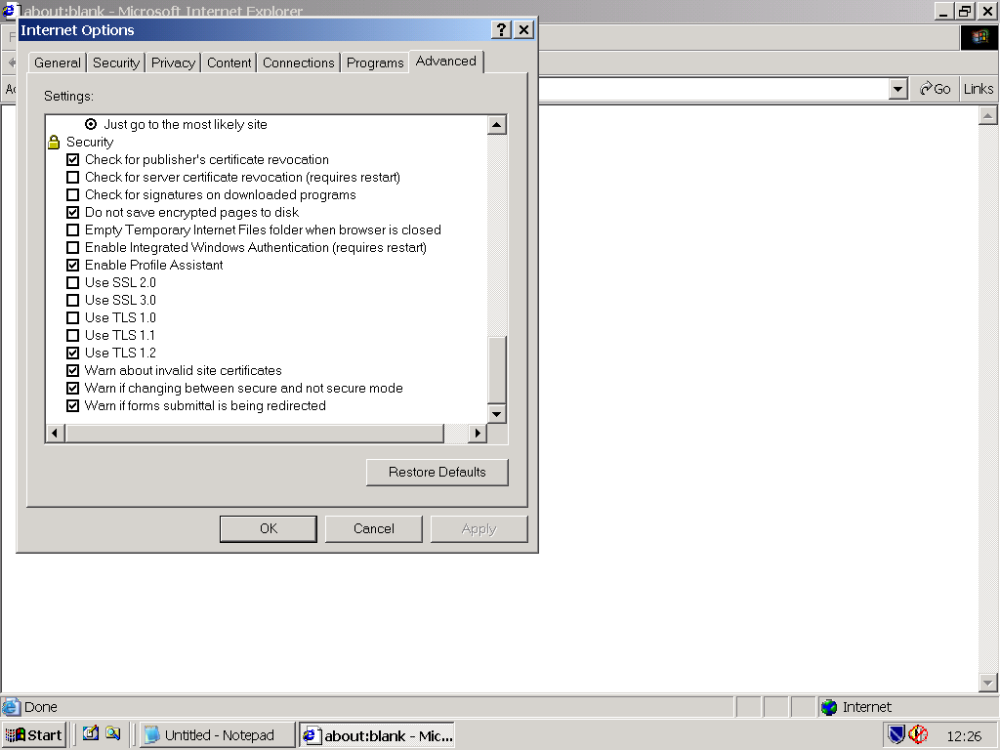
Hello Start Me Up, Thank you for your feedback ! KB3055973 is already included in KernelEx (v31lM): E:\Winnt\SYSTEM32\schannel.dll VALUE "CompanyName", "Microsoft Corporation" VALUE "FileDescription", "TLS / SSL Security Provider" VALUE "FileVersion", "5.1.2600.7567 (xpsp_sp3_qfe.180905-0605)" VALUE "InternalName", "schannel.dll" VALUE "LegalCopyright", "© Microsoft Corporation. All rights reserved." ------------------------------------------------------------------------------------------------------------------ When visiting with IE6 the following website https://www.howsmyssl.com/ the results are: Given Cipher Suites The cipher suites your client said it supports, in the order it sent them, are: TLS_RSA_WITH_AES_256_CBC_SHA256 TLS_RSA_WITH_AES_128_CBC_SHA256 TLS_RSA_WITH_AES_256_CBC_SHA TLS_RSA_WITH_AES_128_CBC_SHA TLS_RSA_WITH_RC4_128_MD5 TLS_RSA_WITH_RC4_128_SHA TLS_RSA_WITH_3DES_EDE_CBC_SHA TLS_RSA_WITH_DES_CBC_SHA TLS_RSA_EXPORT1024_WITH_RC4_56_SHA TLS_RSA_EXPORT1024_WITH_DES_CBC_SHA TLS_RSA_EXPORT_WITH_RC4_40_MD5 TLS_RSA_EXPORT_WITH_RC2_CBC_40_MD5 TLS_DHE_DSS_WITH_AES_256_CBC_SHA256 TLS_DHE_DSS_WITH_AES_128_CBC_SHA256 TLS_DHE_DSS_WITH_3DES_EDE_CBC_SHA TLS_DHE_DSS_WITH_DES_CBC_SHA TLS_DHE_DSS_EXPORT1024_WITH_DES_CBC_SHA ------------------------------------------------------------------------ These TLS 1.2 Cipher Suites are not supported: TLS_ECDHE_RSA_WITH_AES_256_GCM_SHA384 TLS_ECDHE_RSA_WITH_AES_128_GCM_SHA256 TLS_DHE_RSA_WITH_AES_256_GCM_SHA384 TLS_DHE_RSA_WITH_AES_128_GCM_SHA256 TLS_ECDHE_RSA_WITH_AES_256_CBC_SHA384 TLS_ECDHE_RSA_WITH_AES_128_CBC_SHA256 If these TLS 1.2 Supported Cipher Suites could be added to KernelEx,it probably would be beneficial.
-
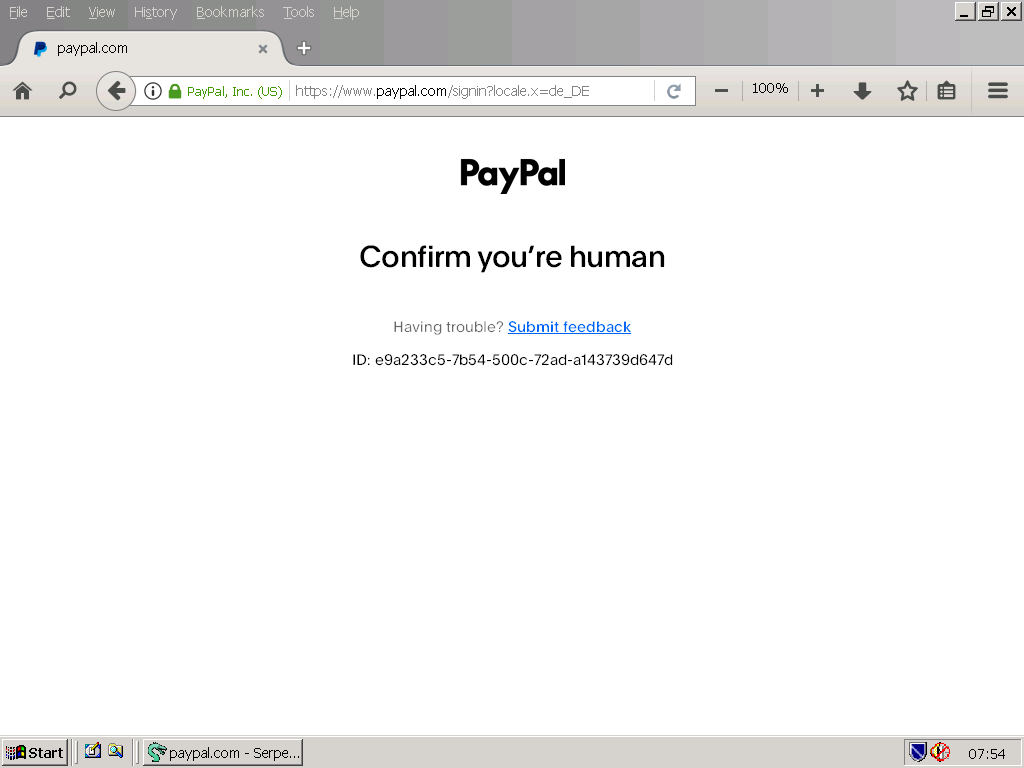
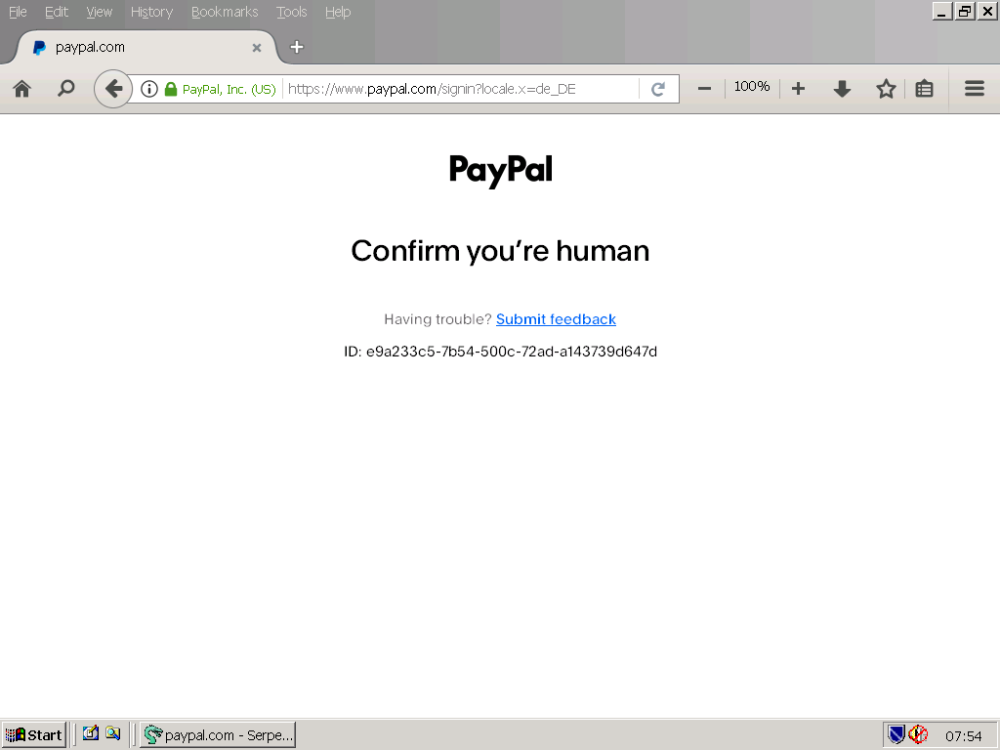
LordGarfio said: "By the way, your browser may show the following URL https://license.malcat.fr/?, because the two mentioned above cannot do it and all everything is correct in the URL https://malcat.fr/" My NM28 Version: 28.10.7a1 (32-bit)(2025-10-16) that works with PayPal has the following URL: https://www.paypal.com/signin SHA1 Fingerprint 12:2E:F7:4B:EE:2D:15:15:4F:4E:DE:63:48:9F:DB:6C:A1:B4:A4:6D ---------------------------------------------------------------------------------------- My Serpent 52.9.0 (2025-10-16)(32-bit) that does NOT work with PayPal because the PayPal captcha does NOT load (If PayPal worked had the captcha loaded is a different question.) has the following URL: https://www.paypal.com/signin?locale.x=de_DE SHA1 Fingerprint 12:2E:F7:4B:EE:2D:15:15:4F:4E:DE:63:48:9F:DB:6C:A1:B4:A4:6D
-
LordGarfio said: "By the way, your browser may show the following URL https://license.malcat.fr/?, because the two mentioned above cannot do it and all everything is correct in the URL https://malcat.fr/" My NM28 Version: 28.10.7a1 (32-bit)(2025-10-16) that works with PayPal has the following URL: https://www.paypal.com/signin SHA1 Fingerprint 12:2E:F7:4B:EE:2D:15:15:4F:4E:DE:63:48:9F:DB:6C:A1:B4:A4:6D
-
LordGarfio said: "The PayPal captcha has also stopped working, it does not pass the verification despite being correct." Can you confirm that for the latest version of NM28 too ? Here (Germany) the PayPal sign in works well with NM28. But St52 (latest version) does not work because the PayPal captcha does not load - the old problem that still needs fixing.
-
Hello Skorpios and modnar, Thank you very much for your feedback ! modnar said: "Same result in Serpent 52.9." The same result here with the latest version of St52.
-
Hello Blackwingcat, is it possible to add TLS 1.3 to KernelEx ?