Everything posted by Dave-H
-
I can certainly recommend HP System Diagnostics, I've been using it for years after it came bundled with the software for an HP photo printer I bought. I use it on Windows 98SE and Windows XP.
-
You can't change it in Disk Management? I'm not sure if you can change the letter of the system drive there.
-
I've been offered Java 8 Update 221 on Windows 10. No offered update on XP as yet, but when I checked the offline installers download page, there is only version 221, no version 222. Have they stopped offering dual versions like they used to, I can find no trace of 222 anywhere?
-
-
-
I'm a bit surprised, with supposedly less than a week to go before it stops working, that they haven't put any notice on the Microsoft Update website that it's about to be pulled. Perhaps they think no-one's using it any more anyway, although I'm sure their traffic data analysis would tell them otherwise if they bothered to look!
-
Three updates today, all seem to be safe. I wonder if these will be the last I see from Microsoft Update?
-
I found with Office 2010 that activation didn't work online when it was installed on Windows XP, but it did on Windows 10. However, I found that it was still possible to activate it on XP over the phone, despite the activation notice saying that facility was no longer available either. Are you seeing an installation ID of nine blocks of six numbers on the activation screen? If so, you should be able to ring the MS activation line and input those numbers and get an activation code back. It's an automated system, you don't actually speak to anyone. It may not work with Office 2007 of course, but worth a try. It's a very tedious process, but hopefully you'll only have to do it once!
-
I'm afraid I can't help you on that, as I use Malwarebytes Premium online, so it updates automatically. I guess you'll have more luck asking about this on the Malwarebytes forum.
-
And all for a readily available patch that's been around since the middle of May!
-
Looks to me like that hotfix (and therefore almost certainly others as well) are now only available to paying customers!
-
He presumably doesn't really understand the concept of "open source"!
-
It's actually KB2963522 that people are looking for, not that one.
-
That goes back to the middle of May, I installed it then, but I can't remember whether it came through Microsoft Update or whether I had to install it manually.
-
Thank you, that's exactly what I want! I feel like an absolute fool now, I've had WinUpdatesList installed for ages, and I had never ever noticed that it could do that!
-
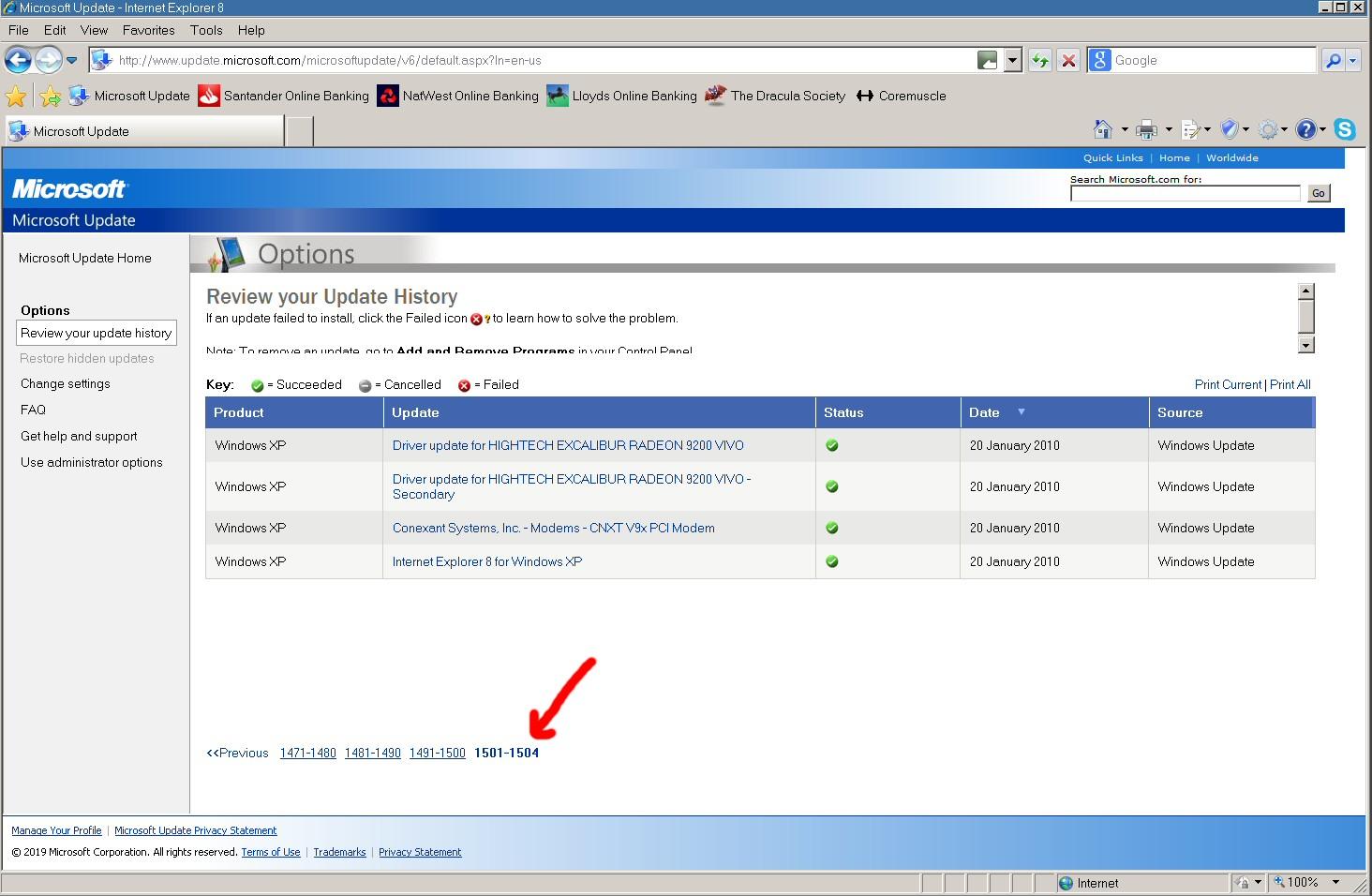
Yes, thanks for the suggestion both of you, but presumably I'd have to archive every page as a PDF separately, and there's an awful lot of them, as you can see! With over 1500 entries, that would be over 150 pages. I was just hoping that maybe there would be some way of reading and displaying the data in the DataStore.edb file once it could no longer be displayed using IE. I did manage to archive my Windows 98 update history as web pages, but i can't remember how I did it! IIRC that was saved as a file called "iuhist.xml" which was relatively easy to convert to an html document.
-
Ah thanks, quite a while to go then!
-
Oh dear, I do hope not! When is Office 2010 out of support anyway? It's usually 10 years after the first release isn't it, so I guess next year sometime.
-
-
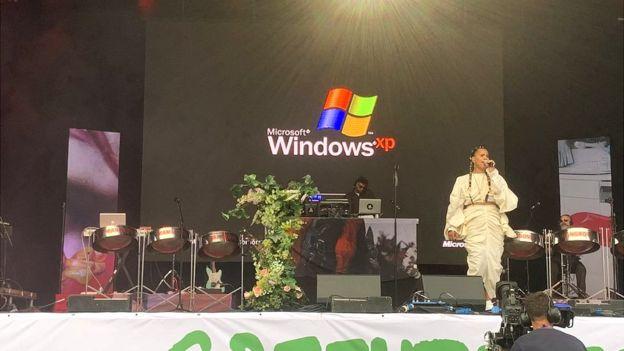
What really amused me was that this was almost certainly the most "spotted" instance of XP still now in use ever, as it was seen by millions of people on TV! And yes @heinoganda, you would think Neneh would be able to afford a more up to date laptop! Why it suddenly rebooted in the middle of her set doesn't seem to be known. Still, if it's only used to play stage background videos, and is therefore possibly never even put online, why would they bother to change it?
-
It is a week early, "Patch Tuesday" isn't until the 9th, so there could be more then.
-
Thanks yes, I already have this installed and it will do the job if there's no way of displaying the list in a browser once the MS sites are gone.
-
Game over I think, it doesn't get better than this! Neneh Cherry onstage at the Glastonbury Festival after the laptop running her background video apparently crashed!

-
One point that I'm now wondering about. Is there any way of saving one's update history permanently so it can be displayed in the future? I seem to remember that when the Windows 98 version of Windows Update was taken offline, it became impossible to see your Windows 98 update history as it was necessary to load the site to be able to see it. I'm assuming that this is will be the same with the present Windows Update and Microsoft Update sites. Once they will no longer load in Internet Explorer, it will be impossible to see your update history, even though the necessary files are still on the computer. Anyone got any ideas about how to easily archive this in a future-readable format before it's too late?
-
I would imagine most registry entries with incorrect syntax would just be ignored. If the format of the entry was completely wrong, it wouldn't even get entered. If everything is working fine, I wouldn't worry about it.