Dave-H
Content Type
Profiles
Forums
Events
Everything posted by Dave-H
-
Have you tried replacing all of the registry files from the backup? They would normally all be written to simultaneously I would have thought, and the system may not like the fact that the SYSTEM hive has a different timestamp to the others. Just a thought.
-

360 Extreme Explorer Modified Version
Dave-H replied to Humming Owl's topic in Browsers working on Older NT-Family OSes
Sorry yes! I monitored it for quite a while, intending to report back, but never got around to actually doing it! Yes, against all my expectations, the 'incorrect today' issue seems to be fixed. Quite why a one-hour discrepancy in the time that the browser thinks it is should cause that is still a bit of a mystery to me, but it obviously was the cause! I'll probably just set the time back an hour manually on the morning of the 30th, by changing the timezone back to London, and carry on doing that manual adjustment in the future when the clocks change. -
My Browser Builds (Part 3)
Dave-H replied to roytam1's topic in Browsers working on Older NT-Family OSes
@roytam1 In the past we have made a new thread here once the current one has gone over 200 pages, which this one now has! When you next publish new builds, could you make a new 'My Browser Builds (Part 4)' thread and use them for the first post? I will then close this thread. Thanks, Dave. -
Back on topic now please guys.
-
Late response, but the yelp.com site seems to be working fine for me in 360Chrome 13.5.
-
360 Extreme Explorer Modified Version
Dave-H replied to Humming Owl's topic in Browsers working on Older NT-Family OSes
OK, I've switched off the automatic DST adjustment, and set my timezone to Paris (where I've just been on holiday!) Everything looks fine, and as expected 360Chrome is now showing the correct timestamp for history entries. I'll let you know if it gets rid of the 'incorrect today' issue too, it's OK at the moment! -
That's exactly the error message I got when I tried to use Avast some years ago. Although the version I was using was supposed to work on XP, I never succeeded in getting it to work, despite a lot of help from the Avast technical support people. We just eventually gave up as we couldn't find the answer, and I ended up using Malwarebytes Premium, which I'm still using to this day. POSReady updates, I hear you cry? Well perhaps, but we'll never now know!
-
360 Extreme Explorer Modified Version
Dave-H replied to Humming Owl's topic in Browsers working on Older NT-Family OSes
I do understand the DST problem in 360Chrome, and as you'd expect, it's recording all the history items an hour adrift. That's not a big problem as far as I'm concerned, and I can't see any problem anywhere else. What I don't understand is why it won't display the history for the current day, and thinks that 'yesterday is today'! Surely the DST problem wouldn't cause that? Even more puzzling is how it seems to come good sometimes for a day or two, and then goes wrong again. I will wait and see what happens at the end of the month when we revert to GMT. The first problem I would expect to disappear, but the second one, I don't know! -
360 Extreme Explorer Modified Version
Dave-H replied to Humming Owl's topic in Browsers working on Older NT-Family OSes
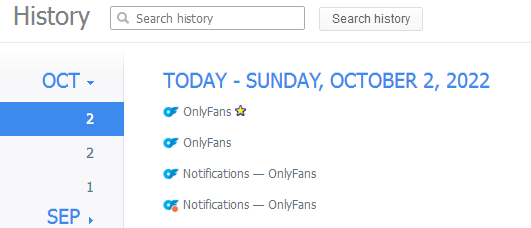
My history has now gone wrong again, that didn't last long! As you can see, I now have two (identical) entries for Sunday, October 2nd, and no entry for the current day, Monday, October 3rd.
-
360 Extreme Explorer Modified Version
Dave-H replied to Humming Owl's topic in Browsers working on Older NT-Family OSes
You can certainly load them from .crx files, I've done it several times. You have to be in developer mode to see the extra buttons. It may be that just dragging the file to the extensions window may work, I can't remember. -
360 Extreme Explorer Modified Version
Dave-H replied to Humming Owl's topic in Browsers working on Older NT-Family OSes
Just to chime in now I'm back from being away for six days, my 360Chrome is now again showing the correct day as 'today'. How long this will last for remains to be seen! As expected though, the timestamp on all the entries is an hour out. -
360 Extreme Explorer Modified Version
Dave-H replied to Humming Owl's topic in Browsers working on Older NT-Family OSes
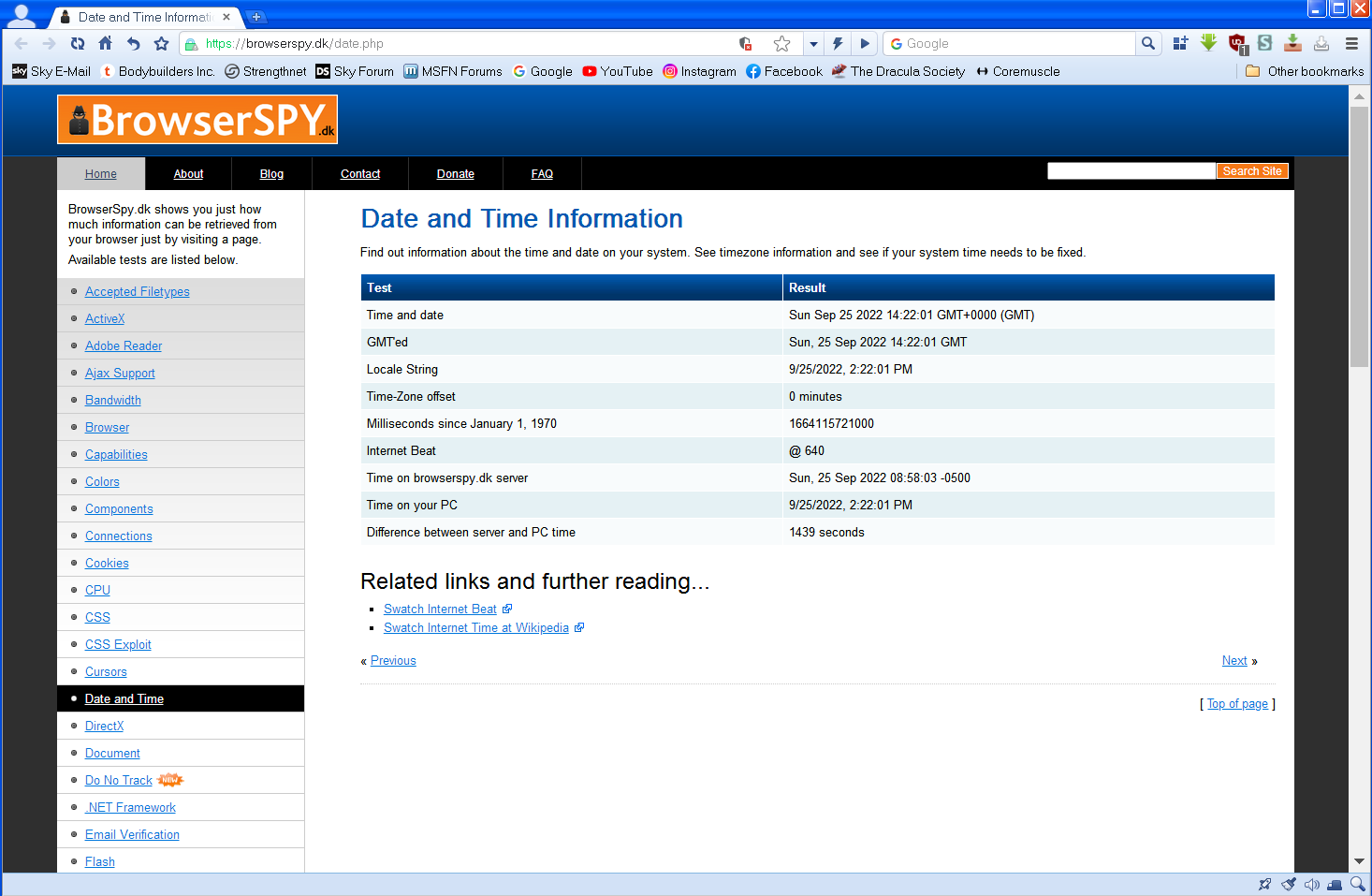
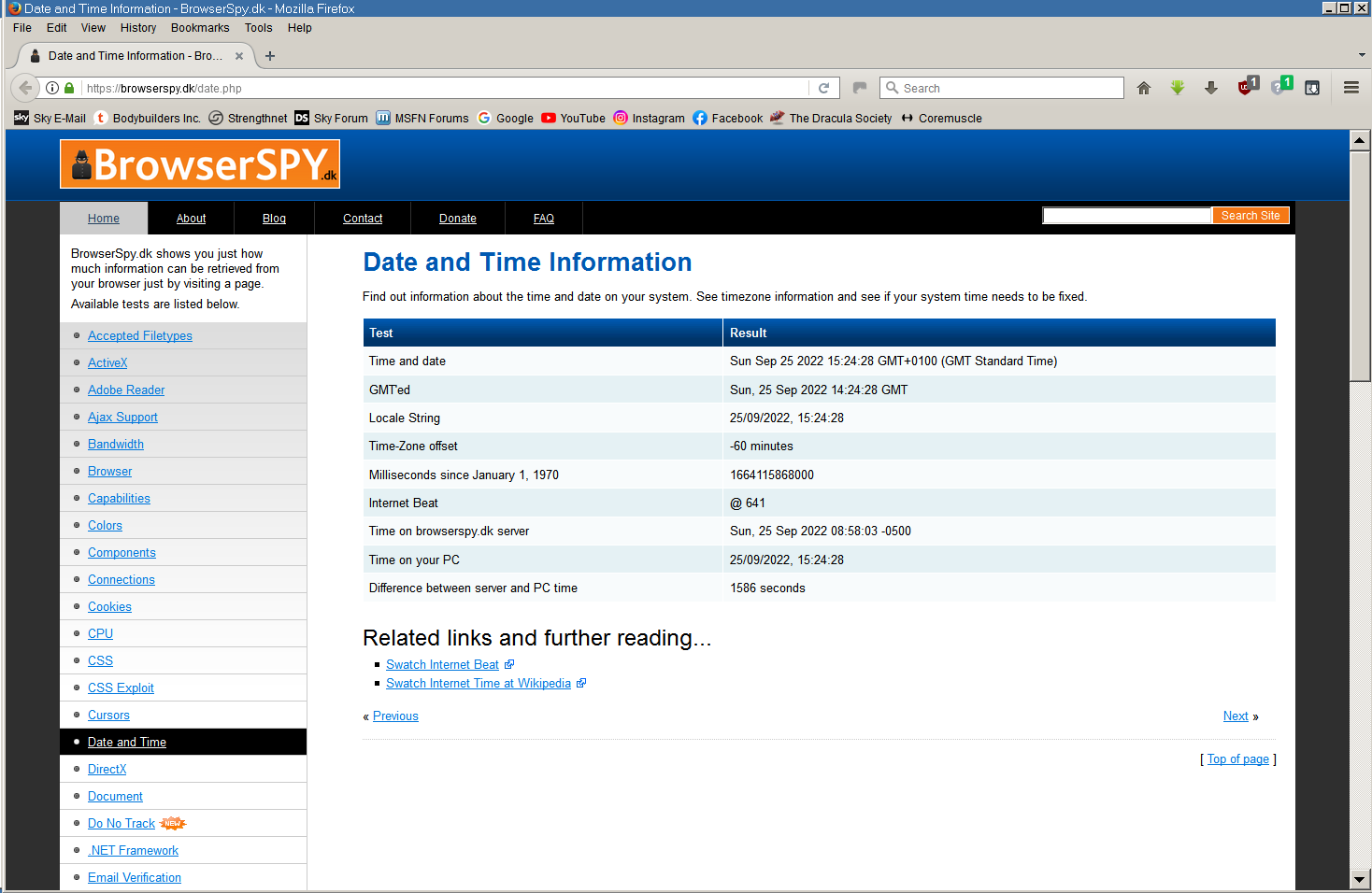
Thank you very much, I think that shows the problem! Here's the page on 360Chrome - And here it is on Firefox 52.9.1 ESR - As you can see, they are an hour adrift, and the correct local time is being shown by FF 52.9, not 360Chrome. It's obviously a DST problem as you say, and it will almost certainly come good at the end of October when we go back to using GMT in the UK. However, where is 360Chrome getting this incorrect timestamp from, when everything else on the system as far as I can see is showing the time correctly? I will certainly investigate that registry changing article, but as I am away from home for the next week, it will have to wait until next weekend I'm afraid before I can do any experimentation. I wouldn't mind betting that 360Chrome is somehow reading the time from before the DST offset is applied, if that's possible, and that may well be because 360Chrome doesn't take DST into account as China doesn't use it. I realise that still doesn't explain why I appear to be the only one with the problem of course! Thanks again, that is extremely helpful, but still just as puzzling! Cheers, Dave.
-
360 Extreme Explorer Modified Version
Dave-H replied to Humming Owl's topic in Browsers working on Older NT-Family OSes
Yes, my system timezone is correct '(GMT+0.00) Dublin, Edinburgh, Lisbon, London' as it has always been. There are no apparent time discrepancies anywhere else on the system as far as I can see. All my other browsers' histories are correct, including Google Chrome 49. It is possible that the Chinese developers of 360Chrome did not take DST into account if China does not use it, but if that were the case surely others would be seeing a problem, and it seems to be only me! Anyway, the history is a whole day adrift, not just an hour. The history entries that I can see seem to be correct, although I should check that the recorded times of the page visits are accurate. The only actual issue is that it's getting 'today' wrong, as the entries displayed as 'today' are a day behind what they should be. -
360 Extreme Explorer Modified Version
Dave-H replied to Humming Owl's topic in Browsers working on Older NT-Family OSes
Well it's not impossible of course that this is being caused by a POSReady update, but there's no indication of any problems elsewhere. I'm sure I'm not the only one running this version of 360Chrome on a POSReady updated machine, and I'd be interested to hear from anyone else who is, especially in the UK, so see if they're seeing the same issue with the history. It's not a dealbreaker, the main annoyance is not being able to see the history from previously in the current day, but it is puzzling. It will be interesting to see if there is any change in behaviour when the UK goes back onto GMT on October 30th. If there is, that will prove that it's timezone related I think. -
360 Extreme Explorer Modified Version
Dave-H replied to Humming Owl's topic in Browsers working on Older NT-Family OSes
I'm not at all sure when the problem actually appears, but once it's there, it seems to be permanent. It was correct when I first reset the history, and seemed to be still OK the following day, but not now. I'm about to go away on holiday for a week, so there's no point in doing it now, but when I get back I will reset the history again and then this time make sure I monitor it every day to see how long it is before it gets out of sync again. Thanks. It's very strange that other people don't seem to be seeing this. It could be related to my time zone, but I don't see why it would be. Is there anyone else using 360Chrome 13.5 in the UK? -
360 Extreme Explorer Modified Version
Dave-H replied to Humming Owl's topic in Browsers working on Older NT-Family OSes
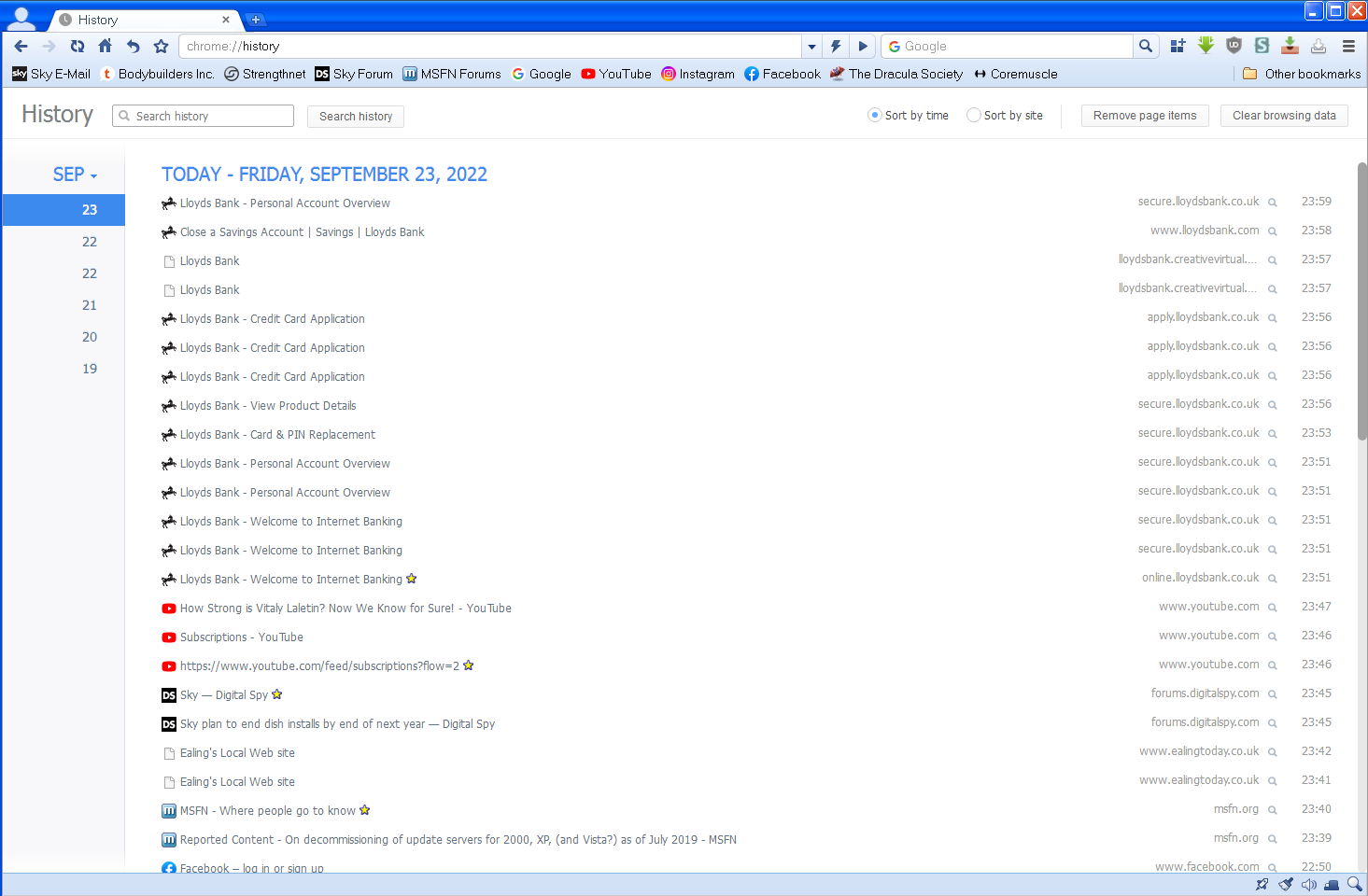
I'm afraid my history problem on 360Chrome 13.5 has come back again. Today is not Friday September 23rd, it's Saturday September 24th!
-
360 Extreme Explorer Modified Version
Dave-H replied to Humming Owl's topic in Browsers working on Older NT-Family OSes
There is no problem using other languages than English in personal messages here as far as I know. If conversing in German is more comfortable, use that system. -
360 Extreme Explorer Modified Version
Dave-H replied to Humming Owl's topic in Browsers working on Older NT-Family OSes
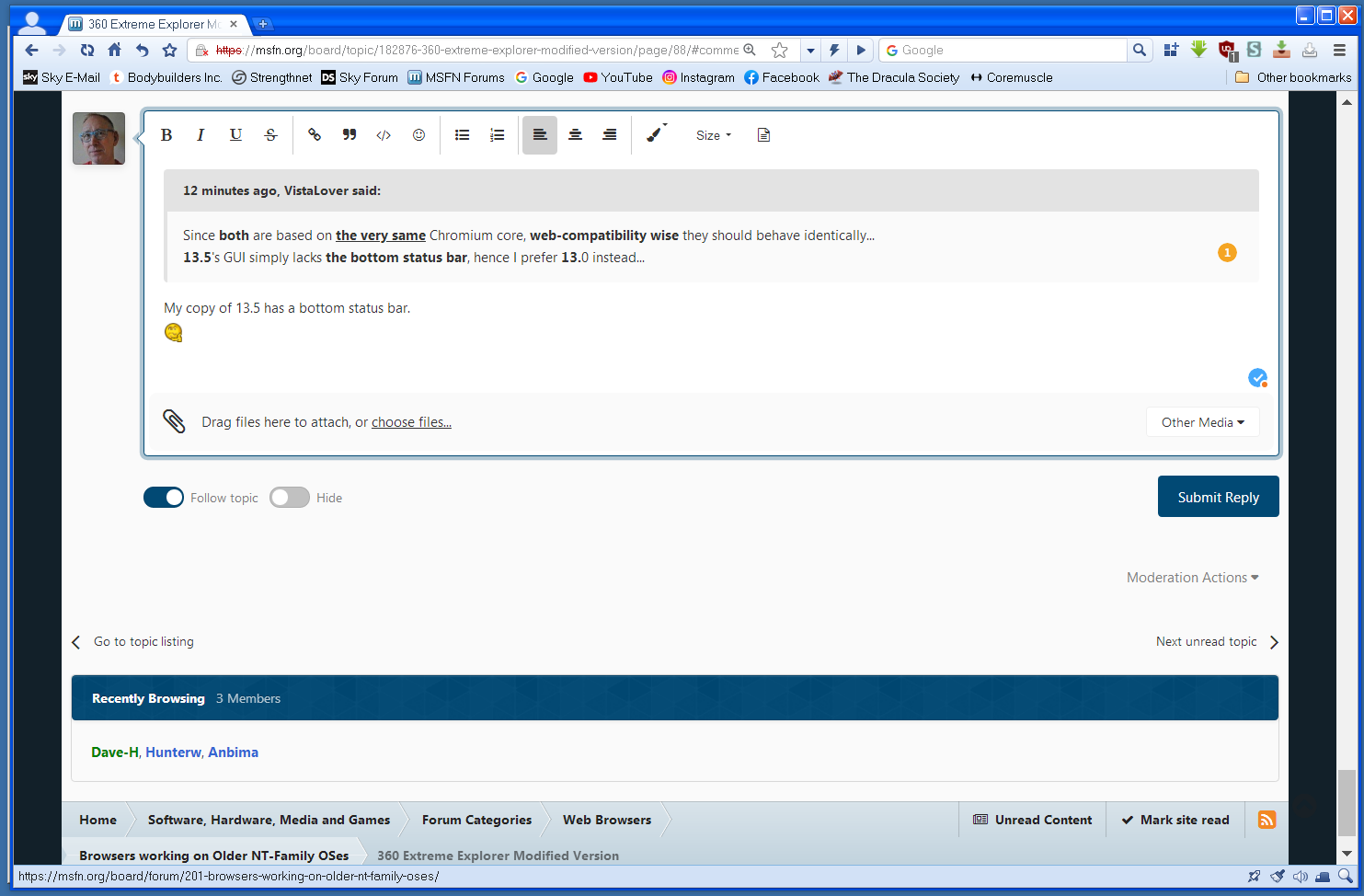
My copy of 13.5 has a bottom status bar.
-
360 Extreme Explorer Modified Version
Dave-H replied to Humming Owl's topic in Browsers working on Older NT-Family OSes
Thanks for the suggestion, but I think it's now fixed. I cleared the history (by deleting the 360History file) and the newly generated one seems to now be OK. I guess something must have got corrupted in the old file. So far so good, I'll let you all know if it malfunctions again! Cheers, Dave. -
360 Extreme Explorer Modified Version
Dave-H replied to Humming Owl's topic in Browsers working on Older NT-Family OSes
Thanks everyone, it looks as if it's just me! It has always been like that AFAIK, although everything else on the history side seems to be working fine. There's just no ongoing history for the current day, because it thinks that yesterday is today! Maybe I will just try clearing it all and see if that fixes it. -
360 Extreme Explorer Modified Version
Dave-H replied to Humming Owl's topic in Browsers working on Older NT-Family OSes
Just a quick question to those using all versions of 360Chrome. When you look at the browser history, is the last date displayed the correct one? When I do this in version 13.5, it shows the previous day as the current day, for instance today it's showing - TODAY - SUNDAY, SEPTEMBER 18, 2022 Today is actually Monday, September 19, 2022! This means that it's impossible to see pages you've visited earlier in a day, as they are not displayed until the following day. Just wondering if this is happening in all versions of 360Chrome. I am using ArcticFoxie's not 'un-Googled' version of 13.5. Cheers, Dave. -
Thanks, new thread here.
-
@Jakob99 This thread is specifically for discussing the development and use of KernelEx for Windows 2000. Please discuss driver problems in a new thread.
-
360 Extreme Explorer Modified Version
Dave-H replied to Humming Owl's topic in Browsers working on Older NT-Family OSes
FWIW it doesn't work in Google Chrome 49 either (ERR_SSL_VERSION_OR_CIPHER_MISMATCH). It probably needs a later version of Chromium. It works fine in 360Chrome 13.5. -
Firefox 52.9.0 ESR - This field is required
Dave-H replied to reboot12's topic in Browsers working on Older NT-Family OSes
It all still seems to be exactly the same to me on FF 52.9 ESR. Still a collapsed posting area which can't be used, and the quotes on posts are not collapsed. Also some images missing.