Dave-H
Content Type
Profiles
Forums
Events
Everything posted by Dave-H
-
 @Dietmar Still not sure what the 'OS fakes' bit is about, but that version works fine on my Flex 10.
 -
Thanks! Pardon my ignorance, but what is the significance of 'OS fakes'?
-
OK, understood. So, as things stand, which is the very latest x32 version of acpi.sys? Just want to make sure that I have it. There's been so many versions now that I've got confused! A link to download it would be very useful, so I can make sure. Thanks, Dave.
-
Moderators don't know anything about the contents of PMs, they are private, by definition.
-
My Browser Builds (Part 4)
Dave-H replied to roytam1's topic in Browsers working on Older NT-Family OSes
@AstroSkipper Rule 7.b "This community is built upon mutual respect. You are not allowed to flame other members." Consider yourself informally warned. -
Thanks, I think that's a good convention to maintain if it's possible to do so.
-
Thanks @George Kingand @Dietmar. I'll hold on then until a new x86 version is published. As an aside, it would be good if the revision version could be appended to the file version. E.g. the version that was issued as 5.1.2600.7777.7 where the last '7' indicated the revision number, which is very useful to keep track of the versions. Cheers, Dave.
-
@Dietmar@Mov AX, 0xDEAD@George King As this discussion seems to have been all about x64 versions of acpi.sys in recent weeks, could I just ask what is the very latest version of the modified x86 version of acpi.sys? I just want to make sure that I am using the latest (final?) x86 version on my netbook. Thanks, Dave.
-
As far as I'm concerned, you can discuss whatever you like as long as it's reasonably relevant to the topic concerned, unless and until anyone complains about the thread moving too far off-topic. As it's your thread, that's up to you!
-
Talking about BSODs possibly being caused specifically by the 360Chrome browser is perfectly valid here, as I said. What is off-topic is extensive general conversation about BSODs and their causes, unless it directly relates to the browser.
-
It was the general conversation which was developing about BSODs and their causes which was off-topic (and yes, I did contribute to it, but it was in danger of going on for too long.) Anything directly relating to the browser that this thread is about is fine.
-
Back on topic now please.
-
Thanks but it's only one isolated case so far. I'm not going to worry about it unless it keeps happening repeatedly. I don't actually usually use the Quadro card on XP, although I can, I only routinely use it on Windows 10. I have two cards installed, and there are no Windows 10 drivers for the ATI X600, and (unsurprisingly!) there are no Windows 98 drivers for the Quadro M4000. There are XP drivers for both, as although there are no official XP Quadro drivers for that card, it actually works with the last XP GeForce driver once it's added to the INF file. The XP and 98 drivers for the X600 card are the last that were issued by ATI/AMD for the card, and have always been pretty stable. However if I get more BSODs my first action would be to start using the Quadro card on XP to see if it still happens. Anyway, this is off-topic.
-
Well here's my debug output of the BSOD, which is very different. I hope it isn't being caused by the rebased chrome.dll, I have been using it now for several weeks quite intensively with no problems. I'll just wait and see how it goes. I have had occasional BSODs caused by graphics problems, so the fact it happened when I was using 360Chrome could have been just coincidence. Microsoft (R) Windows Debugger Version 6.12.0002.633 X86 Copyright (c) Microsoft Corporation. All rights reserved. Loading Dump File [D:\WIN-NT\Minidump\Mini011023-01.dmp] Mini Kernel Dump File: Only registers and stack trace are available Symbol search path is: srv*d:\programf\microsof\windowss.1\debuggin\symbols*http://msdl.microsoft.com/download/symbols;symsrv*symsrv.dll*d:\win-nt\localsymbols*http://msdl.microsoft.com/download/symbols Executable search path is: Windows XP Kernel Version 2600 (Service Pack 3) MP (8 procs) Free x86 compatible Product: WinNt, suite: TerminalServer SingleUserTS Built by: 2600.xpsp_sp3_qfe.180912-0606 Machine Name: Kernel base = 0x804d7000 PsLoadedModuleList = 0x8055d720 Debug session time: Tue Jan 10 00:36:16.963 2023 (UTC + 0:00) System Uptime: 0 days 0:08:03.966 Loading Kernel Symbols ............................................................... ................................................................ .............................................................. Loading User Symbols Loading unloaded module list .............. ******************************************************************************* * * * Bugcheck Analysis * * * ******************************************************************************* Use !analyze -v to get detailed debugging information. BugCheck 1000008E, {c0000005, bf84ad8a, a8300a60, 0} Probably caused by : win32k.sys ( win32k!PFEOBJ::vFreepfdg+45 ) Followup: MachineOwner --------- 0: kd> !analyze -v ******************************************************************************* * * * Bugcheck Analysis * * * ******************************************************************************* KERNEL_MODE_EXCEPTION_NOT_HANDLED_M (1000008e) This is a very common bugcheck. Usually the exception address pinpoints the driver/function that caused the problem. Always note this address as well as the link date of the driver/image that contains this address. Some common problems are exception code 0x80000003. This means a hard coded breakpoint or assertion was hit, but this system was booted /NODEBUG. This is not supposed to happen as developers should never have hardcoded breakpoints in retail code, but ... If this happens, make sure a debugger gets connected, and the system is booted /DEBUG. This will let us see why this breakpoint is happening. Arguments: Arg1: c0000005, The exception code that was not handled Arg2: bf84ad8a, The address that the exception occurred at Arg3: a8300a60, Trap Frame Arg4: 00000000 Debugging Details: ------------------ EXCEPTION_CODE: (NTSTATUS) 0xc0000005 - The instruction at "0x%08lx" referenced memory at "0x%08lx". The memory could not be "%s". FAULTING_IP: win32k!PFEOBJ::vFreepfdg+45 bf84ad8a f6412180 test byte ptr [ecx+21h],80h TRAP_FRAME: a8300a60 -- (.trap 0xffffffffa8300a60) ErrCode = 00000000 eax=e69882b8 ebx=00000000 ecx=00000000 edx=00000000 esi=a8300afc edi=e6ab6c08 eip=bf84ad8a esp=a8300ad4 ebp=a8300ae4 iopl=0 nv up ei pl nz ac po cy cs=0008 ss=0010 ds=0023 es=0023 fs=0030 gs=0000 efl=00010213 win32k!PFEOBJ::vFreepfdg+0x45: bf84ad8a f6412180 test byte ptr [ecx+21h],80h ds:0023:00000021=?? Resetting default scope CUSTOMER_CRASH_COUNT: 1 DEFAULT_BUCKET_ID: DRIVER_FAULT BUGCHECK_STR: 0x8E PROCESS_NAME: 360chrome.exe LAST_CONTROL_TRANSFER: from bf84ae5e to bf84ad8a STACK_TEXT: a8300ae4 bf84ae5e e6b4bb10 00000000 a8300b5c win32k!PFEOBJ::vFreepfdg+0x45 a8300b04 bf8ddbf4 00000000 00000000 00000000 win32k!RFONTOBJ::bDeleteRFONT+0x1d a8300b28 bf8de157 a8300b5c 00000000 00000014 win32k!PUBLIC_PFTOBJ::bLoadAFont+0x21f a8300b54 bf870823 e1a9c610 00000000 00000000 win32k!PFTOBJ::bUnloadWorkhorse+0x162 a8300c00 bf87050e e57cb2c0 00000000 00000000 win32k!vCleanupPrivateFonts+0xab a8300c18 bf86ebe3 e57cb2c0 00000000 00000000 win32k!NtGdiCloseProcess+0xb9 a8300c30 bf86bd81 e57cb2c0 00000000 8978d6a0 win32k!GdiProcessCallout+0x102 a8300c4c 805d1e6b 89002020 00000000 8954dfd0 win32k!W32pProcessCallout+0x5c a8300cf0 805d2153 00000000 a8300d4c 804ff9e1 nt!PspExitThread+0x409 a8300cfc 804ff9e1 8954dfd0 a8300d48 a8300d3c nt!PsExitSpecialApc+0x23 a8300d4c 80541883 00000001 00000000 a8300d64 nt!KiDeliverApc+0x1af a8300d4c 7eb3e514 00000001 00000000 a8300d64 nt!KiServiceExit+0x59 WARNING: Frame IP not in any known module. Following frames may be wrong. 0e1bfde4 00000000 00000000 00000000 00000000 0x7eb3e514 STACK_COMMAND: kb FOLLOWUP_IP: win32k!PFEOBJ::vFreepfdg+45 bf84ad8a f6412180 test byte ptr [ecx+21h],80h SYMBOL_STACK_INDEX: 0 SYMBOL_NAME: win32k!PFEOBJ::vFreepfdg+45 FOLLOWUP_NAME: MachineOwner MODULE_NAME: win32k IMAGE_NAME: win32k.sys DEBUG_FLR_IMAGE_TIMESTAMP: 5c93004e FAILURE_BUCKET_ID: 0x8E_win32k!PFEOBJ::vFreepfdg+45 BUCKET_ID: 0x8E_win32k!PFEOBJ::vFreepfdg+45 Followup: MachineOwner ---------
-
I just had my first ever BSOD when using 360Chrome 13.5 build 2022. I was scrolling a web page, and suddenly there it was, stop 0x8E - (KERNEL_MODE_EXCEPTION_NOT_HANDLED), apparently in win32k.sys. No other foreground programs were running at the time. I've been using @UCyborg's first posted rebased chrome.dll for several weeks now, with no problems. I hope if this was the cause of the BSOD that it doesn't happen again! After rebooting, 360Chrome was badly messed up, not surprisingly, but restoring a backup soon fixed it.
-
Understood. I was just a bit surprised to see it, as I thought that version 13.5 was no longer being updated, in favour of the non-XP compatible (and 64 bit only) version 14.x. I fully agree that there's no point in producing an English version of every update that might materialise, and I guess there's no way of knowing without asking the Russians what the very last version of 13.5 might be!
-
According to the the Russian changelog list here, there is apparently a version 13.5.2036.0, released last September. Probably nothing to get excited about, but JFYI, I don't think it's been mentioned.
-
Confirmed.
-
@Cocodileand @K4sum1 This gaming conversation is off-topic. Take it to PM please.
-
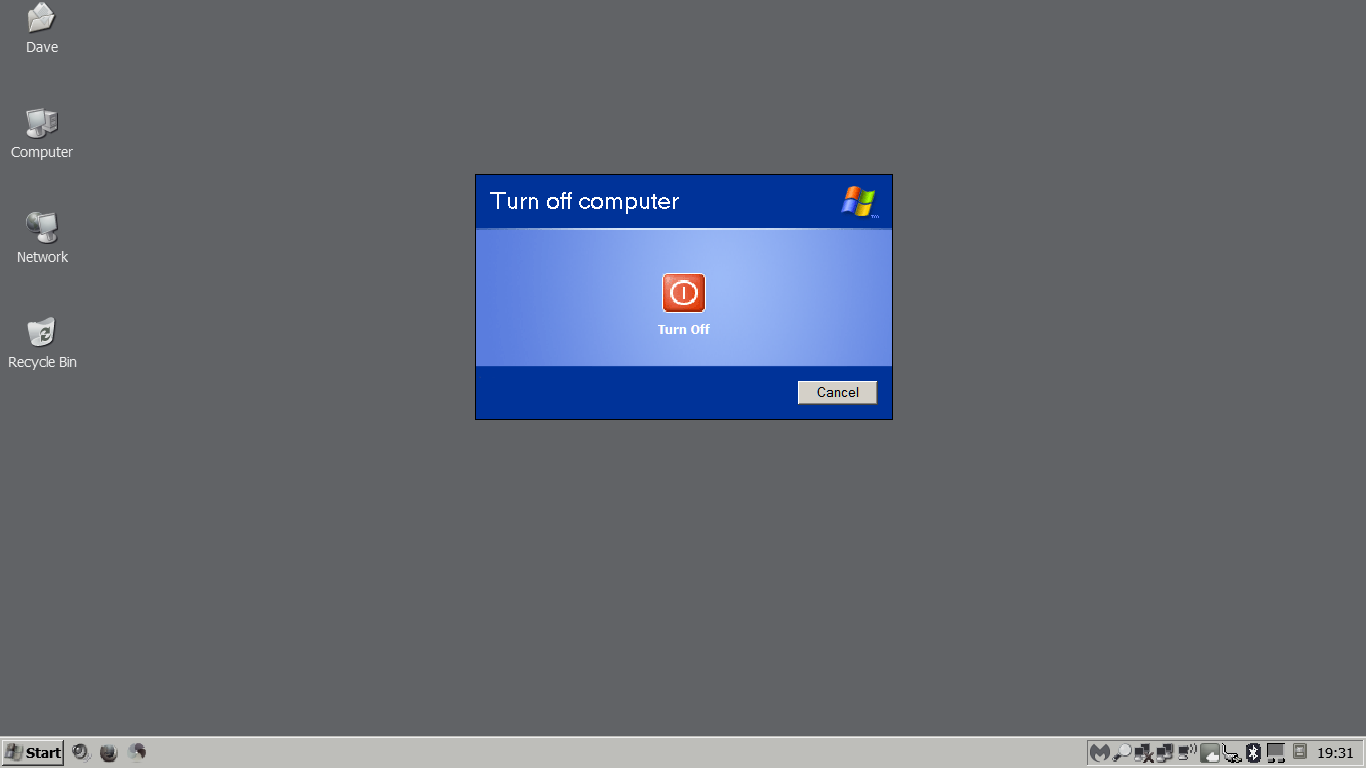
Just an off-topic thank you. That worked perfectly! I've also removed the Standby button, as that doesn't work as it should either, it goes into standby, but then you can't get it back out of it! Finally, no more having to force it off with the power button because I've forgotten that it doesn't standby or restart properly! Cheers, Dave.

-
Me too! With the original file, my RAM usage went from 48% to 75% when 360Chrome was run, with no tabs open. With the rebased file, it goes from 48% to 52%!
-
Ooh thanks, I'll try that! Anyway, back on topic.
-
Thanks, that does sound like a good idea!
-
Thanks, I guess it's something I'll just have to live with. The machine works so much better with the new version of acpi.sys in every other respect than it does with the default version, I'm not complaining! Off-topic, I've been researching a way of removing 'Restart' from the shutdown menu so I don't keep using it accidentally, but I didn't get anywhere. Does anyone know if that's possible to do?
-
@Dietmar Just wanted to report now I'm back home, that that version of acpi.sys makes no difference to the hanging restart problem on my Flex 10. Working fine in every other respect though, so I will leave it installed.