Leaderboard
-
xper
Administrator31Points3,401Posts -

AstroSkipper
Member11Points5,090Posts -
NotHereToPlayGames
Member6Points7,624Posts -
roytam1
Member4Points3,882Posts



Popular Content
Showing content with the highest reputation since 08/28/2026 in Posts
-
4 pointsNotice: because of some real life matters, I can't build new binaries this week even there is some security related changes from upstream. ::has() selector performance issue is not fixed (neither from upstream nor me) and I'm thinking about either revert it locally or making a pref switch (but still no time for this right now). about integrating internal polyfill from upstream is also planned but no time for this right now.4 points
-
There were several things that caused all of this. Cloudflare, proxies, server firewall rules, cached Cloudflare IPs on the DNS servers, my own mistakes, etc. I hope everything is all right now. For now :-)3 points
-
The 502 Bad Gateway problem is caused by Cloudflare. It can take up to 48 hours for all Name Servers (NS) to fully propagate and revert back to the old NS.3 points
-
I got a bit carried away playing around with the CSF firewall. I set the WAF rules way too strictly. Without Cloudflare, the server needs to be built like a fortress, which is incredibly hard to pull off without causing some collateral damage.3 points
-
For anyone interested: https://reino.synology.me/openssl/openssl-3.6.4-win32-shared-dev-xpmod-sse.7z https://reino.synology.me/openssl/openssl-3.6.4-win32-static-dev-xpmod-sse.7z https://reino.synology.me/openssl/openssl-3.5.8-win32-shared-dev-xpmod-sse.7z https://reino.synology.me/openssl/openssl-3.5.8-win32-static-dev-xpmod-sse.7z Why v3.5.8? The table on https://openssl-library.org/source/ shows that v3.6.4 is end-of-life in just 2 months, while v3.5.8 is end-of-life at just 08 Apr 2030.3 points
-
2 pointsMostly AI created, but still pretty cool - don't really have much time to test myself: https://github.com/yeokm1/xhci98 Currently seems to be a some sort of wrapper over existing USB 2.0 drivers allowing them to run on xHCI only PCs with USB 2.0 speeds.2 points
-
Everything is sorted out regarding the bots, server configuration, and server security. Bots are blocked on 3 levels—scrapers and malicious bots alike, as well as those attempting SQL injection. Everything is working exactly as it should now. Thanks for the advice anyway.2 points
-
My stance on CloudFlare has been made known, i.e. it creates several serious issues client-side/user-side for legitimate members not having the most-up-to-date Chromium/(mainline) Firefox code snapshot, NOT using the latest version of Win11, not having a recent, powerful, multi-core CPU to solve challenges or coming from "smaller" countries (like Greece) with IP pools having lower scores by the web powers that be 😠 ... I also understand it's the ultimate counter-measure when the "bots hit the fan" 😜 , so a server owner might really need to deploy it at such occasions... Probably a wise thing to do, too; I'd suggest, if I might, that a disclaimer be posted in the registration page/form, that "0 post accounts" would be routinely purged for security and database performance reasons, so real humans intending to register know beforehand what to expect 😄 ... All in all, during the last two hours or so, things look to have settled down without CloudFlare ON ; the board is responsive, functional in somewhat older browsers too (fx-115esr-based), sign-in works, "502 BR" very rare now; not to jinx it, of course 😜 ...2 points
-
All of that has already been implemented on the server and within Invision—except for Cloudflare. I don't mean to be rude, but what do you think I've been doing for the past 25 years? I was out of the game for 2 years and some things have changed quite a bit. But as always, I'll sort it out. For now, I have blocked them using Nginx deny rules. It's temporary until the Vultr IP addresses clear up. Cloudflare uses Vultr.2 points
-
2 pointsThe Name Servers (NS) have still not 100% propagated, especially in North America. You might experience a sporadic 502 Bad Gateway error. Please be patient.2 points
-
Thanks for putting effort into this report! @xper is still working on the infrastructure and will find this helpful.2 points
-
Many thanks for all the effort you're putting in to fix this.2 points
-
Just to report that Panda Dome is still working perfectly for me on XP SP3. I guess the problems were indeed just a temporary glitch which they identified and fixed. Whether our reports helped with that or not is impossible to say, of course.2 points
-
Yes. Bad bots trying brute force /login, /search, /discovery. More bots than humans. Now also AI crawlers and scrapers.2 points
-
2 pointsTry this SSUAO in Mypal 78.0.3 for solving manual CF challenges only: You can select the version of the SSUAO up to 78 at the moment. That might change in the next releases. We will see. The current discussion can be read here: Mypal 78.0.3 - Cloudflare challenge loops and their solution And here is my userscript MSFN Navigation Menu Popover Fix.user.js for polyfilling the broken menu positions: // ==UserScript== // @name MSFN Navigation Menu Popover Fix // @namespace https://msfn.org/board/profile/311648-astroskipper/ // @version 1.0 // @description Fixes the navigation dropdown positioning on older browsers without native :popover-open support // @author AstroSkipper // @match https://msfn.org/* // @icon https://msfn.org/board/favicon.ico // @grant GM_addStyle // @run-at document-start // ==/UserScript== (function() { 'use strict'; // 1. Inject a CSS fallback (simulates the @supports duplication) // If the browser does not recognise :popover-open, this CSS rule takes effect. // We use the [popover] attribute if the forum sets it, or we control it via the script. const fallbackCSS = ` i-navigation-menu:defined .ipsNavBar > li > .ipsNav__dropdown { position: fixed !important; left: 0 !important; top: var(--_anchor-v-fixed, var(--_anchor-v)) !important; } `; // Check whether the browser does NOT support :popover-open if (!CSS.supports('selector(:popover-open)')) { if (typeof GM_addStyle !== 'undefined') { GM_addStyle(fallbackCSS); } else { const style = document.createElement('style'); style.textContent = fallbackCSS; document.head.appendChild(style); } } else { // If the browser supports the modern popover, we’ll stop here return; } // 2. DOM monitoring for the "Open" event (setting --_anchor-v-fixed) // As the page resets the variable when it closes, we need to set it when it opens. document.addEventListener('DOMContentLoaded', () => { // We monitor clicks on the menu triggers document.body.addEventListener('click', (event) => { const trigger = event.target.closest('[data-ipsmenu]'); if (!trigger) return; // Find the relevant drop-down menu const dropdownId = trigger.getAttribute('id') + '_menu'; const dropdown = document.getElementById(dropdownId) || event.target.closest('li')?.querySelector('.ipsNav__dropdown'); if (dropdown) { // Determine the current scroll position and the vertical position of the trigger const rect = trigger.getBoundingClientRect(); const anchorV = rect.bottom + window.scrollY; // Set the CSS variable required by the fix on the drop-down menu so that `position: fixed` remains scroll-correct dropdown.style.setProperty('--_anchor-v-fixed', `${rect.bottom}px`); dropdown.style.setProperty('--_anchor-v', `${anchorV}px`); } }); }); })();2 points
-
We are under heavy Bot attack. Working on it.2 points
-
Thanks to EAZY BLACK, we officially now have the 359.06 XP driver ported to vanilla Windows 2000, which means we are no longer restricted to the GTX 480 without the extended kernel! In my testing here, I have a 2500K system with a 980 Ti, and although for now there is no control panel, the driver itself seems to be stable! And yes, 3D acceleration seems to work fine as well. The driver: https://w7revived.chefkiss.dev/DriverDatabase/W2K/Graphics/NVIDIA/NVIDIA_35906_W2K_Beta1.7z Required updates (Update Rollup 1 and KB829884) are in here: https://legacywindowssoftware.duckdns.org/files/Drivers/GPU/NVIDIA/Modded%20NVIDIA%20drivers%20for%20Windows%202000%20%28Vanilla%29/2 points
-
I'm aware of that. Give me a little time, please.1 point
-
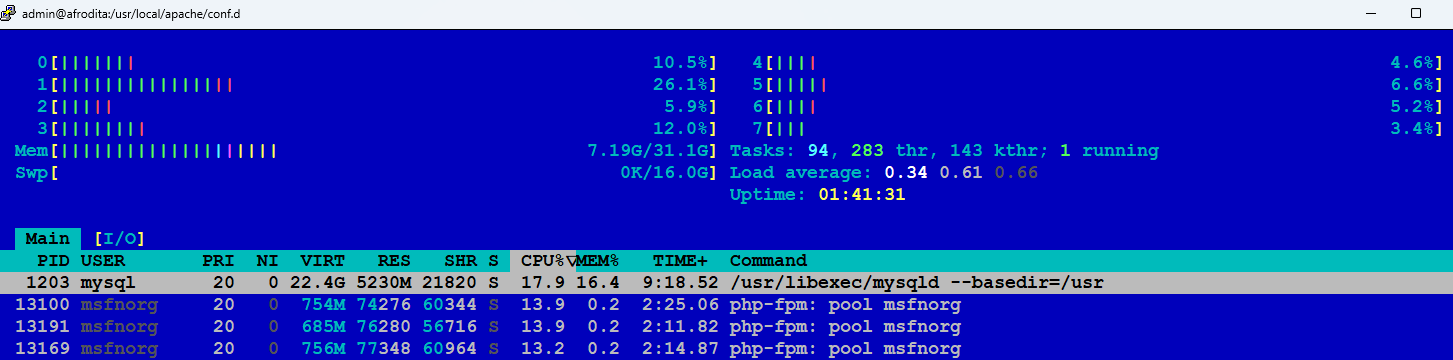
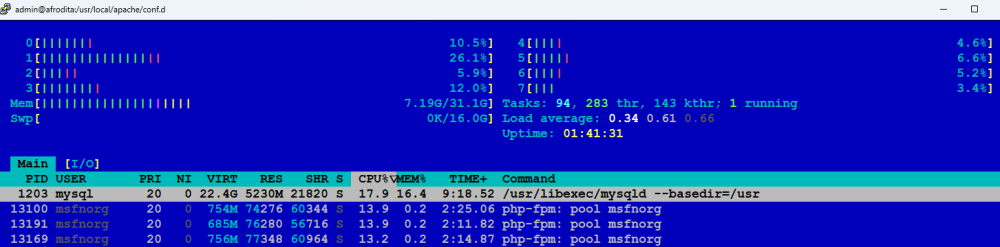
It's something among these. It's not a lack of memory. The Backend Server is Down: Apache or PHP-FPM crashed or stopped running because of a configuration error or lack of memory. Configuration Syntax Error: A leftover Cloudflare rule or file was deleted, but another configuration file is still looking for it, causing a processing failure. A Connection Timeout: Invision Community 5 application took longer than 60 seconds to process a request (like rebuilding its Redis cache), so Nginx gave up and dropped the bridge. Firewall Blocks: CSF firewall is misinterpreting the local communication between Nginx (Port 80) and Apache (Port 8181) as an attack and is blocking it.
 1 point
 -
Regarding the recent issues with Cloud-flare, it looks like these Firefox builds are passing all Cloud-flare challenges perfectly. I haven't been hit with a "verify you are human" page, let alone a loop, yet while using Firefox 150. (It's possible that even v.115 for XP users will work, but I'm not going to try that myself.) v.150 has some annoying issues with highlighting the drop-down menu item the mouse pointer is on in Win 7, but I can live with that. Still, this is the second browser change being forced on me this year, first from Serpent to R3dFox, then to these Firefox builds, and I'm getting a little tired of having to waste my time manually migrating to yet another browser. 🙄 (The only automatic upgrade path is from Edge, which I haven't used in years.)1 point
-
That's called a "man-in-the-middle" attack. Companies sometimes do that with their workers' PCs. It's also how ProxHTTPSProxy works. But it can't be pulled off unless your browser trusts the MITM's certificate authority (CA). You are implicitly accusing a browser-trusted CA of issuing a false MSFN certificate to CF, so that CF can pretend to be MSFN and carry out the attack. Any CA caught issuing false certificates, even to CF, would immediately be distrusted by both Google and Mozilla, which would pretty much put them out of business. OK, in theory I guess there could be some grand conspiracy between CF, Google, and Mozilla to steal MSFN users' passwords, but it seems pretty unlikely to me. But if you're still not convinced, we can just ask @xper to settle the matter: Which CA issued MSFN's current TLS certificate? What is the certificate's fingerprint? If his answers match the certificate your browser is seeing, then your browser is seeing MSFN's actual certificate, and you are safe. If not, then you are right and have my sincere apologies.1 point
-
Zero-post accounts might have been created by guests just to download post attachments or view profiles. No real content lost; easy to recreate if they return. Currently working okay in Chrome 103 and Chrome Beta 138. No 502's here in Western US.1 point
-
Ok. It was just meant as alternative options to get rid of or curb bot attacks. No more, no less. If you already performed such measures, then it is of course fine and purposeful. 👍1 point
-
Ok. I am going to delete all members with 0 posts. I was planning on cleaning up the database anyway.1 point
-
Here is a short catalogue of measures to tackle bot attacks, generated by AI: Effective Anti-Bot Measures for Invision Community (IPS) To effectively mitigate automated bot registrations and HTTP flooding without relying on aggressive Cloudflare JavaScript challenges (which disrupt older browsers and legitimate user sessions), the following server- and application-level strategies are recommended: 1. Custom Q&A Registration Verification Standard reCAPTCHA v2/v3 is routinely solved by modern bot frameworks. Replacing or supplementing it with custom, forum-specific logic questions (e.g., "Which Windows version was released after Windows 2000?" -> "Windows XP") stops automated registration scripts dead in their tracks. 2. Integration with StopForumSpam & Project Honey Pot APIs Enabling real-time API checks during registration cross-references incoming IPs, email addresses, and usernames against global spam databases. This silent check drops over 90% of known bot accounts before the registration form is even submitted. 3. Disposable Email Address Blocking Implement a dynamic domain blocklist for temporary/disposable email providers. Spambots rely heavily on these services to complete automated email verification loops. 4. Nginx / Apache Webserver Rate Limiting (limit_req) Configure rate limiting on critical endpoints such as /register/, /login/, and /search/. If an IP exceeds a reasonable threshold (e.g., more than 2–3 registration attempts per minute), the webserver returns an immediate HTTP 429 (Too Many Requests), preventing PHP and MySQL from being overwhelmed. 5. Fail2ban IP-Jailing at the Firewall Level Deploying Fail2ban to parse access logs allows the server to automatically block IPs via iptables if they attempt rapid-fire POST requests to sensitive endpoints. 6. Targeted Cloudflare Firewall Rules (WAF) instead of Global Rules If Cloudflare is utilized, avoid global "Under Attack" mode. Instead, set targeted Web Application Firewall (WAF) rules that specifically challenge or block traffic originating from known datacenter ASNs (AWS, DigitalOcean, Hetzner, etc.) or restrict access solely to the /register/ URI, leaving general browsing unaffected. 7. New Member Moderation Queue Require manual moderator approval for the first 1–2 posts of newly created accounts. Removing the immediate visibility of spam posts eliminates the incentive for spammers to target the platform.1 point
-
I had the locked message yesterday also. I did not have any saved log-in session to resume (all of my browsers clear their cache and cookies at every exit). Today there is no locked message, so it appears that has been found and fixed. 🙂1 point
-
Good evening all; nice to finely be again able to converse with you 😉 ; soon after I had posted this (with an Austrian IP) at noon today, I forcibly restarted my router, in the hope that, once again, I could be assigned a Greek IP that works for accessing the board; who would've known? After that, I found myself in an impossible situation where I couldn't visit at all the board, even when using proxy/VPN nodes that previously worked for this purpose 😞 ; I became very frustrated, because I couldn't reply back to xper, with regards to this post of his; apologies, but as you might now understand, I didn't just disregard you 😸 ... In desperation, I tried many times to connect over the next hours; curious thing was that I did receive e-mail notifications for the topics I was subscribed to (including this one), meaning that some members could still access the board, alas I couldn't visit it myself to reply... During that time, I did visit one service, that I'm sharing with you, called "websitedown.org": This made me realise that it probably was a more widespread issue, not just one particular to me; time of the depicted test was ca. 12:17 UTC of Aug 31st... ... As things turned out, "my side" was OK 😜 ; and, as I had already reported, the "502" issue was there on every browser, on every PC/laptop/smartphone in my home LAN... So, is CF permanently turned OFF now? CF is actually a double-edged sword; necessary for keeping away malicious agents, but when aggressively configured, can also exclude legitimate visitors... Ditto, huge thanks @xper , from the bottom of my heart! Fingers crossed, forum access from Greece shall remain uninterrupted in the foreseeable future... Kindest regards.1 point
-
Sweet! A "fact" that 100% aligns with everyone else's "facts" without arrogantly acting like one fact 'invalidates' the other. Great work! I think you finally found the REAL ANSWER.1 point
-
So, after three hours of downtime, I can now access the site from Germany using my German ISP. We’ll see how long this lasts.1 point
-
The US IP (New York) assigned by VPN enables me to access MSFN successfully. The German IP addresses allocated by my ISP do not. That is a fact. There is no getting round it.1 point
-
I can't confirm this. My German ISP is completely blocked by the MSFN server. When using VPN with a US IP (New York), I have no problems accessing MSFN. But my real German IP ranges are blocked (502 Bad Gateway). Just tested. Therefore, this cannot be a bot or a user problem but rather a misconfiguration of the MSFN server. Well, I’m afraid the connection problem seems to be a MSFN server-side issue.1 point
-
Your IP now is from Greece. Chalandri, Attica, GREECE1 point
-
1 pointI know you are. But it's not that simple. I could end up deleting the wrong members. Anyway, pruning inactive members on the way.1 point
-
1 pointI know about that problem. It happens when there is suddenly a large number of bots on the forum and the database is under heavy pressure. The CPU spikes to 100% and crashes the site. I'm working on it.1 point
-
1 pointThe SSUAO posted above works fine with Mypal 78.0.3 when trying to solve manual Cauldron Filthcare challenges only but not the automatic ones. New Moon 28 and Serpent 52/55 actuallly don't need that SSUAO since they are whitelisted to solve these challenges. Luckily, I'm using Firefox Nightly 114.0.3 on Windows XP as of recently which has no problems with MSFN or GitHub, and Cauldron Filthcare. No special SSUAO necessary. All works natively. However, none of this changes the fact that MSFN goes offline at regular intervals, displaying the ‘Bad gateway 502’ error message.1 point
-
After what has probably been a quite costly forum upgrade (new SSD, new RAM, recent, more secure, IC forum software, Cloudflare filters, etc.), why are bots still such an issue with the MSFN board? Mere minutes ago I couldn't access it (from Greece) and was getting constant 502s, like the OP 😞 ... This isn't a complaint per se 😜, but as I don't manage a server myself, I wouldn't know the relevant details; are those bots selectively targeting MSFN or has the web in 2026 really become such a "terrible place" for every server owner? Thanks for any insight 🙂 ...1 point
-
And today I’ve made further improvements to ensure the browser runs more smoothly, particularly when loading image galleries. 😜1 point
-
1 pointI'm posting this from Pale Moon right now, yes the site background is just white and there are visual glitches, but still it's usable. The issues are most likely caused by Invision bloat, but as we've seed running while unmaintained software on the client side may be fine on the server it's not, the recent hack situation was much worse than these visual glitches. So if you have some time and want to do something, write to Invision about their software being bad with compatibility, the argument here is pointless Pale Moon devs should also be concerned about these issues, cause it won't be just about MSFN but in all of the modern Invision forum boards and other websites so they'll have to add those missing CSS/JS features sooner or later to stay relevant no matter how pointless their existence is. And they will eventually. I've suggested phpBB as an option earlier, but if changing forum software is not feasible like MSFN staff said back then, than realistically this can only be fixed by Invision and Pale Moon devs.1 point
-
This WORKS in Chrome/Chromium, but you did ask for Firefox/r3dfox. I will try inside those "one of these days", but for now, I shall give the Chrome/Chromium answer that is 100% legit for Firefox users that use a USERSCRIPT manager. ie, things like Tampermonkey, Greasemonkey, Violentmonkey, and FireMonkey. source: https://greasyfork.org/en/scripts/591392-google-search-direct-links-bypass-goto1 point
-
1 point
-
1 pointAstroSkipper said: "MSFN is widely known and appreciated as a retro forum." "That is why most people visit this forum." Windows 11 1.3k Windows XP/Vista/2000/2003/NT4 211.2k ------------------------------------------------------------------- xper said: "I don't have time for arguing. End of discussion. You don't like it? You have other forums. " Hello xper, the numbers of posts AstroSkipper quotes speak for themselves. Your rude answer is reminiscent of a Contract Killer (paid by M$ ??) !1 point
-
1 point
-
Which gang? 🤔 Where are the criminals? 👮♂️1 point
-
1 pointThis is going to be one of those unfortunate things where despite MSFN focusing not only on modern versions of Windows, but also legacy versions of Windows, we cannot always keep the forums accessible to legacy Windows and browsers. Your mileage may vary, but as the web evolves and security holes are found, we need to keep up with those new standards and fixes. This is going to be more of what Invision supports, rather than xper. He can only do so much to keep the forums functional, but also safe. The web is a much different place than when I joined the forum 16 years ago and with attackers becoming more sophisticated, along with the use of AI, it's imperative to keep everything up to date. While Pale Moon is still being developed, it's still legacy enough where the developers will need to make changes to the underlying engine or more sites are just going to start breaking as the years go on. As much as many don't like it, progress doesn't stop, it's just a fact of life unfortunately.1 point
-
1 pointMSFN software update: Browser Serpent Boxes instead of icons again. Font Awesome 6 web free (6.7.2 ttf) seemed to fix the problem. So I've installed 4, 5 and 6 now. Strangely the problem did not occur with older browser versions, maybe a half or a year old. The icons were visible here without v6. I haven't checked this on another machine yet. Version 20260620 could be the best for now. It behaves better than the latest 20260815 on many web sites like msfn.org and is considerable snappier and smoother when scrolling by lower cpu loading, no 7 or 8 second lag times. Already discussed here in topic "My Browser Builds (Part 6)". I think this will be fixed in the near future.1 point
-
1 pointOver the past three days, MSFN has undergone a comprehensive and costly system upgrade. This process involved critical updates to our server environment—including MySQL, MariaDB, and PHP—as well as upgrading the core forum platform to version 5. Immediately following the upgrade, we experienced a critical hard drive failure. This forced us to replace the drive entirely and perform a complete reinstallation of the system from scratch. Due to these unforeseen hardware complications, a substantial financial investment, and a database size of approximately 6 GB, we encountered several major technical challenges. Regrettably, due to these issues, a few recent posts have been lost. Consequently, the forum has been reopened while final adjustments, primarily regarding user interface layout and widgets, remain in progress. We sincerely appreciate your patience and understanding during this transition. Thank you.1 point
-
FFmpeg update. XP: static shared libfdk-aac VISTAx86: static shared libfdk-aac1 point
-
1 pointNot sure on Win7, but never trust an Uptime claim on Win10. Why? Because you can "hibernate" and then leave the computer in the attic for DECADES. Then launch it DECADES later and the "uptime" will SAY it has been "up" for that ENTIRE time.1 point
-
1 pointI have an FM Transmitter that I've modified to "jam" any radio within 50 feet. Overrides a local FM radio station and plays DEAD SILENCE instead. Not sure if I'm breaking any FCC rules or not. BUT it is a GODSEND for my SANITY! Why? Because I do not (and will not!) listen to COUNTRY MUSIC !!! :)1 point
-
Release of ProxHTTPSProxy's PopMenu TLS 1.3 3V3 I am pleased to release my brand-new version of ProxHTTPSProxy's PopMenu TLS 1.3 3V3 to the public. The main feature of my program package is @cmalex's ProxyMII, a TLS 1.3 proxy. I replaced @heinoganda's TLS 1.2 proxy from my last release of ProxHTTPSProxy's PopMenu REV3e 3V1 by @cmalex's TLS 1.3 proxy. This sounds simple, but, unfortunately, it wasn't. A lot of problems had to be solved to implement this proxy completely, enhance functionality, and get control of it as convenient as the old one. ProxHTTPSProxy's PopMenu is a one-click menu in systray to access and control the brand new TLS 1.3 proxy ProxyMII, better known as ProxHTTPSProxy, credits to @cmalex and its original creator whenever. All information about ProxHTTPSProxy can be found in my article: https://msfn.org/board/topic/183352-proxhttpsproxy-and-httpsproxy-in-windows-xp-for-future-use/?do=findComment&comment=1213600 which will be updated in the next time. @cmalex's ProxyMII, dated from 2022-07-17, is now based on OpenSSL 3.0.5 and Cryptography 3.4.8. It provides all TLS protocols from TLS 1.0 up to TLS 1.3 and its corresponding ciphers. ProxHTTPSProxy's PopMenu TLS 1.3 3V3 is the third release of ProxHTTPSProxy's PopMenu 3.0, now in version 3.0.0.0, shortened 3V3. It is a synthesis of the excellent, brand new TLS 1.3 proxy ProxyMII, dated from 2022-07-17, credits to @cmalex at MSFN, several self-programmed executables and a very few commands, credits to @AstroSkipper at MSFN, the freeware PopMenu 3.0, credits to Jochanan Agam at freeware.persoft.ch, the open source utility Min2Tray v1.7.9, credits to Junyx at junyx.breadfan.de, and the program Certificate Updater 1.6, credits to @heinoganda at MSFN. If you wonder when the second version was released, the answer is very simple: never. This version was unofficial. ProxHTTPSProxy's PopMenu is not a classical launcher, it is rather a systray pop-up menu. It can be totally customized and continuously extended according to the user's needs due to its modular structure, therefore, much more flexible than a classical, compiled launcher. More features can be added easily without touching the existent code. Due to ProxHTTPSProxy's PopMenu's modular structure, the user can change, add, delete and reorder features. Even the icons in the menu can be changed easily by the user. Here is a screenshot: System requirements: @cmalex's ProxyMII was created by Python 3.7.1 which requires Microsoft Visual C++ 2015 Redistributable or Microsoft Visual C++ 2015-2019 Redistributable (latest version 14.28.29213.0). Furthermore, Microsoft .NET Framework 4.0 is now required to run my program package. Check if both are installed in your system! A CPU with SSE2 instruction set is no longer required, SSE only is sufficient. Features of ProxHTTPSProxy's PopMenu TLS 1.3 3V3: Here is the complete list of features implemented in ProxHTTPSProxy's PopMenu TLS 1.3 3V3 and a short explanation of them: Start ProxHTTPSPoxy – Activates the proxy's settings in IE LAN Settings, starts the proxy, and deactivates and cleans its settings after closing, all automatically. Stop ProxHTTPSPoxy – Stops the proxy and closes its status window. Minimize ProxHTTPSProxy to systray – Minimizes ProxHTTPSProxy's status window to systray and shows its icon there. Restore ProxHTTPSProxy from systray – Restores ProxHTTPSProxy's minimized status window from systray. Hide ProxHTTPSPoxy – Hides ProxHTTPSProxy's status window completely. Show ProxHTTPSPoxy – Shows ProxHTTPSProxy's hidden status window again. Check if ProxHTTPSPoxy is running (in RAM) – Checks if ProxHTTPSPoxy is running in the background. cacert.pem Update – Performs an update of the file cacert.pem. Root Certificates Update – Performs an update of the system's Root Certificates. Open IE Proxy settings – Opens the tab LAN Settings in IE's Internet Options. Close IE Proxy settings – Closes the tab LAN Settings and IE's Internet Options completely. Check system proxy status – Checks whether the proxy is used system-wide or the system has direct access. Enable ProxHTTPSProxy system-wide – Permits the whole system to use this proxy. In this mode, services can route their traffic through the proxy, too. Disable ProxHTTPSProxy system-wide – The proxy can be used only locally if it is running, generally all have direct access to their servers or the internet. Edit config.ini – Opens the file config.ini with the editor Notepad to check or modify the proxy's configuration. Read documentation – Opens the documentation with the editor Notepad to get quickly information. In the screenshot above, you can see a red arrow. This is the icon of ProxHTTPSPoxy, minimized to systray. It's a new feature, and the green marked items have been added to the pop-up menu since last release. ProxHTTPSPoxy's PopMenu is provided together with ProxyMII from 2022-07-17, created by @cmalex and branded by me as ProxHTTPSProxy 1.5.220717. This new archive called ProxHTTPSProxy TLS 1.3 1.5.220717 PopMenu 3V3 has been additionally updated by me. These are the changes to the previous version of ProxHTTPSPoxy's PopMenu: Changelog of ProxHTTPSProxy's PopMenu TLS 1.3 3V3: @heinoganda's ProxHTTPSProxy REV3e replaced by @cmalex's ProxHTTPSProxy 1.5.220717 with a brand new TLS 1.3 support. New starter program StartProxy.exe created to activate the proxy settings, start the proxy, and deactivate its settings after closing, all automatically. cacert.pem updated to the most recent one. Alternative cacert.pem from Mozilla, updated to the most recent version dated 2022-07-19. The open source utility Min2Tray has been fully implemented by the new configuration tools Configure PopMenu.exe and Setup Min2Tray.exe, all automatically. After the setup procedure, the programs PopMenu and Min2Tray are started automatically. All self-created files are not UPX-compressed. Therefore, the version is a noUPX only. Two new items added to the pop-up menu: Minimize ProxHTTPSProxy to systray and Restore ProxHTTPSProxy from systray. All unnecessarily embedded files have been removed from my self-created executables. Changes in calling up other programs. In all my affected programs, protection against code injection has been improved. This leads to preventing of future "space bugs", too! Different issues, which could have been noticed only in very rare cases, have been fixed. All unnecessary code has been removed. New bugs I additionally found have been fixed. Autostart entries of PopMenu and the new Min2Tray, automatically added to the registry by my configuration program, have been fixed in regard to the "space bug". All message windows of my programs have been resized and adjusted for a better visibility. All my self-created program files have been recompiled by using a different compiler. @cmalex's original ProxyMII wasn't modified by me, except a replacement of ProxHTTPSProxy.EXE's program icon, back to the old one and an update of the file config.ini to get access to the Microsoft Updates (MU) website with this proxy. Installation and start of ProxHTTPSProxy's PopMenu TLS 1.3 3V3: Check if Microsoft Visual C++ 2015 Redistributable or Microsoft Visual C++ 2015-2019 Redistributable (latest version 14.28.29213.0) is installed in your system. Check if Microsoft .NET Framework 4.0 is installed in your system. Unpack the archive and copy either the complete folder ProxHTTPSProxy_TLS_1_3_1_5_220717_PopMenu_3V3 or its complete content to your desired location. Install the file CA.crt, located in the main program folder, to Trusted Root Certification Authority under the account local computer, or use the program ProxHTTPSProxy Cert Installer, provided in the archive. Go to the subfolder PopMenu and execute the program Configure PopMenu.exe. PopMenu and Min2Tray will be started automatically. A more detailed documentation, titled Documentation of ProxHTTPSProxy's PopMenu 3V3, can be found in the subfolder Docs of my program package and should be read before using ProxHTTPSProxy's PopMenu in any case. All features and more are described there. The programs PopMenu and Min2Tray have a very low usage of RAM. It's only about 2 MB and 4 MB respectively. And here is my release of ProxHTTPSProxy's PopMenu TLS 1.3 3V3: Download of ProxHTTPSProxy's PopMenu 3V3: Link: https://www.mediafire.com/file/4sqkixfd2waaypt/ProxHTTPSProxy_TLS_1_3_1_5_220717_PopMenu_3V3_CheckedByAstroSkipper.7z/file Password: CheckedByAstroSkipper. All files in my archive are definitely virus-free and clean, although some AV scanners produce false positives. I recommend adding the complete folder to the exclusion list of your security program(s), only if you trust me, of course. Apart from that, you can also check positive reported files on VirusTotal, though. If you find a bug, need help, or have questions relating to this package, post it in the commenting zone of this thread here! And finally, we, @cmalex and me, would be very pleased about posting your experiences and opinions relating to ProxHTTPSProxy's PopMenu TLS 1.3 3V3. Any reactions by commenting, liking, and up-voting are welcome! All this can be done in my threads https://msfn.org/board/topic/183352-proxhttpsproxy-and-httpsproxy-in-windows-xp-for-future-use/ and https://msfn.org/board/topic/183684-looking-for-a-person-with-python-programming-skills-to-implement-tls-13-functionality-in-proxhttpsproxy-rev3e/. As you know, an author of software lives from the feedback of the users! Kind regards, AstroSkipper1 point