Leaderboard




Popular Content
Showing content with the highest reputation on 10/21/2023 in Posts
-
New build of Serpent/UXP for XP! Test binary: Win32 https://o.rthost.win/basilisk/basilisk52-g4.8.win32-git-20231021-3219d2d-uxp-dd9eca1b39-xpmod.7z Win64 https://o.rthost.win/basilisk/basilisk52-g4.8.win64-git-20231021-3219d2d-uxp-dd9eca1b39-xpmod.7z source code that is comparable to my current working tree is available here: https://github.com/roytam1/UXP/commits/custom IA32 Win32 https://o.rthost.win/basilisk/basilisk52-g4.8.win32-git-20231021-3219d2d-uxp-dd9eca1b39-xpmod-ia32.7z source code that is comparable to my current working tree is available here: https://github.com/roytam1/UXP/commits/ia32 NM28XP build: Win32 https://o.rthost.win/palemoon/palemoon-28.10.7a1.win32-git-20231021-d849524bd-uxp-dd9eca1b39-xpmod.7z Win32 IA32 https://o.rthost.win/palemoon/palemoon-28.10.7a1.win32-git-20231021-d849524bd-uxp-dd9eca1b39-xpmod-ia32.7z Win32 SSE https://o.rthost.win/palemoon/palemoon-28.10.7a1.win32-git-20231021-d849524bd-uxp-dd9eca1b39-xpmod-sse.7z Win64 https://o.rthost.win/palemoon/palemoon-28.10.7a1.win64-git-20231021-d849524bd-uxp-dd9eca1b39-xpmod.7z Official UXP changes picked since my last build: - Issue #2340 - Return an array (actually frozen sequence) for {border|content}BoxSize (9cd7fd3bf4) - Clean up dom\webidl (4ec7fa4f5f) - Issue #1442 Follow-up: Stop pretending proxies have a JSNative call/construct hook. https://bugzilla.mozilla.org/show_bug.cgi?id=1471924 Part 1 Also remove an erroneous debug assert and guard against future issues. This fixes crashes on vk.com but still does not behave correctly. (46024cd872) - PR #2347 - Backport of Mozilla tooltip bugs: (84ca5fdfc7) - Issue #1721 - Implement GlobalPrivacyControl (50ad087351) - Issue #1721 - Follow-up: Properly protect GPC header (0315aeee73) Official Pale-Moon changes picked since my last build: - [Pale-Moon] Issue MoonchildProductions/UXP#1721 - Implement GlobalPrivacyControl (591a887bf3) Official Basilisk changes picked since my last build: - [Basilisk] Issue #2 - Remove Safebrowsing and TrackingProtection from the FE (6cefc52d32) - [Basilisk] Issue #19 - Implement GlobalPrivacyControl (30e47eb5bc) - [Basilisk] Issue #19 followup - remove DNT from mozscreenshots We technically don't use mozscreenshots at all, but this should still be removed since it is no longer a valid setting (4edd2f91b4) My changes picked since my last build: - ported from mozilla: Bug 1446548 - Treat all GLSL versions >=450 as 450. r=kvark, a=RyanVM (43f0d1060e) (f508d00178) Update Notice: - You may delete file named icudt*.dat inside program folder when updating from old releases. * Notice: From now on, UXP rev will point to `custom` branch of my UXP repo instead of MCP UXP repo, while "official UXP changes" shows only `tracking` branch changes.6 points
-
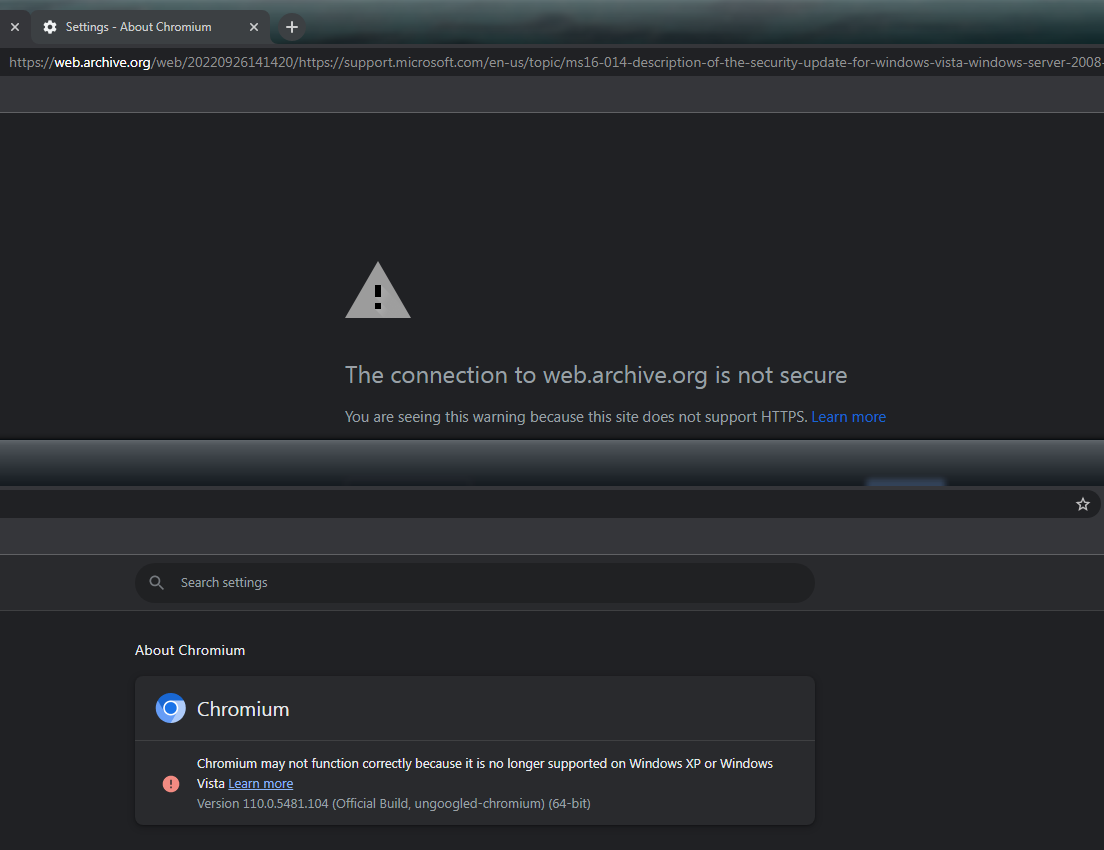
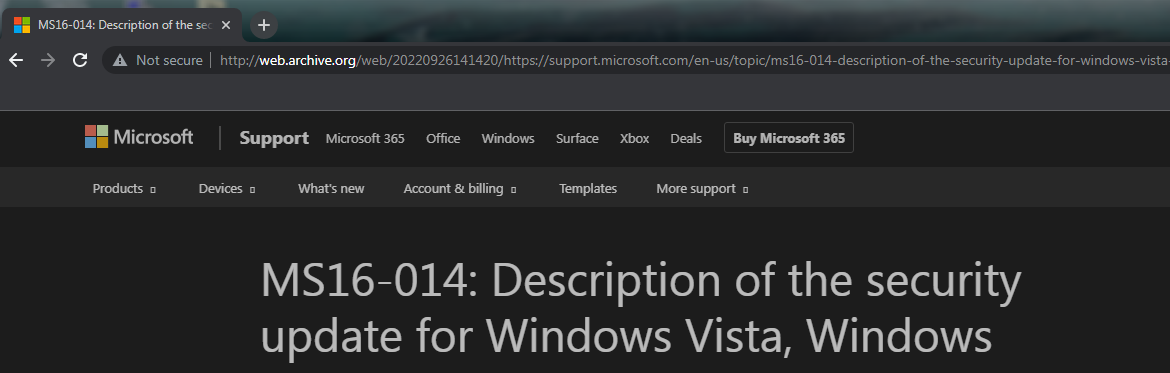
The padlock on your browser is not green, so it's not secure for you, too.2 points
-
It's a VM, Vista's defender is obsolete for 20 years, I don't even remember how good (or bad?) it was at detecting Trojans when it was young, build 6002 is the thing that no one cares about anymore, but thanks for the screengrab. It's almost the same as if you installed bare bones XP SP3.2 points
-
I get the same with ungoogled 110.
 2 points
 -
Define "code" . What software did you use to "see the code" ?2 points
-
So I did notice that when restarting explorer some of the apps in the systray overflow menu have blank icons until the app itself is restarted. I see this with ESET NOD32 and Cryptomator.1 point
-
It would be a problem in the near future, Chrome 110 engine is the bare minimum for modern web, anyways Firefoxx is off-topic.1 point
-
Supermium runs on Win7 without it, for Vista you need the extended kernel.1 point
-
It's not normal, esp. for ungoogled, I read this odd delay maybe tied to the video driver, esp. outdated. For XP the golden drivers are the ones that made by iCafe. 347.26, 361.77.1 point
-
Maybe need to add to the topic's description, I feel people will still ask the same question over and over again, @Cocodile explained this has nothing to do with this browser.1 point
-
Thanks, interesting! And what about your famous cold boot 29 seconds slowness? Is it the same with this version on all of your computers?1 point
-
I turned off the warning, it still shown as insecure.
1 point
-
One Core Api 3.0.2 + Supermium 118 = Working!1 point
-
New regular/weekly KM-Goanna release: https://o.rthost.win/kmeleon/KM76.4.9-Goanna-20231021.7z Changelog: Out-of-tree changes: * update Goanna3 to git b780764f57...43215fa79a: - ported from mozilla: Bug 1446548 - Treat all GLSL versions >=450 as 450. r=kvark, a=RyanVM (43f0d1060e) (410e883318) - import change from `dev' branch of rmottola/Arctic-Fox: Bug 1246318 - Remove the enumerate trap from ES6 proxies. r=efaust (3e7af5df07) (11b253b879) - partly import changes from `dev' branch of rmottola/Arctic-Fox: - Bug 1175546 - Update GCC to 4.8.5 and bump minimum GCC version required to build. r=froydnj (aa651fae16) - Bug 1236413 - Suppress -Wimplicit-fallthrough warning in third-party code mfbt/decimal/. r=Waldo (7bd18f9b1f) - Bug 1194721: Add |Saturate| template for saturation arithmetics, r=nfroyd (4f62196e3a) (43215fa79a) * Notice: the changelog above may not always applicable to XULRunner code which K-Meleon uses. A goanna3 source tree that has kmeleon adaption patch applied is available here: https://github.com/roytam1/palemoon27/tree/kmeleon761 point
-
New build of BOC/UXP for XP! Test binary: MailNews Win32 https://o.rthost.win/boc-uxp/mailnews.win32-20231021-d0fd16ed-uxp-dd9eca1b39-xpmod.7z BNavigator Win32 https://o.rthost.win/boc-uxp/bnavigator.win32-20231021-d0fd16ed-uxp-dd9eca1b39-xpmod.7z source repo (excluding UXP): https://github.com/roytam1/boc-uxp/tree/custom * Notice: the profile prefix (i.e. parent folder names) are also changed since 2020-08-15 build, you may rename their names before using new binaries when updating from builds before 2020-08-15. -- New build of HBL-UXP for XP! Test binary: IceDove-UXP(mail) https://o.rthost.win/hbl-uxp/icedove.win32-20231021-id-656ea98-uxp-dd9eca1b39-xpmod.7z IceApe-UXP(suite) https://o.rthost.win/hbl-uxp/iceape.win32-20231021-id-656ea98-ia-93af9a0-uxp-dd9eca1b39-xpmod.7z source repo (excluding UXP): https://github.com/roytam1/icedove-uxp/tree/winbuild https://github.com/roytam1/iceape-uxp/tree/winbuild for UXP changes please see above.1 point
-
I don't remember when I said I don't use 360Chrome, you got me confused with someone else, nothing is hijacked since the Trojan message comes from the browser itself. Though, it's a bit different on XP and Vista. Did you have the chance to compare 1030 with 2044 with enough real life usage? Is it faster? Maybe not worth it? Or maybe worth to search for the cause?1 point
-
Welp - Chase finally lowered the boom this week, and it appears there are no XP-compatible browsers left that still work with Chase.com! 360EE (Chromium 86-based) doesn't work; nor does Kafan MiniBrowser (Chromium 87-based), nor do @roytam1's browsers. (I'll post more on those at his thread.) As mentioned above, your UA must claim at least Chromium 109 on Windows or Chase will flat-out reject your browser. (I found that Chrome 106 on Android does still work, so apparently 106 is "good enough" in terms of capability, and Chase accepts a "Chrome 106 on Android" UA even though they reject a "Chrome 106 on Windows" UA. An Android UA produces an unwanted pop-up suggesting their app, though; so I'd stick with 109 on Windows if it worked.) BTW, Chase.com also rejects Edge 109! I had to use a Chromium 109 UA to get in. Ridiculous. Anyway, with a UA that Chase will accept, you can sign in - but (except Edge 109) the next screen only has the header with no account details, so it's pretty useless. Edit: I experimented a bit with portable versions of UnGoogled Chromium. It appears the minimum version that works is Chromium 98, unless you use polyfills. StructuredClone at a minimum is required, but the polyfill contributed by @UCyborg doesn't work for Chase. Edit 2: Using some code I found on the Web, I was able to create a structuredClone polyfill that works for Chase on Chromium 97. I'll test it later and see if it works on 86/87 too. Edit 3: It does! Here's the link:1 point
-
Site permissions are stored inside the permissions.sqlite file, inside St52's profile directory; https://support.mozilla.org/en-US/questions/1091830 If you're asking how to modify the "location sharing permission" on a given website, then the article above also covers that scenario: (View) Page Info is also available via the browser's Context Menu ...1 point
-
Although that was a question of a more general nature (at least that was how I perceived it), read below: https://learn.microsoft.com/en-us/dotnet/framework/64-bit-apps#running-32-bit-vs-64-bit-applications-on-windows If the question was specific to .NFW4, then yes, you do need both architectures of it: https://learn.microsoft.com/en-us/dotnet/framework/64-bit-apps#compiler-support-for-creating-64-bit-applications https://learn.microsoft.com/en-us/dotnet/framework/64-bit-apps#determining-the-status-of-an-exe-file-or-dll-file Adding to what others have said, it really depends on the actual .NET framework version+architecture a said application was built against (OT: On Win Vista SP2+, 4.x versions are mutually exclusive and backwards compatible - upgrading, e.g., 4.5 to 4.6 will overwrite the 4.5 previous installation)...1 point
-
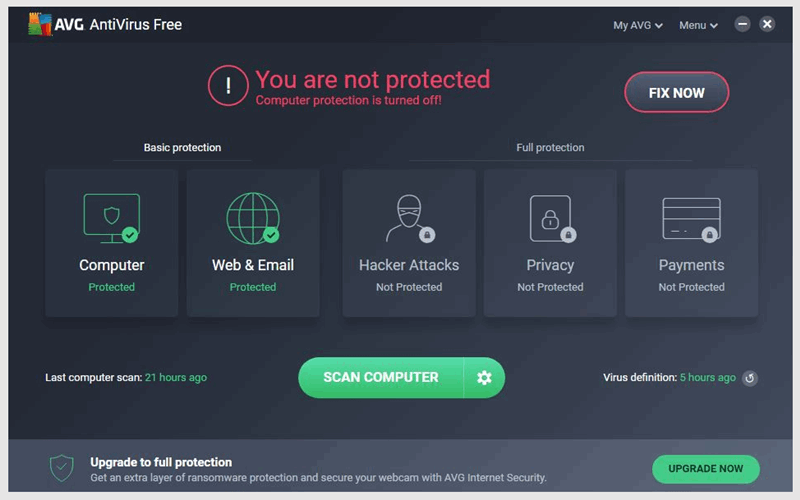
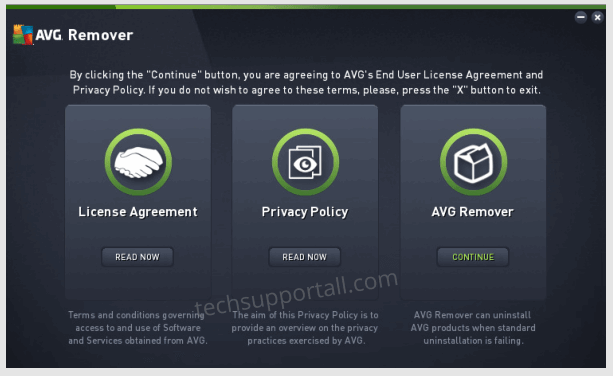
I take back the good words I said about AVG Antivirus on page 47 and have uninstalled it completely. This may be an XP 64-bit problem that AVG could never fix. On the first install, it displayed this and I could not find a fix for the "You are not protected. Computer protection is turned off" error. After many uninstalls and reinstalls and workarounds, nothing worked. I researched this problem for days and had 15 tabs open mainly from the AVG Support Forum. Many users had the same problem and were asking for a fix. Repeatedly, what they were told was to uninstall, used the AVG Clean Tool and reinstall. None of this seemed to fix the problem for users. Also, I would say most were using 32-bit OS and not necessarily XP 64-bit On the AVG Support page, one of their reps said to also use the AVG Remover Tool. Warning! never use this tool if you need to get rid of AVG. The files is AVG_Remover.exe. Using this caused a BSOD on my machine and on the next boot the Welcome screen just hung. Fate and luck were on my side and I managed to get it back up and running. Do not use the above tool. I recommend first to uninstall AVG in Add or Remove Programs, and then use the AVG Clear Tool avgclear.exe. This worked fine got ride of the lot.
1 point
-
@Cocodile I am communicating with you as a fellow forum member, and I am in no way flaming you[1] or attacking your views/opinions or whatever. I was only trying to make you aware of the possible differences between a mountain and a molehill. @AstroSkipper As said it is a subtle difference, the explanation is given AFTER the statement. jaclaz [1] https://en.wikipedia.org/wiki/Flaming_(Internet)1 point
-
Poor Cocodile, it must be tough to be prevented from flying ... these bad administrators or moderators clipping your wings... I don't recall any particular EU Law or regulation limiting moderation actions on a (private) technical internet forum, when/if you find the relevant one, please post a reference to it. The dedicated organizations? The free EU press? I expect that both will be very interested to the injustice you are suffering. On the other side, maybe Rule #8 needs to be integrated by a "No whining." after the "MSFN reserves the right to edit, delete or move posts made on this site." jaclaz1 point
-
I can agree to that aspect, Mr. Saxon. Although in a more generalized sense, me thinks the thread just needs locked. All we have is two "gangs taking their fight to the streets". Public bickering under some guise of "I'm always right" and trying to convince the entire MSFN Membership of said "righteousness". Glimmers of informative posts here and there, but overall just an internet version of West Side Story.1 point
-
The word for today is: https://en.wikipedia.org/wiki/Sarcasm When it comes to commercial products, I doubt that Forbes (or any other publication) is or can be actually reliable, and "voting" on antivirus programs is always somehow skewed/biased, even the actual tests (that surely Forbes Authors do not perform themselves) are tricky when it comes to this kind of programs. The PCMag in its list of best antivirus programs at least explains why Kaspersky has been excluded (political reasons[1]): https://www.pcmag.com/picks/the-best-antivirus-protection jaclaz [1] which not necessarily means they are not valid only because they are political.1 point
-
But running the most recent version of Serpent 55 (2023-07-14) from today, basilisk.exe is crashing in the module mozjs.dll at startup such as @DanR20 already reported. Here is a screenshot: Cheers, AstroSkipper1 point
-
This oddity I had already observed in old Firefox versions. Sometimes, extensions, which had been placed in the browser's folder in browser\extensions subfolder, weren't recognized when starting the browser. Maybe, this issue hasn't been really fixed and is thus still present in all forks. Just an assumption! In my case, I therefore don't place extensions there anymore.1 point
-
Of course! That's why I wrote: "New Moon 28 doesn't seem to be vulnerable to Spectre". A residual risk always remains.1 point
-
Additionally, I found an Online Test to check whether browsers are vulnerable to Spectre or not. Here is the link: https://xlab.tencent.com/special/spectre/spectre_check.html I performed this test in New Moon 28 (2023-05-25). Here is the result: So, New Moon 28 doesn't seem to be vulnerable to Spectre. Cheers, AstroSkipper1 point
-
InSpectre InSpectre is a free program for Windows that checks for Spectre and Meltdown vulnerabilities. Meltdown and Spectre are the names of the attack methods that can be used to undermine the security of operating systems and applications. For more detailed information about Spectre and Meltdown checks this website: https://meltdownattack.com/. There you will find following reference documents: https://meltdownattack.com/meltdown.pdf and https://spectreattack.com/spectre.pdf. The actual check refers to CPU security vulnerabilities. InSpectre shows very clearly and concisely in the program window whether the system is affected by these security vulnerabilities or not. In addition, the program also provides an explanation of the state of the system and the performance that the PC has. The tool is compatible with Windows XP and free of charge. More information can be found on the homepage of InSpectre. Homepage: https://www.grc.com/inspectre.htm Version number: 0.0.6675.8 Release number: #8 Date of release: 21.04.2019 System requirements: All versions of Windows Version history: Review: https://www.ghacks.net/2018/01/16/gibson-releases-inspectre-vulnerability-and-performance-checker/ Download link: https://www.grc.com/files/InSpectre.exe Screenshots: Cheers, AstroSkipper1 point
-
In the meantime, I tried this legacy, bootstrapped version of Tab Mix Plus. But there are issues when I install the legacy extension loaders in Mypal 68.13.0. When using UserChromeJS, Tab Mix Plus can't be installed even if I change the minversion of Tab Mix Plus v1.0.0-pre.15 from 78 to 68. When using bootstrapLoader.xpi, I am able to install Tab Mix Plus v1.0.0-pre.15, but after restarting the browser, all installed extensions disappear in the Add-ons Manager. Therefore, no settings of the installed extensions via the Add-ons Manager are possible anymore although the extensions are still installed and seem to be working in Mypal. I think both legacy extension loaders are not really compatible with Mypal 68.13.0 at the moment. Mypal 68 is based on Firefox but also different and still in development. Especially everything related to extensions is still incomplete.1 point
-
I agree with you, what he writes is quite confusing, and it's rather disappointng to see someone from Canada (!!?!!) with that level of English. In any case, I also agree with you - it's better to buy a new one instead of inhaling someone else's dirt/dust from an old PC. If he's on a tight budget, just skip a dedicated card completely and buy a good NEW PC without it, Later add something like RTX3070.1 point
-
This is not a good upgrade. Both, GeForce on his used PC and Radeon on your new one, were in the realm of low-budget $200 cards in 2019. (more than 4 years ago!) 4GB on that Radeon looks like a joke, and Nvidia 1660 is not even the Ti one , also considered super low budget even then ! https://gpu.userbenchmark.com/Compare/Nvidia-GTX-1660-vs-AMD-RX-5500/4038vs4059 But the prices aren't good now.1 point
-
As an example, I couldn't upgrade an eleven years HP tower to a new GTX780, until I ordered a Dell branded OEM version of GTX780, weird, right ? Dell worked in HP ! Could be they have some sort of a colab, I dunno. EDIT: Dell still could be a good option, if the price is right, esp. with discounts,1 point
-
Maybe, but Dell tends to lock the hell out of their BIOS, so his upgrade path (a new GPU, for example) could be blocked forever. Also, Dell tends to use cheap (low power) PSUs - so again, future upgrades are in question. The same could be said about HP. locked BIOS, small PSU, etc.1 point
-
The described PC is 100% of the Vista era. It's more like 16 years old. Even the ancient Quad Q9650 beats the hell out of that AMD Effective Speed of Quad at stock is 2% faster . Now imagine if Quad is overclocked ! https://cpu.userbenchmark.com/Compare/Intel-Core2-Quad-Q9650-vs-AMD-A8-6600K-APU/m1706vsm3344 Intel® Core™2 Quad Processor Q9650 Launch Date 2008 ! https://www.intel.co.uk/content/www/uk/en/products/sku/35428/intel-core2-quad-processor-q9650-12m-cache-3-00-ghz-1333-mhz-fsb/specifications.html I'm not surprised, AMD is always several years behind , at least , if not a decade behind. GTX 760 2GB is a rebranded version of the old and reduced version of GTX 670 2GB, GTX 670 2GB is 6% faster . It's not even the normal GTX680 4gb version ! https://gpu.userbenchmark.com/Compare/Nvidia-GTX-760-vs-Nvidia-GTX-670/2159vs2181 DDR3 is also Vista - Release date: 2007 https://en.wikipedia.org/wiki/DDR3_SDRAM So yeah, upgrade ASAP.1 point
-
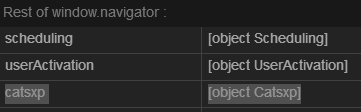
You look in the WRONG section! Of course I know that ClientHints can be switched off, but the injected browser string still works and shown ! And yeah, Opera is also Chinese (so no surprise), not sure who is the owner of the second one now. Just scroll a bit lower or use Ctrl F and go to window.navigator EDIT : I usually run with ClientHints OFF, so I didn't even see it has yet another unique fingerprint !!! Try to disable this :
1 point
-
Thanks for the good news, yes, they had the crashes fixed, finally ! Cookies are still not deleted. The browser has persistent (undeletable) cookies from taobao , qq , etc. I'm worried about its chinese telemetry.... so not sure if it's an alternative for the future !1 point
-
I Don't Care About Cookies that's what I used regarding this subject, I don't know if you also have it. It doesn't delete them on exit, but blocks the google one, for example.1 point
-
Sorry, never tried them before...1 point
-
Your post was pretty confusing to begin with, one could easily read it as if you updated from 96 to 95, like another user wrote. "Opera browser stable version 96.0.4693.80 was released on 16/03/2023. Said browser was also updated ( W7 + W8 ) to version 95.0.4635.80. I received this update today."1 point
-
If you're desperate enough to use the chinese browser, you gotta patch it first. trace the connections and search for them in chrome.dll, then patch. Don't forget, they could be hidden, even split in parts, need to decipher, etc.1 point
-
Thank you very much for the swift response ! Why is labelled as ungoogled then ?1 point
-
Hi fellas, which engine is this browser is based upon ? Doesn't say on the page. tnx Will it work with Vista ?1 point
-
IndicateTLS In my article "ProxHTTPSProxy and HTTPSProxy in Windows XP for future use", I wrote a lot about the TLS protocols and their cipher suites. This article can be found here: https://msfn.org/board/topic/183352-proxhttpsproxy-and-httpsproxy-in-windows-xp-for-future-use/. In the section "4. The TLS protocols and their cipher suites" of this article, you can read about this stuff. Now, I've found a perfect extension to display in Mypal 68 the used TLS protocol and cipher suite of the currently visited website. IndicateTLS displays negotiated SSL/TLS protocol version and additional security information in the address bar. This extension uses the new SecurityInfo-API in Firefox to display information about the transport security used on the sites you visit. The TLS protocol version is displayed by an icon in the address bar. More detailed information can be viewed by clicking on that icon, particularly to display the TLS protocol version of 3rd party servers that the website you are visiting fetches resources from. Here is an image of its pop-up window: In my opinion, IndicateTLS is a great extension to get deeper security information about the visited websites. Tested version: 0.3.0 Download link: https://addons.mozilla.org/en-US/firefox/addon/indicatetls/ Cheers, AstroSkipper1 point
-
Update notification! The article "Mypal 68 on low performance systems with an amount less than 2 GB of RAM" has been updated with regard to uBlock Origin as the new, recommended ad blocker extension. The RAM consumption is much less than in the case of the extension AdBlocker Ultimate. Mypal 68 behaves much smoother and less sluggish on my old computer. Cheers, AstroSkipper1 point
-
uBlock Origin uBlock Origin (uBO) is not an "ad blocker", it's a wide-spectrum content blocker with CPU and memory efficiency as a primary feature. Out of the box, uBO blocks ads, trackers, coin miners, popups, etc. through the following lists of filters, enabled by default: EasyList (ads) EasyPrivacy (tracking) Peter Lowe’s Ad server list (ads and tracking) Online Malicious URL Blocklist uBO's own lists More lists are available for you to select if you wish: EasyList Cookie Fanboy Annoyances AdGuard Annoyances Dan Pollock’s hosts file And many others Additionally, you can point-and-click to block JavaScript locally or globally, create your own global or local rules to override entries from filter lists, and many more advanced features. uBlock Origin is and was my favourite content blocker. But, to get the more recent versions running in Mypal 68, you have to set the variable dom.moduleScripts.enabled to the default value of true. If not, it will break the gui of uBO. Tested version: 1.46 Here is uBO's wiki: https://github.com/gorhill/uBlock/wiki And the following link opens a short guide: https://www.online-tech-tips.com/software-reviews/ublock-origin-the-ultimate-review-and-guide/ Download link: https://addons.mozilla.org/en-US/firefox/addon/ublock-origin/1 point
-
You're welcome!1 point
-
Update notification! The article "Mypal 68 on low performance systems with an amount less than 2 GB of RAM" has been updated with regard to a new recommended setting of the variable dom.moduleScripts.enabled. Cheers, AstroSkipper1 point
-
I think I know the reason: the setting you shared (dom.moduleScripts.enabled false) breaks uBlock Origin. It also crashes the browser eventually (I think it's because of uBO as well). Without that setting set to false, I can use uBlock Origin without any problems (But the version is 1.42.4, while it's 1.44.4 in my main PC's browser Firefox 105). Addition: Oh wait, it's because Mypal doesn't support auto-updating of extensions and I installed it before the update. If I reinstall it, then it should work fine too. Unfortunately, you are on the wrong way. It's more hardware related. As I already said, I will post about these problems very soon. No, as far as I know, and I don't need that feature, either. But, as I posted above, ImTranslator is an interesting extension for translating and offers many features. Each to their own! I love the good and simple ones, and that means in my case Simple Translate.1 point
-
You can adjust that by editing the CSS code. Have a look into the CSS reference! At the moment, there is no other way. No extension like Classic Theme Restorer for the legacy browsers Serpent 52 or Firefox 52! Frankly, I do not need that. My tab bar will stay above the address bar. Cheers, AstroSkipper1 point