Dave-H
Content Type
Profiles
Forums
Events
Everything posted by Dave-H
-
 Which one, there seem to be so many?! FWIW the attached is the one I'm using at the moment, which has given the best result. The (many) others I've tried just BSOD or will only allow an installation as a Standard PC. acpi.sys
 -
Yes, I was going to say that I had been assuming that the latest versions of acpi.sys were being included in the packages that I'd been experimenting with with George.
-
I've been trying with @George Kingto get an install of XP onto a Lenovo IdeaPad Flex 10 netbook. Unfortunately, the BIOS is very XP unfriendly (the machine was designed for Windows 8). I want to dual boot XP and Windows 10. Windows 10 is fine of course, but on XP the nearest I've got is installing as a single processor ACPI PC, so it's only using one of the two processor cores. There are multiple entries in the event log on every boot saying that there are no resources available for some of the hardware, including the audio hardware, so I have no sound. George's packages work but will only install as a standard PC, anything else gives a 0xA5 BSOD (none-compliant BIOS). I've tried lots of versions of ACPI.SYS, but none have worked. George has recommended that I ask here to see if this can be debugged and whether any progress can be made. I have been referred to a hacked version of the BIOS, but unfortunately it isn't compatible with my processor. I also still want to dual boot with Windows 10, so I don't want to compromise that. Thanks, Dave.
-
Root Certificates and Revoked Certificates for Windows XP
Dave-H replied to heinoganda's topic in Windows XP
Thanks for the heads up! -
ProxHTTPSProxy and HTTPSProxy in Windows XP for future use
Dave-H replied to AstroSkipper's topic in Windows XP
Thanks, that looks great. When you need a beta tester, you know where to ask! Cheers, Dave. -
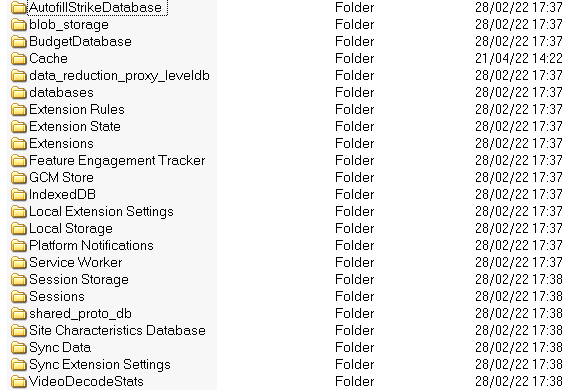
These are all the folders I have in my 360Chrome profile, nowhere near the number that you seem to have!

-
There is no DailyBackup file or folder on my system. Anyway, I don't want to disable the history, I just find out why it doesn't seem to be working properly.
-
Yes, with hindsight I think I should have gone a bit further than I did! I did use 7-zip to extract the installation file from the package I downloaded, but I then just ran that. What I should have done is then use 7-zip again on the installation file and just used the extracted files! I'll certainly remember next time!
-
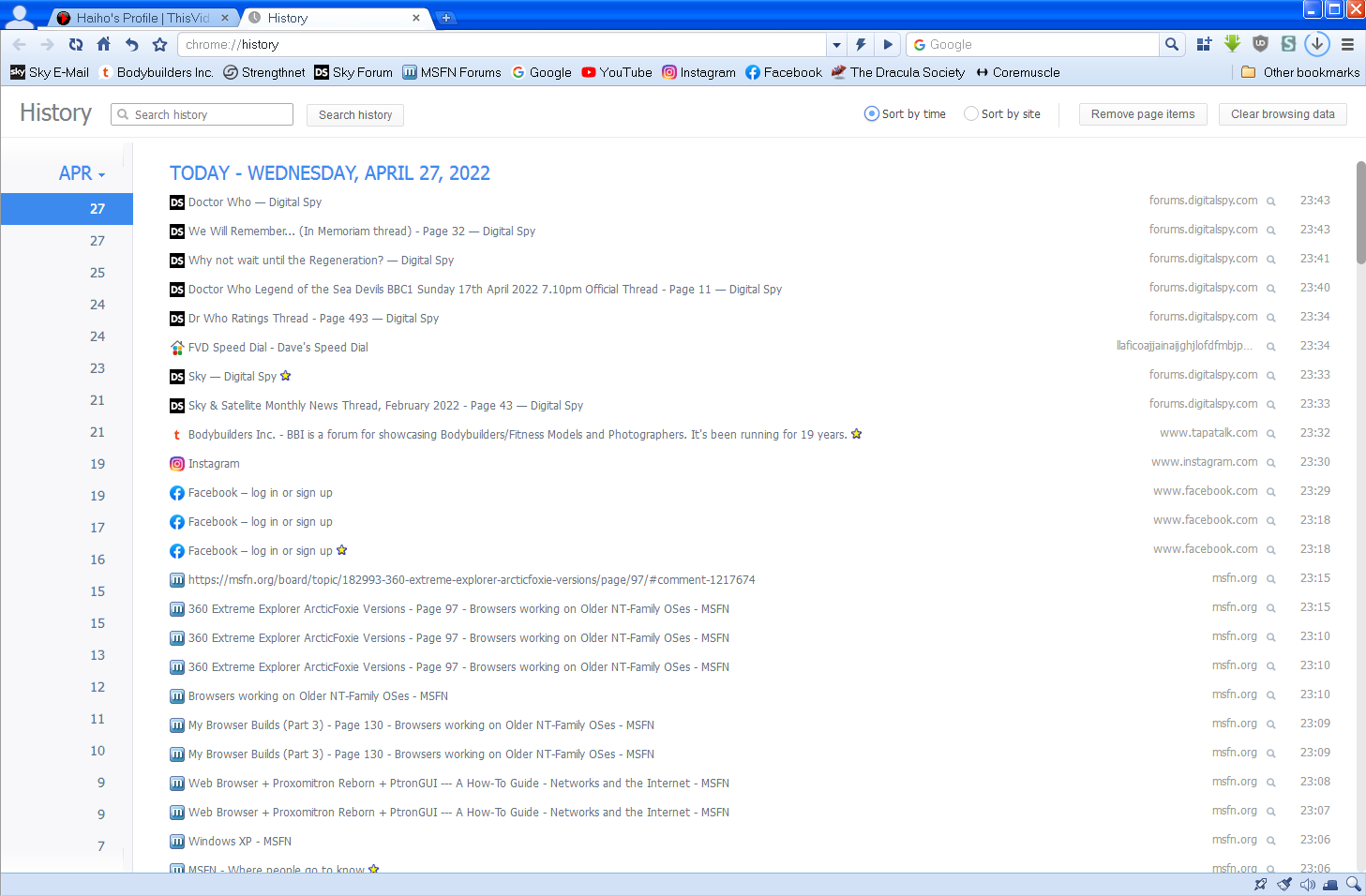
Is anyone else seeing this strange thing with the browser history on 13.5? I cannot see today's entries (for the 28th). The 27th, which is labelled today, is actually yesterday! Also, a number of days' entries are doubled up, the two entries for the same date seem to be exact duplicates.
-
LOL, I thought someone would immediately say that! I thought it would be ArcticFoxie himself, I'm sure he's of the same opinion!
-
That's a shame, as it means that the browser isn't completely portable. You can't just use it from a memory stick in different machines for instance and still have all your passwords remembered.
-
360 Extreme Explorer Modified Version
Dave-H replied to Humming Owl's topic in Browsers working on Older NT-Family OSes
It looks pretty much the same to me, with the addition of the flags. I don't think @Humming Owlwas going to do anything else. -
That looks really complicated! I have copied my 360Chrome 13.5 to another machine, but as it's a portable installation the profile is contained in the same folder as the program files, which avoids the main complication. I have found that if I do that the remembered passwords no longer work though. Is this because the encryption of the password store is tied to a particular machine and can't be moved without it stopping working? That would make sense, as it would be a big security risk if that were not the case.
-
@day7 Please be aware that this is an English language only forum. Please use a translation service if you don't feel that your English will be good enough to be understood. This is a Google translation of your post - Пожалуйста, имейте в виду, что это форум только на английском языке. Пожалуйста, используйте услугу перевода, если вы не чувствуете, что ваш английский будет достаточно хорош, чтобы их поняли. Это перевод Google вашего поста - Tihiy Hey! At 22000.651 (or maybe even earlier) it is not possible to configure the taskbar, so that it is black and at the same time there are readable hours and other icons in the tria. In Windows on the desktop, I chose a simple continuous black background, but if I am a transparent panel in Startallback, then it still remains gray. Is it possible to somehow fix it or now nothing will be done with this? (In earlier builds, the 11 Panel of Tasks was normally configured, so that it was, as in 10) Thank you for your understanding, and welcome to MSFN! Спасибо за понимание и добро пожаловать в MSFN!
-
360 Extreme Explorer Modified Version
Dave-H replied to Humming Owl's topic in Browsers working on Older NT-Family OSes
That works brilliantly, really clear, and with all the flags supported! Thank you so much! -
I've no intention of installing it again to find out!
-
Well I can say from bitter personal experience that the Chinese installer certainly does make the browser the default browser. I installed the new 13.6 version a couple of days ago, mainly to see if the version of Chromium had gone up (it hadn't) and it made itself the default browser without being asked, and installed a load of other crap on my system too!
-
Might well be because it's a portable version. Most browsers can't be made the default browser if they are installed as a portable standalone installation. It's something the setup installer does on a normal install, registering it as a browser with the operating system.
-
360 Extreme Explorer Modified Version
Dave-H replied to Humming Owl's topic in Browsers working on Older NT-Family OSes
Thanks, that would be great! -
If you run 360Loader.exe, it loads the browser with the switches and commands which are listed in 360Loader.ini. If you just run 360Chrome.exe, it doesn't. The 360Loader.ini contents have been determined by @NotHereToPlayGames/ArcticFoxie as being the best conditions to run the browser in.
-
Thanks, that just confirms what I thought!
-
Off-topic here of course, but I don't have any settings like that in my BIOS. I know there are ways to extend the memory capabilities of 32 bit XP, but some sound very dodgy as far as stability is concerned, and I've never bothered.
-
360 Extreme Explorer Modified Version
Dave-H replied to Humming Owl's topic in Browsers working on Older NT-Family OSes
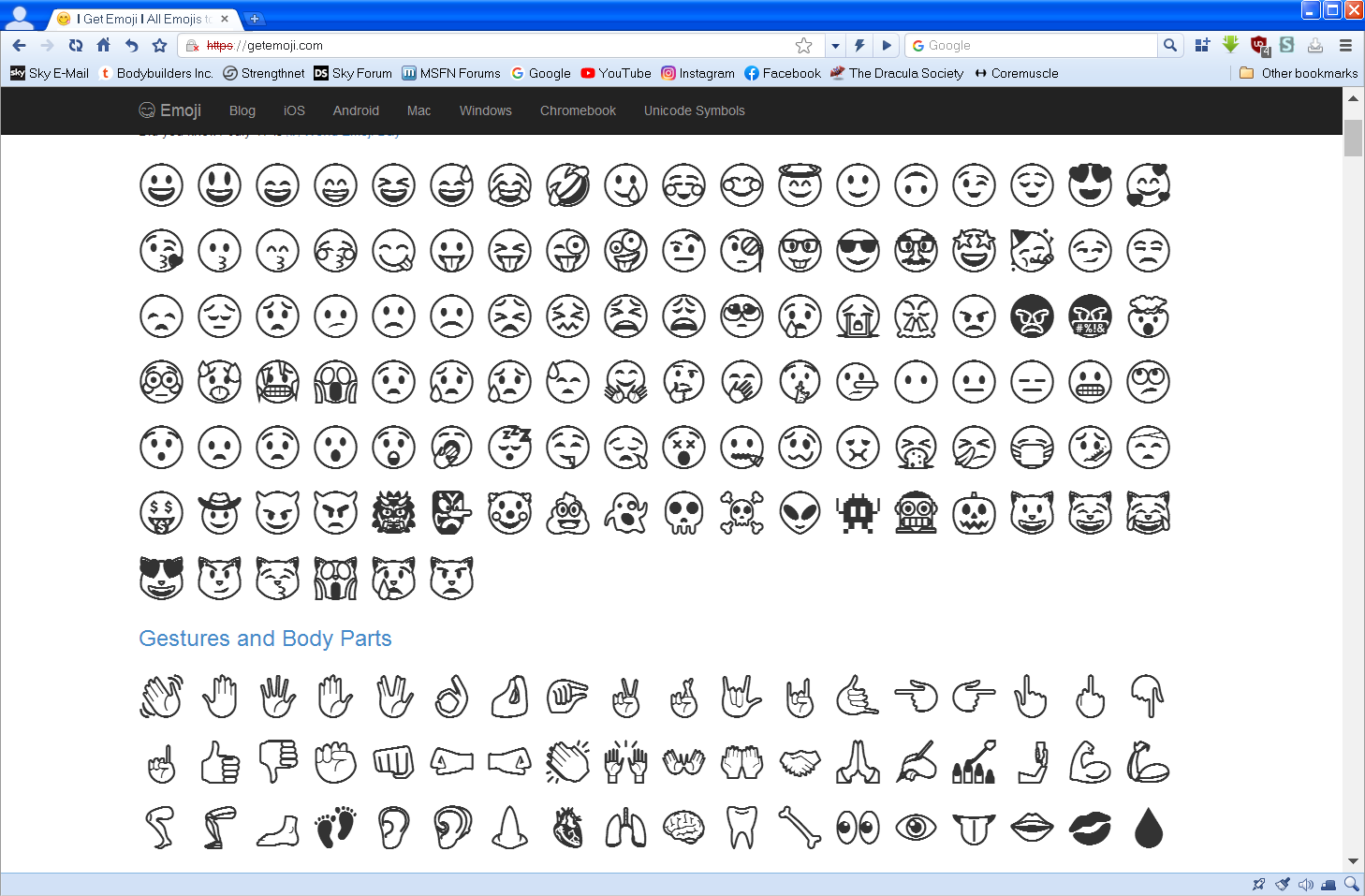
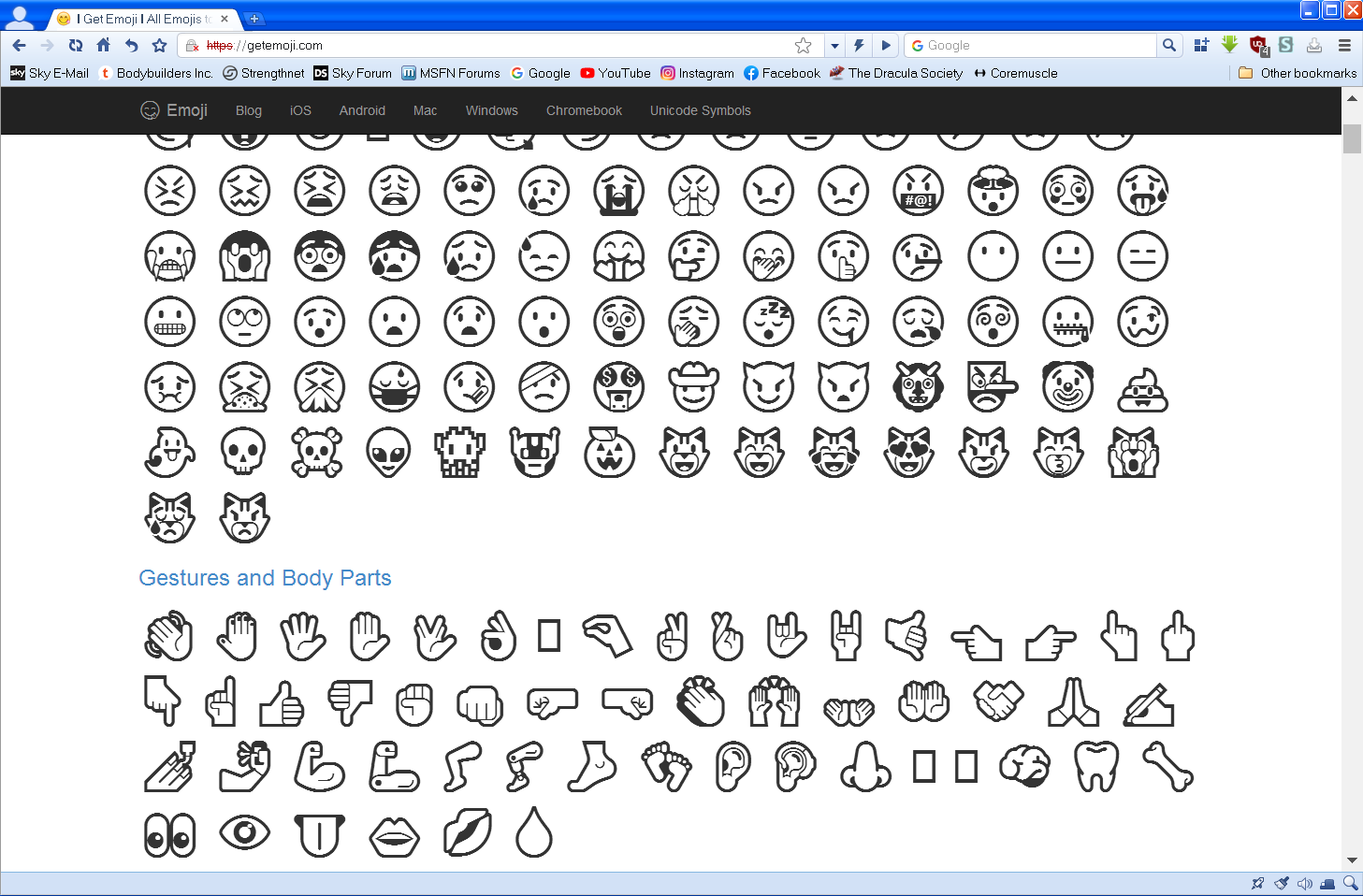
Any thoughts @Humming Owl? Your font does have full support for the flags, which is good, but it's a shame if there's no font with full emoji support which is as clear as the default Windows 10 font.
-
I'm the same with RAM, 8GB installed, but only 3GB usable in XP because of the native limitation of a 32 bit operating system of course. I do have good (although old) processors though. I'm afraid I can't comment on the different versions of 360Chrome as I have only ever used 13.5, but it works fine for me. As I said I have had freezes, but they are rare, and I've never had a problem with YouTube, where it performs extremely well, and that's with a very old ATI x600 graphics card.
-
Well it's certainly good to know that the 13.x branch is still 'live'. I had assumed that the developers had now moved completely on to the new 64 bit only version, and that 13.5 was it as far as XP compatibility was concerned. FWIW I've only ever used version 13.5, and I've generally found it very stable. Occasionally it freezes up, literally it just stops responding, with an error beep if I click anywhere on its window, and it has to be forcibly shut down. On a retry it's always then OK. Yes, it's a resource hog, but I can get away with that on my system. On a low resourced system it wouldn't be a great experience of course! Personally I've been very happy with it, and it's given browsing on XP a whole new lease of life.