
mjd79
Content Type
Profiles
Forums
Events
Everything posted by mjd79
-

WidevineCDM on Windows 7, 8.0 and 8.1 in 2026 and later.
mjd79 replied to mjd79's topic in Web Browsers
Hi. I specifically wrote “Chromium” because it works most likely on any browser based on that engine, of course in enough new versions (I haven't checked below v109). It does not work with W7 - for this, too, I have actually already found a solution - widevine files from firefox (4.10.2830.0) with kernel32.dll wrapper. -
WidevineCDM on Windows 7, 8.0 and 8.1 in 2026 and later.
mjd79 replied to mjd79's topic in Web Browsers
What system are you using? Only 8.0 and 8.1 are able to work with a widevine copied from firefox without mods. https://www.mediafire.com/file/bgtttjm9tn8wdrj/4.10.2830.100.zip/file Put the 4.10.2830.100 folder in: \User Data\WidevineCdm (you have to find the path to the profile yourself) I changed the system to 8.1, it has better app compatibility and is still better than 10 in any version in my opinion. -
WidevineCDM on Windows 7, 8.0 and 8.1 in 2026 and later.
mjd79 replied to mjd79's topic in Web Browsers
It works fine on Firefox. I'm really reluctant to migrate to firefox, but it's better than changing system -
As I wrote in my thread set up on the forum today, Supermium on W7 has a DRM problem in the form of, I don't know, “no license”? The problem occurs on any Chromium browser running on this system. Can ESU updates for the system help in any way? I have been installing the version with updates to 2018.06 for years, perhaps it is too old.... Edit: Supermium fixed by patch attached by dev.
-
Status as of 2026-02-09 Windows 8.1 and 8.0. Chromium and Firefox-based browsers: 4.10.2891.0 x64 - https://www.mediafire.com/file/backxaz0xr5v5ad/WidevineCdm_4.10.2934.0_x64.zip/file x86 - https://www.mediafire.com/file/u4nbxp7lc9be1ft/WidevineCdm_4.10.2934.0_x86.zip/file The x86 version will not work with x64 browsers and vice versa. - Chromium: First try updating in chrome://components (universal for every Chromium browser). If you are using an old version of the browser, download above Widevine. For Chromium browsers, the path should look like this (you need to find the profile location yourself) Keep the current directory structure. \User Data\WidevineCdm\4.10.2934.0 - Firefox: If you are using one of the latest versions of 115ESR, just update Widevine in the plugins tab. If you are using an older version 115 ESR download the above Widevine. For Firefox browsers the path should look like this (you need to find the profile location yourself) Put widevinecdm.dll, widevinecdm.dll.sig, manifest.json and LICENSE in 4.10.2934.0 folder. \[user profile name]\gmp-widevinecdm\4.10.2934.0\ Windows 7 Download the appropriate widevine from the links above and the latest version of Supermium (x64 or x86, respectively). Copy pwrp_k32.dll and p_cryptp.dll from Supermium, rename p_cryptp.dll to xcryptprimitives.dll. Then open widevinecdm.dll in a HxD, press ctrl + g, search for a) for x86 offset 117DF6E and 117E1E2, change the letter b (62) to x (78), also search for 11B0442 and change kernel32.dll to pwrp_k32.dll b) for x64 offset 12826DA and 1282AA6, change the letter b (62) to x (78), also search for 12B8640 and change kernel32.dll to pwrp_k32.dll After completing these steps, proceed as for 8.0 and 8.1.
-
Most likely, you will not get an answer. Win32 devotes Supermium, I think, most of his time. Extended kernel for Vista I would boldly call abandoned - it's been almost a year and a half since the last version was released. He could find a helper to work on Supermium or hand over extended kernel to someone else, but that's his decision.
-
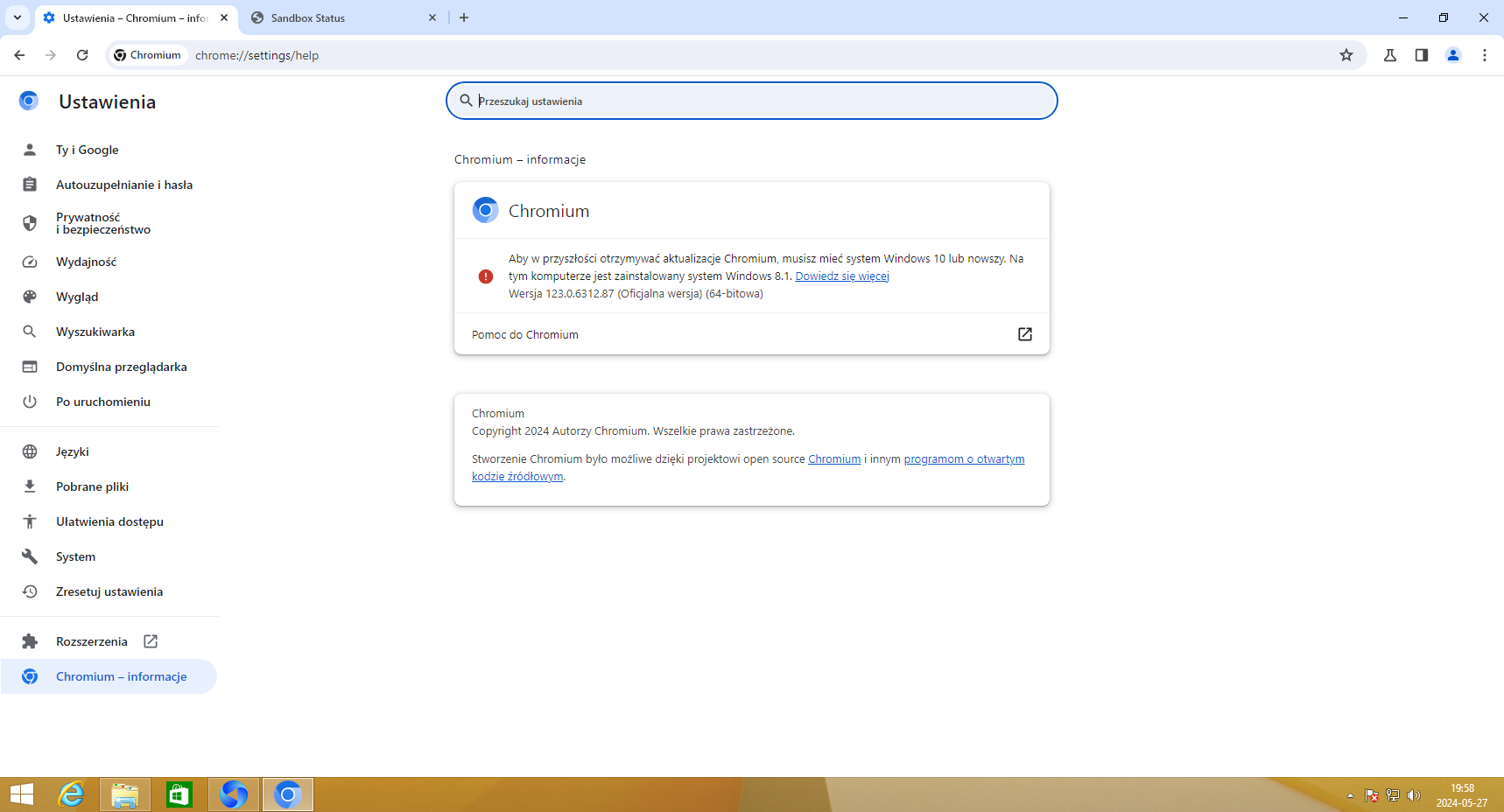
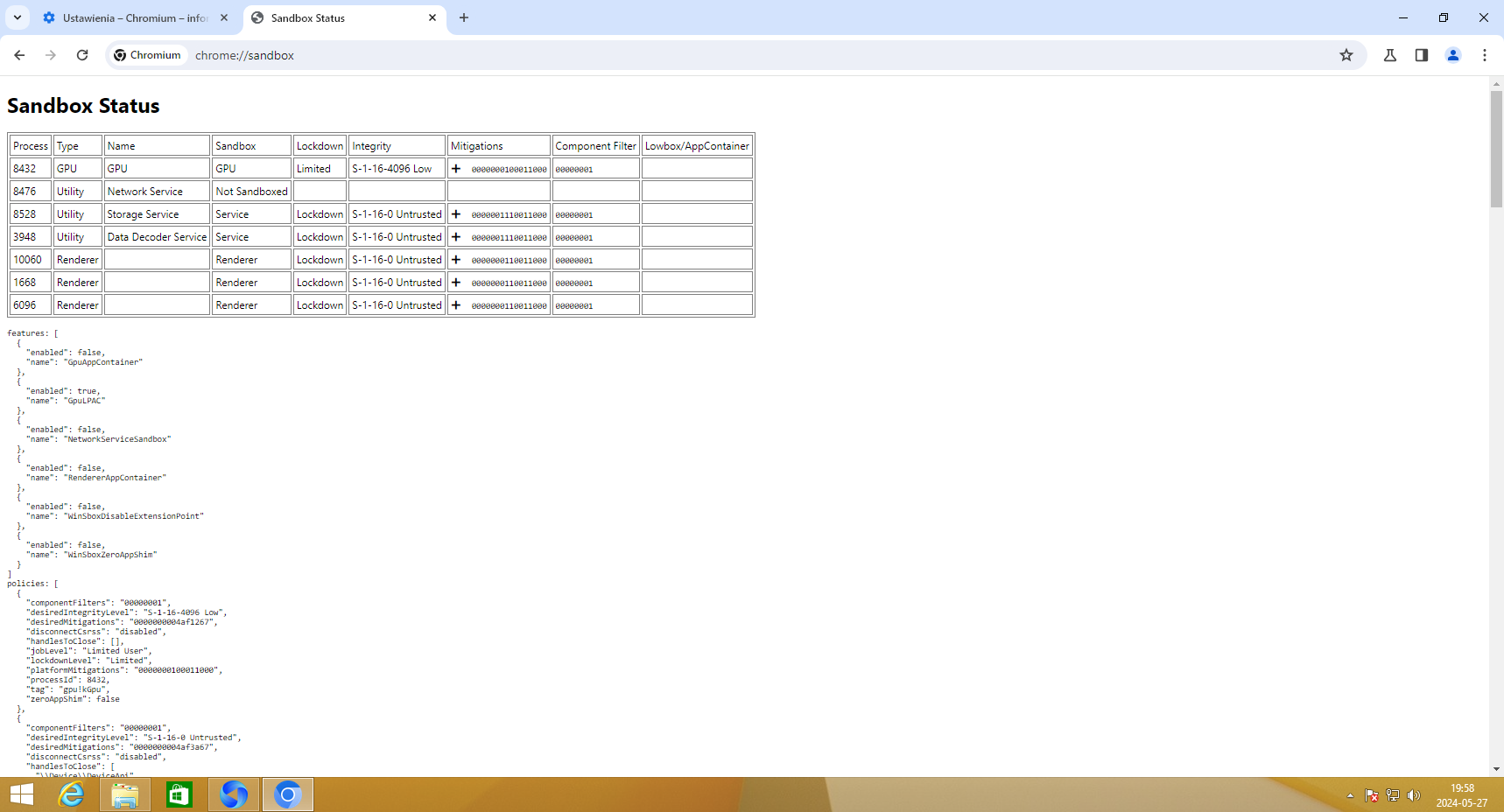
Chromium 123 working with sandbox and all codecs on 8.1. OFC still little bit modded.

-
I'll comment on it in one word - paranoia
-
No, it's Blaukovitch crack, you can easily find it, here the link I will not give. The reason I share this is that he created wrappers for many system libraries and rewrote a few (api-ms), and I am very positively surprised that it works on Vista with the extended kernel.
-
Vmware SVGA :p Currently I have not any computer with Vista. Edit: After installing win32's mfplat it working with sandbox!
-
@D.Draker Opera 106 working with --no-sandbox on Vista x64 with ext kernel from 6th March 2023 Without --no-sandbox it not load anything.
-
Future of Chromium on older Windows 10 versions and RTM.
mjd79 replied to Dixel's topic in Windows 10
Still working on 1507 -
Software compatible with Windows Vista Extended Kernel
mjd79 replied to WinClient5270's topic in Windows Vista
While using Chrome 109 on the March 6 extended kernel, I noticed a status_access_violation error on some pages. The solution is to use --no-sandbox mode, or far safer, redirect the original DWrite.dll locally. BTW, with the March 6 version have kernel32 and kernel33.dll. For Chrome 109, it is better to redirect the latter locally, because then the system will be detected as Vista and no unsuccessful upgrade attempts will be made. -
No, I just had other things to do. I have Kx drivers for this card, others I don't need
-
I can try with Soundblaster SB0220 BTW after installing the March 6 version, you can redirect userenv.dll from the March 9 version for Chromium-based applications where the sound does not work, and it will be fixed.
-
I also had this problem, at the time I was using the integrated Realtek ALC889A
-
Future of Chromium on older Windows 10 versions and RTM.
mjd79 replied to Dixel's topic in Windows 10
It still works without modification. I think the lack of support for version 118 in Windows 10 1507 was simply a mistake by the developers. -
I don't see anything in my DM box.
-
In Windows 8.1, the missing imports in DWrite.dll can be replaced with kernel32.dll
-
In addition, you need DWrite.dll ported from Windows 10.
-
You need to replace DiscardVirtualMemory with VirtualAlloc or VirtualAllocEx....
-
dll library wrappers included in version 117 will be useful for backporting Chromium Framework/Embedded etc based software with closed source code
-
Future of Chromium on older Windows 10 versions and RTM.
mjd79 replied to Dixel's topic in Windows 10
Versions 119.0.6008 and later work on 1507 again, without modification LOL -
Disable Spectre/Meltdown protection for a 4% performance boost
mjd79 replied to NotHereToPlayGames's topic in Windows 10
Chromium 119 is still possible to run on 1507 I propose a topic about the future of Chromium on older Windows 10 compilations BTW -
Dixel's prediction has not yet come true. Just by replacing one missing function, Chromium 118 will still work on LTSB 2015 LOL I won't reveal the details for now, because someone from the Chromium team might read this and make for a spite in the next versions