Leaderboard




Popular Content
Showing content with the highest reputation on 12/24/2024 in all areas
-
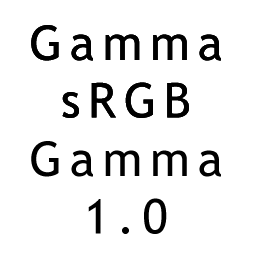
Web browsers have always done their GUI using their own web toolkit. Look at the About box of Internet Explorer and how the OK button looks when pressed. The Internet Options dialog is a separate application and looks normal. The New Moon preferences window is a good match but slightly off. The drop-down listboxes have each entry taller, and the arrow button doesn't visibly depress. Then Basilisk/Serpent replaced the settings window by a flat webpage. Black type becoming thinner with an adjustment in the monitor is likely because you are clipping some highlights off. Adjustments with the monitor's buttons always bring it further from the ideal that the computer assumes. So parts that were light grey on the edges now become fully white. The anti-aliasing has a gamma problem. When done in gamma-encoded space, the intermediate levels where the font shape covers half of the pixel will have a value of 50%, but it will map to about 21% of linear brigthness. White type will become thicker in that situation. The Windows ClearType tuner presents you with a few example boxes to compensate for this.
 2 points
 -
What exactly you don't understand? it's the trend to block VPN wherever and whenever they can, For example, people on MSFN already discussed the inability to get their software updates via VPN from developers' servers. The developer wants to know your REAL IP to get the data mining, and for what purpose, it's up to you to guess.2 points
-
It's the ongoing fight against anonymity on all fronts, and from all developers and web sites. Twitter, facebook, reddit, insta, they all blocked VPN, Most of the updates you won't get with VPN enabled.2 points
-
WinNTSetup 5.4 - support for Windows 24H2 and Server 2025 - added arm64 and x86 versions - language files prefer MUI names - support for RTL languages - use only one DISM session - fixed Windows 7 ESP drive mounting - updated Windows 7 USB3 drivers instructions - new disable defender tweak includes Windows Malicious Software Removal Tool2 points
-
Ok! I'm going to go a round further now as I'm getting fed up with this nonsense. Obviously @bluebolt is not willing to disclose any meaningful information here and share his knowledge with us in this forum. And that will have its reasons. First of all, here are the facts: The still downloadable online installers don't work anymore. BitDefender must have removed the online sources which these installers need to download. Offline installers are no longer available. All links seem to be removed. In one of @bluebolt's pictures, one can clearly see that a connection to My BitDefender is no longer possible. Here is a quotation from this picture: "My Bitdefender: Could not connect to server" Regarding these facts it is also pretty obvious why @bluebolt only spreads information here that is not really helpful. I assume or, even stronger, I am quite sure that even if such an offline installer exists, a successful activation of a new installation via the user interface won't be possible any longer. The reason for this was provided by @bluebolt himself: No connection to My BitDefender means no login into the user's account which unfortunately is necessary for a successful activation. Therefore, a new activation is no longer possible. I therefore consider BitDefender 1.0.21.1109 obsolete and no longer usable. No entry in my "list of working antimalware, firewall, and other security programs for Windows XP", but at most in the "list of programs that have recently been abandoned", although it actually was abandonded for more than a year. And further information is no longer necessary either, certainly not such pointless information that is not actually intended to help potential users of this program here in the forum.2 points
-
Could be a foreign gas company agent/lobbyist. Was she ever investigated?1 point
-
Open the context menu on the taskbar and disable the "Pin the taskbar" option there. After this, grab the top edge of the taskbar with the mouse cursor and the left button and drag it up to the required number of rows. I have three rows. After that, you can turn on "Pin the taskbar" again.1 point
-
Tried that. Does not explain the UGLY-A$$ fonts in that screencap! Look at the "share" icon to the left of the text. The "square" reveals that you are blocking remote fonts (as I also block them). Note that the UGLY-A$$ fonts screencap does have the share icon. BUT... More importantly! Look at the "fatness" of the H110MHV3 font. You and I both get a FAT font. That UGLY-A$$ font in the screencap is skinny and squished and jaggedy-edged. The type of font where a / is so jagged that it looks like a STAIRCASE instead of a /. I have not been able to replicate the screencap's UGLY-A$$ font. Not with remote fonts, not without. Not in three different browsers spanning both Win10 and XP. The H110MHV3 is always FAT for me.1 point
-
I totally and thoroughly agree with Atari800xl in his wish for permanent happiness, improvement and the pursuit of a somewhat valuable "higher aims ahead" motto. I had the same fear it would end up like reboot.pro and other examples of info-tech sharing, socializing and learning that died out. along with a few of us, I am still ready to contribute to set the aforesaid websites back up again and fully associate with atari800xl in wishing everybody a merry xmas and a happy new year. a big thanx sure goes to jfx for keeping this thing alive with his updates and advice. btw, when I told King... I wish I could help him, I did so because that was what I really meant, as I ain't no expert, but just an enthusiast who was sorry he could not help. One more time, a happy holiday season to all.1 point
-
Chinese... you can install some other fonts,maybe it could help you1 point
-
Go to your monitor and start adding the brightness slowly, see how the fonts become thinner and more washed out, so you would need to complicate with your contrast, But in most modern cards - you can't, because the plonkers already set it beyond the reasonable limit in the card BIOS. I had analysed many BIOSes, and in nVidia the RGB values can easily be at 157%, instead of the standard 50. It's called brightness wars, for the people to get a false feeling of the beefy and juicy card they bought.1 point
-
I'm not complaining to anyone, you are. I'm merely stating the fact, and the most likely reason fir this.1 point
-
I use post Windows 8.1 CentBrowser, long after this old OS was abandoned, and while Supermium is indeed totally modern and flat, just like you wrote, how did they manage to keep all the curviness in CentBrowser? It looks just like the old chrome we all knew. And no matter how many times I read about the plans of getting the old theme to Supermium, its each new version becomes more and more flatter.1 point
-
Yeah, for you, yes, But I don't understand Chinese (or Korean?). I can't even distinguish those two. Besides, I heavily damaged one of my eyes, and only one can see somewhat well. Probably, will have to resort to the operation.1 point
-
Thanks for the test, this time even your attachment works. Did you change the hosting? Probably, the reason is the fonts I don't have.
1 point
-
Thank you, I was trying to get the BIOS, and the main reason I wrote here, I wanted to find out whether it's only Supermium's fault.1 point
-
Update notification! Malware Hunter has been updated on 08.05.2023 and is now available in version 1.166.0.784. Cheers, AstroSkipper1 point
-
As we all or at least many of us know, the last XP-compatible version 6.047 of Malwarebytes AdwCleaner is obsolete and not useful anymore. Freshly installed, it's most recent database is from 2017, and thus 6 years old. No option! @VistaLover has investigated this in detail and presented it in this post: Therefore, we need a replacement for this program in Windows XP to get rid especially of adware, spyware, potentially unwanted programs (PUPs), and browser hijackers. Of course, most more recent antimalware programs already provide these features such as Malwarebytes Free or Premium. But a specialized tool would not be bad either, and many people like to use those tools, like for example me. I did a research as I always do and found an interesting tool. In my next post, I will present an alternative to Malwarebytes AdwCleaner which is up-to-date. And the winner is Ultra Adware Killer.1 point
-
Free of charge with real-time protection are for example Avast, AVG, Panda, Comodo Antivirus, and 360 Total Security Essential360. Without real-time protection, there are many more.1 point
-
You want to pay for an antivirus? Why? There are enough programs for free. The question which antimalware program is value for money (vfm) can't be answered easily. It depends on your needs. @shelby I personally prefer a pure antimalware program with real-time protection, web, behaviour and mail shield and rootkit detection. That's why I use Malwarebytes Premium. My firewall program was and is Windows 10 Firewall Control Plus XP. Both programs are commercial, worth their money and vfm.1 point
-
You want to pay for an antivirus? Why? There are enough programs for free. The question which antimalware program is value for money (vfm) can't be answered easily. It depends on your needs.1 point
-
Yep, Shadow Defender is already on my internal list. And of course, many other security programs for Windows XP, too. But first of all: Hello and thank you for your suggestion! I installed this program in my Windows XP system years ago.1 point
-
Nice pictures but unfortunately they don't really help. What we need are details about the installer. I didn't find any offline installer. Any link to a working, full offline installer? The name, size or date of this installer would be helpful, too. Since then, no further information from you! At this point, I would ask you to share your knowledge with us. Any detailed information about this offline installer would be helpful such as name, size, date and version. Even better would be a working download link or, if there is no longer one, an upload link. Thanks in advance! Kind regards, AstroSkipper PS: Due to the lack of a working installer, I added BitDefender 1.0.21.1109 to the list in the third post. @bluebolt I have now asked you twice to share information about a working offline installer for BitDefender 1.0.21.1109. All what you provide are pictures. But pictures can't be installed and tested. I'm glad for you that your old installations are still running and seem to be updated , but unfortunately that doesn't help us at all . Can BitDefender 1.0.21.1109 still be reinstalled in 2023? I personally fear that this is no longer possible. So I ask you a third and then last time to give us information about the offline installer you mentioned in the quoted posts above. Any detailed information about this offline installer would be helpful such as name, size, date and version. Even better would be a working download link or, if there is no longer one, an upload link. Thanks in advance! Kind regards, AstroSkipper1 point
-
I downloaded nothing. It's a picture uploaded by @bluebolt. And there is unfortunately no timestamp of the downloaded definition files visible in the GUI.1 point
-
I revised my article about Avast Free Antivirus again: I added new screenshots, new links and further facts. I think it should be complete now, at least I do hope so. If you find any mistakes or miss something, please just post it here! Kind regards, AstroSkipper1 point