Dave-H
Content Type
Profiles
Forums
Events
Everything posted by Dave-H
-
 Mine had updated automatically, but thanks for the heads up as I like to download and save the latest installation file.
 -
OK, panic over! I discovered that the problem was that my HOSTS file wasn't being read properly by Windows. sky.com has to be blocked there or the messages take ages to display because it's looking for a web font which it can't access. This was the original problem several years ago in fact! According to my research, the system not reading the HOSTS file properly after it's been modified is not at all uncommon. Despite it looking like a plain text file, Windows is actually quite fussy about how it's formatted. Eventually I restored a backup, which worked! Fingers crossed that it stays fixed this time!
-
Well unfortunately it has gone partially back to as it was before. The e-mails from Sky are now taking a long time to display again. Not as bad as two minutes, it's more like 30 seconds now, but still not as it should be. IE8 can still access the http logo fine on the desktop and the netbook, which is good so it's not completely reverted to as it was. The https version still loads quickly on the desktop too, but not the netbook as it doesn't have HTTPSProxy installed of course. I guess I'll have to keep on tweaking things now to see if I can get it back again to as it was last night!
-
The netbook machine I did the test with doesn't have ProxHTTPSProxy installed (or Eudora for that matter). I used it simply because it's portable, which my desktop isn't of course. The http linked Sky logo wouldn't load at all in IE8 on the netbook or desktop at home, but it did on the netbook when it was connected to the restaurant public wi-fi network. The restaurant network was unsecured connection of course, which may have made the difference.
-
Well I rang Sky today, and got pretty much the answer I expected. They couldn't help me using an obsolete e-mail client, which is fair enough, but like most e-mail providers now they seem to think that if the e-mails are working OK in webmail, that's all OK. They don't expect people to be using anything else now, and seem to be very unwilling to support anything else. Even if there is a problem with a current e-mail client like Outlook, they really don't want to know. I guess I'm a dinosaur for wanting my e-mails to be saved actually on my machine, and not only "in the cloud"! They said they couldn't tell me if any changes were made to the broadband system last week, because they're not given that information themselves, and there was no-one that a normal customer could speak to who might have that information. As the change, if there was one, would almost certainly have been security related, I guess that's fair enough. Anyway, I then tried a few more tests, including resetting my router to its defaults. I hadn't ever changed much anyway, only the wi-fi ID and the wi-fi channel. I also reset ProxHTTPSProxy again. I was getting connection error problems and was directed to go to the Sky broadband reconnection page, which seems to work and restore things, and then suddenly I found things were working again! The e-mails are now loading with a couple of seconds delay instead of two minutes, as they were before. I have absolutely no idea why it would have come good, but I'm just glad that it has! Whether it will stay that way remains to be seen of course. I'll let you all know! Thanks for all the help as always. Cheers, Dave.
-
Root Certificates and Revoked Certificates for Windows XP
Dave-H replied to heinoganda's topic in Windows XP
It now seems that the problem is due to something that changed last week on my broadband connection. If I connect to another wi-fi the problem does not happen. I guess nothing to do with the Root Certificates update. Sorry to have disturbed this thread! -
LOL, that would be good! I suspect I'm not going to get to anyone technical at Sky over the weekend, so I will have to try next week. Unfortunately I'm probably going to be tied up doing jury service during all the hours that anyone useful might be available, but I will let you all know when I get any sort or answer on this.
-
You're right of course! I will try ringing them and see what they say. I'm hoping at least I can find out from them what was changed overnight between Wednesday and Thursday last week. Maybe they changed some security settings or certificates or started requiring another protocol, who knows? At least if I can find that out, and I will I'm sure need to get to someone really technical, not one of the usual CS people, to do that, I can at least know if there is anything that can be done or there are any workarounds. One thing I am sure of, they're not going to roll anything back for a lone XP/Eudora user!
-
OK, finally some progress! I took my netbook to a local restaurant and connected to their wi-fi. On running IE8 on XP (it's a dual boot machine) I went to the http version of the Sky logo. It loaded instantly, as everyone else here seems to have found! I didn't change anything, brought the machine home, connected to my wi-fi, did the same test and IE8 just timed out with a "cannot display the webpage" after about a two minute delay. So, it looks as if something has changed on my broadband connection, which is also from Sky. I rebooted the router, no difference of course. I can't see anything relevant in the router's settings. Something must have changed though overnight on the 2/3rd June. It was working the previous night and not working the following morning. I don't know where to go from here. If I ring Sky technical support and tell them I'm using IE8 on Windows XP, and with an e-mail client that hasn't been updated since 2006, they won't want to know! This is now off-topic for this thread of course, but has anyone any suggestions what might have happened with my internet connection to cause this? The symptom mainly seems to be that there is a problem getting images from some servers. If I display a Sky e-mail for instance, there is a delay of aboiut two minutes with a white box, then everything suddenly appears except for the Sky logo at the top of the message. After about another minute, the logo suddenly appears. There is no activity in the ProxHTTPSProxy console until the elements appear, at which point the green success lines are suddenly all printed. Some e-mails from other sources display completely immediately fine as they always did. Others only display the text elements immediately, with no or only some images. If I wait about two minutes (yes, it really is that long!) the missing images all suddenly appear. Any suggestions very gratefully received, as my normal e-mail reading system is now unusable. Thanks, Dave.
-
Root Certificates and Revoked Certificates for Windows XP
Dave-H replied to heinoganda's topic in Windows XP
Thanks, but those registry files are automatically backed up on the first boot every day on my system, using ERUNT. I can easily restore the registry to its condition at the first boot of the last five days. Restoring the registry to a point before the problem appeared did not fix the problem. That combined with the fact that my netbook seems to have the same problem, and it hasn't had the last Root Certificates update applied, seems to now indicate that the update is not the cause of the issue. I think the fact it appeared when it did just after I'd done the update is in fact just coincidence. 🙂 -
Root Certificates and Revoked Certificates for Windows XP
Dave-H replied to heinoganda's topic in Windows XP
Thanks! A shame @heinogandadoesn't seem to be around at the moment, as you say. I have never managed to get System Restore to work on my main desktop machine, it always goes through the motions, and then says that the system couldn't be restored, no reason given, and to try another restore point. Needless to say the same thing happens with all of them! I do have a simple file backup which I do every week, but not from before when the problem appeared I'm afraid. I've now found that the same problems are happening on my XP netbook too, so it looks like it's a wider issue. -
Thanks everyone! Unfortunately I'm tied up doing jury service at the moment so I haven't been able to give the time I would like to to troubleshoot this. One important thing I have now done is to try my netbook, which also has XP on it, but it hasn't had the most recent Root Certificates update applied. It also does not have ProxHTTPSProxy installed. IE8 and the HOSTS file and pretty much everything else are unmodified, apart from IE8 having the TLS 1.2 enablement mods. Trying to access the http version of that Sky logo works in IE8 on the netbook, but only after a very long delay, like about a minute. This agrees with the behaviour on the main machine, where things usually do eventually appear in IE8 and Eudora (which uses the IE8 engine to display e-mails) but there is a huge delay. So, whatever the problem is it seems to be affecting both machines, and is presumably nothing to do with the Root Certificates update, or ProxHTTPSProxy.
-
Root Certificates and Revoked Certificates for Windows XP
Dave-H replied to heinoganda's topic in Windows XP
Can anyone tell me how to undo a Root Certificates Update? @heinoganda? I'm having a malfunction accessing some e-mail content in my Eudora e-mail client, and I think the problem may have started when I updated the certificates last week! I tried just rolling back the registry to before the update, but that made no difference. Is there anything else I need to do to ensure that it is completely rolled back? Thanks, Dave. -
Thanks! I tried all that, but unfortunately it seems to have made no difference. I did find there were now two entries for ProxHTTPSProxy CA in the list of Trusted Root Certification Authorities, the original one and the new one I imported. I deleted the old one, I assume that was the right thing to do. What I'm seeing in the Proxy console when I load one of the Sky e-mails in Eudora is - "EOF occurred in violation of protocol (_ssl.c:600)" while trying to establish local SSL tunnel for [helpforum.sky.com:443] There is just a leading quotation mark at the beginning of the line, as shown, but no second one anywhere. I've seen this before, and I seem to remember I had a lot of trouble determining what "EOF" means in this context! "End of <something>" I assume, but what?
-
Just to add that it's not only images from Sky's servers which are affected, quite a few other e-mails are also not displaying in Eudora like they used to, with usually no images, or indeed nothing at all, and then they suddenly display after a very long delay (and I mean over a minute!) They then display fine. I'm still suspicious of the Root Certificates update. @heinoganda
-
Thanks, yes I am suspicious that it is an expired certificate. Presumably the fact that it seemed to happen when I updated the system root certificates is just coincidence? As I said, I tried rolling the registry back to before the update but it didn't make any difference, but i wasn't at all sure whether that was enough. The https URL can actually be reached by Google Chrome 49, which also uses ProxHTTPSProxy, and by IE8, but only after an enormous delay. The http URL works almost immediately in Google Chrome 49, but in IE8, again after a very long delay, I get the standard "cannot display the webpage" message without ProxHTTPSProxy, and with it enabled on http connections, it works after again a very long delay. What is puzzling me now is why IE8 is failing to display an image over a standard http connection, which Google Chrome seems to have no problem with! It presumably shouldn't have to have the proxy running to do that if it's not a secure connection.

-
That certainly used to happen in the days when we were still getting .NET updates. There are two optimisation services on my machine, one of which was added when .NET 4.0 was installed, and at that point the other one was disabled. After almost every update, the service would run for quite some time, and then stop. It then wouldn't run again. And yes, it was a bit of a resource hog while it was running! I always just let it complete. On a new installation I would expect the optimisation service(s) to run for a time to do their work, but they certainly shouldn't be running all the time. Something is wrong if that's the case.
-
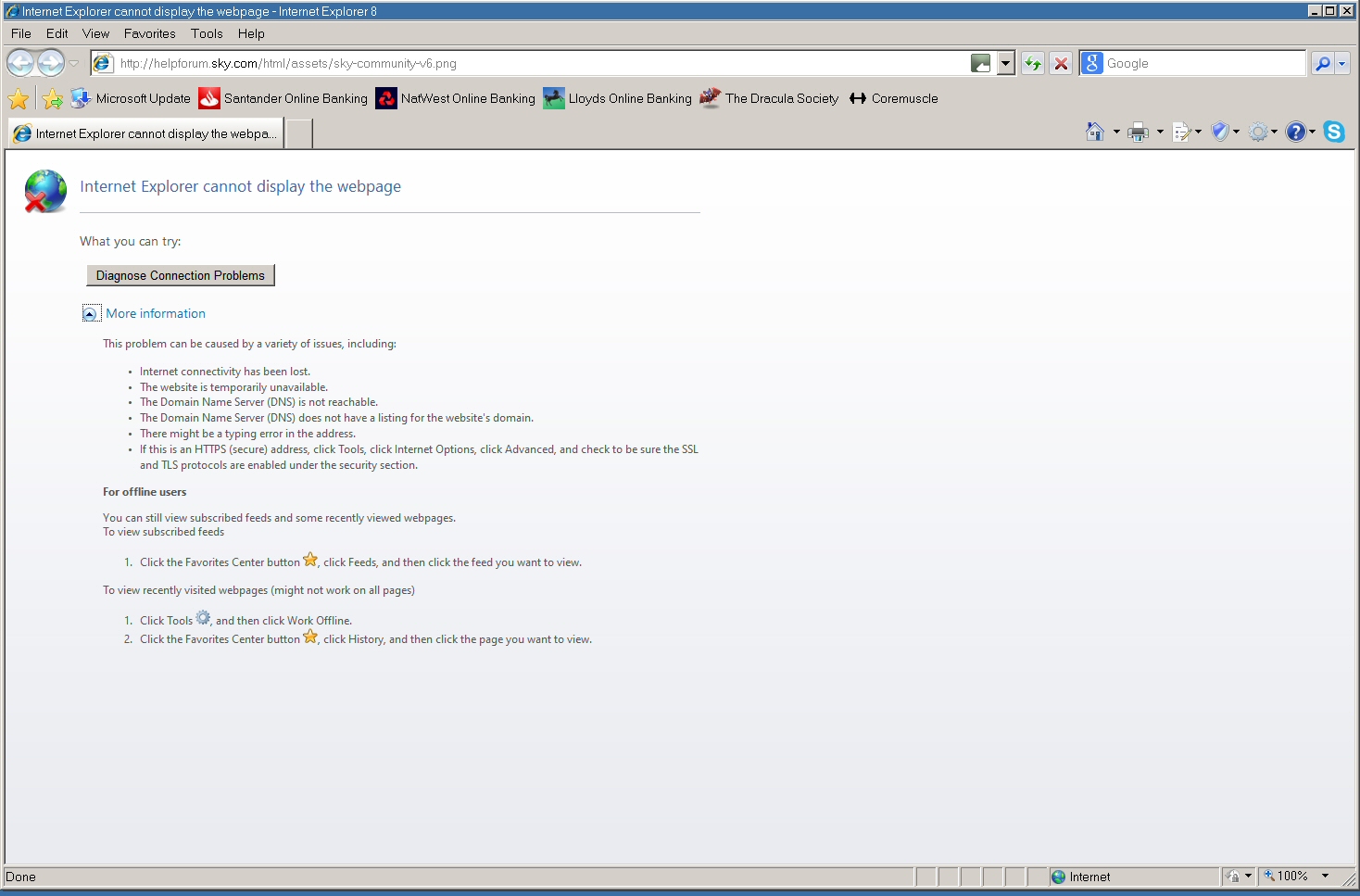
Sadly not. I normally only have the system set to use the proxy with https sites, and without it the http URL just produces the standard "Internet Explorer cannot display the webpage" message, with no specific reason given. If I set things to use the proxy on http sites as well as https after again a very long delay I get this - 502: HTTPError The following error occurred while trying to access http://helpforum.sky.com/html/assets/sky-community-v6.png HTTPConnectionPool(host='helpforum.sky.com', port=80): Max retries exceeded with url: /html/assets/sky-community-v6.png (Caused by NewConnectionError(': Failed to establish a new connection: [WinError 10065] A socket operation was attempted to an unreachable host',)) Generated on 2021-06-05 18:25:12.087625 by ProxHTTPSProxyMII FrontProxy/v1.5. So, a different message!
-
Good idea! Bear in mind that version 16.12 of Process Explorer is the last one which works properly on XP.
-
A shot in the dark, but is Automatic Windows Update enabled? I seem to remember that scanning for updates could result in a very long running svchost process running and using a lot of CPU time. As Windows Update no longer works on XP, I'd disable it anyway if it isn't disabled.
-
Hi all, sorry to raise this thread again, but another problem has just manifested itself. Suddenly, between Wednesday night and Thursday morning this week, my Eudora e-mail client stopped working again with e-mails from Sky, and several other senders too. Quite literally, it was working Wednesday night, on Thursday morning it wasn't, for no apparent reason! Everything seems to be as normal, with my HOSTS file and ProxHTTPSProxy, but the messages now take an age to display, about two minutes, and when they do finally display there are elements missing. Specifically, the Sky logo at the top is missing from the Sky e-mails. I've tried looking at the source of the messages, and this is the URL of the logo - https://helpforum.sky.com/html/assets/sky-community-v6.png If I try to access that in IE8 it won't display. There is a very long delay, and then I get - 502: HTTPError The following error occurred while trying to access https://helpforum.sky.com/html/assets/sky-community-v6.png HTTPSConnectionPool(host='helpforum.sky.com', port=443): Max retries exceeded with url: /html/assets/sky-community-v6.png (Caused by SSLError(SSLError(1, '[SSL: CERTIFICATE_VERIFY_FAILED] certificate verify failed (_ssl.c:600)'),)) Generated on 2021-06-04 19:36:11.914875 by ProxHTTPSProxyMII RearProxy/v1.5. So, anyone any idea what's suddenly started happening here? The only thing I can think of that was changed on the system on Wednesday was installing the latest Root Certificates update. I thought that might be the culprit, so I tried rolling it back to the previous version. It seems that all the system certificate information is in the registry, so I rolled back the registry using ERUNT to a time before the certificates update was done, which made no difference at all. Should I have done anything else to roll it back? Any help gratefully received! This is very annoying when my setup has now worked for well over a year! Thanks, Dave.
-
I presume that's because it's a FAT32 partition. Why I don't know, as Windows 10 seems to play nicely with my FAT32 partitions in every other respect. I guess MS assumed that nobody would use a FAT32 fixed disk partition on a Windows 10 system!
-
Root Certificates and Revoked Certificates for Windows XP
Dave-H replied to heinoganda's topic in Windows XP
Thank you! -
I really don't know about partition alignment, I'm sure others will give a more expert opinion on that, but as far as TRIM is concerned I would have thought a drive is either trimmed or it isn't, I don't think there's any degrees of TRIM, unlike defragmentation.
-
I don't think there's any point in leaving unallocated space on an SSD, or an empty partition, it's physically pretty much like using RAM or a memory stick. It certainly wouldn't make any difference to the read/write speed I wouldn't have thought, because of the way it works. There should be some ideas here and here on TRIM programs for XP. As I have a multi-boot machine I rely on Windows 10 doing the TRIM on my NTFS drives. It won't work on FAT32 drives but I have a DOS (!) manual TRIM program for that courtesy of the late great Rudolph Loew!