Dave-H
Content Type
Profiles
Forums
Events
Everything posted by Dave-H
-
 Well it's certainly good to know that the 13.x branch is still 'live'. I had assumed that the developers had now moved completely on to the new 64 bit only version, and that 13.5 was it as far as XP compatibility was concerned. FWIW I've only ever used version 13.5, and I've generally found it very stable. Occasionally it freezes up, literally it just stops responding, with an error beep if I click anywhere on its window, and it has to be forcibly shut down. On a retry it's always then OK. Yes, it's a resource hog, but I can get away with that on my system. On a low resourced system it wouldn't be a great experience of course! Personally I've been very happy with it, and it's given browsing on XP a whole new lease of life.
 -
Well we'll see what @NotHereToPlayGames/ArcticFoxie says, but as only a Chinese version of this browser exists at the moment it seems, it would be quite a lot of work to get it usable in English I suspect, although starting from the work done already for 13.5 it might not be so daunting. On the other hand if this turns out to be the last of the 13.x branch, it might be worth it, as we know that the very latest branch doesn't work on XP and is 64 bit only. Beware if you do install it as it is that it's quite invasive, installs a lot of stuff which is not trivial to then get rid of, such as some sort of tray utility which protects itself. Not that big a deal if you have a multi-boot system like I have of course, but could be awkward on other systems!
-
Still the same version of Chromium, so is there much point in trying to use this?

-
360 Extreme Explorer Modified Version
Dave-H replied to Humming Owl's topic in Browsers working on Older NT-Family OSes
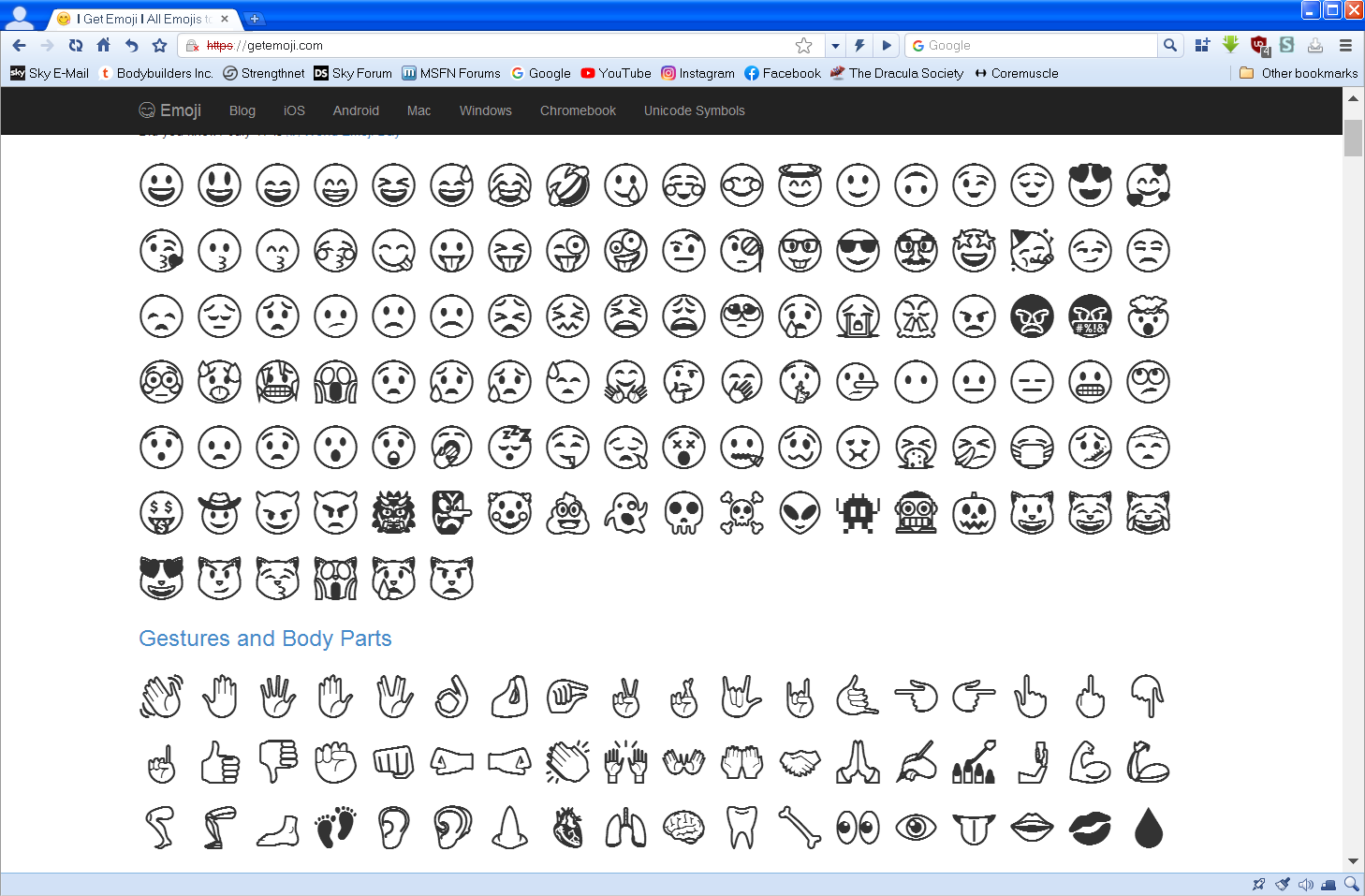
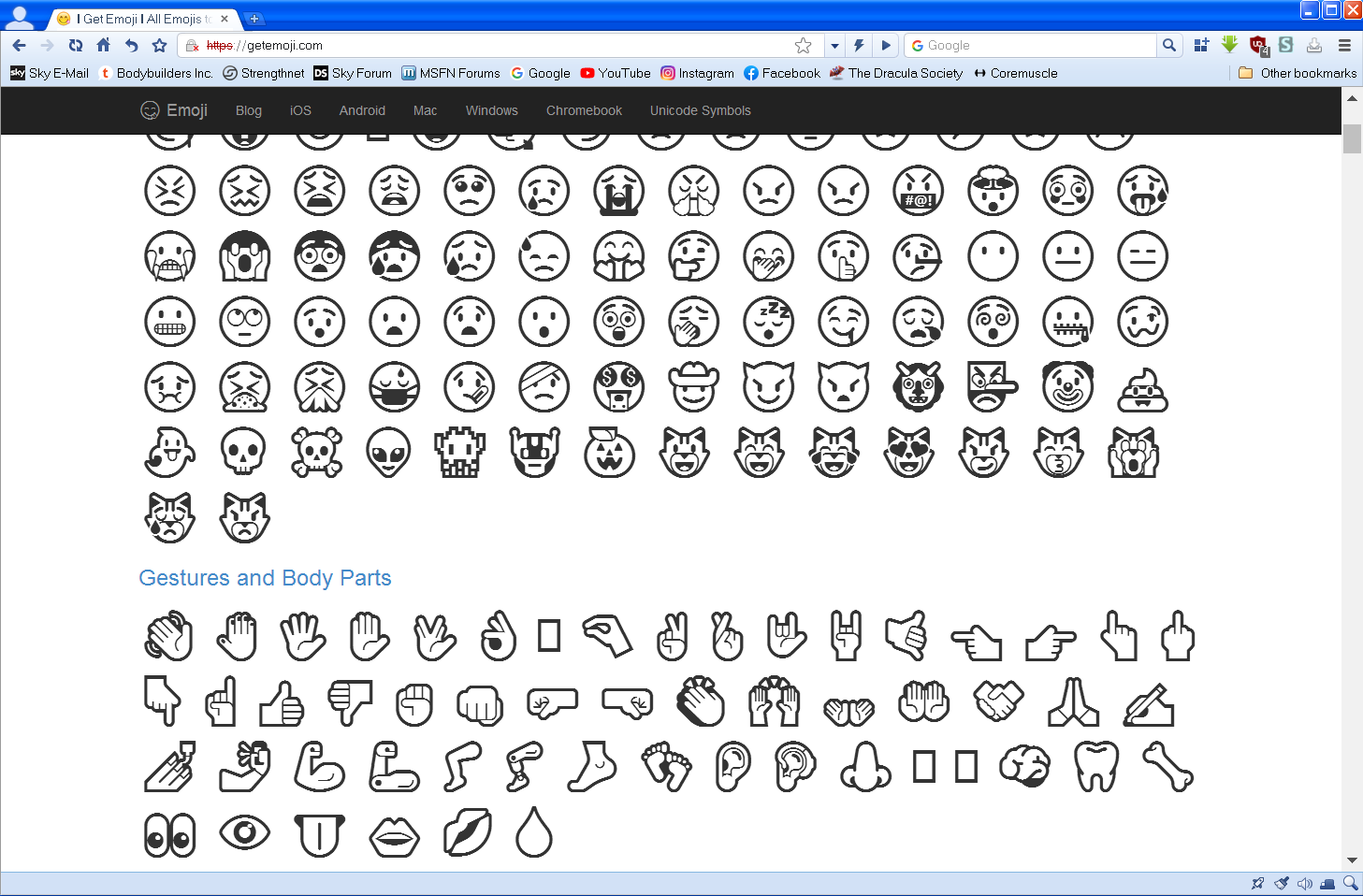
OK, here's the comparison. This with your font. And this with the original font. The difference isn't huge, but when the emojis are small, like on Instagram and YouTube comments, it is significant, with the latter version much more legible.
-
Force "multiprocess mode" in FF 52
Dave-H replied to Mathwiz's topic in Browsers working on Older NT-Family OSes
There's been no report, so I think you're OK! -
360 Extreme Explorer Modified Version
Dave-H replied to Humming Owl's topic in Browsers working on Older NT-Family OSes
FWIW the emojis on Instagram comments are still just boxes on Google Chrome 49, so I guess that can't use the added font that 360Chrome can use. -
360 Extreme Explorer Modified Version
Dave-H replied to Humming Owl's topic in Browsers working on Older NT-Family OSes
Except on Firefox 52.9, but I guess that's because it's Mozilla! -
360 Extreme Explorer Modified Version
Dave-H replied to Humming Owl's topic in Browsers working on Older NT-Family OSes
I tried both versions of the font you uploaded to Mediafire, but neither seem to be any better than the one I've already got I'm afraid. With both of them the Instagram and YouTube icons are still indistinct and in black and white. Looking at your naming, do they actually only work with Twitter icons? -
360 Extreme Explorer Modified Version
Dave-H replied to Humming Owl's topic in Browsers working on Older NT-Family OSes
I think that messing with hacked system fonts is asking for trouble, but getting the emojis back was simply a matter of adding one font which didn't exist at all on the operating system by default, and I'm quite happy with that. I'd rather see the emojis, even in black and white, than rows of empty rectangles. -
360 Extreme Explorer Modified Version
Dave-H replied to Humming Owl's topic in Browsers working on Older NT-Family OSes
Personally I'm not too worried about emojis in title bars and that sort of thing, especially if it gets into hacking around with system fonts. Having the emojis back in the Instagram and YouTube comments through adding the extra font from Windows 10 is good though, even if they are only in black and white! -
360 Extreme Explorer Modified Version
Dave-H replied to Humming Owl's topic in Browsers working on Older NT-Family OSes
Our posts crossed again I think! The second of those keys, the one I mentioned too, is indeed Microsoft Sans Serif, the IE one is Tahoma. -
360 Extreme Explorer Modified Version
Dave-H replied to Humming Owl's topic in Browsers working on Older NT-Family OSes
I suspect it might be the system font that's set in the 'MS Shell Dlg' entry in HKEY_LOCAL_MACHINE\SOFTWARE\Microsoft\Windows NT\CurrentVersion\FontSubstitutes. -
360 Extreme Explorer Modified Version
Dave-H replied to Humming Owl's topic in Browsers working on Older NT-Family OSes
I changed 'Palette Title' to 'Tahoma' again with 360Chrome closed, now with no registry entries. When I ran it, the registry entries came back, and 'FontFamily' still says 'MS Sans Serif'. So if it is following one of the system theme font settings, it isn't that one, at least not on my system! -
360 Extreme Explorer Modified Version
Dave-H replied to Humming Owl's topic in Browsers working on Older NT-Family OSes
That seems to have done the trick, the keys are now disappearing when 360Chrome is closed. How strange that they should have been stuck there before. -
360 Extreme Explorer Modified Version
Dave-H replied to Humming Owl's topic in Browsers working on Older NT-Family OSes
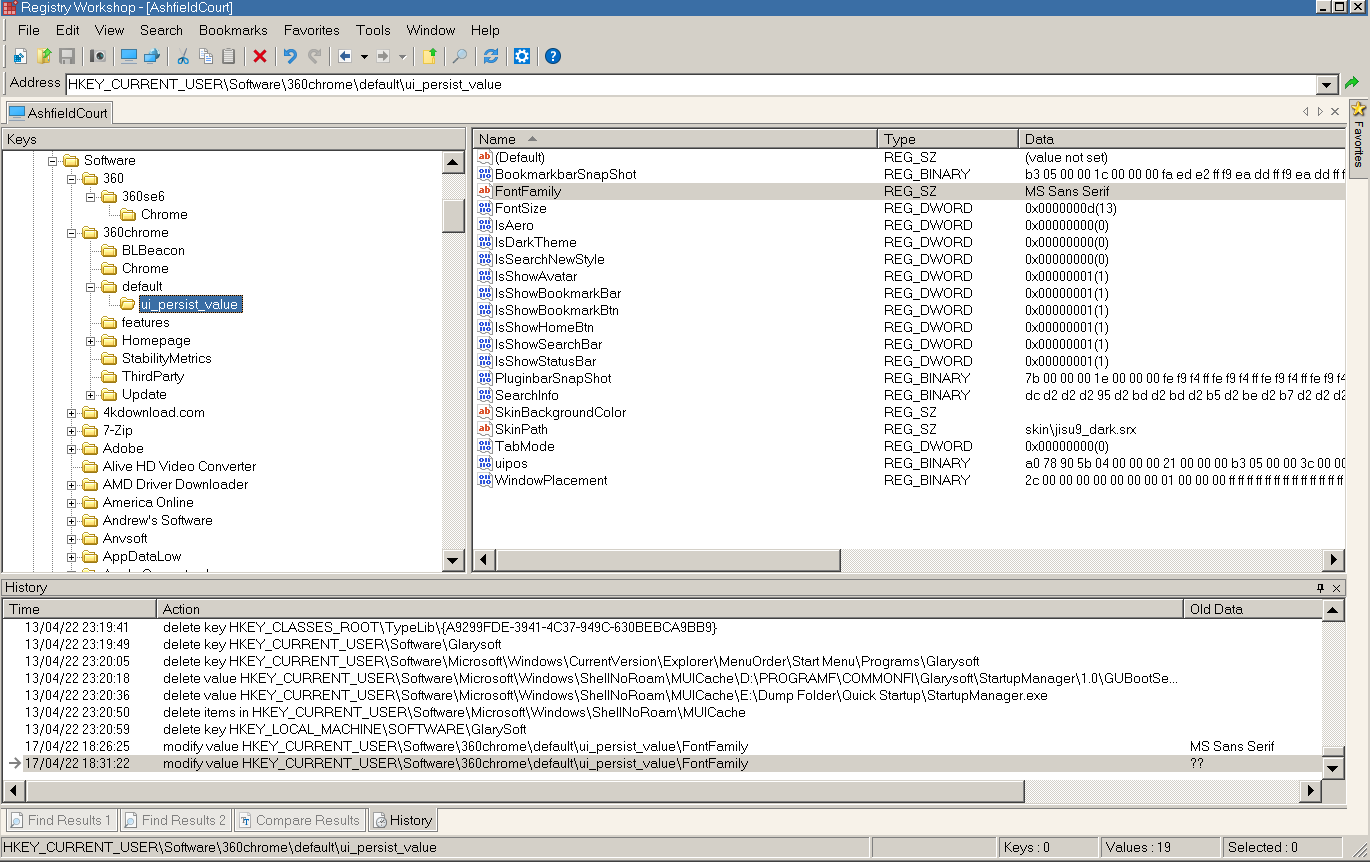
I'm not seeing that behaviour at all I'm afraid. This is what I see in the registry when the machine first boots, without ever having run 360Chrome. Starting it and stopping 360Chrome makes no difference, the registry entries stay exactly the same.
-
360 Extreme Explorer Modified Version
Dave-H replied to Humming Owl's topic in Browsers working on Older NT-Family OSes
Ah, I did wonder why it wasn't in the place stated, I didn't realise it was different on your version, but that makes sense now! I'm sure that 360Chrome was closed when I changed the system theme font setting, but I can try again (tomorrow now!) That registry setting does not disappear for me when 360Chrome is closed. Is it just the font family setting which should disappear, or others as well? -
360 Extreme Explorer Modified Version
Dave-H replied to Humming Owl's topic in Browsers working on Older NT-Family OSes
I can confirm that. The flags now work, but all the emojis are faint and indistinct. That is really noticeable on the Instagram comments, where they are much smaller, some now are barely readable. I tried changing the system 'Palette Title' from MS Sans Serif to Tahoma, but the registry entry for 360Chrome did not change. -
360 Extreme Explorer Modified Version
Dave-H replied to Humming Owl's topic in Browsers working on Older NT-Family OSes
If I change that registry value to anything else, it always reverts to 'MS Sans Serif' when I restart the browser. I think it is just the system font, and I can't see any way in the browser settings to change the font used by the browser UI, only the size of it. -
360 Extreme Explorer Modified Version
Dave-H replied to Humming Owl's topic in Browsers working on Older NT-Family OSes
I do have the 'MICROSS.TTF' file after all, I just hadn't identified it as being that font. It can't be replaced because it's protected. I'll try substituting the file with @Humming Owl's modified version when I'm booted into Windows 98, renaming it with the original name, to see if that makes any difference. There is a copy in the System32 folder as well as the fonts folder, should I replace both of them or will 360Chrome only use the one in the fonts folder anyway? -
360 Extreme Explorer Modified Version
Dave-H replied to Humming Owl's topic in Browsers working on Older NT-Family OSes
Yes, that explains it, as my system theme font setting is 'MS Sans Serif'. Strangely, I can't find 'MS Sans Serif' specifically mentioned as an installed font. There is 'MS Reference Sans Serif' (REFSAN.TTF), is that it? -
360 Extreme Explorer Modified Version
Dave-H replied to Humming Owl's topic in Browsers working on Older NT-Family OSes
Got it thanks, so if I just install that, without changing the file name, it will replace the system 'MS Sans Serif' font? That font is used in lots of places IIRC, so I will certainly make sure that the original is backed up so I can restore it if necessary! I'll let you know how it goes. -
360 Extreme Explorer Modified Version
Dave-H replied to Humming Owl's topic in Browsers working on Older NT-Family OSes
Yes, ArcticFoxie's non-unGoogled version. -
360 Extreme Explorer Modified Version
Dave-H replied to Humming Owl's topic in Browsers working on Older NT-Family OSes
My 'FontFamily' registry value says 'MS Sans Serif'. Is that why changing the SimSun font isn't apparently doing anything? -
360 Extreme Explorer Modified Version
Dave-H replied to Humming Owl's topic in Browsers working on Older NT-Family OSes
Well I've tried replacing the default SimSun font with both of the offered patched versions, and I can't see any difference at all in 360Chrome. There are still just vertical lines where the emojis should be in the tab labels. Perhaps it isn't quite a simple as that! -
360 Extreme Explorer Modified Version
Dave-H replied to Humming Owl's topic in Browsers working on Older NT-Family OSes
Thanks, I never noticed that! No problem, I see from the above that this could indeed apply to the title bar now I know that it's possible to have it!