

awergh
Content Type
Profiles
Forums
Events
Everything posted by awergh
-
Here you go I uploaded NT4VU3 RC1 somewhere (there are probably better places but this will do) NT4VU3 RC1 - NT 4 Workstation (No shell update) NT4VU3 RC1 - NT 4 Workstation (With shell update) NT4VU3 RC1 - NT 4 Server (No shell update)
-
Had a quick look and there are plenty of copies on various ftp servers if you look for mpri386.exe ftp://ftp.kernel.ee/pub/os/NT/RRAS/ This matches the copy I downloaded previously. SHA1: 9B24914036365F7C3D8F6ABFBAB8886DEB9159FE
-
I'm pretty sure I've got all the english updates from that thread. I don't have any other languages unfortunately. Would you like me to upload them somewhere?
-
First thing would be to install Service Pack 6a, unless you are specifically using something from the NT 4 Server Option pack in which case you can probably get away with installing SP6a even if it does complain. https://web.archive.org/web/20060509150730/http://download.microsoft.com/download/winntsp/SP/6.0a-128/NT4/EN-US/sp6i386.exe The Post-Windows NT 4.0 Service Pack 6a Security Rollup Package (SRP) is probably worth installing as well. http://download.microsoft.com/download/winntsp/patch/q299444/nt4/en-us/q299444i.exe I do remember reading somewhere that the NT4 setup had issues with large amounts of memory but NT4 itself should be fine upto 4GB. If you cannot find video drivers for NT4 you can use vbemp (these are not accelerated but should do the job) https://bearwindows.zcm.com.au/vbemp.htm Updated storage drivers uniATA can be found here which might help you (I didn't get it working correctly the last time I tried using it but it might work for you and would be better then the default drivers) http://alter.org.ua/en/soft/win/uni_ata/
-
Micro-computer platform with 2k or NT4 drivers?
awergh replied to Nomen's topic in Windows 2000/2003/NT4
I think you are really going going to struggle to find anything modern that supports 2000 let alone NT4. My suggestion would be to do a P2V of both the NT4 machines so that you can virtualise both of them on a newer machine. That way you can run a modern OS which has drivers as the host and then you can leave the NT4 machines intact as virtual machines without making significant changes. NT4 typically doesn't require a lot of memory so you shouldn't need significant hardware on the host to do this either. I have experience using NT4 on Hyper-v although this isn't exactly supported so there are no integration components. Alternative options you could try are ESXi or KVM but I haven't tried those. The difficulty of trying to do a p2v would be on what the existing hardware is and how similar it is to any virtual hardware. Getting the p2v to work can be a bit fiddly. When I successfully did it I did the following to get it to boot: Created a raw .img file using dd (from linux) of the entire hard disk Converted the raw .img file to a vhd using vboxmanage Mounted the vhd into QEMU and somehow got it to boot (this is a bit vague because I had to play around to make it work) Loaded it into a Hyper-v VM (must be generation 1, and have a legacy NIC) Once loaded into Hyper-v I did the following: Reconfigured the network interface as the old physical interface was no longer required Installed vbemp (so we can have more than 16 colours) Installed NetTime (http://www.timesynctool.com/) as the integration components are not available for NT4 but you might have your own preferred ntp client. -
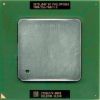
Yep that is a Tualatin, I did think about changing it but decided to leave it as is because I couldn't think of anything to replace it with. Yes my understanding is DISM can work either on a running Windows installation or an offline wim file so it must be designed to work with whatever protections in Windows. Of course if we were doing something similar with NT4 it would be more likely something like nLite where it applies to the NT sources instead of a running installation. I haven't seen a batch updater for NT4 (or looked), I once wondered about if an unofficial service pack 7 for NT4 was feasible but after looking at some of the other unofficial service packs decided it was way too much effort for little gain. Also what tends to happen is the things I want eg the Active directory client someone else might not want at all. Also you tend to get into the position of do you just do OS updates or do you update IE6 as well? Some people want the shell update and some people prefer the standard shell. DISM can already apply an msu patch to a Windows 7 WIM file and I imagine something like NTlite can probably handle most of the tweaks people want. (While I haven't had to use NTlite I assume it provides a fairly similar feature set as nLite and vLite.) I guess I'm far more interested in making NT4 (and maybe 9x) installs automated for when I want them whereas I feel the official deployment tools work well enough for providing me unattended and patched installs.
-
Patching a wim file with DISM is something that you can do with modern versions of Windows but I'm not sure the equivalent could easily be done with NT4. I sortof figure if it was easy to take the updates and apply them to the NT4 source someone would have already done it really well. I remember the previous process was described by someone as a slopstream and it did appear to dump a whole of of extra server files that weren't included in the workstation installation. I have entertained the idea of building something to install NT4, desired updates, apply any tweaks I want (eg scroll wheel fix) then possibly sysprep and build an image. I basically imagine something equivalent to using WDS and MDT where you can PXE boot and deploy your machine and come back a bit later and everything is done. The only thing is I'm a bit hesitant to build something like that because I'm not sure if I would use it enough and that I might be better served using my time to build or contribute to something more modern.
-
ms sql 6.5 server programming toolkit (PTK)
awergh replied to verta's topic in Windows 2000/2003/NT4
I had a quick look and it appears that this is included with Visual Studio 6 on disk 2 along side SQL Server 6.5 Developer Edition. -
A bit late but it might be useful to you. Yeah this is pretty much dead I did start making a final version but I wasn't hugely motivated to continue at the time because I got very limited feedback so I assumed not many people used it. As for the issue with icons disappearing I'm not sure what went wrong except perhaps the icon colour depth being set wrong, I think I had some issue here but could never quite reproduce it. I'm sure I had Windows Installer 2.0 when I was doing this and it was working fine but perhaps I did not test any msi files so you could be right. As for patching the stuff from the shell update manually I guess you can do it just run the resource hacker scripts manually from the explorer.exe and shell32.dll directories (I only patched these 2 files, I could never make webview look like I wanted.) (you probably have to worry about them being in use but you can rename them and patch a copy or something like that) I'll run up an NT4 VM later and see what happens with windows installer and the shell update and ie6 and see what happens
-
I actually cant think of a single game I've wanted to run on win7 that I haven't been able to get to work. That said if its older I tend to play it on 98se anyway so I can use 3dfx glide anyway so I might not actually notice.
-
All good now guess I failed at reading the instructions. Is another issue not being able to log off or switch user from the start menu (not that I need this) just wondering.
-
I tried installing in a vm (fresh install) and real computer with a whole lot of stuff installed but I only seem to get a black screen with a mouse cursor and explorer never starts.
-
x64 Windows has always had 64 bit and 32 bit versions of IE its just most people didn't use the 64 bit version cause flash didn't work.
-
Connecting a Windows 98 and Windows 7 through a network
awergh replied to KelvinTwister's topic in Windows 9x/ME
This statement is wrong. Windows 98SE definately has ipconfig it was not introduced in Windows 2000. ipconfig exists in Windows for Workgroup and MSclient 3.0 for DOS. It is only missing in Windows 95 for some unknown reason that is the only time you need to use winipcfg otherwise ipconfig is preferable. I guess since you probably don't care about network security you can access Windows 7 from 9x by changing the security settings so that it accepts LM hash (I'm pretty sure you can't use NTLM although I have to look up the active directory client some time to see if this is actually true). Assuming you already have user accounts that are the same on both computers. There is at least one security settings that need to be changed I'm not totally sure if this is the only one because I'm feeling lazy to test it but you can do the following and it might work Run secpol.msc Local Policies Security Options Find Network security: LAN Manager authentication level, change this setting to Send LM & NTLM responses -
Connecting a Windows 98 and Windows 7 through a network
awergh replied to KelvinTwister's topic in Windows 9x/ME
I don't think they went to an effort at all to make it incompatible, I have no problem transferring files from 7 to 98SE but I use a network drive to transfer instead of accessing network shares through Network Neighbourhood / Network The other direction from 98SE to 7 is a bit more annoying though I expect because you have to have the same username as normal for between 9x and NT but also have to change the security configuration on 7 to except LM hash because by default it requires NTLM hash. I think there is a way to enable NTLM hash on 9x but that might only apply to the active directory client I didn't read through the KB article thoroughly. This change was made for security reasons of LM being not exactly secure not in deliberately stopping Windows 3.1/9x users accessing Windows 7 shares. -
Connecting a Windows 98 and Windows 7 through a network
awergh replied to KelvinTwister's topic in Windows 9x/ME
What do you mean by recognising the router, you cannot access the webinterface? I'can you ping the router from the commandline? ping 192.168.0.1 would be useful to for you to run ipconfig as well ipconfig /all -
What's the dumbest thing to a PC you've ever done?
awergh replied to vipejc's topic in Hardware Hangout
Last time I remember doing something dumb was when I decided I would install Ubuntu Lite (pretty sure the name changed ages ago but I have no idea what to and this was before then) I just wasn't paying too much attention and just went through the installer as normal except it decided to wipe my C drive for me My poor Diablo I saves luckily that was when I reformatted and reinstalled 98SE every few months so not much lost (real data lived on D), I think I had a slightly older Diablo I save I could use; but I never ever try that linux distro again. -
So the computers show up in Network Places/Network Neighbourhood, but you can't see the shares once your in that computer? Do you have any blank passwords for your username. NT4 doesn't like accessing shares with blank passwords I believe. Are you using XP Home? Simple file sharing could be a problem here. Its not something simple such as all your shares have $ in them and therefore they don't actually show up in Network Places/Network Neighbourhood is it?
-
Yes when installing multiple versions of Microsoft Office installing the older version of Office and then the newer version works much best, Office 2000 by default will install in C:\Program Files\Microsoft Office\Office and Office 2007 by default in C:\Program Files\Microsoft Office\Office12, you just have to tell Office 2007 to keep your older versions, however you can not have multiple versions of outlook which is possibly why it disappeared when you installed Office 2000.
-
If its from 2006 you shouldn't have any issues with 16 bit installers I hope, Can I assume you have you tried compatability mode ? Have you successfully installed the game but now it wont run when you try to play it?
-
Better Softwares for specific situations in Windows 98
awergh replied to pichorra's topic in Windows 9x Member Projects
Office 2007 compatibility pack cannot be installed on 98 even with KernelEx. Edit: And about PolyEdit - it needs Office 2007 compatibility pack for opening docx, so its not an option for opening docx under Win98. Ah but apparently the first version of the office 2007 computability pack that did work on 98 only when it got updated did it stop working completely, Dencorso was looking for the old version some time ago though. -
If XP does not login with a password then it probably doesn't have one. You should only need the TCP/IP protocol unless you need IPX/SPX for older games that use it. Usually you should have the Client for Microsoft Networks as the Primary Network Logon. At the Network logon screen where it asks you to enter your network password you should have the same username as you have on XP/ If your not sure what it is look it up in the Control Panel -> User Accounts, you can also check if you have a password or not. As long as both computers have the same Username and Password they should be able to share files easily. EDIT: is this password prompt you speak of where it asks for an IPC$ password?
-
Ah but you can actually install it off of the CD if you want to not that its a good idea, remote registry is something I always disable.
-
I use foxit but I feel its time to use something else I think since foxit annoys me a bit, mainly with printing stuff.
-
Supposably 98 is supports ALT+PRINT SCREEN according to this http://technet.microsoft.com/en-us/library/cc768168.aspx however that doesn't appear to be the case the easiest thing to do is just take a screenshot normally with PRINT SCREEN and then resize the screen shot with irfan view or some other image editor