Everything posted by gamehead200
-
Yeah, that's the one I was thinking of. It's so boring. My bet is that Apple owns the copyright to it and you won't be able to find it anywhere to legally download it.
-
The really boring "ding"? I have an iPhone - that sound isn't very exciting.
-
The sound of an airplane taking off when you send mail?
-
LOL, it doesn't. I have a MacBook Pro and burning CDs/DVDs on it isn't any faster than doing it on a regular PC with the same specs.
-
-
Bdevil, please attach (not paste) your Last Session.ini file and please make sure to always start with a fresh copy of your CD files/folders, to do all of your work in one nLite session (using the latest version), and to integrate only one service pack. Also, under what operating system did you run nLite? [ Moved. ]
-
[ Moved. ] Moved Where? From General Discussion to The Media Hub.
-
For anyone that cares, Joe Deboeck's site used to be a subdomain on MSFN Hosting. Here are a few archived pages from back in the day (2003-2006): http://web.archive.org/web/*/http://jdeboe...sfnhosting.com/The archived pages still have the original batch files available for download, but I'll post them here for convenience sake. REMOVE.zip
-
-
not really much diferent from just using nlite to remove programs and files in the actual xp install. it says under their terms of service that 4. LIMITATIONS ON REVERSE ENGINEERING, DECOMPILATION, AND DISASSEMBLY. You may not reverse engineer, decompile, or disassemble the Software, except and only to the extent that such activity is expressly permitted by applicable law notwithstanding this limitation. so dont come talking that bull to me cause u know u also have a bunch of warez and songs illegally in your computer The act of simply stating that you are using an illegally=obtained copy of Windows XP = illegal activity and it is not tolerated here. Goodbye. [ Closed. ]
-
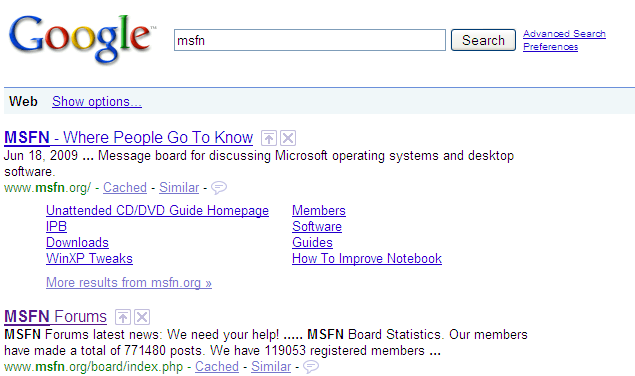
Exactly. But with me running firefox at school on a mac it has "calander - msfn forums" as the second link. That's odd, because I'm running Firefox on my Mac right now and it still doesn't show that...
-
@cluberti: The URLs are different.
-
Please do not crosspost. [ Closed. ]
-
And it looks like you already found your answer... http://en.community.dell.com/forums/t/19281170.aspx
-
What am I missing? Can someone that's actually seeing "Calendar" in the Google search results post a screenshot? This is all I get: [ Moved. ]
-
Does chocolate count? Om nom nom nom nom nom nom nom nom nom nom nom nom nom nom...
-
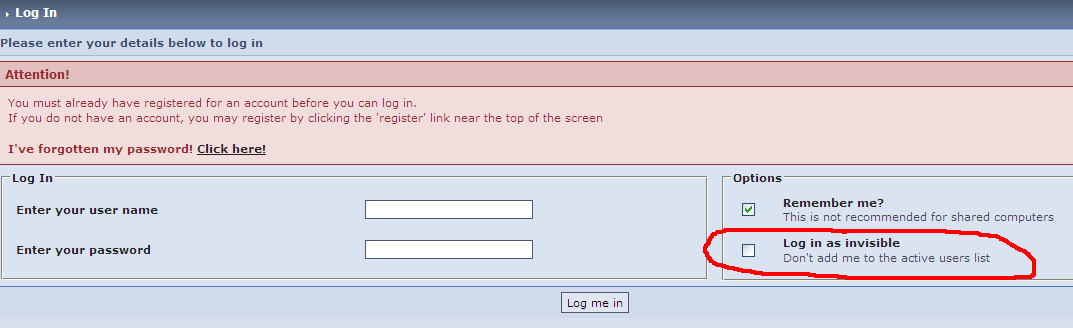
Have you tried logging in without making yourself invisible?
-
[ Moved. ]
-
[ Moved. ]
-
...I've given in to Twitter. The main reason being I'm waiting for the jailbreak for my iPhone and I'm fed up of constantly refreshing the iPhone Dev-Team's blog. Anyone else on Twitter? Feel free to follow me.
-
lol with its system specs i dont think soJust out of curiosity... If you have tried Windows XP, at the time, what hardware were you running it on?
-
[ Pinned. ]
-
THAT is not an OFFICIAL MSDN version. A simple google search told me it is a widely spread warez version... You do realize that software is sometimes leaked straight from MSDN without the filename(s) being changed, right? And anyways, gaelon proved that he got it from MSDN.
-
My MSDNAA account only shows Vista Business at the moment. I would think so. The Windows 7 RC showed up on my MSDNAA just a few days after its initial release. Not sure. Yes, it will be approved eventually. I would say at the same time that it appears on MSDN, but it has to be approved by a school administrator like you mentioned. Yes. They should be the same ones as far as I know. That includes "Developer AA" which I am a part of. And still, it is not available for download. Why is this? Each school has its own MSDNAA page which handles authentication through its own servers (at least that's how mine is). As I mentioned before, an administrator has to approve the release of software on the MSDNAA page.
-
some people tried this on a german board and it fails when doing sysprep with a MSDTC error. using the Audit mode to install first Sp1 and Sp2 seams to work. Where's nuhi when things go terribly wrong... You better correct me in the other topic then, or else people are going to start yelling at me.