All Activity
- Past hour
-
Just tried spoofing the UA, the same.
-
And no such tracking in the official Ungoogled Chromium either.

- Today
-
ie, it's not Mozilla versus Google thing. I didn't try, but something tells me that Google will serve the *tracking links* versions to Chrome, Chromium, Supermium, and r3dfox *IF* you set the user agent to match that of New Moon. Have not tried... Will try this afternoon if nobody else can first...
-
On my end - vanilla Chrome, vanilla Chromium, vanilla Supermium, and vanilla r3dfox all show the true link withouthout tracking. New Moon (vanilla, most recent) was the only browser that has the tracking links.
-
 Our supervisor says Cloudflare isn't fake. Read a lot of posts where MSFN members do solve Cloudflare ans other verification captchas. I immediately close such websites.
 -
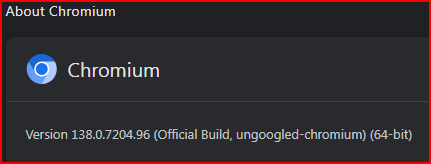
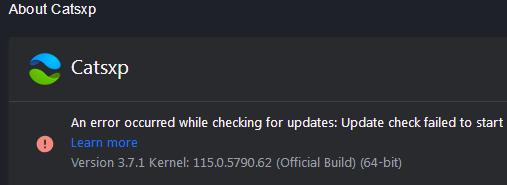
No such thing in CatsXP, also Chromium.
-
Do we need to assume bots use the default browser flags positions?
-
Edge appears to be the same, so I guess it's a Chromium thing?
-
thats a simple function kernel extenders have it already somewhere however it would be better to use dependency walker to see if there are more
-
Then why do you need mine? While I was at it (compiling OpenSSL) I've had a look at this, but I couldn't compile quickjs. The culprit is undoubtedly "Add cross-platform Atomics support". I think it will be extremely difficult to restore WinXP compatibility. Attempting this at all, I think a patch similar to how I (with the help of Gianluigi "sherpya" Tiesi) restored WinXP compatibility to libaom back in the day is needed. We could ask him to have a look?
-
I just noticed that when I copy a link from Google search using Supermium, I actually get the target link. But if I copy with an old browser, such as New Moon, I get the redicted link managed by Google. Why is it that Supermium has access to the true obfuscated link?
-
Yes, those are XP compatible. There are also binaries here, but they are Vista+.
-
... You'd also need to use "special" actions to: 1) explicitly request and setup adang1345's CPython mod (NT 6.0+ compatible); Microsoft's GitHub probably only knows of the official PSF versions (Win10+) 2) explicitly request and install a "special" version (fork) of PyInstaller to compile the yt-dlp "Win7" binaries (which are also compatible with Vista SP2). CPython versions, the PSF ones or even adang1345's, come with embedded OpenSSL binaries; IIUC, currently the swap of them with updated OpenSSL DLLs (e.g 3.6.1) is mainly a manual job; I can't imagine how this could be done in the context of a workflow, but what do I know? ... Many thanks, indeed ...
- Yesterday
-

My Browser Builds (Part 5)
Slavich replied to roytam1's topic in Browsers working on Older NT-Family OSes
@roytam1, thank you for your work. The following websites are not displayed correctly in the browser: https://rutracker.org/ - site doesn't open at all. https://www.ozon.ru/ - the site doesn't open. This problem exists for older versions of Firefox. https://www.vseinstrumenti.ru/ - the site doesn't open. https://vkvideo.ru/ - a message appears when there is a memory read error. In my personal experience, the latest versions of the browser are slower, so I use version 2025.07.31. -
I have no experience with Github workflow at all, but you can't set it up to utilize the latest Python and OpenSSL as well? I thought these are still WinXP compatible, are they not? Anyway... despite a small bump in the road I've compiled and uploaded OpenSSL 3.6.1.
-
Strictly a curiosity question. I'm not a gambler and I don't bet. But... Something has piqued my curiosity. This question pertains to "beating the spread" and just how that "works". A nearby NCAA basketball team has done "much better than average" this season, especially pre-conference play. So they keep landing in national news much more than often on account of that "success". But here is my "observation", they keep getting before-game "spreads" in DOUBLE DIGITS. But RARE are their double-digit WINS. Which leads to my curiousity... I can't help but be curious on how "betting" AGAINST them would have benefited anyone that may have bet them to LOSE. Because unless I'm mistaken, if the "spread" is DOUBLE DIGITS but they only win by SINGLE digits, then they technically LOST and betting for that LOSS is a *WIN*. So how much would a person have "won" if, purely as an example, say $100 was bet that they would NOT beat the spread in FIVE consecutive games and regardless of them WINNING those FIVE games, they DID NOT BEAT THE SPREAD, so they didn't "win" in that sense.
-
https://github.com/quickjs-ng/quickjs/pull/1324 has been merged into master: https://github.com/quickjs-ng/quickjs/commit/e85ae372edf32882c8b877cd770fe485f2b05147 Latest GHA workflow that has this implemented: https://github.com/quickjs-ng/quickjs/actions/runs/21545069744?pr=1324 win 32-bit binary (you only need the qjs-windows-x86.exe one): https://github.com/quickjs-ng/quickjs/actions/runs/21545069744/artifacts/5328824393 win 64-bit binary (you only need the qjs-windows-x86_64.exe one): https://github.com/quickjs-ng/quickjs/actions/runs/21545069744/artifacts/5328823672 Codewise, these artifacts correspond to a quickjs-ng-v0.11.0-77-git-20260131-g3213652 snapshot... Well, I never claimed any WinXP-compatibility myself ; the app authors officially support Win7+: https://quickjs-ng.github.io/quickjs/supported_platforms About the "InitOnceExecuteOnce" error thrown on WinXP: https://learn.microsoft.com/en-us/windows/win32/api/synchapi/nf-synchapi-initonceexecuteonce So, I'm really "lucky" the app (even) runs on NT 6.0 (and "unofficial" Vista SP2 compatibility isn't a "given", as far as official support goes ) ...
-
I tried this on XP (renamed to qjs.exe), but when running `yt-dlp -v`, it throws this:
-
Yes, that one probably didn't include the modified `yt_dlp/update.py` file... The Windows 7 one from GitHub updates fine: yt-dlp -U Current version: nicolaasjan/yt-dlp@2026.01.29.071857 Latest version: nicolaasjan/yt-dlp@2026.01.30.064627 Current Build Hash: e13632c9721715691dbbc989030c42552301cd670c32f5388dfc39fe46aa1c15 Updating to nicolaasjan/yt-dlp@2026.01.30.064627 ... Updated yt-dlp to nicolaasjan/yt-dlp@2026.01.30.064627 No, I grabbed the two 32-bit dll's from an install of the updated OpenSSL from here. (the 64-bit ones from there are not usable, as I explained earlier in this thread) I have absolutely no idea how to compile that on Windows.
-
But to be clear; if you value the fact that your custom builds are compiled with the latest OpenSSL, then you shouldn't use `-U`, I guess? I mean... C:\>yt-dlp_nicolaasjan.exe -v [...] [debug] Python 3.14.2 (CPython AMD64 64bit) - Windows-11-10.0.26200-SP0 (OpenSSL 3.6.1 27 Jan 2026) C:\>yt-dlp_nicolaasjan.exe -U [...] Updated yt-dlp to stable@2026.01.29 from yt-dlp/yt-dlp C:\>yt-dlp_nicolaasjan.exe -v [...] [debug] Python 3.10.11 (CPython AMD64 64bit) - Windows-10-10.0.26200-SP0 (OpenSSL 1.1.1t 7 Feb 2023) The initial 'yt-dlp_nicolaasjan.exe' is from yt-dlp-test.zip. And btw, it updates from "yt-dlp/yt-dlp" instead of "nicolaasjan/yt-dlp". Or am I missing something? I thought you managed to compile it yourself...
-
Then it's easy to add my custom builds to it. They are different. And they can be updated with `yt-dlp -U`. PS, Do you plan to update your OpenSSL page?
-
 Hello @space223 , can't say, there are no records of this codec with HDA2.DLL. Did you try already?
 -
I know your custom (test-)builds in the past either had some extras or left out some specific upstream changes. Why then set up this Github workflow if there's no difference compared to upstream? I try to understand.
-
I let the GitHub workflow build releases (which should be identical to upstream) and when that's done, I manually add my (custom Python) compiled versions in the web interface. After that, I use a Python script to fetch all the files and generate the SHA-256 and SHA-512 checksum files locally. Then replace the ones GitHub created with these, in order to make the (custom) update function* of my versions work. (*after having synchronised my fork with upstream, I clone it locally and apply a diff to `./yt_dlp/update.py` and then use that source tree in my VM's to compile) While the workflow is still running, I grab the version number from it and use that to update it in my builds as well: Then locally e.g.: python devscripts/update-version.py -c "nicolaasjan/yt-dlp" -r "nicolaasjan/yt-dlp" "2026.01.30.064627" python devscripts/set-variant.py win7_exe python -m bundle.pyinstaller I admit it's a rather hacky procedure, but it works.
-
 will this driver work for alc897?