Leaderboard




Popular Content
Showing content with the highest reputation on 08/29/2024 in all areas
-
@Sampei.Nihira for the 13857163618319817th time gave an article, a very dubious one, even the author wrote he didn't check himself. When asked, @Sampei.Nihira didn't provide any proof of what he claims (as usual), instead he told Karla to trust his word (as usual, in a rude form) . At least today he didn't write to "shut up". As for the topic, there's a tracking app in Supermium/Thorium, it's an old Googel invention, we (You, Dixel and I) axed it off 360 and Chrome a long time ago.3 points
-
Don't you dare to "period" members, especially women. Evidently, you didn't read the article you yourself linked to. "This has been around since at least 2016." My solution from 2013 is different, and I explained it in details (with the screenshot). People just don't trust you word anymore, you've been caught too many times posting disinfo, misleading articles and so on. I posted the screenshot, what stops you to do the same? The author of the article wrote "should", it's all in theory. "The question has arisen that in this case, the extension should be blocked – but I have not tested this." Of course, because the author suggested a very dubious way to block via GPO, which resets when one starts a new profile! Why didn't you mention that? Huh?3 points
-
It's there at least from 2013, I knew about it all along, wrote about it on the forum (along with @Dixel), and I always deleted it from resources.pak, all of those "methods" to use "policies" are crap. chrome will revert all those. The only way is to cut it out physically. Screen from the latest CentBrowser, as an example.
 2 points
 -
@ED_Sln use --disable-component-update https://github.com/win32ss/supermium/issues/8292 points
-
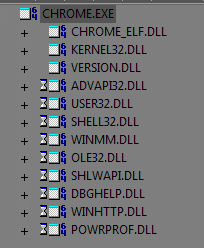
Chrome doesn't request those to be present on any OS.
2 points
-
I'd start with removing outdated VC redist packs, they are known to cause issues, on XP especially. If you ever had them, remove all remnants. I don't install those at all.2 points
-
Hello, folks! Either of you get this message when using third party downloaders? Simply playing one video at a time, I don't get this message, so it's not related to IP. Details. https://github.com/yt-dlp/yt-dlp/issues/101281 point
-
Hello @Tomcat76 If unresponsive script errors come back, do what I already posted: If you manually moved the New Tab button away from the tab bar by drag & drop, then try this code: #new-tab-button { display: none !important; } If you didn't move it, i.e. the button is still located on the tab bar, then try this code: .tabs-newtab-button.toolbarbutton-1 { display: none !important; } Both CSS codes were tested by me on my system and definitely work in Mypal 68.14.4b. Cheers, AstroSkipper1 point
-
I don't even have to login anymore, they just let me in. Everyone knows D.Draker.1 point
-
He's talking about this (below pic) INPUT BOX. Mine will look different than yours because I heavily customize via a userstyle sheet here at MSFN. But "however" you log in, there will be TWO input boxes - one for EMAIL ADDRESS and the other for PASSWORD. It didn't used to be EMAIL ADDRESS for the first of two input boxes, IT USED TO BE USERNAME - and there was no "forum announcement" for this change, it just "happened one day".1 point
-
This is interesting, please elaborate how to select the value? The drawback is about this too, more memory hungry and then crash even if you have it free left Rebasing is not a panacea. But I have had great experiences with rebasing the chrome.dll file in the 360Chrome browser. On my hardware, I was able to solve a BSOD problem caused by another programme and reduce the RAM memory consumption by more than half. Whether rebasing is necessary or useful depends on how the corresponding DLL files are compiled. Keyword: ASLR. If a browser such as Mypal 68 consumes too much RAM, I always experiment with rebasing the main DLL file, in this case the xul.dll file. However, the base address of 0x6af00000 is a default address selected by the tool libase if this is not changed in its INI config file by the user. Here is the command line command for rebasing with the tool libase: libase xul.dll And here is the content of my libase.ini file: [Generated bases] 62a00000=CHROME.DLL 6da00000=CHROME_CHILD.DLL 6af00000=XUL.DLL 63e00000=ICU63.DLL For a DLL file in Windows, the default base address is 0x10000000 for 32-bit images. After a research in the internet, the most suitable address range for DLLs is from 0x60000000 through 0x6f000000. Microsoft proposes to reduce the range further to 0x60000000 through 0x68000000 in order to accommodate with MIPS processors, too. Another tool for rebasing is Microsoft's Rebase which is part of the Microsoft Windows SDK for Windows 7 and .NET Framework 4. Here is the command line command for rebasing with the tool Rebase:: rebase -b 0x6af00000 xul.dll However, it is a game of trial and error to check, whether rebasing has an effect, and to find a suitable base address. Experience to date has shown that Mypal 68 is stable and uses slightly less RAM when the xul.dll file has been rebased. No crashes here. At least, on my hardware when using Mypal 68 in multiprocess mode. I remember something was done already in extension, the question is the minimize memory thing useful at all. I already mentioned that I use a legacy custom button for this purpose which can be seen in the top right of my posted screenshot. I marked it with a red arrow. In multiprocess mode, a not inconsiderable amount of wasted RAM memory can thus be reclaimed on a regular basis. This has already been tested by me. Therefore, I would like to see such a feature natively implemented in Mypal 68, as I described in my previous posts.1 point
-
What kind of drawback is it? @feodor2 Any information on that? @feodor2 Actually, this was a feature request. Any opinion on this?1 point
-
It is because Chrome won't let you. But then again, it's there - regardless. And the "method" to detect it, whaht they suggest, of course does't work.
1 point
-
Eventually, everything's comes to an end, I too saw win32 promised to look into newer drivers and so on, doesn't look like it will happen, sadly. Yes, too much time already passed.1 point
-
Yes, GenAHCI should work on Windows 7, just remove MSHDC driver before integration in Components -> Drivers -> IDE ATA/ATAPI controllers. Then integrate it on Drivers page.1 point
-
What kind of drawback is it? The last weeks, I had been using Mypal 68.14.3b, and all in all, I couldn't observe any serious problems. Today, I have updated to Mypal 68.14.4b. I should mention at this point that I use all your releases with an xul.dll file rebased on the base address of 0x6af00000 to try to improve the terrible memory hunger of Mypal 68. As a further and quite effective measure, especially in multiprocess mode, I automatically perform every 10 minutes a memory minimization by a legacy custom button. In this way, I free Mypal 68 from occupied RAM memory (and that's not even that little) that it does not want to release on its own, even though it no longer needs it. I wonder if such a feature could be optionally implemented in Mypal 68 under the Options → Performance tab, i.e. a checkbox with an input field to minimize memory every x min where x is set by the user. In the end, this would automatically call up the already existing minimize memory function, which all Firefox browsers natively have, periodically. In any case, Mypal 68 (and thus Firefox) must be restricted as far as RAM consumption is concerned. Especially on old, weak computers that are only equipped with a small amount of RAM.1 point
-
Disable hardware acceleration as a test to see if eBay tabs still crash or not! Check all relevant settings regarding hardware acceleration in about:config! Especially media and codecs related ones. Tab crashes are very often related to the hardware acceleration as reported by users. Of course, there may also be other reasons. Check also your graphics card drivers and all related settings! Furthermore, try to block on eBay as much as possible by uBlock Origin! And provide your hardware specs regarding CPU, RAM and graphics card, and the used OS! PS: All test should be done in a brand new and clean profile to ensure that the used profile isn't faulty.1 point
-
No. Actually, these crashes can't be related to these two prefs settings. I use both for a longer time and didn't notice any tab crashes. TBH, I have never seen this messsge before. This must be caused by someting different. And the crappy eBay website doesn't work well in Mypal 68 for some time. I did an order on eBay yesterday using Mypal 68, and it wasn't a pleasure. You should use uBlock Origin in any case especially if accessing such bloated websites. Do you use Mypal 68 in single- or multi-process mode? Do you use a new, clean profile? Please provide more detailed information when posting issues!1 point
-
The "Purge all caches" button was unfortunately removed when releasing uBlock Origin 1.55. I love it when useful, tried and tested features are simply removed, for whatever reason. Here is a link: https://github.com/gorhill/uBlock/releases/tag/1.55.0 The good is, in my special mod uBlock Origin Legacy which of course isn't compatible with Mypal 68, it will stay forever. But this is another story.1 point
-
This didn't work for me.1 point
-
We all here agree with everyone, most of the time. I think the reason is - he can't run 122. Perhaps, and most likely, the user is on XP. I always loved how 360 was super fast, let it rest in peace. Thorium is heavier, btw.1 point
-
Yep, but as soon as it again can't render, all gets back to IE. Had it many times in the beginning of 2023, then I moved to another browser completely.1 point
-
Like @Karla Sleutel puts it, any constructive suggestions?1 point
-
Dave, don't know about other versions, in the most popular 1030 it ignores that setting at all. When the browser can't render the site properly, it tries to do it with IE mode, gets stuck.1 point
-
I have installed all Microsoft Visual C++ Redistributable Packages up to the last XP-compatible version 2019. You can't really determine which packages are outdated or not as older programmes need very often older VC++ versions. And I don't think these package are responsible for the Thorium crashes as they all are also installed in my Windows XP Pro SP3 + POSReady partition. And there, all is fine.1 point
-
TBH, so far I have been able to find and even fix every error in my Windows XP partitions. My personal statistics therefore clearly indicate that I will also eliminate this issue. The current, empirically obtained data from other users does not, of course, confirm my null hypothesis H0. As I said before, I am not willing to install POSReady updates in my Windows XP Pro SP3-only partition. So I need to take alternative options and investigate them in depth.1 point
-
@NotHereToPlayGames You should not fall into the belief that @AstroSkipper is plagued by bias and narrow-mindedness. As a scientist and mathematician, it is a matter of course to open the mind in all directions. Hypotheses are made and either accepted or rejected. Assertions, on the other hand, have to be proven. Since I formulated the relation between Thorium crashes and the non-existence of POSReady updates in a Windows XP installation as a hypothesis from the outset, there is of course the possibility of accepting a hypothesis that is simply wrong, which is called an type II error in statistics. I made this clear from the very beginning. My investigations go in all directions. From the beginning, an alternative theory was that some loaded modules, programmes or drivers could be responsible for the Thorium crashes. I am investigating my problem in all possible directions as I always do.1 point
-
But too much time-consuming, considering that we are talking about 365 updates, as I mentioned earlier, although I am also interested in the cause of these sudden closes. After a deep research in the internet, I found out that many users suffer from this Chrome issue and have switched to Firefox as there seems to be no real solution. If this error also occurs on my Windows XP Pro SP3 + POSReady partition, I will immediately give up Thorium.1 point
-
Thorium is Chrome based. Search for the string " Chrome immediately closes when starting" or similar search strings, and you will see I am not the only one. My issue is a common error in Chrome. You should actually know that as a Chrome/Chromium fan.1 point
-
Both partitions were created by me in 2004. Since then, there has been no reinstallation due to a perfectly functioning imaging system. I correct all errors myself. The registry of both have been modified, cleaned and fixed by myself. The main difference between them is that I had to stop the updating of Windows XP with the last update in 2014 in one of them, and in the other, I applied the POSReady hack and performed updating until 2019. PS: I never had an infection, which had to be removed by an antimalware programme, in both Windows XP installations. And don't forget there is an undetermined probability of type II error for accepting the null hypothesis H0.1 point
-
Judging by the amount of typos in the OP's post, I think it's a typo. It's 1030. Also doesn't work for me.1 point
-
You accused me of being "wrong" without proof, without providing any insight on why it works on Windows 10 with an old UA, or even the original one, like in the case with the member @66cats. https://msfn.org/board/topic/182304-extreme-explorer-360-chromium-78-86-general-discussion/?do=findComment&comment=1268986 And now you write "it seems you are seeking strife where none exists." Are you sure you didn't confuse me someone else? I'd like to get to the bottom of why it works on 10, but not XP, which is the topic. Got any problem with that? Ignore, then. My theory is the fingerprint the browser makes. Client Hints is one of the most possible culprits.1 point
-
That's not what I meant, and you perfectly know it. I meant you spoofed to v.77 from a Windows 10 machine.1 point
-
I wouldn't rely only on one site to test that "feature". Client Hints have been main stream since as early as January 2020. Before saying I'm "wrong", how then you'd explain the site works perfectly fine on Windows 10 and old UA?1 point
-
Of course it would load on v.77 under Windows 10, the OS you've been running for a couple of years instead of XP.1 point