All Activity
- Past hour
-
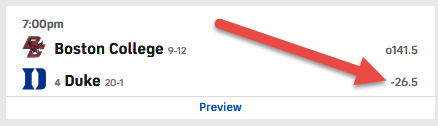
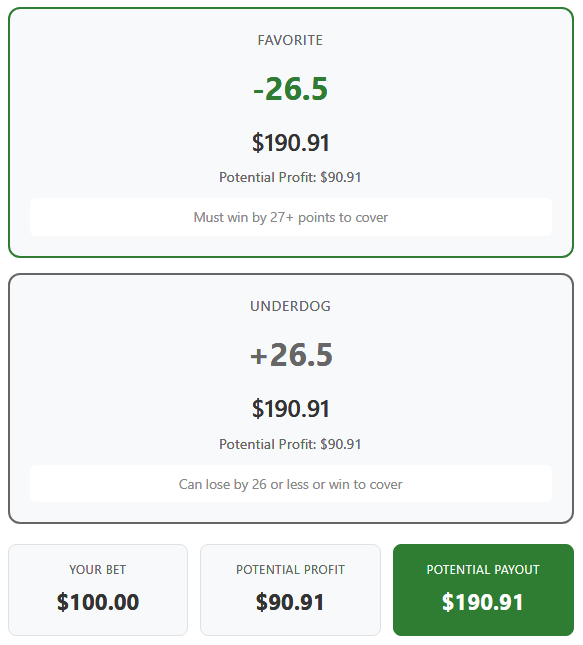
Just for fun... I am not a gambler, just kinda finding the "hypothetical bet" a tad fun... I'll publicly post that yeah, Duke is going to win, but "if I were a gambling man", I would put $100 on Boston College (ie, that Duke will NOT win by 27 or more points).

-
Do note that the OpenSSL-3.x.x DLLs are actually integral parts of every CPython for Windows higher than py3.10 (CPython-3.10.x, by default, uses OpenSSL-1.1.1.x), so they're not necessarily linked to just "YouTube downloaders" ; any other python application/script requiring py3.11+ may use those... libeay32.dll+ssleay32.dll are part of very old/insecure OpenSSL versions, the last branch that used them was the 1.0.2.x one; the 1.1.x.x branches used DLLs named libcrypto-1_1.dll and libssl-1_1.dll; BTW, TLSv1.3 support was first introduced with the OpenSSL-1.1.1.x series; so, your "legacy applications" can only use up to TLSv1.2 when connecting to the web...
- Today
-
Sure ; it loads fine: yt-dlp_x86 -v => [debug] Command-line config: ['-v'] [debug] Encodings: locale cp1253, fs utf-8, pref cp1253, out cp1253 (No VT), error cp1253 (No VT), screen cp1253 (No VT) [debug] yt-dlp version nicolaasjan/yt-dlp@2026.02.01.063416 (win7_x86_exe*) [debug] Python 3.14.2 (CPython x86 32bit) - Windows-Vista-6.0.6003-SP2 (OpenSSL 3.6.1 27 Jan 2026) [debug] exe versions: none [debug] Optional libraries: Cryptodome-3.23.0, brotli-1.2.0, certifi-2026.01.04, mutagen-1.47.0, requests-2.32.5, sqlite3-3.50.4, urllib3-2.6.3, websockets-16.0, yt_dlp_ejs-0.4.0 [debug] JS runtimes: none [debug] Proxy map: {} [debug] Request Handlers: urllib, requests, websockets [debug] Plugin directories: none [debug] Loaded 1856 extractors Usage: yt-dlp_x86 [OPTIONS] URL [URL...] yt-dlp_x86: error: You must provide at least one URL. Type yt-dlp --help to see a list of all options. and: yt-dlp_x86 -vF "jxm5zcK27qo" --js-runtime quickjs [debug] Command-line config: ['-vF', 'jxm5zcK27qo', '--js-runtime', 'quickjs'] [debug] Encodings: locale cp1253, fs utf-8, pref cp1253, out utf-8 (No VT), error utf-8 (No VT), screen utf-8 (No VT) [debug] yt-dlp version nicolaasjan/yt-dlp@2026.02.01.063416 (win7_x86_exe*) [debug] Python 3.14.2 (CPython AMD64 32bit) - Windows-Vista-6.0.6003-SP2 (OpenSSL 3.6.1 27 Jan 2026) [debug] exe versions: ffmpeg 5.0 (fdk,setts) [debug] Optional libraries: Cryptodome-3.23.0, brotli-1.2.0, certifi-2026.01.04, mutagen-1.47.0, requests-2.32.5, sqlite3-3.50.4, urllib3-2.6.3, websockets-16.0, yt_dlp_ejs-0.4.0 [debug] JS runtimes: quickjs-ng-0.11.0 [debug] Proxy map: {} [debug] Request Handlers: urllib, requests, websockets [debug] Plugin directories: none [debug] Loaded 1856 extractors [debug] [youtube] [pot] PO Token Providers: none [debug] [youtube] [pot] PO Token Cache Providers: memory [debug] [youtube] [pot] PO Token Cache Spec Providers: webpo [debug] [youtube] [jsc] JS Challenge Providers: bun (unavailable), deno (unavailable), node (unavailable), quickjs [youtube] Extracting URL: jxm5zcK27qo [youtube] jxm5zcK27qo: Downloading webpage [debug] [youtube] Forcing "main" player JS variant for player 3510b6ff original url = /s/player/3510b6ff/player_es6.vflset/en_US/base.js [youtube] jxm5zcK27qo: Downloading android vr player API JSON [debug] [youtube] jxm5zcK27qo: android_vr player response playability status: UNPLAYABLE [youtube] jxm5zcK27qo: Downloading web embedded client config [debug] [youtube] jxm5zcK27qo: Detected experiment to bind GVS PO Token to video ID for web_embedded client [youtube] jxm5zcK27qo: Downloading player 3510b6ff-main [youtube] jxm5zcK27qo: Downloading web embedded player API JSON [youtube] jxm5zcK27qo: Downloading web safari player API JSON [debug] [youtube] jxm5zcK27qo: Detected a 6s ad skippable after 5s for web_safari [youtube] [jsc:quickjs] Solving JS challenges using quickjs [debug] [youtube] [jsc:quickjs] Using challenge solver lib script v0.4.0 (source: python package, variant: minified) [debug] [youtube] [jsc:quickjs] Using challenge solver core script v0.4.0 (source: python package, variant: minified) WARNING: [youtube] [jsc:quickjs] QuickJS-NG is missing some optimizations making this very slow. Consider using upstream QuickJS instead. [debug] [youtube] [jsc:quickjs] Running QuickJS: '<redacted>\yt-dlp\Builds\Nightly\nicolaasjan\py3.14\2026.02.01.63416\PyInst-6.18\qjs.EXE' --script 'C:\Users\<redacted>\AppData\Local\Temp\tmpfsvkg2za.js' [youtube] jxm5zcK27qo: Downloading m3u8 information [debug] Sort order given by extractor: quality, res, fps, hdr:12, source, vcodec, channels, acodec, lang, proto [debug] Formats sorted by: hasvid, ie_pref, quality, res, fps, hdr:12(7), source, vcodec, channels, acodec, lang, proto, size, br, asr, vext, aext, hasaud, id [info] Available formats for jxm5zcK27qo: ID EXT RESOLUTION FPS CH | FILESIZE TBR PROTO | VCODEC VBR ACODEC ABR ASR MORE INFO ---------------------------------------------------------------------------------------------------------------------------- sb3 mhtml 48x27 0 | mhtml | images storyboard sb2 mhtml 80x45 0 | mhtml | images storyboard sb1 mhtml 160x90 0 | mhtml | images storyboard sb0 mhtml 320x180 0 | mhtml | images storyboard 249 webm audio only 2 | 44.09MiB 51k https | audio only opus 51k 48k [en] low, WEB-E, webm_dash 250 webm audio only 2 | 57.96MiB 67k https | audio only opus 67k 48k [en] low, WEB-E, webm_dash 140 m4a audio only 2 | 112.28MiB 129k https | audio only mp4a.40.2 129k 44k [en] medium, WEB-E, m4a_dash 251 webm audio only 2 | 113.71MiB 131k https | audio only opus 131k 48k [en] medium, WEB-E, webm_dash 91 mp4 256x144 24 | ~153.75MiB 177k m3u8 | avc1.4D400C mp4a.40.5 [en] WEB-S 160 mp4 256x144 24 | 58.06MiB 67k https | avc1.4d400c 67k video only 144p, WEB-E, mp4_dash 278 webm 256x144 24 | 63.73MiB 73k https | vp9 73k video only 144p, WEB-E, webm_dash 394 mp4 256x144 24 | 61.83MiB 71k https | av01.0.00M.08 71k video only 144p, WEB-E, mp4_dash 92 mp4 426x240 24 | ~276.63MiB 319k m3u8 | avc1.4D4015 mp4a.40.5 [en] WEB-S 133 mp4 426x240 24 | 111.89MiB 129k https | avc1.4d4015 129k video only 240p, WEB-E, mp4_dash 242 webm 426x240 24 | 120.41MiB 139k https | vp9 139k video only 240p, WEB-E, webm_dash 395 mp4 426x240 24 | 101.99MiB 118k https | av01.0.00M.08 118k video only 240p, WEB-E, mp4_dash 93 mp4 640x360 24 | ~697.64MiB 804k m3u8 | avc1.4D401E mp4a.40.2 [en] WEB-S 134 mp4 640x360 24 | 196.77MiB 227k https | avc1.4d401e 227k video only 360p, WEB-E, mp4_dash 18 mp4 640x360 24 2 | ≈308.67MiB 356k https | avc1.42001E mp4a.40.2 44k [en] 360p, WEB-E 243 webm 640x360 24 | 247.24MiB 285k https | vp9 285k video only 360p, WEB-E, webm_dash 396 mp4 640x360 24 | 182.68MiB 211k https | av01.0.01M.08 211k video only 360p, WEB-E, mp4_dash 94 mp4 854x480 24 | ~919.27MiB 1060k m3u8 | avc1.4D401E mp4a.40.2 [en] WEB-S 135 mp4 854x480 24 | 357.67MiB 412k https | avc1.4d401e 412k video only 480p, WEB-E, mp4_dash 244 webm 854x480 24 | 327.75MiB 378k https | vp9 378k video only 480p, WEB-E, webm_dash 397 mp4 854x480 24 | 262.34MiB 303k https | av01.0.04M.08 303k video only 480p, WEB-E, mp4_dash 95 mp4 1280x720 24 | ~ 1.17GiB 1387k m3u8 | avc1.4D401F mp4a.40.2 [en] WEB-S 136 mp4 1280x720 24 | 621.36MiB 717k https | avc1.4d401f 717k video only 720p, WEB-E, mp4_dash 247 webm 1280x720 24 | 538.63MiB 621k https | vp9 621k video only 720p, WEB-E, webm_dash 398 mp4 1280x720 24 | 425.20MiB 490k https | av01.0.05M.08 490k video only 720p, WEB-E, mp4_dash 96 mp4 1920x1080 24 | ~ 3.12GiB 3685k m3u8 | avc1.640028 mp4a.40.2 [en] WEB-S 137 mp4 1920x1080 24 | 1.34GiB 1577k https | avc1.640028 1577k video only 1080p, WEB-E, mp4_dash 248 webm 1920x1080 24 | 830.37MiB 958k https | vp9 958k video only 1080p, WEB-E, webm_dash 399 mp4 1920x1080 24 | 641.86MiB 740k https | av01.0.08M.08 740k video only 1080p, WEB-E, mp4_dash Do note, though, that "my Vista" system (SP2 32-bit) is fully updated till Vista SP2's EoL, with very little WS2008 updates and no ESU ones ; but the Win10 UCRT update (a Vista SP2 one) is indeed installed here ...
-

Windows NT 4.00 / NT 3.51 video subsystem issues
bearwindows posted a topic in Windows 2000/2003/NT4
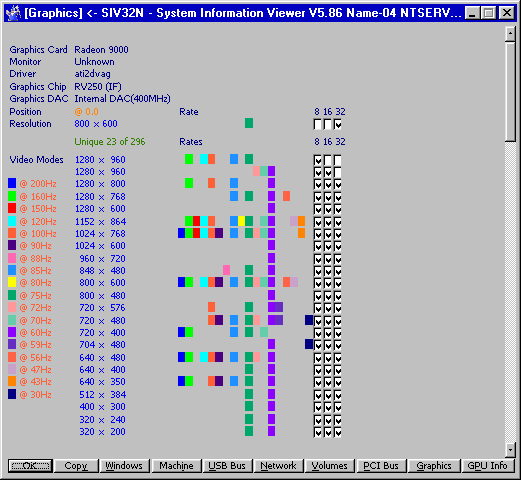
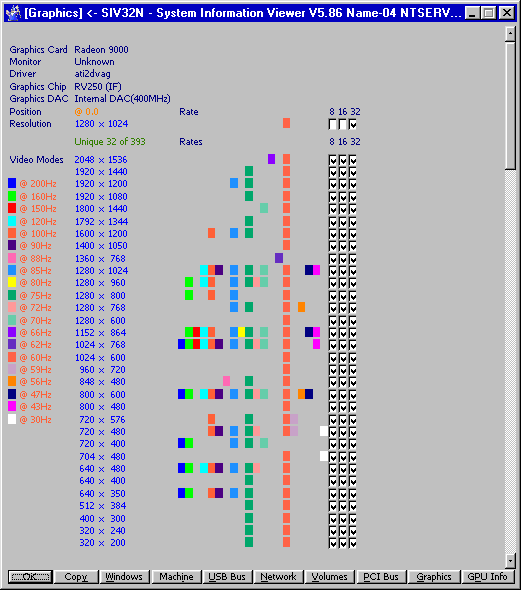
All revisions (ALPHA/I386/MIPS/PPC) of Windows NT 4.0 and Windows NT 3.51 has issue with maximum possible total video mode count limit and it is around 296 modes. Any mode provided by driver above 296 will be cutted down. It is not depended on driver issue, this bug is inside Windows NT system itself. Windows 2000 and later does not have such issue. Here it is a binary patch for Windows NT 4.0 (I386, any SP/edition, language) for SYSTEM32\WIN32K.SYS : Change 0x68 0xB8 0x00 0xFF 0x00 0x00 0x6A to 0x68 0xB8 0x00 0xFF 0x03 0x00 0x6A Change 0x68 0xB8 0x00 0xFF 0x00 0x00 0xFF to 0x68 0xB8 0x00 0xFF 0x03 0x00 0xFF Recalculate checksum, f.e. EDITBIN.EXE WIN32K.SYS /RELEASE Here it is a binary patch for Windows NT 3.51 (I386, any SP/edition, language) for SYSTEM32\WINSRV.DLL : Change 0x68 0xB8 0x00 0xFF 0x00 0x00 0xA1 to 0x68 0xB8 0x00 0xFF 0x03 0x00 0xA1 Change 0x68 0xB8 0x00 0xFF 0x00 0x00 0xFF to 0x68 0xB8 0x00 0xFF 0x03 0x00 0xFF Recalculate checksum, f.e. EDITBIN.EXE WINSRV.DLL /RELEASE This will increase total limit to 1190 modes. Below are results in screenshots, before and after.
-
@VistaLover I have uploaded an updated Vista+ compatible PyInstaller here. Could you test if the yt-dlp built with it works well on your Vista system?
-
With version 3.6.0 new functionality has been added (3.6.1 is mainly a security release):
-
 Google has its own captcha!
 -
 Your post is being viewed as having an AGENDA and as a PERSONAL ATTACK. Some form of GOTCHA GAME. Moderators, please take note.
 -
You need to read the full post or not read it at all. So I'll repeat the part that you didn't take into account with your BIASED post above... Excluding VM browsers (primarily Roytam releases) which get hit with Cloudflare, clears itself in 24 hours, then gets hit again, but clears itself in 24 hours.
-

My Browser Builds (Part 5)
anton12 replied to roytam1's topic in Browsers working on Older NT-Family OSes
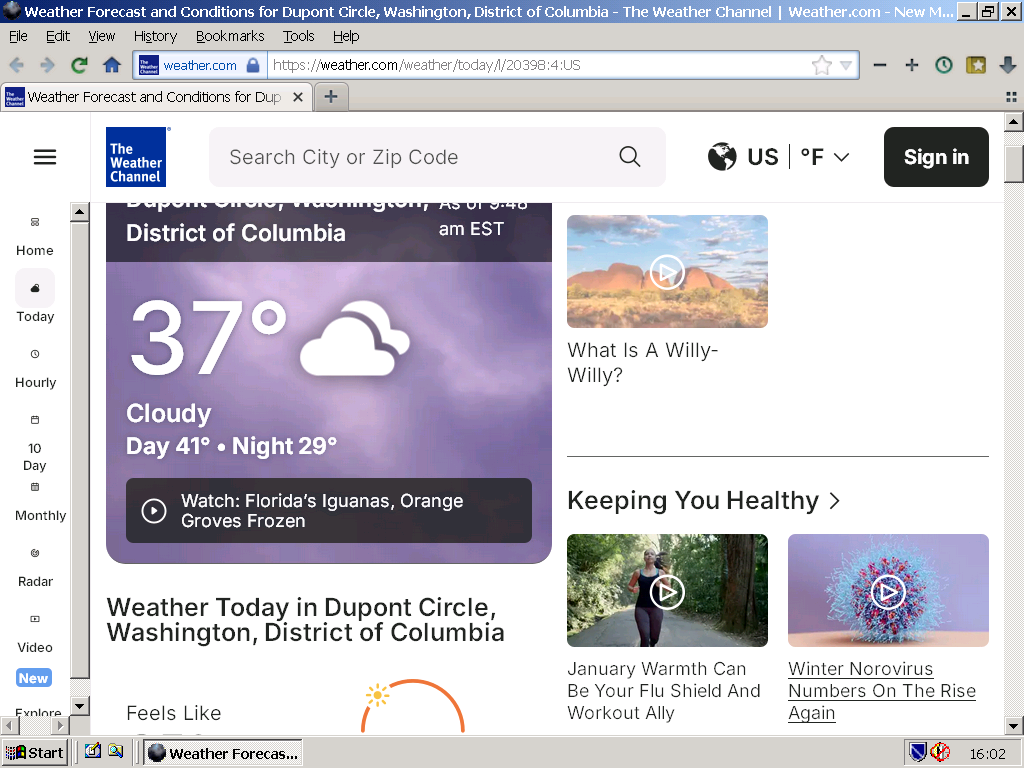
https://weather.com/weather/today/l/20398:4:US Here the above URL with the latest NM28 - from Germany:
-
I do live in a "business district" (so close to work that I walk or peddle bike). My IP Block is possibly clustered in with those businesses (not the company that I work for, but I cannot speak for other surrounding businesses).
-
EXTREMELY SURPRISING (at least to me)! I *can* log into my water sewage billpay in Iron v109! No Cloudflare BS. I may have to see if all of my other "needed" web sites are okay with v109.
-
Interesting. The only Cloudflare captcha I'm ever hit with is my water sewage billpay web site. First encountered last November and the only fix was to upgrade Chrome from v136 to v138 (but laned on v140 due to other nuances). I was hit with it again just a couple of weeks ago and the only fix was to upgrade from Chrome v140 to v141 (but landed on v144 due to other nuances). I cannot list the URL because it reveals the city that I live in. That one web site is my only Cloudflare headache. Excluding VM browsers (primarily Roytam releases) which get hit with Cloudflare, clears itself in 24 hours, then gets hit again, but clears itself in 24 hours.
-
 My primary system for general browsing is still on Windows 7, so that may not be correct. The three browsers I am running surely cannot be anywhere close to being modern by this point: Iron 109.0.5550.0 Chrome 109.0.5414.120 Firefox 115.32.0esr (this one actually does still update actually)
 -
Of course it is! They are different sessions, different cookies. I'm failing to understand the obsession. I'm done here, I really do not need the obsession.
-
It's different on the same (your) screengrab, upper left image.
-
Redirect link and tracking link are two different matters. The garbage you see after = is a unique tracking stamp. Most likely contains your IP, PC specs obtained via GetOEMCP ans so on. https://learn.microsoft.com/en-us/windows/win32/api/winnls/nf-winnls-getoemcp
-
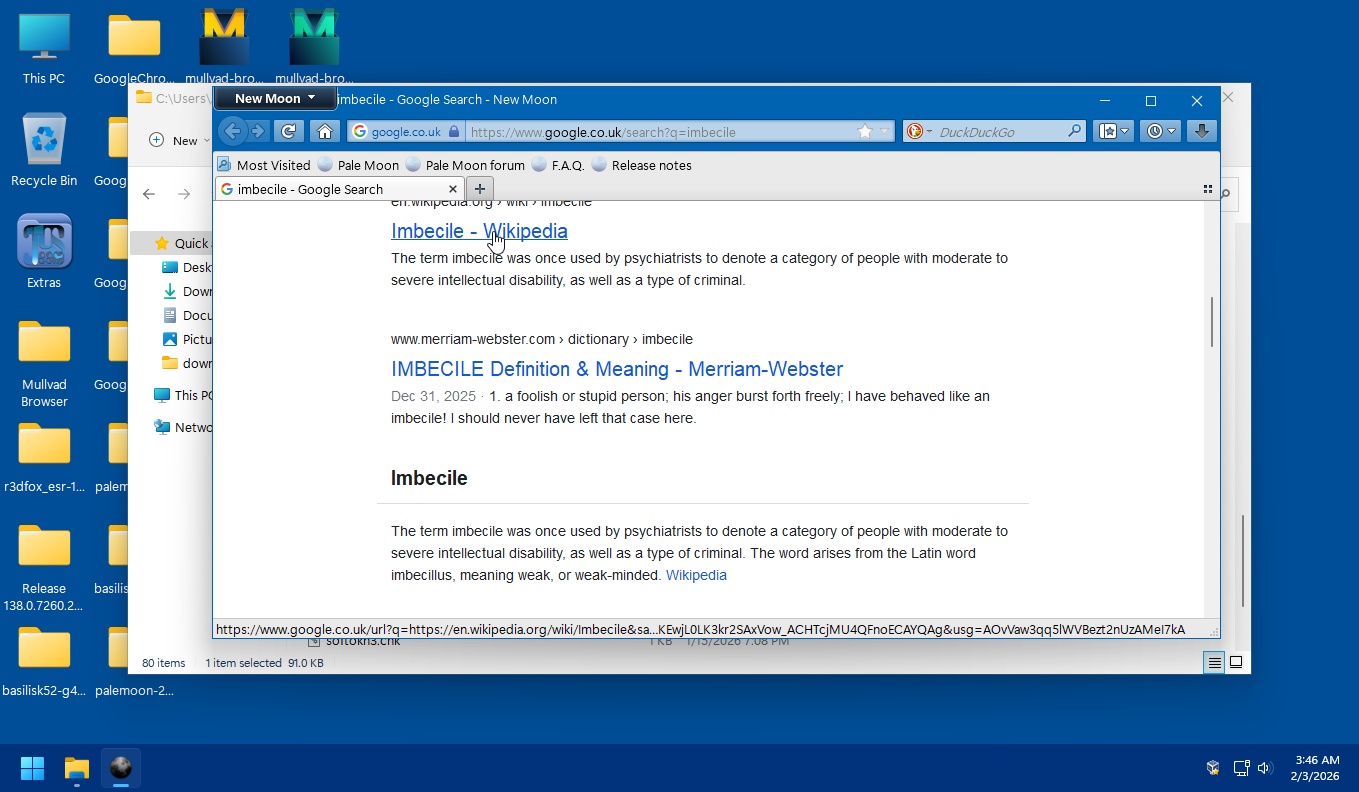
The tracker will be different with each browsing session. Google is tracking your searches, not your browser. I never said that the tracker will be "identical". It is generated BY GOOGLE each and every first visit per COOKIE. Delete the cookie and you get a new "tracker". First cookie: Delete first cookie, let Google set second cookie:
-
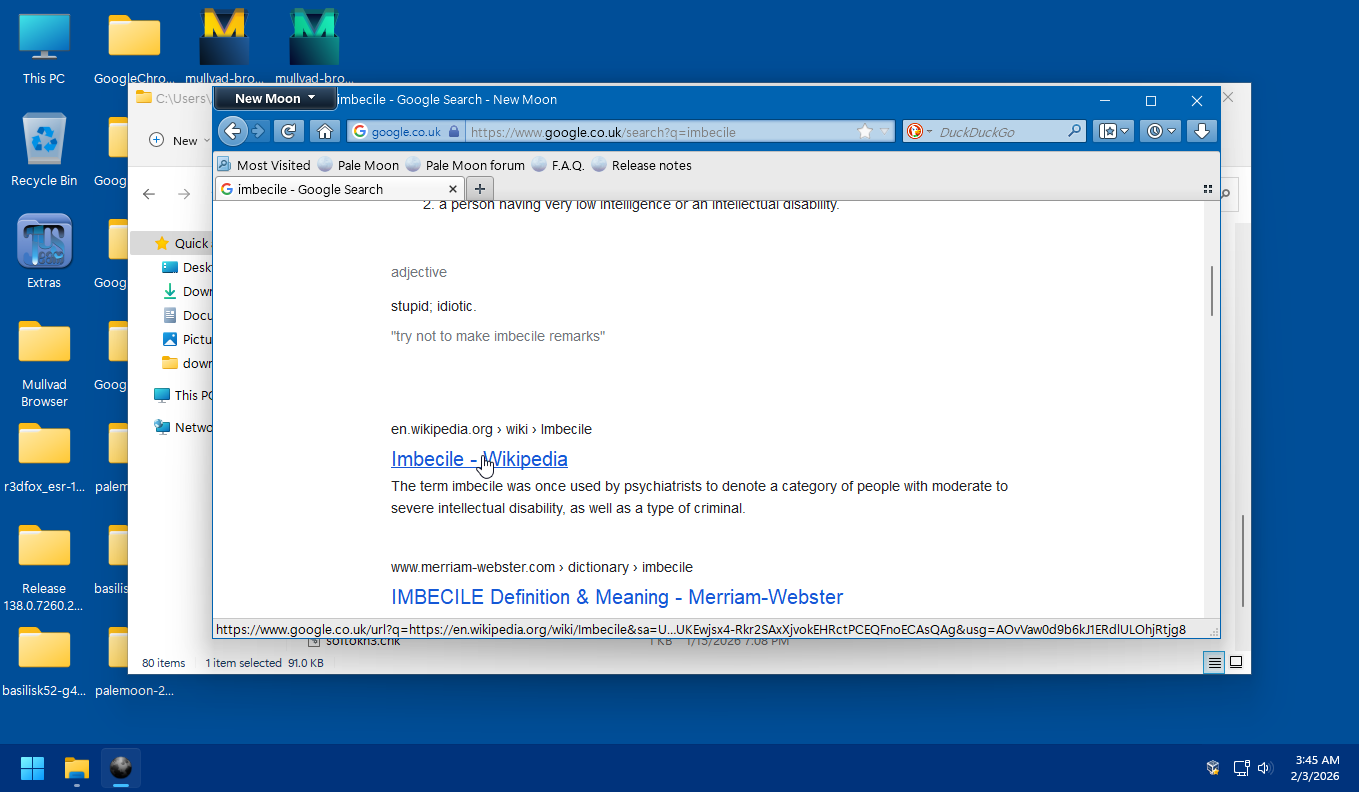
In NM the redirect link appears only after clicking on the link (or copying). Of course the HTML is different coming from the server, the anchor element contains different parameters. I am sending a Firefox/140 agent to get the full page from Google instead of a simplified version. It was a surprise to me that the page still isn't completely full doing this. I don't think is needed to jump in and "defend" either browser.
-
Where are these OpenSSL DLLs usable in apart from a YouTube downloader? Legacy applications that I have all depend on libeay32 and ssleay32. And do they support new algorithms to justify their much bigger size?
-
Joined you favourite upvoter Karla and gave you the much desired likes. Nevertheless, the link above is generated by the browser. It differs from the link below, on your screen.
-
My Browser Builds (Part 5)
NotHereToPlayGames replied to roytam1's topic in Browsers working on Older NT-Family OSes
I don't think that it is regional advertising causing that error. I get that error in most recent B/S 52, B/S 55, and PM/NM 28. Only one of the three (brand new profiles, first run on all three) gave a geolocation warning (which was denied), but I forget which one of the three. I have to assume that the other two simply allowed the location-reveal, but I did not verify. -

My Browser Builds (Part 5)
raddy replied to roytam1's topic in Browsers working on Older NT-Family OSes
For example, regional advertisement, but i don't see anything. -

My Browser Builds (Part 5)
DanR20 replied to roytam1's topic in Browsers working on Older NT-Family OSes
Don't know what the problem is then unless it's regional because even with a brand new profile and no addons I get that error. If you go to directly to this link using 55 basilisk I get an error after 3 to 5 seconds: https://weather.com/weather/today/l/20398:4:US So we'll see if anyone else is experiencing it, my luck it;s just me. :--)