Dave-H
Content Type
Profiles
Forums
Events
Everything posted by Dave-H
-
 So has anyone got this cabinet to work in WUMT, because it won't for me? Perhaps I'm just doing something wrong.
 -
Beware of Office 2010 Updates!
Dave-H replied to Dave-H's topic in Pinned Topics regarding Windows XP
Sorry, went to bed! Yes, I guess that will always be the reported version of the actual Office Suite on XP now because of having to use the old MSO.DLL, as you say. I'm happy that my installation is as up to date as it can be, so if yours is reporting the same versions, I think you can be confident that yours is too. There may well be a few more updates to the individual components before EOS in October. I take it your DLL substitution worked OK on the final installation? I hope you can automate it somehow. Cheers, Dave. -
Beware of Office 2010 Updates!
Dave-H replied to Dave-H's topic in Pinned Topics regarding Windows XP
If you look at the Help section of Word, say, mine says 14.0.7214.5000. However, if I look at "Additional Version and Copyright Information", it's shown as 14.0.7254.5000. -
Beware of Office 2010 Updates!
Dave-H replied to Dave-H's topic in Pinned Topics regarding Windows XP
Well yes of course, but I didn't see that they had contributed to this thread recently! Anyway, I hope the DLL replacement now works! -
Beware of Office 2010 Updates!
Dave-H replied to Dave-H's topic in Pinned Topics regarding Windows XP
@win32? Anyway, glad you got it sorted out! I guess other MSI installs would have failed as well! I wonder why those files weren't registered? -
Beware of Office 2010 Updates!
Dave-H replied to Dave-H's topic in Pinned Topics regarding Windows XP
Silly question I'm sure, but you do have SP3 installed on XP I assume? One of my first search finds on this was that Office 2010 won't install unless you have! -
Beware of Office 2010 Updates!
Dave-H replied to Dave-H's topic in Pinned Topics regarding Windows XP
Oh right, so you can't install Office 2010 at all! Is there anything in the Windows Event logs which sheds any more light on what's happening? Office does use the Microsoft Installer, which is usually pretty good at logging what it's doing. You may well find further logs in your Windows TEMP folder. -
Beware of Office 2010 Updates!
Dave-H replied to Dave-H's topic in Pinned Topics regarding Windows XP
What are you actually installing when you see the error? -
I honestly can't remember where it came from, I've had it for a long time. Although the version is now quite a few years old, I think it is still the latest version, it hasn't been updated for ages.
-
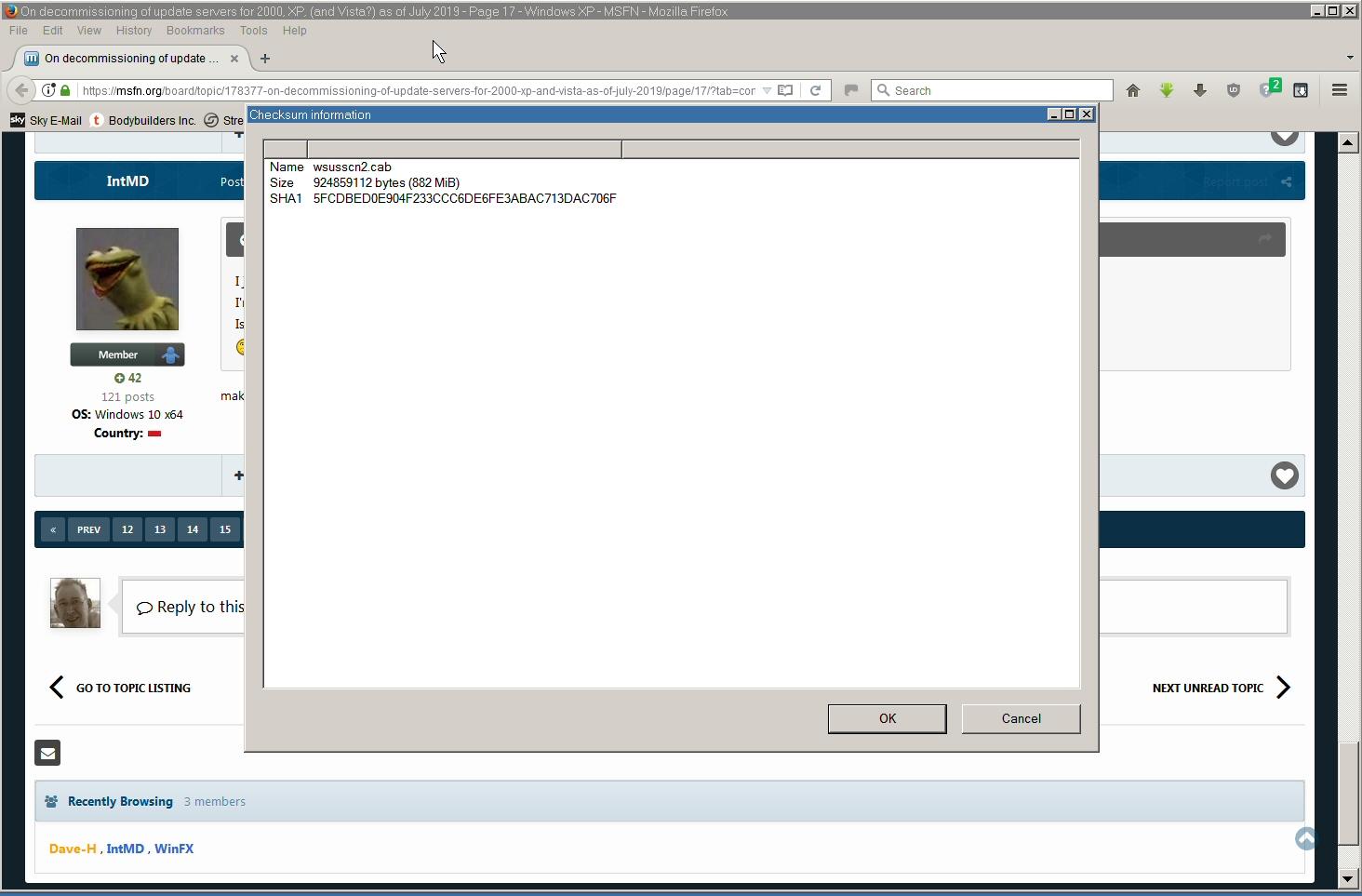
My wsusscn2.cab file is dated the 5th August, which is when i downloaded it. The SHA1 checksum is correct though. Still gives the same error in WUMT.

-
Beware of Office 2010 Updates!
Dave-H replied to Dave-H's topic in Pinned Topics regarding Windows XP
Sounds right. My MSO.DLL file is exactly 18,640,016 bytes, if yours matches that, it must be it! Drop the 86 off the file name, and check its version, it should be 14.0.7214.5000. -
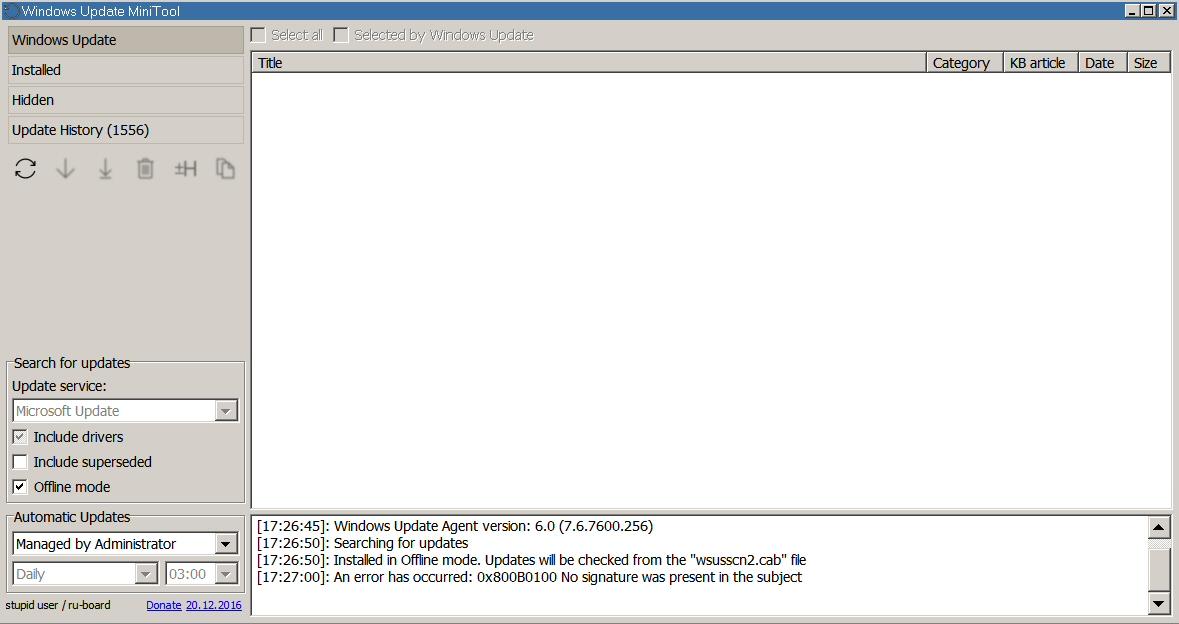
I just tried using WUMT in offline mode with the newly downloaded wsusscn2.cab. I'm just getting an error message "An error has occurred: 0x800B0100 No signature was present in the subject". Is that the SHA signing problem, and is that version of wsusscn2.cab actually useless in XP?
-
Thanks for that!
-
Well we had it for over a year longer than we thought we were going to. Had to end sometime. I guess it will have to be manual updates from the catalogue for the last few months of Office 2010 updates.
-
Beware of Office 2010 Updates!
Dave-H replied to Dave-H's topic in Pinned Topics regarding Windows XP
No, it's an Office file, AFAIK it's not part of Windows if Office isn't installed. I guess if you want to slipstream all the updates, you will need to just do that, but then replace the MSO.DLL file with version 14.0.7214.5000 after the process is finished. If you don't do that, you will end up with a non-functional installation. Must easier to do that as if you uninstall updates you will get nagged by Microsoft Update about updates being missing (if it's still working that is!) Just get KB4092483 from the Update Catalogue, extract the MSO.DLL from it, and replace the one installed with it. Whether that can be automated with a batch file or something I don't know. -
Beware of Office 2010 Updates!
Dave-H replied to Dave-H's topic in Pinned Topics regarding Windows XP
The only thing you have to watch out for is that you don't use a version of MSO.DLL after version 14.0.7214.5000, which is the last XP compatible version. That was issued with KB4092483. All other files are fine (so far!) When you install KB4092483 keep a copy of its MSO.DLL file somewhere safe, and if Office programs fail to run when subsequent updates are installed, just replace MSO.DLL with the one you saved. Everything should then come good. -
Although the MS Update webpage opens for me again now, it's still not working. It scans for a few seconds, and then fails with error 0x80244019. WUMT still isn't working either for me, still just shows error 0x80244004. MBSA also still fails to download the scanning database every time I try a scan, with the ESENT error 623 in the Windows Application Event log. So as far as I'm concerned, still nothing is working!
-
Thanks! I didn't realise that WUMT would work from a local file. I always assumed that it had to have a live connection to the update servers.
-
So how come WUMT woks on XP for you, but not for me? My copy of wsusscn2.cab was from 2018, so I ran MBSA to update it. It said it was downloading the updates data, and was downloading for ages, but then said that the download had failed, and carried on the scan using the old version! So what exactly was it downloading for all that time?! EDIT: Just found this in the event log. wuaueng.dll (6040) SUS20ClientDataStore: The version store for this instance (0) has reached its maximum size of 8Mb. It is likely that a long-running transaction is preventing cleanup of the version store and causing it to build up in size. Updates will be rejected until the long-running transaction has been completely committed or rolled back. Possible long-running transaction: SessionId: 0x02C803C0 Session-context: 0x00000000 Session-context ThreadId: 0x00000F44 Anyone any ideas about that? It's almost certainly the cause of the download failure.
-
No joy there either I'm afraid, error 0x80244004 which is basically, "can't connect to the server". Looks like it's all permanently gone. I guess it's off to the catalogue for the last few Office 2010 updates. At least I have the 64 bit version installed on Windows 10, so that should tell me what updates have been issued.
-
It does take a very long time to find updates at the moment, you have to be very patient! I've never known it not to get there in the end though. Leave it scanning overnight.
-
Sorry yes, it would have helped if I'd actually bothered to look at the documentation which came with the program! It does clearly say it's intended for FAT32 partitions only.
-
The late great Rudolph Loew produced a "TRIM" program which works in DOS! I use it to TRIM two SSD partitions I have which are FAT32 formatted, which Windows doesn't want to know about. I assume it would work on NTFS partitions, but I'm not certain of that.
-
Well I just bought only a week ago a new 500GB Sandisk Ultra 3D SSD (SDSSDH3_500G_401120RL), and it recognises that fine.
-
FWIW Sandisk SSD Toolkit v1 works fine on XP, if you have Sandisk SSDs. Not sure whether it will recognise other brands, all my SSDs are Sandisk.