Leaderboard




Popular Content
Showing content with the highest reputation on 03/01/2024 in Posts
-
AFAIAA, all people who posted about BSODs on the issues of GitHub, were using Mypal 68 in multiprocess mode. I think this is the main reason for a BSOD in Mypal 68. Maybe, it will work in the final release of Mypal 68 whenever it comes.3 points
-
* these (plural) , otherwise like and totally agree .3 points
-
Well in that case , perhaps the dude just tends to forget to close his microwave's door ? (and the safety switches are jammed)3 points
-
I wasn't aware of android phones without cables . Did you actually measure the transfer speed ? Did you try to use this mobo with another OS (clean) ?3 points
-
Usually tells that this port and/or the device is somewhat damaged or it's simply not enough power. Try using another cable , a shorter one ! There may be a very high resistance in the old one.3 points
-
Once again, I can open or close tabs in Mypal 68 without any problems. Never observed any BSODs in single-process mode. In this mode, Mypal 68 is totally stable. If you have any problems, report it in the issues on GitHub!2 points
-
What can he say? Has he ever used or tested my system? No. Therefore, he can't say anything regarding my system, unfortunately. And BTW, if you want to post interesting facts about Mypal 68 here in terms of extensions or custom buttons, or maybe about the new nightly build, you are welcome here at any time. But any comparisons with other browsers are off-topic, unfortunately.2 points
-
No, but I use Mypal 68 in single-process mode. In multiprocess mode, your chance to get a BSOD is much better.2 points
-
I can't confirm that. 360Chrome 13.5 doesn't run smoother than Mypal 68 on my system. And I never had any BSOD while using Mypal 68.2 points
-
uBlock Origin works perfectly in Mypal 68. The last compatible version is uBlock Origin 1.46. I use this version in my installation without any problems. All more recent versions need FF 78+. I already wrote about this extension here:2 points
-
I called you to help him , not me. First off, thanks for helping that person ! I assumed you were in a bad mood 'cause of your weird reaction, like this one . Why such reactions follow, I don't get it , perhaps you confuse me with someone else !? How windows 7 is relevant to this question ?2 points
-
Hi, I'm glad you got your card working with the drivers ! Sorry, I don't use steam. I hope @Jaguarek62 can help you (if he is in a good mood, of course). I think he is the only steam gamer here. At least it seems so.2 points
-
I see, maybe consider the older generation then ? Like Titan X 12GB. Should be cheaper and more powerful.2 points
-
Request the BIOS number from the seller and then search it here, https://www.techpowerup.com/vgabios/?model=GTX+1060 confirm the chip and the year of manufacturing. If you wish to purchase 1070-1080, also make sure they are from the first batches of 2016. Write here for further questions. Greetings from Vichy.2 points
-
This is happening because your card is a newer re-issue, based on a newer chip GP106. The first GTX1060 must have GP104 chip. So you need a much newer driver from the end of 2018. "Normal" (ordinary) GTX1060 on GP104 chip https://www.techpowerup.com/vgabios/207648/207648 Your newer version on GP106 chip. https://www.techpowerup.com/vgabios/198454/1984542 points
-
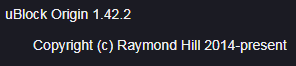
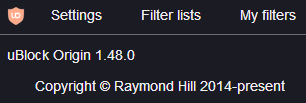
Update notification! As already reported , the Root Certificates have been updated and are now from 27-02-2024. Here are screenshots of both updaters: Therefore, my self-created, offline Root Certificate Updaters in the section 11.2.4. Downloads related to Root Certificate Updates (in the first post of this thread) will also be updated as soon as possible. Cheers, AstroSkipper1 point
-
@rereser : I only posted my newer screenshot (of "new" CWS) above as an indication that Google's wording has changed in the interim since my previous screenshot of Feb 15th, 2024, when they offered a (non-working ) alternative choice: "... visit the legacy store" ... As for your posted mitigation in the shape of a userscript, I've already talked about it (and its shortcomings ) in my post of Feb 15th: Kind regards ...1 point
-
However, clicking on the "Visit legacy store" area (JS-controlled button) will only start a vicious circle , resulting in that same "new CWS" page ... Well, it's March 1st in my timezone already , and the "in-page info banner" no longer offers the alternative of "visiting the legacy store" :1 point
-
... I don't want to "burst your bubble" , but even if you manage to sort out all dependencies of the DLL under NT 5.1, the CDM will be practically non-functional on most popular DRM'ed services (e.g. Netflix, Amazon Prime, Hulu, Spotify, Apple Music, Tidal, etc.) ; since years now, Google (owners of Widevine CDM) have implemented the Verified Media Path (aka VMP) security feature: https://www.expressplay.com/products/google-widevine-drm/ In layman's terms, this means that the application within which the CDM is run (Supermium in your case) must've been previously whitelisted/sanctioned by Google ; this process involves acquiring special certificates from Google, for DRM purposes only, and signing various browser components (e.g. "chrome.dll") with said certificates; when the CDM is requesting decryption keys (aka "licence") from a Widevine lic server, it first sends (obfuscated) a payload with extreme detail of the environment it's currently running on; this detail includes exact browser specifics, as well as the OS/device the browser is running on; the WV lic server can reject the licence request if the CDM version/browser/OS/device is not to Google's liking; browser applications are being accepted if they have been signed with that special VMP certificate, and this fact limits the selection to ones offered by the major vendors, ONLY (Google Chrome/Mozilla Firefox and a few Chromium variants) ... Supermium hasn't been granted VMP compliance (being a one-man, open-source, project) and even if its author (win32) applied for such, it could well take several years for this to materialise, if at all ... In addition to VMP, you said you manually edited the DLL: This fact alone changes the CDM's hash value/invalidates its file signature (which is SHA-2, BTW, incompatible with XP) and when the CDM identifies itself to the WV lic servers (yes, it does send its hash inside that obfuscated payload I mentioned earlier), it "screams": "I've been tampered with, just ignore me", thus no decryption keys are delivered to it ... FYI, some Supermium issues relating to its DRM (Widevine) support: https://github.com/win32ss/supermium/issues/127 https://github.com/win32ss/supermium/issues/169 https://github.com/win32ss/supermium/issues/242 FWIW, Widevine related documentation used to be publicly accessible until a few years ago, when evil Google decided to put it behind corporate gmail accounts, for media-enterpises members only, who also have to sign strict NDAs ... At this point in time, it seems DRM-savvy private individuals are to be found only inside private discord servers, no more open to "outsiders"; I used to be part of such a server back in the day, but got kicked-out because I wasn't "active enough" (at least according to the server's owner ) ...1 point
-
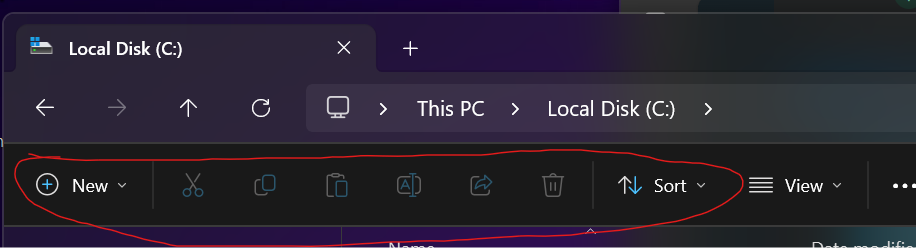
Is "Colorize everything with accent color" option supposed to color these glyphs as well? They're stuck to color blue but I could swear I've seen them in a diff color before. I might be wrong though....
 1 point
 -
And here is the shortest way to update the installation of uBlock Origin Legacy properly: Backup all your settings using the "Back up to file" button on the page "Settings". Uninstall uBlock Origin Legacy and delete the ublock0.sqlite file in your profile subfolder extension-data. Restart the browser and install the new version of uBlock Origin Legacy. Restore all settings from your backup file. Greetings, AstroSkipper1 point
-
This is a quotation from gorhill's wiki page about the legacy extension of uBlock Origin: Source: https://github.com/gorhill/uBlock/tree/master/dist#install Drag and drop the previously downloaded ublock0.firefox-legacy.xpi into Firefox (Pale Moon, New Moon and so on) is the recommended method there for installing an uBO xpi file. Same here by JustOff: Source: https://github.com/JustOff/ublock0-updater/issues/112 This type of update, by simply installing over an existing installation, may have worked in the past, but unfortunately, as shown in my above-quoted proof, it hasn't worked for a long time when it comes to the default filter lists. uBO's settings, self-created rules and self-added, custom filters remain intact as far as I noticed. But why did the users never realise this update issue in the past? The answer is quite simple. After installing or updating uBlock Origin, it automatically performs a download and installation of the internal list of all default filter lists (assets.json) quite promptly. So, a user always got the most recent version of this file from uBO's update server. Unfortunately, this file hasn't been updated for a long time and has become more and more obsolete. In my mod uBlock Origin Legacy, I therefore have removed the auto update of this file and started to maintain it by myself. That's why now a user immediately notice the issue that the new filter lists of my mod are not shown when installing an update of uBlock Origin Legacy over an existing installation and why a clean install is mandatory (and already was in the past). One thing I should still mention. When I make a recommendation that something should be done one way or another, I never do so without a specific reason. Cheers, AstroSkipper1 point
-
Enter the BIOS, Switch off "Attempt to fix sporadic PCI errors" , or whatever they call it in your BIOS. It helped me when my sound card was conflicting with my LAN card. It too hanged up on the BIOS title screen.1 point
-
... Yes, thanks, this solution was already pointed to inside Sm's GitHub issue tracker some 6 weeks ago : https://github.com/win32ss/supermium/issues/134#issuecomment-18832496891 point
-
As most following these threads probably know already , all the XP/Vista compatible 360EE variants (v11/12/13/13.5) are NOT compatible with MV3 Chrome extensions (which require at least Chromium 88) and, in the same vein, are NOT compatible with the "new" Chrome Web Store (CWS) ... Since sometime on Feb 13th, 2024 (depending on your location), "old CWS" URIs for extensions/themes/etc., of the format: https://chrome.google.com/webstore/detail/* now auto-redirect to the "new CWS" URIs for the same extensions/themes/etc., of the format: https://chromewebstore.google.com/detail/* This isn't a first occurrence, the same thing used to take place during the autumn of 2023, when the eventual migration to the new CWS was announced beforehand: https://support.google.com/chrome/thread/231812199 https://blog.google/products/chrome/google-chrome-web-store-redesign/ https://9to5google.com/2023/11/20/google-chrome-web-store-redesign-preview/ In late December 2023, this auto-redirection (old -> new CWS) in non-supported Chrome versions stopped taking place, but in the loaded old CWS appeared a top info-banner indicating that: The user could disregard/remove this banner and continue as usual ... Well, Jan 31st 2024 came and went, but the "status quo" remained in place until Feb 13th, when the auto-redirection to the new CWS resumed ... Google staff seem to have a perverse sense of "humour" , because after the auto-redirection has been completed, in non-supported Chrome versions, a new in-page banner is being displayed, stating: However, clicking on the "Visit legacy store" area (JS-controlled button) will only start a vicious circle , resulting in that same "new CWS" page ... Issues with the "new CWS": The older the 360EE version you have, the more page rendering issues you'll get ; below, a screengrab with 360EEv11 (Ch69-based): Apart from the overlapping fonts, all "carousels" in the page are absent/non-functioning, because they require JS+CSS code not supported there ; these rendering issues are less/absent on higher versions of 360EE (v12+) ... But the main issue is that you can't install/download extensions from the "new CWS", because the "Add to Chrome" button is greyed out ... Mitigations This third party userscript, when installed (requires a userscript manager, e.g. Violentmonkey, Tampermonkey, etc.), will make the "Add to Chrome" button active again, however its functionality will now be limited, in that it will only enable a .crx file download to disk, not proper installation (as was the case with the "old CWS"); after saving to disk, the user has to drag-n-drop the saved file onto the "chrome://extensions/" internal tab, for the installation to proceed... The problem with that userscript is that the "name" of the downloaded extension always comes up as "undefined" (the "version" comes up correctly), so some renaming is in order after the download (perhaps one savvy person here could fix the script in that regard? ) ... Another solution I've been using is based on this extension ; the problem is that the latest version, 1.51, compatible with the "new CWS", is of the MV3-type, thus incompatible with 360EE (and Kafan MiniBrowser); here's an MV2 custom patch that will install and function as expected under Ch<88: https://www.mediafire.com/file/on5h2vit08a1xk6/1.51-mgdjkephahlgejakcnbooghhocmoppai-MV2.crx/file BTW, this is an "anonymous" upload that will expire after 2 wks of inactivity ; once installed, use the context menu on a "new CWS" tab to fetch a .CRX file to disk... Caveats of the two solutions above is that the "new CWS" won't label incompatibilities with Ch<88, so the .CRX you end up saving to disk may well be an MV3-type extension, incompatible with your "legacy" Chrome browser ; I probe the CRX files with 7-zip, opening their manifest.json files with an editor and checking for the "manifest_version" value (to be 2, that is...). A third option that might die any day now is the following: Make a bookmark of below URI: https://chrome.google.com/webstore/old/ Once loaded, it'll auto-redirect to: https://chrome.google.com/webstore/category/extensions which is STILL the "old CWS"; as long as your browsing remains confined inside that very one tab, you can access extension-URIs in the old format, e.g. by clicking on suggestions or searching in the old-store's searchbar (and make sure the search result is opened in the same tab): The back and forward nav buttons are allowed, but be sure not to click the reload one (will get you to the new CWS) ; since this is the "old CWS", it won't offer (to your "legacy" browser) MV3-type extensions in the suggestions/search results ... Of course, as time moves on, the MV2-type extensions now found inside the "new CWS" will be eventually all migrated to MV3 or purged completely, thus these workarounds will become moot... Save your MV2-type indispensable Chrome extensions while you can... PS: I'm dead certain evil Google will make sure your Ch<88 will become less effective in browsing the web over time, but I feel it'll still be good for the next two years, at least - here's hoping (of course, browsers based on much newer Chrome versions have recently surfaced that can launch under XP/Vista, granted with several issues so far, but this analysis was targeting mainly 360EE/KMB users) ...1 point
-
Perhaps you need to ask @win32 then, since the driver you used isn't mine, obviously. Nvidia Control Panel and CUDA/CUVID/DXVA/Physx and the others you want, they all work in the driver from my tutorial. On the other hand, I also checked his 398 driver and CUVID/DXVA/Physx definitely worked for me ! But then again, I have an ancient fossil , 8 years old GTX Titan X, a piece of crap for poor people. In win32's 398.11 driver I didn't try OpenCL, OpenGL, WebGL and Vuklan, since I never use them.1 point
-
See ? All is simple, you helped him, and I didn't know that. And no need to get mad, thank you again.1 point
-
You're welcome, make sure it was made in 2016 , not 2018 .1 point
-
C' mon , I was not laughing at you ! No jokes , you can test different 360 versions (including mine) and see the results for yourself. Who's version is the most advanced/protected ? Would be interesting if you make some screencaps ! Do not use your IP [not a joke]. In the end , we are trying to make a privacy oriented browser , aren't we ? https://browserleaks.com/webrtc https://browserleaks.com/webgl https://coveryourtracks.eff.org P.S. I have never ever told you I'm on twitter , etc. If you see any accounts pretending to be me (it's not me).1 point