Dušan Vićić
About Dušan Vićić

- Birthday November 27
Recent Profile Visitors


.thumb.png.73b3cb2f0432987e36283eb48427f462.png)


Dušan Vićić's Achievements
28
Reputation
-
 Dušan Vićić changed their profile photo
 -
it would be great to have a software that mimics mouse movement by just a keyboard shortcut, and that is compatible for 98/ME... With that, it can complete faster...
-
Mindmapping Software for Windows 9x?
Dušan Vićić replied to FantasyAcquiesce's topic in Windows 9x/ME
Maaaybe this? http://flowgorithm.org/download/files/Flowgorithm-2.30.3-32-Setup.zip I didn't test it on 98/ME, but see if it does work. I used it specifically for the algorithm university project. Still hate that subject to the core. You have to see all of the possible things you have to do with your code, like you are the Watcher of the multiverse. And about dictionary: https://absoluteword.com/awmaker/ -
Speaking of latest antiviruses, has anybody tested the latest Avast database definitions for v18? I know they have discontinued the XP compatibility check recently, but i'm curious if Avast can be still used as a real time protection AV? I'm not a fan of cloud only protection like Panda, even though currently it's the best solution for antimalware protection other than SUPERAntiSpyware (the definition updates are still being released, just checked on my XP x32 VM), which is fine for me. If only i had a key for Pro edition...
-
List of software that doesn't support Windows 7
Dušan Vićić replied to asdf2345's topic in Windows 7
Bad news folks. CCleaner has officially dropped support for Windows 7 in 7.0.xxx release. https://support.ccleaner.com/s/article/ccleaner-compatibility-with-windows-7?language=en_US CCleaner 6.39 is the last one that supports Windows 7. -
I don't know about myths, but for some reason, in 2025 on Microsoft official website there's an system requirements page. https://support.microsoft.com/en-us/topic/minimum-system-requirements-for-halo-combat-evolved-4fca8017-47a1-7c35-5fef-7831cc3f913c There it says that Windows 2000 is supported OS.
-
Yeah I think I'm sure that it is my Windows installation being corrupted in the Users and Security properties. Something is horribly wrong on system32 even though it installed all updates, have installed Avast AV and DirectX9... Currently on very short hiatus because of college starting in my country, but i think on the weekends i will try sfc /scannow command on cmd, and see whether my predictions were true...
-
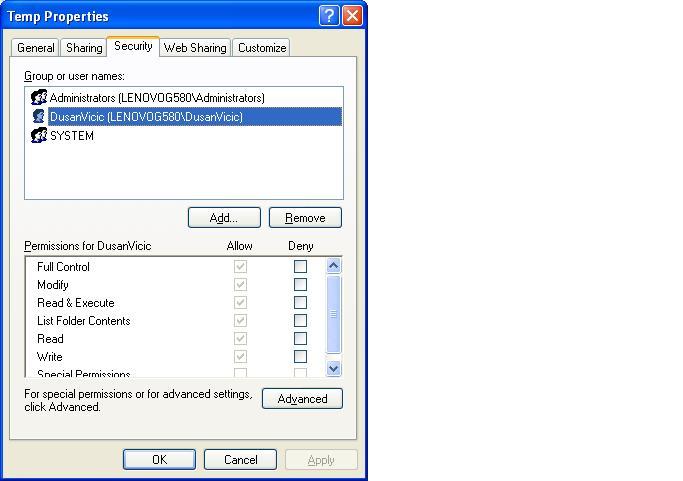
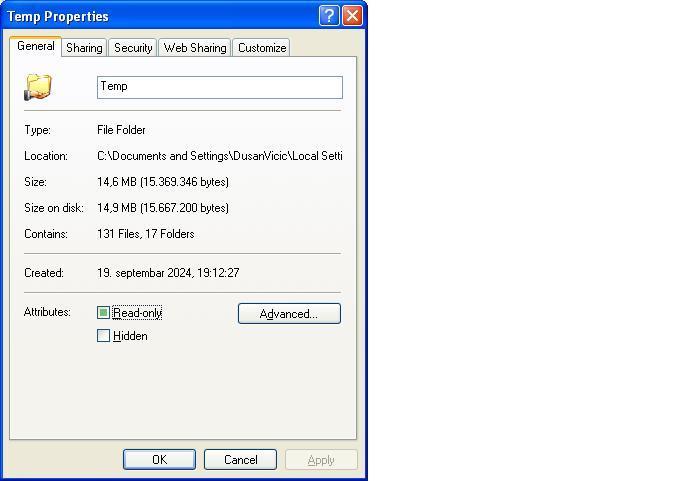
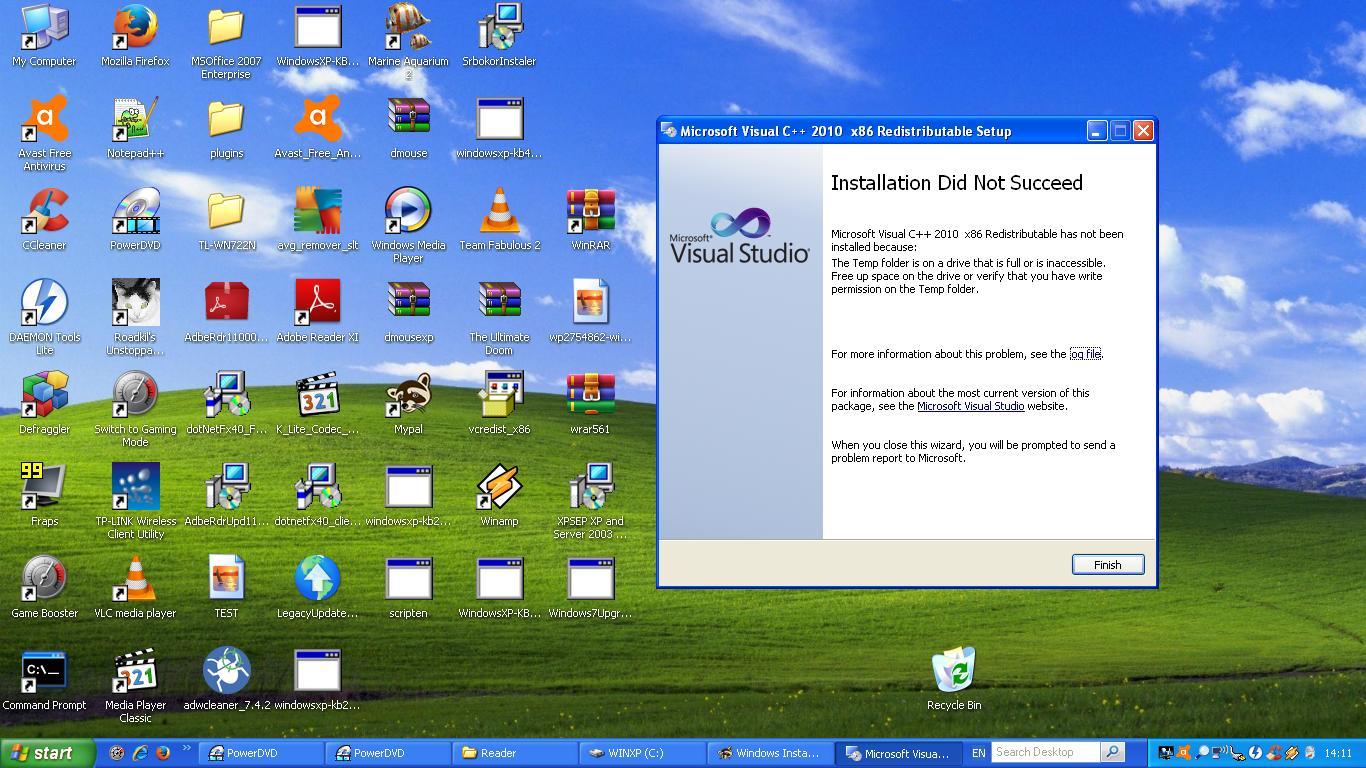
So, i converted the FAT32 into NTFS. Then i checked ownership, and as I've thought, it was set not to my username, DusanVicic, but to Administrators (it is hidden, accessible only though Safe Mode i think). I transferred ownership from Administrators to DusanVicic, and with 4 or 5 folder restriction errors, everything was changed to my user. I tried to run Visual C++ 2010, and... nope. I still have that error... The only problem remaining is the read only attribute. When i tried to uncheck it, it's only showing that it is unchecked until i close the properties, the next time i open it, it comes back as checked. How to make it permanent?

-
Dave to the rescue!!! Yes... For compatibility, i did formatted C: drive to FAT32, and the rest of the drives are NTFS. If i change C from FAT32 to NTFS would that work?
-
I've just realized that I've probably found the problem.... On Visual C++ 2010 it says: The Temp folder is on a drive that is full or is inaccessible. Free up space on the drive of verify that <b> you have write permission on the TEMP folder </b>. So, i started looking up around %temp% folder. It's read-only. Plus, i think i've found another problem. When you have to enable Security options on the folder, you must go to Folder options and uncheck Use simple file sharing (Recommended). Now the tricky part is that on any folder on the second and third partition of the HDD it shows the Security tab when i click Properties. BUT NOT ON THE C:\ FOLDER! Including the %TEMP% folder. Any ideas?
-
Nope, tried that and it doesn't work... In my opinion, it has to do to some hidden Group Policy setting that wasn't properly set up while XP was installing, I'm sure of it.
-
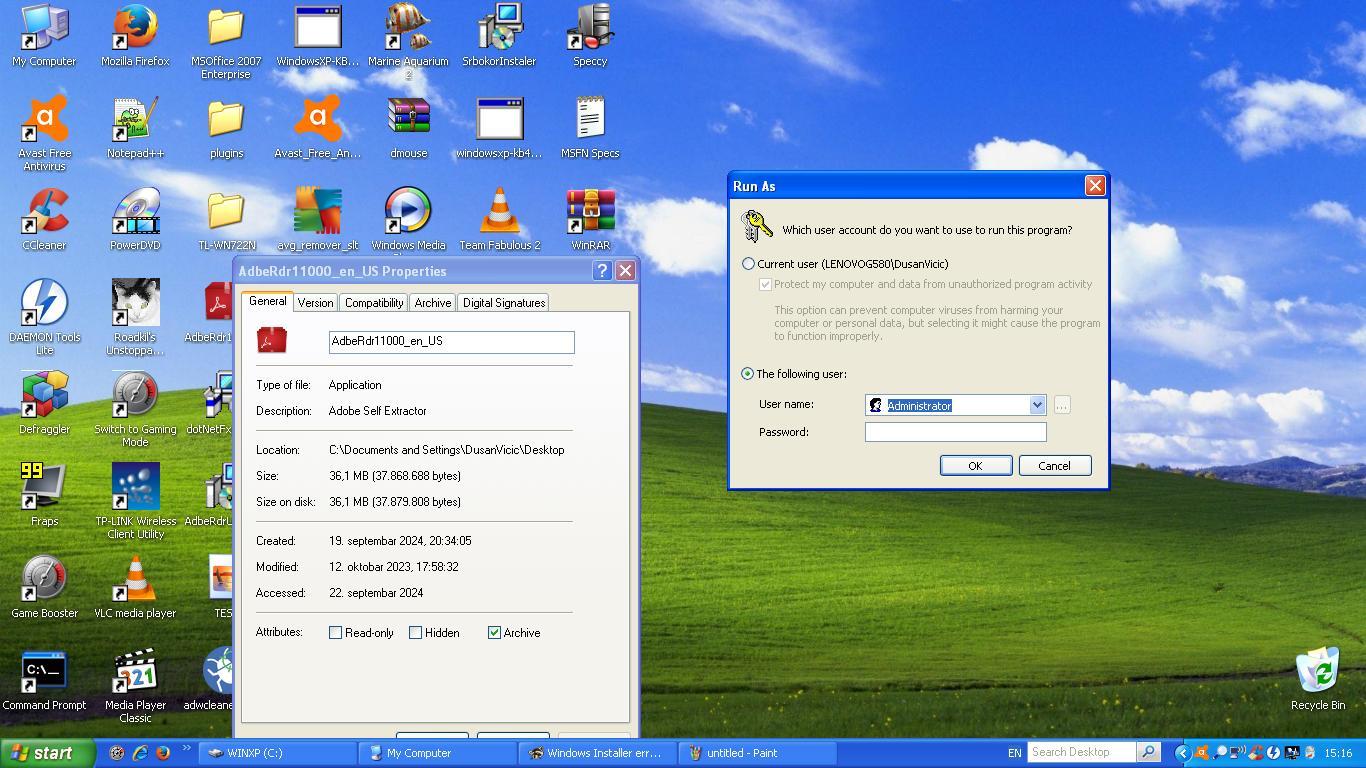
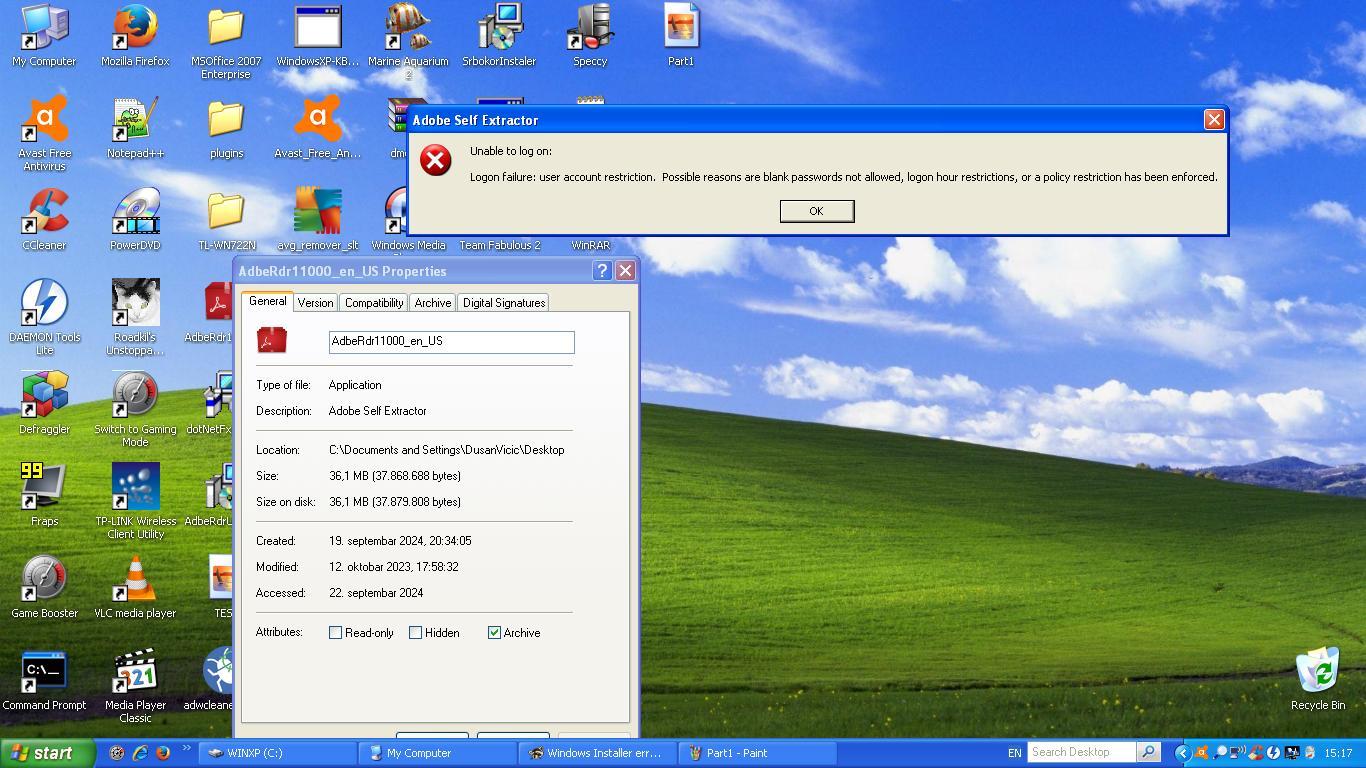
Added on Administrator and on DusanVicic full controls, restarted the system, AND started with admin rights the Reader XI setup. Then this happens. Even though I've already got admin rights, and it was the first OS out of 7 and 10, shows this error... Great, just great.... And it happens with other setups also.
-
I don't know who to ask, and not to disturb admins, i will ask you this question.
Since when did signatures rules changed? On my profile, i have an old signature of 13 lines, and now i can't edit my signature properly since it requires four lines, and i have a problem with that since i can't edit my signature with updated laptops and computers specs.
I can't find a thread with a post when did that change occurred...
Thanks in advance.-

Apparently this has been the policy for a very long time. I remember reading about the 4 line text and image size requirement somewhere when I joined... Here's the best documentation I could find.
I would assume that your signature somehow slipped through the cracks before but is now broken since it exceeds the limit. Not sure how to help with this; I don't have any control over such matters. Have to ask a Super Moderator or Supervisor on this one!
-
-
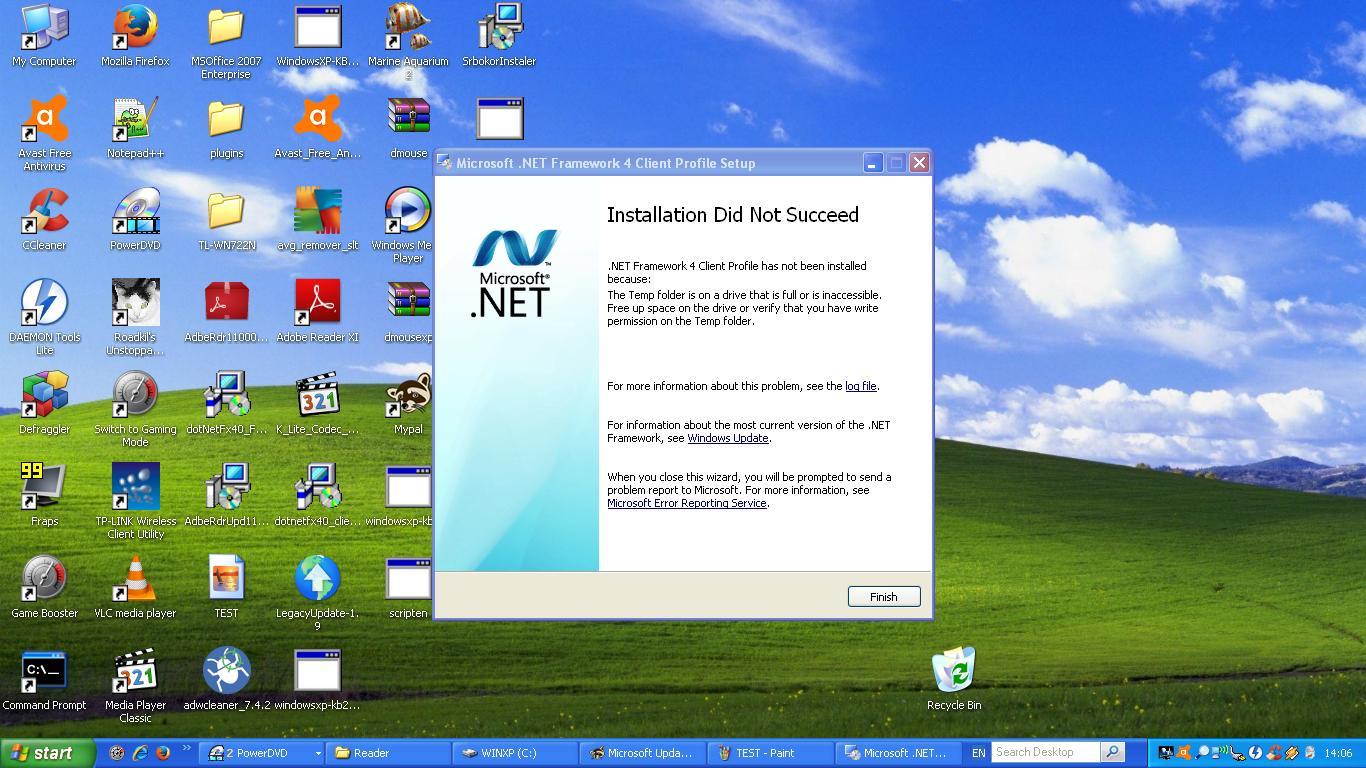
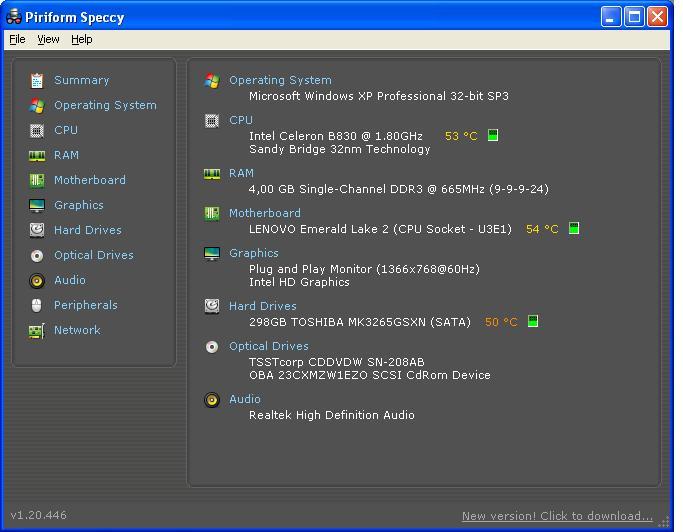
Yes, XP is 32bit, for your consideration, and i forgot that my Celeron on G580 supports 64bit... I downloaded your version of 32bit NET. 4 Framework and it still showed that error. And yes, Visual C++ 2010, Reader XI, Office 2007 and NET. 4 doesn't work at all... I think it has to do with admin access thing... %TEMP% folder is clean tho... And yes, i have an DusanVicic admin username already...
-
never knew about that, but nope, it still shows that same error.
-
YES, it is that same laptop. Celeron version... - _- I think i forgot to include that info down there... Gotta edit that...