
Skip to content
View in the app

A better way to browse. Learn more.

MSFN

A full-screen app on your home screen with push notifications, badges and more.

To install this app on iOS and iPadOS
  1. Tap the Share icon in Safari
  2. Scroll the menu and tap Add to Home Screen.
  3. Tap Add in the top-right corner.
To install this app on Android
  1. Tap the 3-dot menu (⋮) in the top-right corner of the browser.
  2. Tap Add to Home screen or Install app.
  3. Confirm by tapping Install.

shelby

Member
  • Joined

  • Last visited

  • Country

    Greece

Everything posted by shelby

  1. The only bad thing i found so far is facebook apps doesn't work and missing fonts

  2. my avast free trial is going to end soon and i remember that there is an article how to extend it but i don't found it
  3. here is the complete list http://www.win3x.org/win3board/index.php
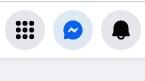
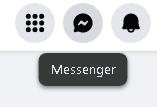
  4. i have this problem in facebook. it does not open the messenger. is it a bug or facebook advance
  5. VirtualBox 6.1.48 runs in Vista, Mini and DC browser are getting obsolete by the time pass
  6. I didn't tweak the TLS encryption and it is a problem with the screenshot
  7. Is it good this browser? It says it works from 98 and above

Account

Navigation

Configure browser push notifications

Chrome (Android)
  1. Tap the lock icon next to the address bar.
  2. Tap Permissions → Notifications.
  3. Adjust your preference.
Chrome (Desktop)
  1. Click the padlock icon in the address bar.
  2. Select Site settings.
  3. Find Notifications and adjust your preference.