




Everything posted by Tihiy
-
StartAllBack 3.9.4
-
If you want custom app shortcuts to be searched as Programs but for some reason you don't want them in All Programs, you can create them in folders in %APPDATA%\Microsoft\Internet Explorer\Quick Launch\User Pinned Then add those custom folders to SAB right pane
-
No idea how search works.
-
No idea? The one on the left has right behavior.
-
Search doesn't know about custom folders. Ensure they're indexed.
-
I suppose you can set custom clock font then
-
Windows 10 is just 11 unrounded, you may run startallbackcfg /magic and enable sharp corners there
-
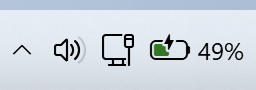
https://startisback.com/StartAllBack_setup.exe (Especially) If you have dead/standalone battery, please check if it matches native 24H2/Dev battery indicator. No braindead questions please
-
Yes, this was possible with ImmersiveMenus=2 or DarkMagicDLL=0 registry tweaks
-
StartAllBack 3.9.3 StartAllBack is now available in MS Store, but that install/update method is discouraged.
-
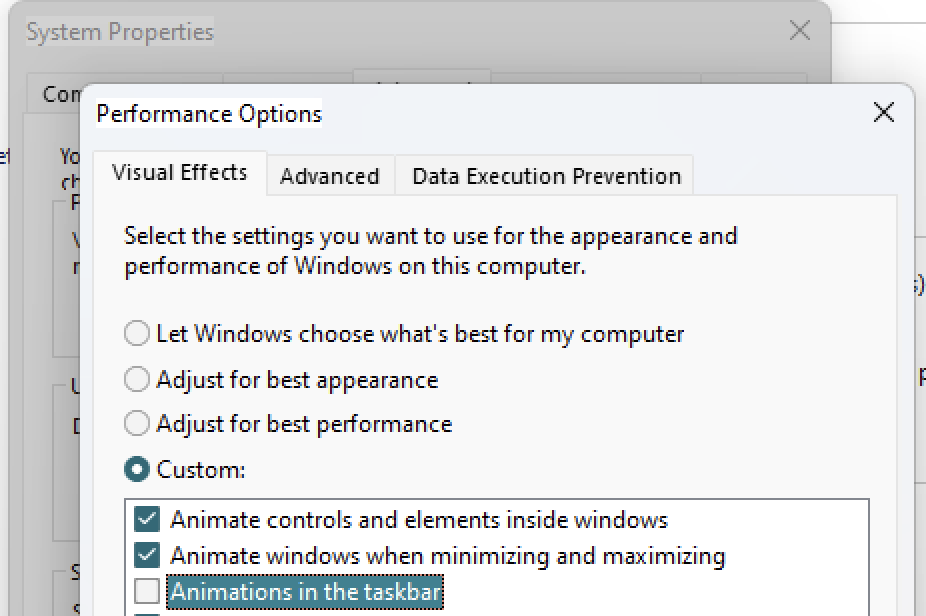
That's like the most insulting take ever. Out of perverted use cases, OCD and BPD frequents here you've frustrated my precious little animation the most. That's not correct. Disable taskbar animations in SystemPropertiesPerformance:
-
Use automatic updates
-
No idea how to reproduce NVIDIA issue. Maybe your system is overloaded with crappy apps like iCUE and NVIDIA
-
Please test https://startisback.com/StartAllBack_setup.exe
-
No need, I found the case - if you use native start menu, cache does not get updated properly. Will fix others too
-
That's improbable; those icons have three layers of fallbacks. Do you experience blank icons in other parts of shell? Modern apps which are not really launched are not displayed. But UWP is dead who cares? I'm not aware of any major scenario where app launches hidden and should be on taskbar.
-
Nope, it's not a global mic mute. It's a local mic mute working in like 3 apps. What app do you want to mute, Teams?
-
That's possible If you have Task Manager deleted/corrupted. Will be addressed still.
-
For which scenario? Screen recording would help So you say they don't work on secondary monitor? That's not possible.
-
What options, which program icons?
-
Start menu will appear where main taskbar is. Move it to needed monitor. Usually they are not so ugly. It is intended to show only on primary tablet display. You have a tablet as a secondary monitor? Now this is something I can try to kludge
-
No, of course not.
-
StartAllBack 3.9.2 This version will be pushed soon to everyone, 3.7.11 will be deconsecrated.
-
Unlock and drag taskbars to screen edges you want; if you have multiple displays, learn at least that
-
I guess the bug is that Local\ShellStartupEvent is not set if immersive shell does not start. Should be fixed in 3.9.2