Dave-H
Content Type
Profiles
Forums
Events
Everything posted by Dave-H
-
 I tried that, and registering wuaueng.dll. No difference.
 -
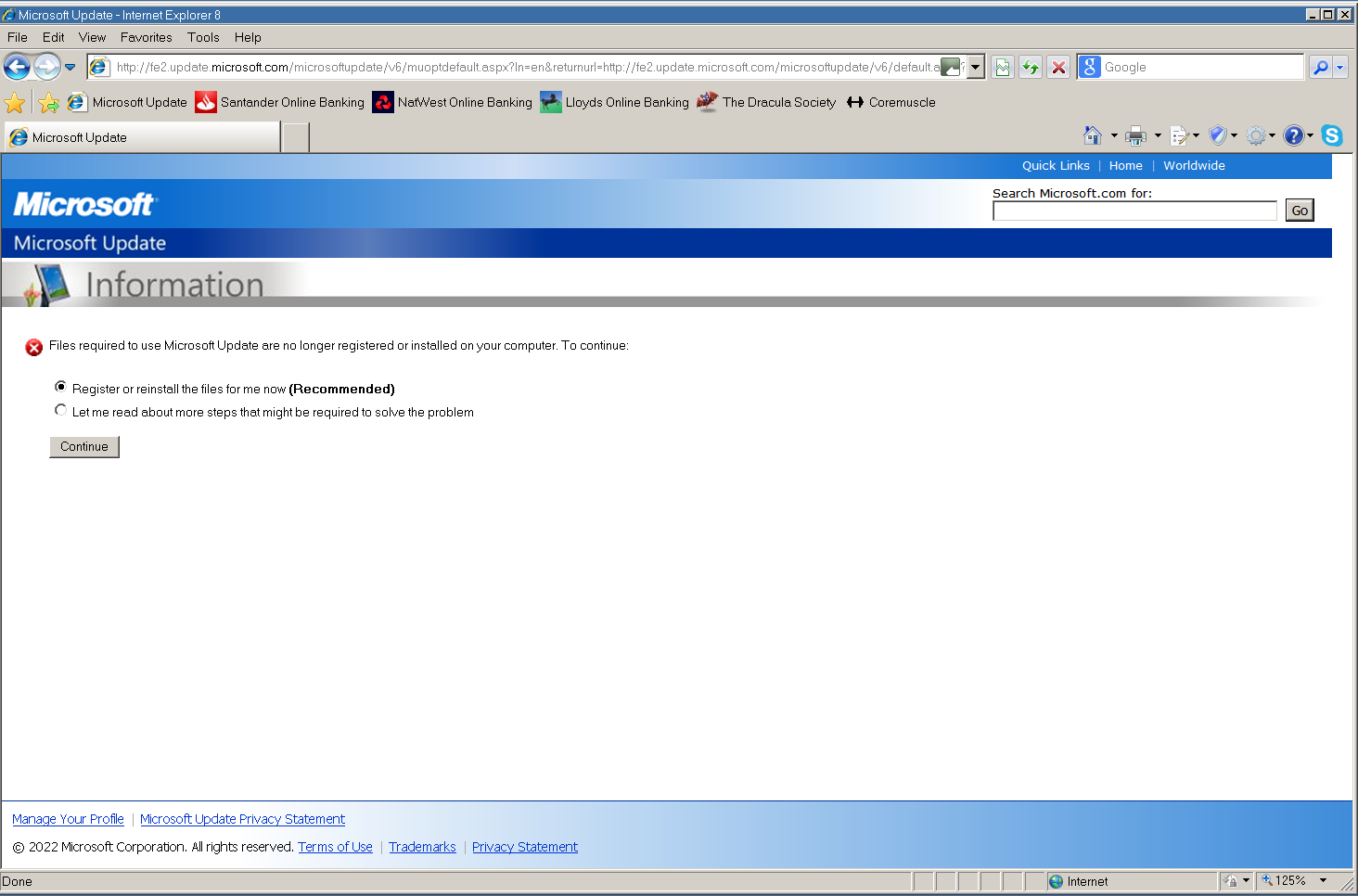
Thanks, that's better. I was now prompted to switch to Microsoft Update, but when i did it said the necessary files weren't registered and offered to do it for me. If I click continue, the window goes blank but nothing then appears to happen.

-
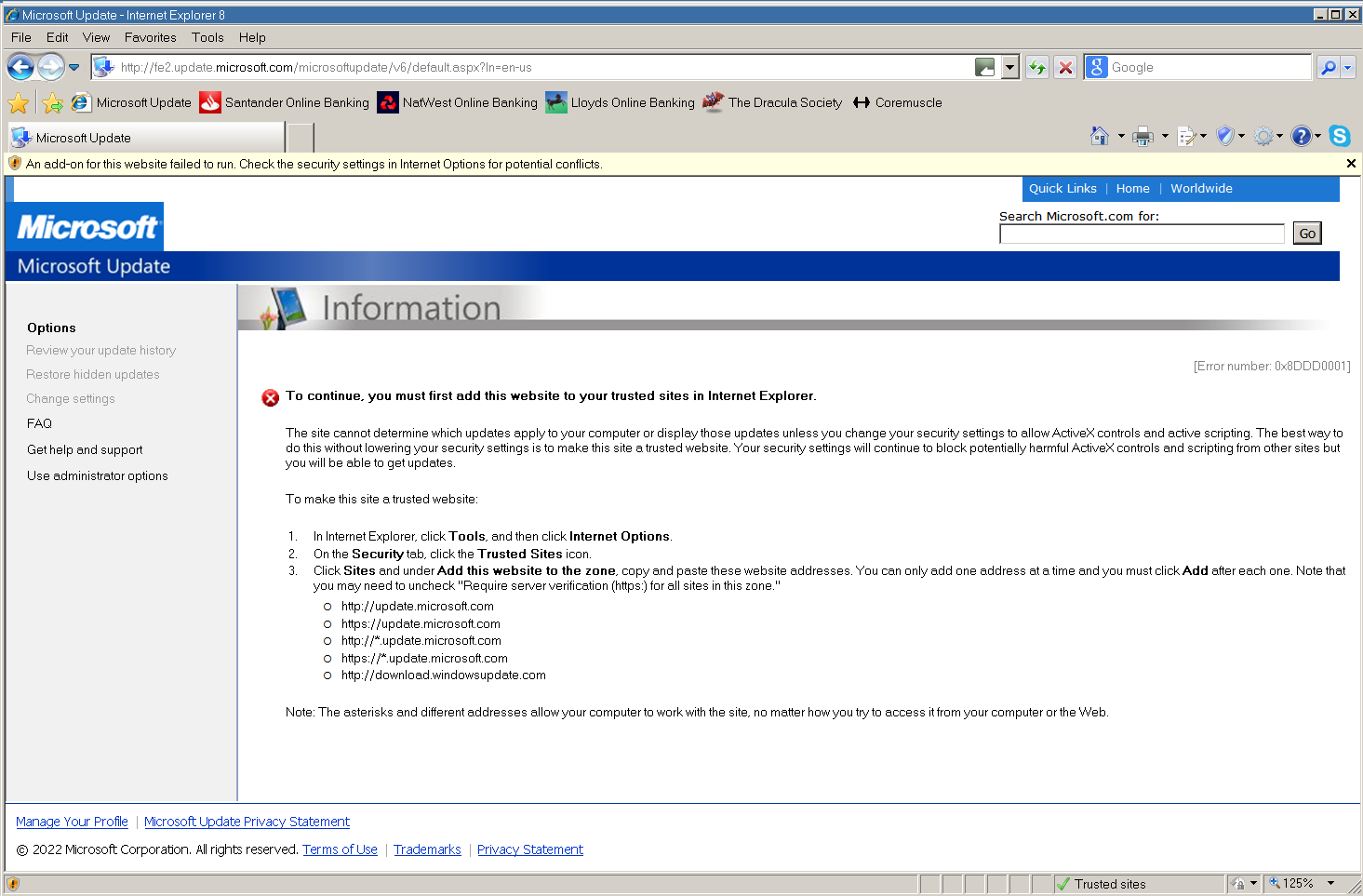
I did re-register those files some time ago, but it didn't change anything. Initpki.dll took a long time before it reported that it was registered, the other three were pretty instant. Anyway, I've given all that a try, and the only thing which didn't seem to work in the cmd file was replacing wuaueng.dll. After rebooting I found there was no wuaueng.dll in the DLLCache folder, and the one in System32 was version 5.4.3790.5512, the one from SP3. Anyway, I corrected that manually, and the version now in System32 and the DLLCache is 7.6.7600.256. I'm now getting this - There are a number of sites now listed in the Trusted Sites list, more than before, and more than the message says. They are - *.microsoft.com *update.microsoft.com *windowsupdate.com *windowsupdate.microsoft.com http://update.microsoft.com http://www.update.microsoft.com https://www.update.microsoft.com ProxHTTPSProxy appears to be working fine on other sites, but shows no output now on Microsoft Update.
-
I just tried completely removing my SoftwareDistribution folder, and trying again. This should have forced Microsoft Update to have to be set up again from scratch with an empty database, and it was. Still the same error after a short scan though.
-
One thing I don't want is to lose my update history, and I guess resetting will do that. I do have backups though, so I guess I can always restore it if this does not restore the updates to working.
-
Well here's one from 2005! Windows Update 2005.log And this is my current one, which may provide some clue as to why it's not working! Windows Update 2022.log
-
LOL! Anyway, I have deleted it, but still no effect I'm afraid.
-
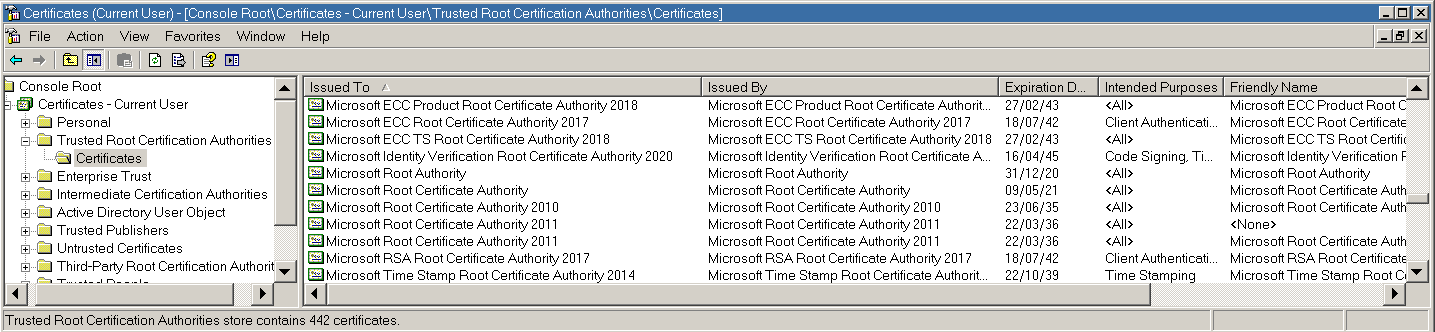
I tried flushing the DNS cache but no difference I'm afraid. The Microsoft Root Certificate Authority 2011 entry that I have and you don't is the one with <None> as its friendly name. I wonder if I should just delete it?
-
Well here's my equivalent. I assume we're looking at the Current User certificates, not the Local Machine certificates, sorry I don't know any German. Does anything look wrong there?
-
LOL, more than I could possibly remember! Before you ask, no I'm not going to do a clean install to see if that works. I'd like to have MS Update working again of course, but I'm not that desperate!
-
A good thought, but no difference I'm afraid,
-
OK, I've had another go! Removed all the ProxHTTPSProxy and Microsoft Update certificates, removed the ProxHTTPSProxy "Certs" folder, and set the clock back to 2017. I now have just one ProxHTTPSProxy certificate in the Trusted Root Certification Authorities certificate store valid from 26/01/17 to 26/01/27. The new certificates for Microsoft Update in the ProxHTTPSProxy "Certs" folder (www.update.microsoft.com.crt and fe2.update.microsoft.com.crt) are both dated 26/01/22 to 26/01/32 though. Still getting the same error that the system clock is wrong.
-
That's right about the certificates shown, but I did delete the system root ProxHTTPSProxy certificate with the program closed before I moved my system clock back and then ran the program again. Why I then ended up with two certificates I'm not sure, but I can try it again and watch more closely this time!
-
The certificate for *.update.microsoft.com is in the ProxHTTPSProxy Certs folder. I assume it was downloaded when I visited the site. Why there are two certificates for ProxHTTPSProxy is strange, but I've seen that happen before. I have tried deleting the older one of them, but it makes no difference to anything. I can only guess that the 2025 one is the original one supplied with the program that installs when the program is first run, but it then updated to the second one, which is set to expire in 2030 as I had the clock set to 2020, and it just added to the other one rather than replacing it. I'm not going to be reinstalling Internet Explorer to try and fix this, unless there is an absolute guarantee of success, which there isn't of course!
-
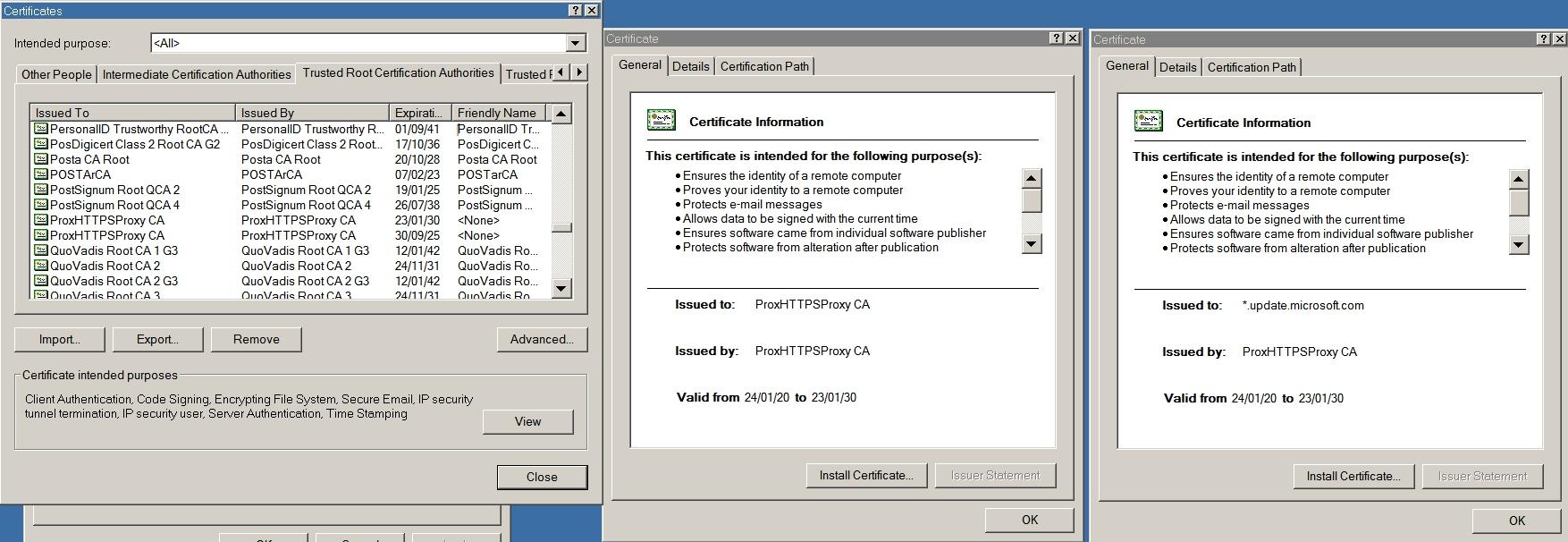
Well I tried setting the clock back to 2020, regenerated the certificates and made sure they were installed. Does that look right? I seem to have two entries for ProxHTTPSProxy, which I have seen before. Same error on Microsoft Update, clock out of sync with an update certificate.
-
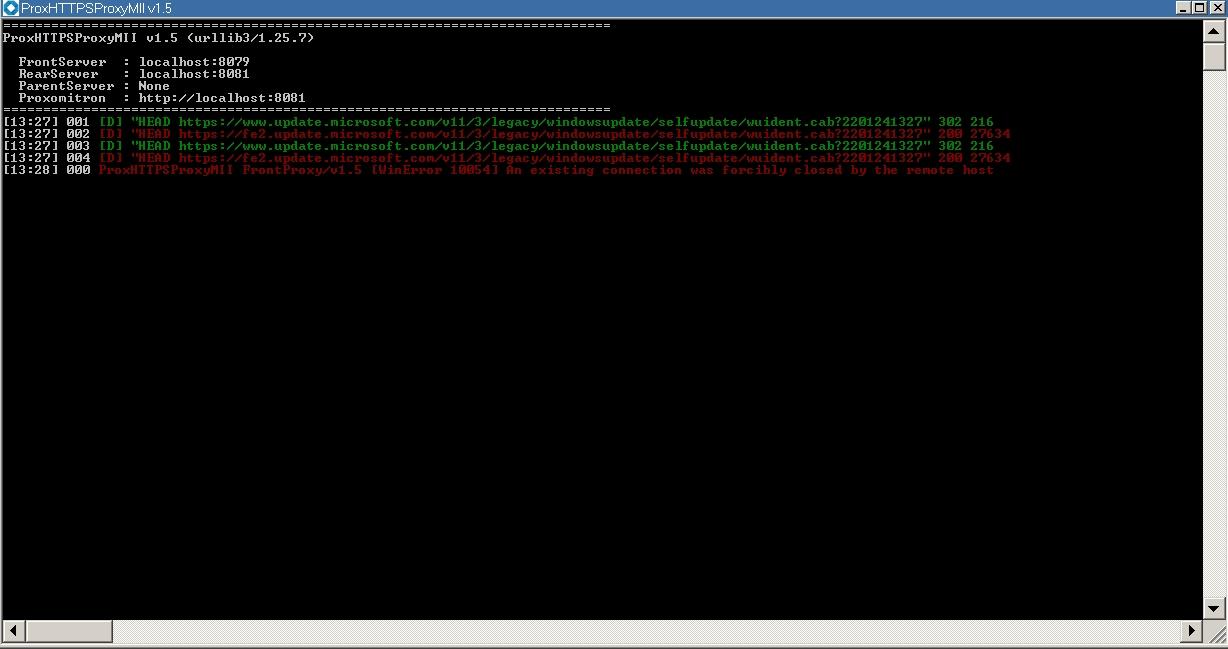
This is strange. It looks as if the connection to www.update.microsoft.com is OK (in green) but the connection to fe2.update.microsoft.com is failing (in red).
-
http://update.microsoft.com wasn't in my list, I've added it now but no difference. I really don't think it matters whether we do this with HTTPSProxy or ProxHTTPSProxyMII. They are extremely similar programs which do exactly the same thing, I can't believe that something would work with one of them and not with the other. There is no actual log file, I just copied and pasted from the console. I'm a bit apprehensive about setting my system clock to ten years in the past, if that's what you're suggesting. I'm worried it will upset other things.
-
Well I've restored ProxHTTPSProxy now, but I guess it's the same scenario. I don't think that it matters which of the two programs you use, they are extremely similar and the same problem exists in both of them for me. Entries in red in the console normally indicate errors I would have thought, both on HTTPSProxy and ProxHTTPSProxy. I've now found that if I use the older certificate on ProxHTTPSProxy (the one that expires in 2025), it doesn't work at all. I have to install the newer one that expires in 2031 to get it to work again. Yes, I did start it with a new empty "Certs" folder!
-
Yes, my HTTPSProxyCA.crt is now valid from 23/01/22 to 23/01/32. It doesn't work. I guess that HTTPSProxy and ProxHTTPSProxyMII have exactly the same issue then, and whichever one you use will have the same problem.
-
And the next attempt. [22:49] 000 "[SSL: UNKNOWN_PROTOCOL] unknown protocol (_ssl.c:600)" while trying to establish local SSL tunnel for [...................:80] [22:49] 131 [D] "HEAD https://www.update.microsoft.com/v11/3/legacy/windowsupdate/selfupdate/wuident.cab?2201232249" 302 216 [22:49] 132 [D] "HEAD https://fe2.update.microsoft.com/v11/3/legacy/windowsupdate/selfupdate/wuident.cab?2201232249" 200 27634 [22:49] 133 [D] "GET https://www.update.microsoft.com/v11/3/legacy/windowsupdate/selfupdate/wuident.cab?2201232249" 302 216 [22:49] 134 [D] "GET https://fe2.update.microsoft.com/v11/3/legacy/windowsupdate/selfupdate/wuident.cab?2201232249" 200 27634 [22:49] 135 [D] "HEAD https://www.update.microsoft.com/v11/3/legacy/windowsupdate/selfupdate/wuident.cab?2201232249" 302 216 [22:49] 136 [D] "HEAD https://fe2.update.microsoft.com/v11/3/legacy/windowsupdate/selfupdate/wuident.cab?2201232249" 200 27634 [22:50] 000 HTTPSProxy FrontProxy/v1.5.2 [WinError 10054] An existing connection was forcibly closed by the remote host
-
@AstroSkipper OK, I now have HTTPSProxy working, and I am using your confg.ini file. It does seem to be doing everything that ProxHTTPSProxy was doing. Unfortunately, there's no difference on Microsoft Update. I'm still getting "[0x80072F8F] Your computer's date and time appear to be out of sync with an update certificate." This is the output from HTTPSProxy. I don't know if it provides any clues. [22:43] 010 HTTPSProxy FrontProxy/v1.5.2 [WinError 10054] An existing connection was forcibly closed by the remote host [22:43] 013 HTTPSProxy FrontProxy/v1.5.2 [WinError 10054] An existing connection was forcibly closed by the remote host [22:43] 014 [D] "HEAD https://www.update.microsoft.com/v11/3/legacy/windowsupdate/selfupdate/wuident.cab?2201232243" 302 216 [22:43] 015 [D] "HEAD https://fe2.update.microsoft.com/v11/3/legacy/windowsupdate/selfupdate/wuident.cab?2201232243" 200 27634 [22:43] 016 [D] "HEAD https://www.update.microsoft.com/v11/3/legacy/windowsupdate/selfupdate/wuident.cab?2201232243" 302 216 [22:43] 017 [D] "HEAD https://fe2.update.microsoft.com/v11/3/legacy/windowsupdate/selfupdate/wuident.cab?2201232243" 200 27634 [22:44] 000 HTTPSProxy FrontProxy/v1.5.2 [WinError 10054] An existing connection was forcibly closed by the remote host
-
@AstroSkipper Which of the two versions of HTTPSProxy should I use? I assume one is later than the other as it says "Update", but why are there two versions there, is there a reason to use one over the other?
-
I can't imagine that would be any problem, but if in doubt you could always attach it to a PM.
-
The link to HTTPSProxy here is dead.
-
Are you sure it's not just hidden?