




Everything posted by Angel Blue01
-
I mean that if you use XPize to patch your i386 directory it'll automatically patch the billboards
-
XPize will automatically patch the billboards.
-
Set your color depth to 32-bit: Go to Display in Control Panel, or right-click the dsktop and choose Properties, and go to the Settings tab. It should read some number other than 32-bit color.
-
It means your Windows is not set to 32-bit color depth. Go to Display in Control Panel and go to the Settings tab. It should read some number other than 32-bit color. XPize needs to be 32-bit color in order to install.
-
I think its a great idea. Does it have an updater like XPize?
-
There are some pay products.
-
A program existed for changing the colors in a blue screen in Windows 9x by editing the win.ini file. Does not work in NT.
-
You patched the Explorer bar icons! Thanks! I wish I could install 4.2 on top of other versions...
-
I thought you could install 4.2 on top of other versions...
-
You may also be using a PNG as wallpaper or some other wallpaper bug.
-
Its your uxtheme.dll its corrupt, I had this happen on a system.
-
Why didn't they fix this in Vista?
-
Anti-Aliased Cursors 1.5 Shado yes Its more XP.
-
Slam, it looks like you lost your patched uxtheme.dll, needed to display styles other than XP, Royale, and Classic, and Royale.msstyles. Try uninstalling and reinstalling XPize
-
Did you fix the Explorer bar icons and error reporting animation?
-
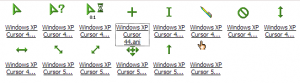
How about the green cursors from the Whistler beta? Here's the cursors I was reffering to. cursors.zip
-
You can set the default theme to be royale.theme in winnt.sif
-
It can't work, XPize can't patch 64-bit Windows.
-
Actually it can do the icons, it cant mod it.
-
Thanks for releasing 4.0 There are some icons that are unpatched: Favorites, Search, and History icons (screenshot) -Error reporting video -Ctrl+Alt+Del video in msgina.dll Thanks!

-
Thanks. Add that to the FAQ.
-
Quick question: Do I have to uninstall the previous version first?
-
Nice. Beta screenshots? But the Google ads are about sailing.
-
Yea! You fixed it! This is goign to look great!
-
The infs it referred to were not part of the IE6 package so i didn't know where to find them.

