Everything posted by ajaypitroda
-
nobody's perfect
-
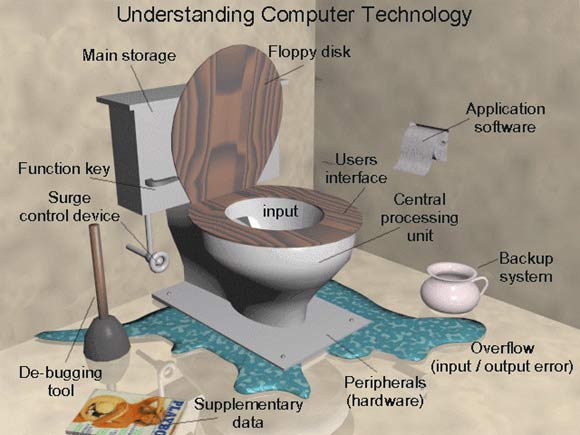
found this on google, any newbies want to learn computer terminology
-
go for XP pro SP2. i m running on cel333, 256MB, 440LX, nvidia 128ZX AGP, 10.2GB + 32GB, 32X CDROM.
-
XP rules, upgrade to xp
-
i used resource tuner for editing explorer.exe, i finally removed start button with microsoft logo. now i m satisfied XP user without the start menu. thought it does not show on the panel, but i can use the win key on keyboard.
-
i have screwed only one cd, that too bcoz i was using old version of nero that required registry hack for 'do not add .1 ISO file version'. unattended guide is really addictive. i have impressed a lot of friends with my personal cds.
-
hardware firewall is the best bet. i use a SMC barricade router/firewall, it has features similar to high end firewalls at less cost.
-
all guys reading this forum can do multiple jobs as office boys
-
i would like to have an account too, can anybody invite me.
-
building a PC is simple job, but if u miss the finer points like ESD then u r in for trouble.
-
resource 143 is for logo on start menu, i cant figure the rest
-
no, its not there in iexplore.exe, but i did find the logo in explorer.exe. its resource number is 143, 176, 178, 179 under bitmaps. they r bitmaps, not animated. anyway i will try changing them today.
-
hi pplz, i want to change the microsoft logo in ie 6 xpsp2. after searching google, i have figured the reg key for title [HKEY_CURRENT_USER\Software\Microsoft\Internet Explorer\Main] "Window Title"="My Explorer" but cant locate the microsoft logo. one more question, will the above key work for all users. thx in advance
-
looks interesting, could u do it for DAP 7.3
-
use cdshell.
-
.swf
-
for question no. 1, try nlite to reduce your XP source
-
the /s switch does not work with dap73.exe, however i have downloaded the switch finder program and working on it.
-
thx for help but how do i extract the files in DAP73.exe, downloaded from speedbit website.
-
newbie here. after reading many post & unattended guide for almost 2 weeks i finally got my unattended XP pro with applications done. Credit goes to authors of unattended guide, flyakite, ryan. but i still have prob with DAP 7.3 unattended install. I cannot figure out the switches for unattended install. can anybody help me here. thx for help in advance.