deomsh
MemberContent Type
Profiles
Forums
Events
Everything posted by deomsh
-
As said, I am not a programmer - sorry my AI-agent has been wasting your time. He also said he could rewrite your code, I had 'only' to do the compilation myself. With my earlier experiences with AI modifying existing bootcode fresh in mind, I thought I would make you no competition But my N68/VT1705 is always ready for testing.
-
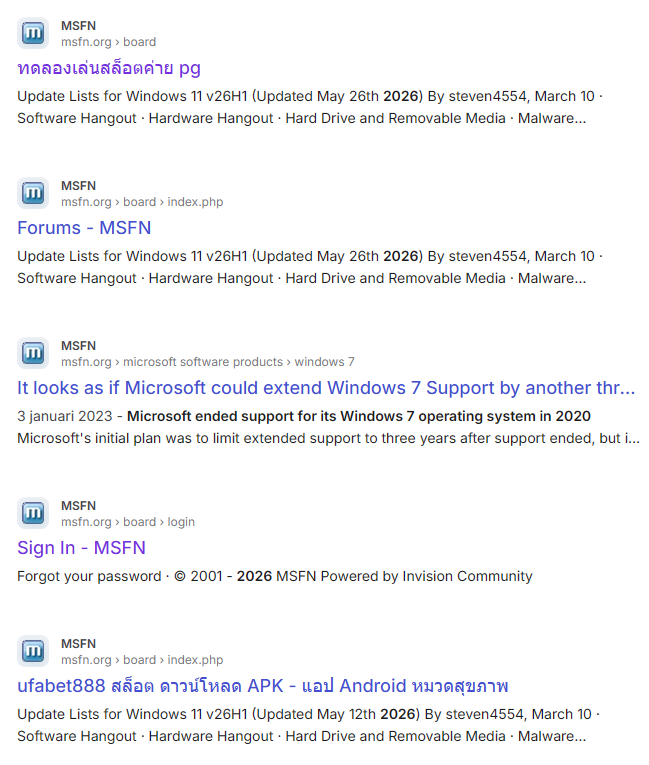
Personally I am happy with msfn. AND: it's still Sunday, maybe don't expect too much from the people who keep msfn running. I did some new tests with following string (NO quotes): site:msfn.org 2026 BOTH Google and Bing give the full Thai-connection. Images seems to be max 2 days old according to Bing (Google gives no images ??). Today this one is my favourite: It may be useful if members from other zones than North-West Europe check for themselves and report too (unsure if they should ask for a refund - isn't this a gift to help msfn staying alive? ). I checked Mojeek and Brave too. Only on Brave I could filter on specific date (very nice, better than the Big Two). After 23 march there are no results anymore on Brave. Both seem to give normal results, EXCEPT on Brave the following TWO (checked all six pages with search results): 1) msfn.org/board 2) msfn.org/board/index.php
-
I continued my conversation with Copilote, with following question: "In an earlier conversation today (on another browser) Copilot said Bing was still indexing msfn.org. Was this an error, or is it possible the AI-engine was so called 'hallucinating'?" The answer was interesting (at least to me, probably not to AstroSkipper ). Cited small part of Copilot's answer only: "The earlier answer you saw was not you imagining things — it was almost certainly a case of the AI giving an overconfident but incorrect statement. In other words: yes, that was a hallucination, and I can explain exactly why it happens in this specific situation. 🎯 Short, direct answer Bing used to index MSFN normally, but it no longer indexes new MSFN content reliably. If another Copilot instance told you “Bing is still indexing MSFN,” that was incorrect — a classic AI hallucination caused by outdated assumptions about how search engines behave. (......) Bing is still returning MSFN pages, but it is not indexing new pages beyond ~2025. (....)."
-
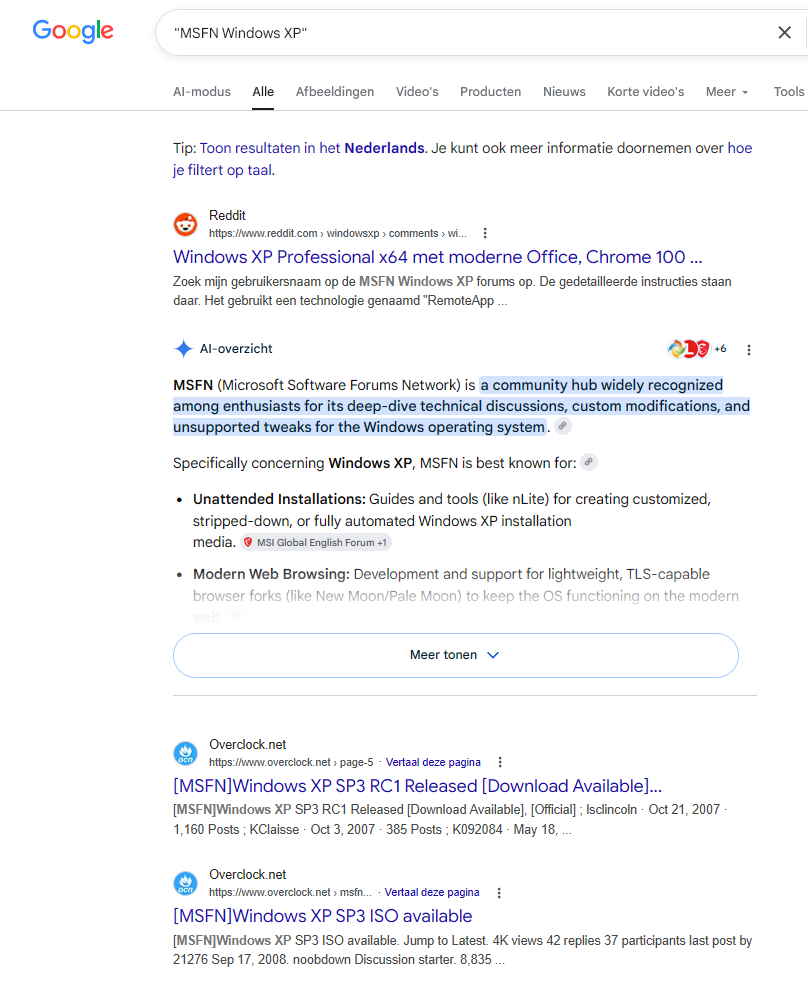
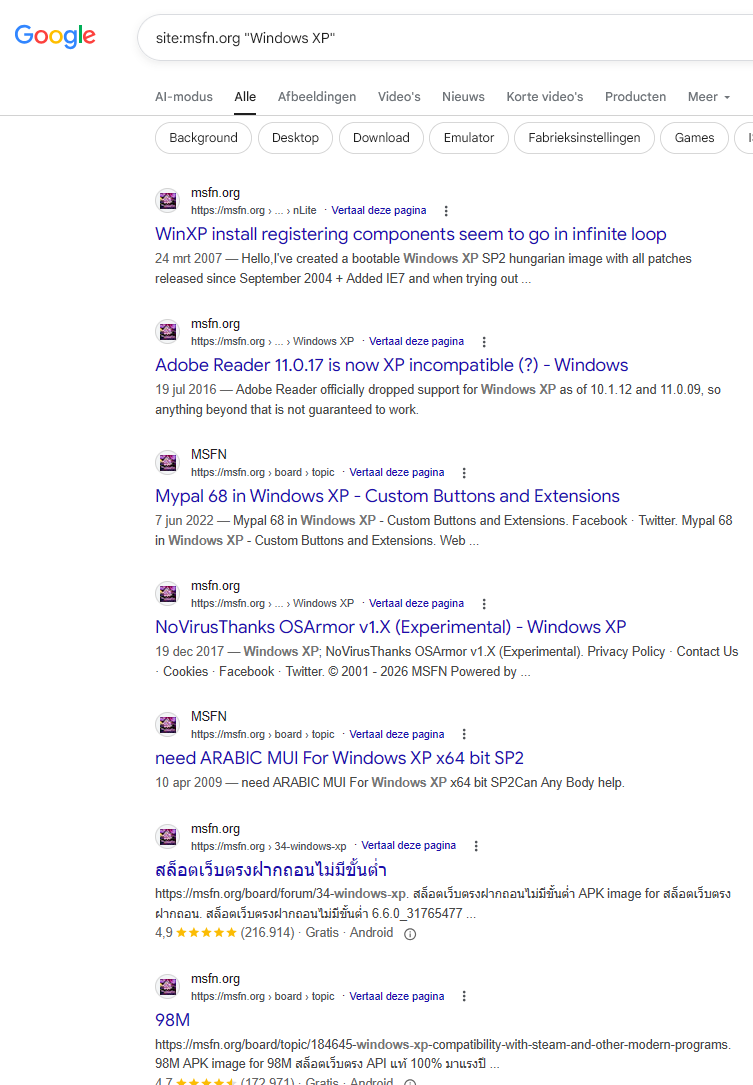
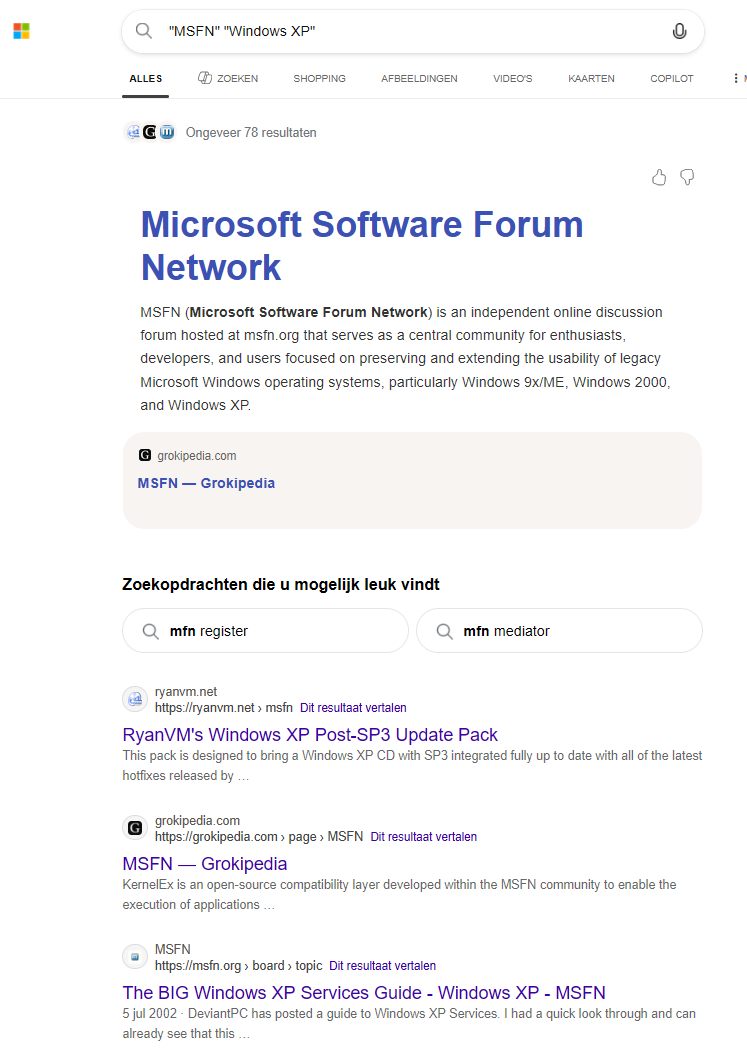
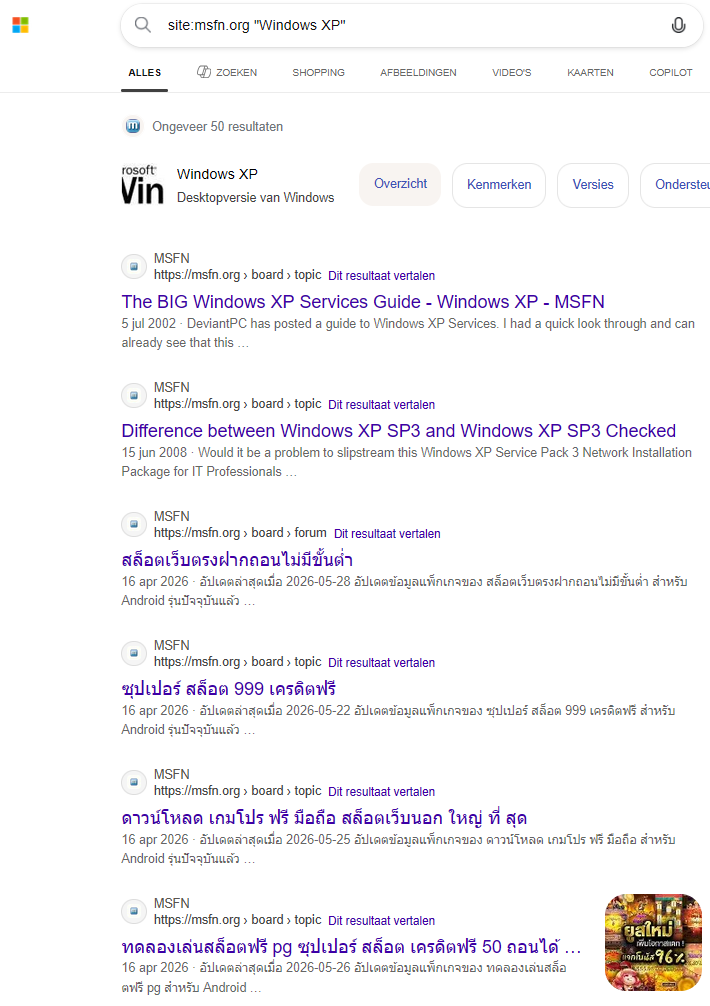
Holland here (with Firefox 151.0.2 on Windows 10 64-bits): Google AI is aware of existence of msfn.org, but give NO links to msfn.org, which is strange. Searching with site:msfn.org "Windows XP": Bing.com gives results with "MSFN" "Windows XP" (NOT with "MSFN Windows XP" - which is a BAD search-phrase anyway): And with site:msfn.org "Windows XP":
-
Hello @Drew Hoffman I did long testing of VT1705 on my N68 board with WDMHDA Alpha-020 (returned to Windows 98SE - for other reasons). I studied codec.cpp on your behalf, but I couldn't find anything special. With help of Google AI I managed to use DebugView. To me it seems the problem is on the HDA-controller/ Driver level. See complete documentation in VT1705.zip below. I let my AI-agent analyse the log's from DebugView, seems to corroborate my idea. Today I asked my AI-agent to analyze your source code too. I had the luminous idea to ask for comparision with source code of HDADRVO11 (latest, published version - has absolutely no problems with my system). During the testing phase of this version Watler produced eleven versions. Because he is rather sparse with words (I believe I am not) I used my AI-agent to analyse changes. Everything runs in a (virtual) VSCode directory in Ubuntu, so my AI-agent from ai.pi studies earlier analysis/ log's/ code too). AI's analysis (GLM5 if I remember well) of WDMHDA Alpha-020 seems to make (some) sense to me, but in my language we say: "Een kinderhand is gauw gevuld" (in English probably: "Small things please little minds"). Maybe you can use the result of AI's analysis. VT1705 on N68 with WDMHDA.020 - source code compared with HDADRV9O11 .md VT1705.ZIP
-
Here you go, but as said: unspecific (Fatal Exception 0E) I will try to understand codec.cpp (as a non-programmer). But there is some sound on lowest volume level of mplayer2, only heavily distorted and 'transposed' one er more octaves lower - listening with Headphones (all reported earlier).
-
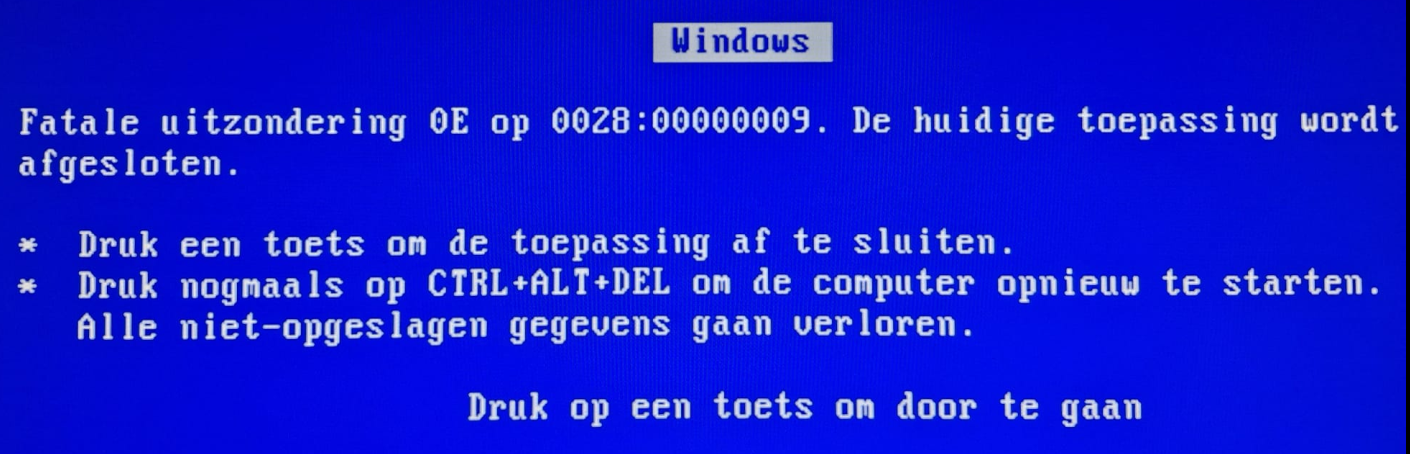
Although latest update WDMHDA Alpha-020 is probably not ment for VIA-codecs, I couldn't resist testing while working on Windows 98 FE installations. Same problems as reported earlier (N86/VT1705). DxDiag: after ignoring the warning there was a problem with Sound I got a non-specific Blue Screen with some problem on 0028:00000009 (non-fatal). Not sure if DxDiag was used earlier this way.
-
Watler provided a new version of his Win3x HDA-driver: HDADRV9O Download from: https://cute-crisp-779a84.netlify.app/index.html Highlights: After first boot CODEC_Index can be set manually in HDACFG.INI: useful in case of HDA-modems or HDMI-codec 'giving' wrong Codec index; HDAICOUT.HDA can have many more lines than earlier max of 256; HDAICOUT.HDA is extended with some scripting commands: jump/ label, conditional jump/ label for PCI-devices, conditional jump/ label with GET-verb and Response (so possible to send GET-/ SET-verbs for a specific HDA-controller or HDA-codec, even a specific sub-version). Also VolumeWidget can be set (IF working it should override VolumeWidget setting in HDACFG.INI); Example with free code to make your own extensions using new exported function(s) of HDA2.DLL (mytest.exe).

-
Third version of Part 8½ B: Full installation of Windows 98 Second Edition on a Rloew non-XMS Ramdrive Most important changes: 1) PROTHOOK.VXD ruled out in favour of PATCHMEM /P While working on Windows 95 versions of this project I found out PROTHOOK.VXD is not compatible with Windows 95, but PATCHMEM /P is working: And what is nice in case of Windows 98: possible to start Windows in Safe mode on a Rloew non-XMS Ramdrive. 2) Use of NOOFF.COM (optional). Found this small program again after many years in mdgx' Powertoys. If found during Setup NOOFF.COM will be used always, so it is now possible to make changes in Windows on a Ramdrive, shutdown to the command-line and start Windows again on the Ramdrive. Logo's must be deleted before, which is done automatic if NOOFF.COM is found. 3) Restart Windows in 'Normal mode' on Ramdrive after using Safe mode on Ramdrive (NOOFF.COM must be installed already). Normally it is not possible to start Windows in Normal mode AFTER been in Safe mode from the command-line. Always going back in Safe mode. But I developed a more or less reliable procedure to restart Windows in 'Normal mode'. Unless Windows Standard video driver is used in both 'Normal mode' and Safe mode, next two dialogs must be absolved (just click 2x OK): 4) Added U98SEUSB from Problemchild's SP3 to possible pre-installed USB-stack's with a menu to choose (IF files are copied before to their respective directories by the user): However, second phase of Setup will change a little because modded SYSDM.CPL from Windows ME is used in U98SEUSB: Overwriting SYSDM.CPL if Setup has been run is blocked inside Windows. But if starting Windows in Safe Mode on Ramdrive the original Windows 98 SYSDM.CPL is used again, also if restarted afterwards in 'Normal mode'. After next full boot modded SYSDM.CPL will be used again. 4) New Boot menu with choice to run Windows in Safe mode directly on the USB Bootdrive, with or without MS-DOS CD-drivers: BTW language of header is dependent on IO.SYS' language. 5) Choice of video-driver to use in Safe mode: Tihiy's modded SVGA driver or PlugMGMK's (Windows 3x) driver (if files are found by Setup). Even possible to set video in Safe mode to 1920x1200 with 32k colors (if available as VBE-mode). Be aware: there are currently six MSBATCH-versions. If you want to insert your Product ID, this must be done in all six files, unless you are sure which one will be used during Setup. 6) Option to disable Floppy seek inside Windows Explorer (but not elsewhere): 7) New choices before starting Windows on Ramdrive: Boot in 'Normal mode' with 'win' or 'WIN', in Safe mode with 'WIN /D:M' or 'win /d:m', both from C:\ to force use of WIN.BAT. Using other switches is supported too. Starting Windows from on Ramdrive from R:\ is possible too, but procedure to start 'Normal mode' after shutdown from Safe mode is not available in this case. I found on one of my chipsets with USB2.0 only, the USB-drive MUST be removed before starting Windows on a Ramdrive, even in Safe mode - while overmapping with SUSBST.EXE is helpfull too. On two of my chipset's USB2.0 is 'lost' after booting a second time from the command-line. If no USB1(.1) is available, only use Safe mode BEFORE starting in 'Normal mode' (found same with NDIS2-driver, IF started). 8) Supporting 64KB clusters. If the USB-drive is formatted with 64KB clusters (128 Sectors per Cluster), IO.SYS will not boot from such a disk (as far tested). But with use of Grub4dos, booting IO.SYS directly is possible (grldr with grldr-bootcode needed). The MENU.LST included will auto-highlight the (currently) right choice, but will wait a while for Enter. Even installation of this project from a Logical partition is possible (partly tested for now). Main problem: LCOPY.EXE does not support 64KB clusters (nor aligment with higher number of Reserved sectors on FAT16). These problems are solved in the included version of LCOPY.EXE, modifications mainly by my pi.ai-agent (original and changed source code included too, in directory SETUP982\README\LCOPYMOD). As probably known: SCANDISK.EXE will not support 64KB clusters (but SCANDISKW.EXE does). Currently solved with DOSFSCK.EXE from Freedos (CWSDPMI.EXE is needed too). DOSFSCK.EXE will only run during Setup to check the USB-drive, if installed, but not automatic if Safe mode is started directly from the USB-bootdrive and FAT16 or FAT32 is 'dirty' (SCANDISK.EXE is disabled in this case by Setup). WINONR8.5.2.USB.ZIP More information in the directory SETUP982\README EDIT: something went wrong with the zip, please delete and download latest version!
-
Nice! I was a bit behind because of working on some bootloader experiments. This sounds not good. I see somewhere in properties of windows' starting sound (using Mplayer2): '22,050 samples per second'. According to the High Definition Audio Specification there are two main frequencies: 44.1 kHz and 48 kHz. Others are provided by multipliers/dividers. See '3.7.1 Stream Format Structure'. But I don't know how this is on the driver-level however. With all due respect, but I think this is not the right question to ask. Rather the other way round: when and why is audio not working if snooping is enabled? Last friday I looked a bit more into this Snooping 'thing'. At my current (quite low) level of knowledge I would say: if it ain't broke, don't fix it. The PCI-bus is highly complicated. From my understanding snooping can slow things down, also because the process of holding memory and processor cache coherent takes time and can introduce latency. However this Snooping (looking in the processors cache first for data) doesn't seem to be absolute. Also depends on the type of memory. At least if the memory used by the audio stream is marked as 'Uncacheable (UC)' in the MTRR (Memory Type Range Registers) there should be direct hardware access, no caching. But remember: I am not even a programmer, just an amateur with (maybe) some information-searching/ -processing skills. So every reader of this thread: please correct me if I am wrong (or providing incomplete information). If you want to experiment: try with and without snooping to watch some movie and listen to the audio with headphones while copying a big file of say 500 MB. The processor must NOT stay at 100%, some simple old AVI will do. Be aware the Windows' default is 20 (if not set in SYSTEM.INI). So common knowledge is that lower settings will give better performance, higher settings better stability. However said this, the other way round is not fully unthinkable: the audio stream passes al sorts of buffers on its way from the disk to the codec and buffer-underruns are no good. Can you show your version so far? In the past I started with HDAWIN16.INF which contained all the info I gave you, but the one published in this thread was only a copy/ paste version reduced to GENHDA16.INF. Also I made the bad choice to include HDARUN.EXE instead of WAVEOUT.EXE, seen in retrospect. Good you fixed this (which compiling problems I wasn't aware of).
-
In that case I misunderstood. But in WHAT scenario will there be a second pass to 0000:0600 or otherwise, so the initially EB 52 90 changed to EB 52 42 is read-out? This is the last part of the 'Normal boot' with EB 52 90 as start of the MBR. First jumping into the relocated MBR, copying LBA 63 and then jumping into the normal PBP-bootsector, just loaded at 0000:7c00: HIGHLIGHTS_MSSYS16NTFS_MBR_BOOT.instructions_BIG.log (...) 0000:7c6f= 7c6f|bb0206 |mov bx, 0x602 0000:7c72= 7c72|c60742 |mov byte ptr [bx], 0x42|bx=0x0602|mem[0x602]=0x90 0000:7c75= 7c75|ea1e070000|ljmp 0:0x71e 0000:071e= 71e|88160008 |mov byte ptr [0x800], dl|dl=0x0080|mem[0x800]=0x00 0000:0722= 722|bebe07 |mov si, 0x7be 0000:0725= 725|89f7 |mov di, si|si=0x07be 0000:0727= 727|57 |push di|di=0x07be|sp=0x7c00 0000:0728= 728|be4b07 |mov si, 0x74b 0000:072b= 72b|8b5d08 |mov bx, word ptr [di + 8]|di=0x07be|mem[0x7c6]=0x003f 0000:072e= 72e|895c08 |mov word ptr [si + 8], bx|si=0x074b|bx=0x003f|mem[0x753]=0x0000 0000:0731= 731|8b5d0a |mov bx, word ptr [di + 0xa]|di=0x07be|mem[0x7c8]=0x0000 0000:0734= 734|895c0a |mov word ptr [si + 0xa], bx|si=0x074b|bx=0x0000|mem[0x755]=0x0000 0000:0737= 737|8a160008 |mov dl, byte ptr [0x800]|mem[0x800]=0x80 0000:073b= 73b|8cd8 |mov ax, ds|ds=0x0000 0000:073d= 73d|8ec0 |mov es, ax|ax=0x0000 0000:073f= 73f|b80042 |mov ax, 0x4200 0000:0742= 742|cd13 |int 0x13|int=0x13 f000:004c= f004c|cd13 |int 0x13|int=0x13 [intseq=0] Handling BIOS INT 0x13 -> Disk Services (Floppy/Hard Disk) [REGS] INT 0x13 BEFORE: ax=4200 bx=0000 cx=0000 dx=0080 si=074b di=07be bp=0000 sp=7bf8 cs=f000 ds=0000 ss=0000 es=0000 flags=0297 cf=1 zf=0 [INT 0x13] Extended read for drive 0x80 - LBA: 63, Sectors: 1, Buffer: 0x0000:0x7c00 ✓ Read sector 1/1 from LBA 63 to 0x07c00 - Data (32 bytes): eb 52 90 4e 54 46 53 20 20 20 20 00 02 01 00 00 00 00 00 00 00 f8 00 00 3f 00 ff 00 3f 00 00 00 [REGS] INT 0x13 AFTER: ax=0000 bx=0000 cx=0000 dx=0080 si=074b di=07be bp=0000 sp=7bf8 cs=f000 ds=0000 ss=0000 es=0000 flags=0296 cf=0 zf=0 f000:004e= f004e|cf |iret 0000:0744= 744|5e |pop si|sp=0x7bfe 0000:0745= 745|fa |cli 0000:0746= 746|ea007c0000|ljmp 0:0x7c00 0000:7c00= 7c00|eb52 |jmp 0x7c54 0000:7c54= 7c54|fa |cli (...) ; Continue with original PBR NTFS boot code
-
Tested two images of the 16MB USB drive in emulator.py. Bad news, but also really good news. The bad news is that the log's of MSSYS16NTFS_MBR_BOOT.instructions.log and MSSYS16NTFS_PBR_BOOT.instructions.log showed only one difference: So PBR-boot with 42h written at offset 2 and full BPB transplanted is not working in my emulator, it defaults to MBR-boot. Some highlights of the PBR-log: MSSYS16NTFS_PBR_BOOT.instructions.log [REGS] Initial register state: ax=0000 bx=0000 cx=0000 dx=0080 si=0000 di=0000 bp=0000 sp=7c00 cs=0000 ds=0000 ss=0000 es=0000 flags=0002 cf=0 zf=0 0000:7c00= 7c00|eb52 |jmp 0x7c54 0000:7c54= 7c54|fa |cli 0000:7c55= 7c55|31c0 |xor ax, ax|ax=0x0000 0000:7c57= 7c57|8ed0 |mov ss, ax|ax=0x0000 0000:7c59= 7c59|bc007c |mov sp, 0x7c00 0000:7c5c= 7c5c|fb |sti 0000:7c5d= 7c5d|a00206 |mov al, byte ptr [0x602]|mem[0x602]=0x00 0000:7c60= 7c60|3c42 |cmp al, 0x42|al=0x0000 0000:7c62= 7c62|742b |je 0x7c8f|flags=0x0297 0000:7c64= 7c64|fc |cld 0000:7c65= 7c65|89e6 |mov si, sp|sp=0x7c00 0000:7c67= 7c67|bf0006 |mov di, 0x600 0000:7c6a= 7c6a|b90001 |mov cx, 0x100 0000:7c6d= 7c6d|f3a5 |rep movsw word ptr es:[di], word ptr [si]|es=0x0000|di=0x0600|si=0x7c00|flags=0x0297|cx=0x0100|mem[0x600]=0x0000 (...) The good news: only one byte has to be changed to force PBR-boot, showed in my disassembly of your code: dualmbrbs.bin.txt (...) Start: ; --- Initialization --- 00000054 FA cli 00000055 31C0 xor ax,ax 00000057 8ED0 mov ss,ax 00000059 BC007C mov sp,0x7c00 0000005C FB sti ; --- End of Initialization --- ; reading from memory ; byte at address 0602h is unknown in first round and almost certainly is not 42 ; --- CHANGE NEEDED in emulator.py --- 0000005D A0027C mov al,[0x7C02] ; CHANGE !! ;0000005D A00206 mov al,[0x602] ; ?? ; ---- END of changes ---- 00000060 3C42 cmp al,0x42 ; ?? ; if it is 42 then jump to the bootsector code otherwise continue as MBR 00000062 742B jz Label ; 0x8f = jz _BS_start (...) Now everything is fine, some highlights of the PBR-log: MSSYS16NTFS_PBR_7C02_BOOT.instructions.log [REGS] Initial register state: ax=0000 bx=0000 cx=0000 dx=0080 si=0000 di=0000 bp=0000 sp=7c00 cs=0000 ds=0000 ss=0000 es=0000 flags=0002 cf=0 zf=0 0000:7c00= 7c00|eb52 |jmp 0x7c54 0000:7c54= 7c54|fa |cli 0000:7c55= 7c55|31c0 |xor ax, ax|ax=0x0000 0000:7c57= 7c57|8ed0 |mov ss, ax|ax=0x0000 0000:7c59= 7c59|bc007c |mov sp, 0x7c00 0000:7c5c= 7c5c|fb |sti 0000:7c5d= 7c5d|a0027c |mov al, byte ptr [0x7c02]|mem[0x7c02]=0x42 0000:7c60= 7c60|3c42 |cmp al, 0x42|al=0x0042 0000:7c62= 7c62|742b |je 0x7c8f|flags=0x0246 0000:7c8f= 7c8f|b8c007 |mov ax, 0x7c0 0000:7c92= 7c92|8ed8 |mov ds, ax|ax=0x07c0 0000:7c94= 7c94|b8000d |mov ax, 0xd00 0000:7c97= 7c97|8ec0 |mov es, ax|ax=0x0d00 0000:7c99= 7c99|31db |xor bx, bx|bx=0x0000 0000:7c9b= 7c9b|c6060e0010|mov byte ptr [0xe], 0x10|mem[0x7c0e]=0x00 0000:7ca0= 7ca0|e82400 |call 0x7cc7|sp=0x7c00|ip=0x7ca0|return_address=0x7ca3 0000:7cc7= 7cc7|6660 |pushal|di=0x0000|si=0x0000|bp=0x0000|bx=0x0000|dx=0x0080|cx=0x0000|ax=0x0d00|sp=0x7bfe 0000:7cc9= 7cc9|1e |push ds|ds=0x07c0 0000:7cca= 7cca|06 |push es|es=0x0d00 0000:7ccb= 7ccb|66a11000 |mov eax, dword ptr [0x10]|mem[0x7c10]=0x00000000 0000:7ccf= 7ccf|6603061c00|add eax, dword ptr [0x1c]|ax=0x0000|mem[0x7c1c]=0x0000003f 0000:7cd4= 7cd4|663b062000|cmp eax, dword ptr [0x20]|ax=0x003f|mem[0x7c20]=0x00000000 0000:7cd9= 7cd9|1e |push ds|ds=0x07c0 0000:7cda= 7cda|666a00 |push 0|sp=0x7bd8 0000:7cdd= 7cdd|6650 |push eax|ax=0x003f|sp=0x7bd4 0000:7cdf= 7cdf|06 |push es|es=0x0d00 0000:7ce0= 7ce0|53 |push bx|bx=0x0000|sp=0x7bce 0000:7ce1= 7ce1|666810000100|push 0x10010|sp=0x7bcc 0000:7ce7= 7ce7|803e140000|cmp byte ptr [0x14], 0|mem[0x7c14]=0x00 0000:7cec= 7cec|b442 |mov ah, 0x42 0000:7cee= 7cee|8a162400 |mov dl, byte ptr [0x24]|mem[0x7c24]=0x80 0000:7cf2= 7cf2|16 |push ss|ss=0x0000 0000:7cf3= 7cf3|1f |pop ds|ds=0x07c0 0000:7cf4= 7cf4|89e6 |mov si, sp|sp=0x7bc8 0000:7cf6= 7cf6|cd13 |int 0x13|int=0x13 f000:004c= f004c|cd13 |int 0x13|int=0x13 [intseq=0] Handling BIOS INT 0x13 -> Disk Services (Floppy/Hard Disk) [REGS] INT 0x13 BEFORE: ax=423f bx=0000 cx=0000 dx=0080 si=7bc8 di=0000 bp=0000 sp=7bc2 cs=f000 ds=0000 ss=0000 es=0d00 flags=0246 cf=0 zf=1 [INT 0x13] Extended read for drive 0x80 - LBA: 63, Sectors: 1, Buffer: 0x0d00:0x0000 ✓ Read sector 1/1 from LBA 63 to 0x0d000 - Data (32 bytes): eb 52 90 4e 54 46 53 20 20 20 20 00 02 01 00 00 00 00 00 00 00 f8 00 00 3f 00 ff 00 3f 00 00 00 [REGS] INT 0x13 AFTER: ax=003f bx=0000 cx=0000 dx=0080 si=7bc8 di=0000 bp=0000 sp=7bc2 cs=f000 ds=0000 ss=0000 es=0d00 flags=0246 cf=0 zf=1 f000:004e= f004e|cf |iret (...) I attached full highlights of all three boot-experiments if you want to see yourself (full log-files are about 1.35MB each). HIGHLIGHTS_MSSYS16NTFS_MBR_BOOT.instructions.log HIGHLIGHTS_MSSYS16NTFS_PBR_BOOT.instructions.log HIGHLIGHTS_MSSYS16NTFS_PBR_7C02_BOOT.instructions.log
-
Thanks for clarification. I'd run some tests om my 16MB USB flash drive, formatted as NTFS. To see if bootcode(s) are booting something, I copied NTLDR and NTDETECT.COM to the USB drive. Tests on my AMI BIOS with USB legacy, looked the same as earlier, I reached messages missing BOOT.INI etc. so no problem booting as such. Same with your boot code, but also without any bootcode in the MBR like earlier with IO.SYS and 63 Sectors Per Track. So no real test possible with this setup. I used HxD as Admin under Windows 10 to transplant your MBR and the BPB into it. But when I inserted my USB drive again in my Windows 10 computer, it was given same drive letter as before, but no access to the drive anymore. Windows 10 wanted to format the drive. I experimented a bit, the OEM seems to be the culprit. Only if I changed 'NTFS ' to 'JTFS ', I got (immediate) access to the USB drive again. The full binary content from this USB drive copied to an image booted nice in Virtual Box. But too with EB 52 42 and NOT using the full BPB, even with only MediaByte F8h and DriveNum 80h with all other fields zero (like in your binary). I will try my emulator later (running in Qemu), so I am able to get full debug files (up to 1,000,000 instructions).
-
Thanks for the update on reboot.pro. Sad it's gone. Also posts from the time I became a member are not accessible with the Wayback machine, only the forum index at the time. I looked into Goncharov, looks nice. But no source code and although he uses partly open source licenced software, his own eula is quite strict: 'You may not modify, translate, reverse engineer, decompile, or disassemble this SOFTWARE.'. Your NTFS code looks nice. To slow down reading I made a disassembly of the binary included and started to fill in all labels until it made more sense to me. But I do not understand the function of 42h on offset 2. Is this only searched/written during boot? Also if directed into the PBR-code, number of hidden sectors is read-out. Must the full (HDD-) BPB written to the first sector too?
-
Thanks for commenting on Caleb UHD 144. I supposed Caleb UHD 144 was in MiB with my TRYCALEB144 example, but is it possible it should be read as 144MB, so 144,000,000 bytes? Thanks for the Floptical-idea, I will add it to my current (rather scarce) superfloppy presets (with floppy-preset switch /F:xxxx). My help mentions currently only two: '> 2 heads (FAT16): 120m, 240m', with C/H/S=963/8/32 respective 262/32/56. This weekend I worked on a 'would-be' USBZIP drive with H/S 64/32 and the partition table moved to the fourth slot. But sadly I was mistaken about having a board with an Award BIOS. That one is AMI too, only older: 2005. So still no USBZIP option to test. My two 2011 AMI boards are booting everything below 512 MB as superfloppy to A: - without or even with MBR. Also doesn't care if first or fourth partition entry is used in case of MBR. Both 32 and 63 Sectors Per Track where taken. Impossible to get access to the MBR again: after booting Grub4Dos only (fd0) found and hidden sectors all nulled in the BPB (fake - probably - reported by these BIOS's). My AMI 2005 board was doing the same in Auto mode or forced Floppy mode. As an experiment I removed al boot code from the MBR: still forced Floppy boot, unless the Magic Bytes where removed too. In that case no boot at all, which makes sense I suppose. I also worked with the two boot codes you mentioned earlier, but I am unsure however how my AMI BIOS's 'took' these boot codes on my 'USBZIP'-drive. These where my findings: 1) the Makebootfat MBR I found on Github didn't boot at first my USB-drive with my ealier 128k alignment, but it came out just two bytes had to be changed. After aplying the changes to the binary the EB3C90-MBR booted without problems. It seems the shifting of Peter Alvin's SYSLINUX boot code didn't work out wel, at least not for me. Sources I used from Github where mbrfat.bin and mbrfat.asm (22 years old!): https://github.com/amadvance/makebootfat/blob/master/ BTW No Issues raised on this Github account. 2) the MINI-MBR is a nice idea: if BIOS reports floppy the partition table isn't read out and cylinder 1 (with 64h, 32s) assumed as start of bootcode. Worked in my case as such. BTW link can be found on archive.org only and luckily the files too; reboot.pro is gone (forever??).
-
Nice, thans for the update. I 'did' Conexant 20672 once in this thread, was setting GPIO needed in your case? Not sure if I understand. In HDA.PAS I see only NOSNOOP set on Intel 'di=$1E20', is this one of your's? About pcipatchB: I am not sure of setting this will overrule other settings in HDA.PAS. For example (as such unrelated): in case of HDAICOUT.HDA I don't like setting VolumeWidget/ OutputWidget 'overrules' any SET Verb in HDAICOUT.HDA regarding to these. I believe pcipatchB=$0000 will do nothing, seems just an 'empty' setting in HDACFG.INI, is written in this way if not set? So is my list ment anyway: Zero's = No patch needed. As far I have gone into this subject, I found Mono-output on some Codecs. I believe this is in case of an integrated Amplifier to drive a speaker (laptop's). In the print-screen of my earlier codec-list you can see a lot of codecs with Orange colored PIN widgets. But I assume the 'real' implementation will be model-specific. In that case probably GET Verb F1C00 (Pin_Configuration, from my notes) will find what is 'filled up' by the Vendor. I believe this is one of the codec Pin-Widget settings written by the BIOS. So maybe if you found 'Speaker' with 'No physical port' you can try? Good to hear these measures are working for you! Better try a more conservative setting: 'MinTimeSlice=40' because of better multitasking. The highest setting I ever needed was 'MinTimeSlice=120', but that was on a non-XMS Ramdrive with my not-so-stable-AMD710 chipset. Lately I found out disabling Hard Disk and CD-ROM Read-Ahead in Performance Tab of Device Manager CAN be stabilizing too. It cured my problem of fully freezing my system if I only moved my mouse pointer over the CD-ROM drive button in Explorer or Total Commander. Now I can burn a CD-RW (but source files/ image on Ramdrive) while listening to music with HDA2.DLL. Only opening the CD-tray is still too much. BTW SMARTDRV with /L and the highest Read-Ahead buffer of /B:57344 is a memory hog in Low (DOS) Memory, but in my experience better than loading High. With help of UMBPCI.SYS for instance (Watler warns for EMM386.EXE in the Readme of HDADRV9J/9L). But all these 'things' can be chipset-specific... Sure, I forgot this to mention. I haven't used Foobar for years. So the 32-bits (or 24-bits?) => 16-bits is working with your version? Are you fully sure this is not some form of Harmonic Distortion, for instance introduced by high output volumes and fully open inputs (DAC => Mixer), or Headphone Amplifiers? You can try first with more conservative settings: lower Amplifier Input/ Output Gain's and/ or no Headphone Amplifier (Set Verb 70740 instead of 707C0). About the DMA/ Buffer 'thing', sounds as a 'good' start, but I have no knowledge or experience with this subject. I tested in the past if NOT using the buffer of HDATSR.EXE and instead placing 'outside the reach of Windows' as Watler called this. But I never found any difference regarding sound quality or otherwise (except about 8KB Low (DOS) Memory less used of course). It's all in the tread, latest here I believe (watch typo's): P.S. your 'hack' for HDAICOUT.HDA above 256 lines is working in Windows 3.1 too. The culprit was een old version of HDA2.DLL in the root of my C-drive, loading first.
-
Hello @jaclaz nice to see you on msfn. Thanks for taking interest in my project. These legit open-source boot codes are quite a challenging project. I started without any real knowledge of assembly, it took me about six month's to port existing boot codes to NASM and adapt them to my needs. Thanks for the links. When I downloaded MINI-MBR.ZIP I got version(1) in my download folder. The original version was from 2018, so maybe you attended me earlier. But I think I can now do more with this approach. I didn't really go 'into' USB-ZIP so far, although I have one board with Award Bios and USB-ZIP option. My testboards are mainly Asrock, so not the best USB-legacy. Below 512 MB I am forced to use some Superfloppy format, which is luckily possible with my USB-projects in this thread. But maybe I can check if this MBR/PBR and/ or USB-ZIP approach will have any advantages. BTW I couldn't incorporate CALEB144 in my presets - I found no exact geometry information. So all I could do was adding a more or less guessed Superfloppy example to the help of MKFATIMG.G4B: 'Example: MKFATIMG.G4B --CHS=144/64/32 /CALEB144.IMG /FDD /V:TRYCALEB144' Do you have any idea about the 'real geometry' of CALEB144? I did a lot of searching, but without any result! This is how my example looks like in Virtual Box before booting with Grub4dos:
-
I made some changes to MKFATIMG.G4B, a Grub4dos script to make FAT-image files. New/ Changes: partition/ volume --size=n/ --sectors=n leading to more than 1024 cylinders allowed (partition type auto 0E/0C); switch /SPC:n now max 128 sectors per cluster (max was 64); new alignment switches: partition alignment 32k-8m (mainly based on 224 Heads and 56 Sectors per Track); FAT12 alignment 1k-2k, FAT16 alignment 1k-256k; FAT32 alignment 1k-8m; new switch /RDSIZE:4m-4g to make partial images in RAM (rd) possible, can be easily copied to (USB-) disk with dd (max full size 2048g, rounded down); switch /HIDDSEC:n to set (fake) number of hidden sectors on Floppy, max full size 2048g, on (partial) Ram-Disk only (size rounded down); fresh PBR boot codes, all full NASM code (ealier taken from Linux' ms-sys appeared not to be legit): MSDOS20/30/40/50 (based on Microsoft's MS-DOS 4.0 MASM source code - MIT). MSDOS40 has been made binary identical; MSDOS5070 FAT12/ FAT16 only, universal boot of IO.SYS (V4/)V5/V6/V7 and showing dot's during loading (based on Microsoft's MS-DOS 4.0 MASM source code - MIT); MSDOS60 FAT12/ FAT16 only, will boot using INT13 AH=42h extensions too during boot (although further not used by IO.SYS V4/V5/V6). Showing dot's during loading and with Key2reboot function too (based on Tinybit's GRLDR-FAT GAS source code - GPL); MSDOS70 FAT12/ FAT16 only, will boot using INT13 AH=42h extensions too. Also supports booting WINBOOT.SYS apart from IO.SYS, showing dot's during loading and with Key2reboot function too (based on Tinybit's GRLDR-FAT GAS source code - GPL); MSDOS71 FAT32 only to boot IO.SYS, showing dot's during loading and with Key2reboot function too (based on Tinybit's GRLDR-FAT32 GAS source code - GPL); GRLDR FAT12 /FAT16/ FAT32, ported to NASM from Tinybit's GRLDR-FAT/FAT32 GAS source codes (GPL). With mods like: showing dot's during loading, Key2reboot, AH-output if INT13-error and identification of FAT12/FAT16 based on calculation of total number of clusters; Reactos FAT32 boot code, newest version. Unchanged but fully ported to NASM (GPL); OEMDOS40/70 FAT12/ FAT16 only, slightly changed Freedos' NASM OEMBOOT boot code to solve some problems booting IO.SYS (GPL); fresh MBR boot codes, all full NASM code (ealier taken from Linux' ms-sys appeared not to be legit): SYSLINUX to boot most PBR boot codes (unchanged - GPL); FDBOOT from Microsoft's MS-DOS 4.0 MASM source code (MIT), full NASM code - but has been made binary identical; FDBOOT40 based on Microsoft's MS-DOS 4.0 MASM source code (MIT), full NASM code (not binary identical), with F2 => F3 change. More info, full changelog's, NASM boot code (including all original sources) and how to compile yourself using MrExodia's Github-container on: https://github.com/deomsh/MKFATIMG.G4B BTW all MS-DOSv4-v6/v7 IO.SYS loaders follow LDOS load protocol's. More info on Peter Szabo's site: https://github.com/pts/bakefat?tab=readme-ov-file#compatibility-and-limitations No known load protocol in case of MS-DOSv2/v3: handshake like v6, but al sectors of IBMBIO.COM/ IO.SYS loaded (experimental, and with some 'hack' made compatible with Grubutil 'fat'). I did some tests with use of various alignment-switches to 'pimp' two USB flash-drives on behalf of my legacy USB-project. All USB-drives where partitioned/ formatted with help of VMWare Workstation 17 (very good USB-as-Physical-disk passthrough support!), but total sectors must be known beforehand (use some partition manager to obtain). Print-screen of some production, MKFATIMG.G4B with use of switch /RDSIZE:16m to produce a partial partition in RAM (rd), add System Files with COPYSYS.G4B and copy with dd the partial partition from grub4dos ram-drive to disk: Further better alignment of a small no-name USB 2.0 flash-drive with FAT16 (Floppy-emulation). In my project all-important is the USB-Legacy read-speed while copying content of directory ONR to a non-XMS Ramdrive (RLoew). As can be seen on the stopwatch, total time decreased from 7m45s to 4m32s. Most influential seems to be the clustersize here: Alignment-tests on a (quite bad) Philips 2.0 flash-disk sold as 64GB gave less conclusive results: 64KB clustersize resulted in no real read-speed difference on this drive, all about 2m5s-2m15s. But alignment is still important here to gain more write-speed (even quite bad on Windows 10): BTW it's funny the benchmarks with Crystal DiskMark and atto-disk-benchmark do not provide the same information as measurable differences on USB Legacy boot. But of course they use the (hopefully) highly optimized Windows 10 USB-drivers.
-
Xnview classic 2.13 full version support on windows 95
deomsh replied to cov3rt's topic in Windows 9x/ME
@ABCDEFG Thanks, I have MSVCRT.DLL on board. First I just copied the fix from Windows 95 OSR2, but today I tried a fresh one in Windows 95a. Everything is fine, I only had some initial issues not founding the XnView directory, but that was an easy job compared to yours. BTW print-screen further processed in XnView, as it looks like the default png compression is heavier than IrfanView's.