jaclaz
Content Type
Profiles
Forums
Events
Everything posted by jaclaz
-

How to install Windows from USB- WinSetupFromUSB with GUI
jaclaz replied to ilko_t's topic in Install Windows from USB
Well, then just take care when you use MBR/partition table/partitioning/formatting related tools . Just in case of need (only seemingly unrelated): http://www.911cd.net/forums//index.php?showtopic=24392 Good , then it is solved. jaclaz -
How to install Windows from USB- WinSetupFromUSB with GUI
jaclaz replied to ilko_t's topic in Install Windows from USB
Maybe, but still that screenshot sounds more like a timing problem. Some External USB's and particularly WD "Green" drives have been reported to be "slow" at booting. The traditional solution (for 3.5" disks) was to power the disk before the computer, for 2.5" disks to use an external power supply and power the disk before the computer and/or do a warm boot, or enter BIOS and add boot time RAM check, anything that could provide a few seconds of "advantage", but usually that timing problem made the external disk not bootable, not "unavailable" after the setup has started . However, JFYI and as side note as it is not related to the issue at hand, you may want to correct the partition table on that disk, a number of softwares may NOT "like" partition entries in an order different from what is on disk. jaclaz -
Well, you could sue Hiren for providing some WAREZ that didn't work (or maybe - besides the use of a Warez release - you additionally used an improper procedure/method ). Drive Image? You maybe mean DriveImage XML? Or R-Drive Image? However you must have somehow omitted to report at lest one step (changing the Disk Signature) otherwise you might have been (and maybe possibly still) using a "mixed-mode" setup, where your "system drive" (partition on second disk) gets D:\ drive letter BUT you are using *anything* that is "hardcoded" in Registry and all over the machine to C:\ from the C:\ drive, i.e. the partition on first disk. jaclaz
-
JFYI: http://www.forensicfocus.com/Forums/viewtopic/p=6562822/#6562822 The good guys @Tom's hardware made a nice spider graph: http://www.tomshardware.com/reviews/momentus-xt-750gb-review,3223-7.html BUT if you want "real" speed, you must pay for it, get a PCI-Express SSD drive! jaclaz
-
How to install Windows from USB- WinSetupFromUSB with GUI
jaclaz replied to ilko_t's topic in Install Windows from USB
I know , that's why it "tagged" the report as "unusual", I have never seen a "flat" asking for cd/dvd, I thought that beta 8 already was "fixed", my bad. With all due respect , you could change the description of WinSetupFromUSB_1-0-beta9_rc4.7z to "Experimental", instead of "Deprecated", that of WinSetupFromUSB 1.0 Beta8 from "nothing" to "Current", and post a link to: http://code.google.com/p/winsetupfromusb/downloads/list?can=1&q=&colspec=Filename+Summary+Uploaded+ReleaseDate+Size+DownloadCount jaclaz -
How to install Windows from USB- WinSetupFromUSB with GUI
jaclaz replied to ilko_t's topic in Install Windows from USB
Try again this time using latest Beta, 1.0 beta8. This is a known issue when the 7 is used as ".iso", but from what you write you are using a "flat" setup : jaclaz -
They are (supposedly) "smart" drives. They learn by experience . The most used/needed files will little by little become resident on the SSD part (actually a copy of them). See: http://www.mydefrag.com/forum/index.php?topic=3958.0 Dual boot is "pure folly" on these disk drives (the disk will need some time to re-learn usage, and as soon as it does, you will allready be booting the "other" OS and the poor little controller needs to start again from square #1 ). The SSD parts works exclusively as a cache, basically the most used files (that ANYWAY reside on hard disk) are copied to the SSD and when a file is required by the OS, there is a sort of look-up table and if a copy of the file is found on the SSD that file is "served" instead of the one on HD. You have NO control whatsoever on what happens inside the thingy. (this is what "transparent" means, "completely obfuscated" ) jaclaz
-
Any hope of getting Windows 2000 running on my PC?
jaclaz replied to Brahnix's topic in Windows 2000/2003/NT4
Hey, guys, with all due respect those nice packages are completely UNlike the answer to the question if it is ONLY "How to add LBA 48-bit support to 2k?". The source needs to be at least slipstreamed to SP3 (better to SP4). http://support.microsoft.com/kb/305098/en-us Then you need to edit setupreg.hiv to add the EnableBigLBA: page__st__17 jaclaz -
Yes "my" 200 take care of the ones just dropped on the hd (without needing install). What I wanted to say is that given a n number of applications on one's hard disk, that in the case of a long time PC user are/were selected out of (say) n*10 tested apps (over several years) what you actually "use commonly" is 0,20*n and those that you actually couldn't do without (i.e. whose functions/features are NOT replaceable through another similar app that you already have on the disk) are maybe 0,10*n. So, 1,000,000 US$ / 100 would in theory produce 10,000 apps. This makes no sense. After having examined the apps, they would result (in a perfect world) at the most in 1,000 "original" apps and 9,000 clones/copies/same, whilst most probably in the real world (and being optimistic) they would more likely be 500 "original" and 9,500 (bad) copies or unneeded duplicates. I would say even less than that as, objectively, there are quite a few things that you (or the average tablet user) won't do on it. jaclaz
-
Linked to in the article on PC World (but with a broken link): http://getwired.com/2012/10/02/windows-store-charmed-im-sure/ Seemingly the EXACT OPPOSITE of what is happening (and that the "new provision" may contribute to create). Anyone willing to count (on his/her own "real" PC) HOW MANY (roughly): programs are installed programs are actually used (daily or often enough) programs you couldn't live without Mine: more than 200 35, maybe 40 10 to 15, maybe 20 jaclaz
-
Yep , that was by design jaclaz
-
My bad , I should have said "reset" TCP/IP: http://support.microsoft.com/default.aspx?scid=kb;en-us;299357 BUT , let me doubt the 15 years , on NT and 2K you could actually uninstall it allright: http://www.ni.com/support/vxi/network/nt_tcp.htm http://support.microsoft.com/kb/285034/en-us The mentioned tool simply saves some settings to a file and then is able to restore them, it couldn't care less about the subnet on which the IP's are, but it represents only a possible way to save some re-typing of the settings. jaclaz
-
Sure but you see, even knowing how much mindless might be the good MS guys and particularly the MS Office ones, logically IF they would insert a DRM (or copy protection) check that would make the single apps not work and not the shortcuts to them (I mean, come on , even if sometimes they do things that only complete morons would do , they are actually intelligent and capable programmers )... My post was however intended more as a "let's examine facts before making hypothesis of what caused them to happen" kind of suggestion. If you prefer : jaclaz
-
Just for the record and to (hopefully) contribute to making the terms more clear, the terms "hosed" or "botched" like in "botched Registry" or "botched filesystem" or "botched shortcuts" do not imply in any way any connection of any kind to DRM (and to any kind of DRM). More simply *something* is currently "hosed" or "botched", you choose: Registry filesystem shortcuts First you find WHICH is the culprit, and then you try to understand WHAT "botched" it (and NO, IMNSHO most probably it wasn't any kind of DRM). jaclaz
-
It would be logical to uninstall the TCP/IP stack and BOTH nic's and reinstall/reconfigure the whole lot. A tool like this (example): http://www.eusing.com/ipswitch/free_ip_switcher.htm might be of use, however (to save and re-apply settings). jaclaz
-
The basic docs/commands are mentioned in the "BIG" thread about the 7200.11. How much that info is 7200.11 specific and/or to which "series" of hard disks do apply is unknown. Some direct links to (hopefully) relevant posts: jaclaz
-
Well, just like the member right above you, you are failing to provide any meaningful detail to try and help you, if it is a "generic" rant is OK , if you need assistance do provide a DETAILED, EXHAUSTIVE, ACCURATE descripotion of what you have, what you did, what happened, standard litany: http://homepage.ntlworld.com./jonathan.deboynepollard/FGA/problem-report-standard-litany.html jaclaz
-
Just in case , the FGA for this thread is here : jaclaz
-
No, I presume that it works (worked) only on NON-ACPI machines (please read as AT power supply vs. ATX ones) just like the corresponding (say) XP one, which I never recall seeing until I got on this: http://reboot.pro/topic/3717-xpsp1-with-full-commandline-and-ntfs-below-10-mb/ http://reboot.pro/topic/3717-xpsp1-with-full-commandline-and-ntfs-below-10-mb/?p=27253 jaclaz
-
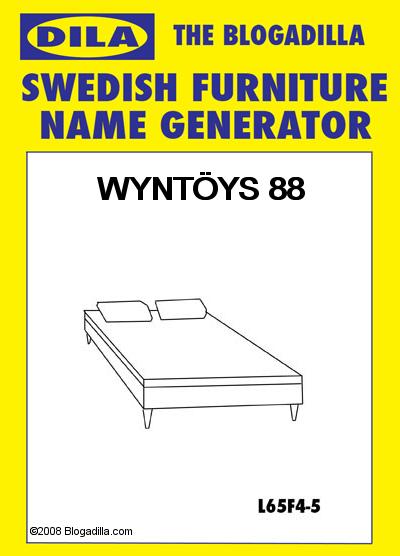
To be fair, not ONLY car makers had these kind of hiccups: http://www.businessnewsdaily.com/2340-lost-translation-7-international-marketing-mishaps.html Ikea has traditionally being one of the best at it, probably due to the Swedish being so "different" , but sure while not everyone might know Thai: http://www.businessinsider.com/ikeas-product-names-were-almost-a-disaster-in-thailand-2012-6 names like (just a few): Anis, Dick, Fanny, Fartfull, Jerker, Lessebo might have raised an eyebrow or two.... SCOOP! ever thought of feeding "Windows 8" in an Ikea Name Generator? jaclaz

-
Maybe this one? http://www.guidebookgallery.org/screenshots/winme jaclaz
-
I guess that only people with a background knowledge of Italian/Latin based languages will appreciate this : http://www.giornalettismo.com/archives/825787/lapp-di-microsoft-col-nome-piu-assurdo-del-mondo/ http://www.webnews.it/2013/03/13/inkulator-app-per-windows-8-dal-nome-equivoco/ The few B) that can, will! The risk of customers using the app name for the device in a synecdoche: http://en.wikipedia.org/wiki/Synecdoche is IMHO a BIG risk for the good Redmond guys. However, the app was quickly renamed: http://surfacesoft.com/tag/inkulator/ jaclaz
-
NT4 - Shuting down and restarting the server
jaclaz replied to am12348's topic in Windows 2000/2003/NT4
Actually, no, it's exactly the same, only you have found a condition in which the solution you managed to get working doesn't work. Yes, but you cannot make lemon juice from cucumbers, i.e. you can squeeze cucumbers alright, but you will get cucumber juice (and NOT lemonade) as a result. There is NO such function in NT 4.00, maybe, just maybe, one of the third party tools/programs for which you were given a link, specifically for the task of unlocking a locked workstation, may : http://www.codeproject.com/Articles/16197/Remotely-Unlock-a-Windows-Workstation http://www.rohitab.com/discuss/topic/32164-autounlockpc/page__p__10052092#entry10052092 http://www.softtreetech.com/24x7/archive/51.htm If you are concerned about security, try using those same approaches and write your own tool. See above, there isn't one. No need to be sorry, but you have to realize how when you have an issue you should really ask about the issue, and not about the way you think it should be solved, the risk is that of slipping on a chocolate covered banana: http://homepage.ntlworld.com./jonathan.deboynepollard/FGA/put-down-the-chocolate-covered-banana.html You seemingly have not properly tested psshutdown, and in any case, if you really are concerned with third party software because of security issues, we are all losing our time . Please, also, consider how these are not necessarily true equations: Microsoft built-in fundctions/tools = Secure Third Party Tools = Security risks jaclaz -
NT4 - Shuting down and restarting the server
jaclaz replied to am12348's topic in Windows 2000/2003/NT4
Actually I was trying to defend poor, old AT.EXE that it seemed to me you were bad mouthing. Of course it is not the best thing that was ever invented, but as said, when it worked and within it's limits, it has been working alright. That's all. And SCHTASKS and Task Manager have as well more than one quirk, guess why exactly there are so many third-party providers for "Job scheduler software" , not only "centralized". Sure, and if the connection - for any reason - drops, the task won't be executed. Rest assured that Murphy's Law will present itself there as soon as such a setup is implemented (and - by definition - if the task at hand is a local backup - the only case of a disk catching fire you would ever see will happen the sheer moment the task was not executed, for *any* reason) Naaah, I may even agree with you specifically, just to show how you are wrong on this . Yep, as said, there never was a particular praise for the easy of use, feature list, flexibility or logging capabilities of AT.EXE , but it's not like people using NT 3.51 or NT 4.00 before the advent of the Service Pack that adds Task Manager were setting alarm clocks pointed at (say) 2:00 AM to wake themselves and get to the PC to perform a task while offices were closed. It was rudimental, it had all the quirks you can imagine and even one more, and (practical example): http://support.microsoft.com/kb/138340/en-us in the good ol' days you simply couldn't live without the NT Resource Kit, good batch scripting capabilities, and some fantasy, besides hard work, we had to write bytes by hand on a scrap of paper bit by bit.... Why, in my day.... http://reboot.pro/topic/1908-why-in-my-day/ .... and we LIKED it ! jaclaz -
Create a bootable CD/DVD from a set of floppies
jaclaz replied to Multibooter's topic in Windows 9x/ME
Yesterday's experience: brand new Verbatim external 2.5" 500 Gb USB 3.0 disk <- bought to make a sort of "backup" (actually disk images) to be sent phisically to another location very old install XP machine NOT connected to the internet since several years (no reasons to, simply used for office work) As soon as you connect the USB disk, a FULL SCREEN menu comes out (Autoplay) with some basic info, thanking for having bought this nice product, etc., etc. (and besides being abnormally "slow", the thing hangs and you need Task Manager to get rid of it. The (500 GB in size, I repeat) disk is formatted in a single FAT32 partition and has a few folders with "software" for Windows an Mac (OK), I decide to copy these folders to a local disk (just in case) and see (in the big FULL SCREEN thingy that I re-run to see the instructions) that a special formatting tool is among the tools provided. The thingy is called Verbatim Hard Disk Formatter and is smartly named (actual .exe and referred to) as VHDformatter (just imagine how long will it take before you completely forget about the thing and believe it is a soecific tool for VHD images/files ) but all in all, still OK. Thinking that it might be needed for *any* reason, I try running it, and the thingy reveals being some crappy Adobe based mix between a document, a web page and a PDF wrapping around (I presume) the built-in FORMAT command, however it doesn't work as (obviously) the whatever Adobe related components on that PC are outdated and wants to connect to the internet (which I have NOT available) to download the new ones. Task Manager again, killed the stupid thingy, re-formatted as NTFS "normally", data saved, everything OK. jaclaz