All Activity
- Past hour
-
 @reboot12 Now I disabled ME, but this does not help. Now, after opening the Hidden Entries in Bios V92 of the Evga Dark z390 board, I can change such a lot of entries for the 9560 Wlan card. But nothing helps, the symptoms are to 100% the same as before. So now I think, that for sure the scan is not ok. I think about to build a brandnew driver for the 9560 on gemini chipset with j4105 and Cannon Lake on the really nice Dark board. But in first place I make a try to keep everything from the Windows site, for example the scan, from the working m135 driver. Just change Firmware 77 ==> 46 and some more. But I doubt, that this will work. Only brandnew driver gives a real new chance Dietmar
 -
Well that tells me that your HDA controller is like Vmware in that even with a longer timeout it will never set the bit to acknowledge CORB reset so always falls back to PIO. I have improved the PIO path to stop probing blindly if there were any codecs detected at reset, and have also added working jack detection polling in the latest version here (with some debugging help from LLMs unfortunately). I haven't tested this fully yet but it does work on at least 2 old laptops. WDMHDA-main-21a.zip
- Today
-
 I have even tested my youtube.luac file in the last XP-compatible VLC beta 3.0.24 (the very last recent versions are no longer compatible with Windows XP 😟) and @nicolaasjan's yt-dlp version from 10.06.2026.
 -
@reboot12 Hi, I get some news: I notice, that on my EVGA Dark z390 with 9900k cpu there is also a Wlan 9560, which uses the same(!) IF_IWM driver as the j4105 on the Dell Wyse 5070 board. But it has other device ID here on the Dark, Dev_A370. And the 9560 shows there exact the same symptoms as on the Gemini Chipset with j4105. But now comes a BIG difference. I can put out the Bios chip there (it is on socket) and flash it with EEpromer as much as I want. I just see, that it has ME and CSME enabled in Bios and with the normal Bios menu I cant change them. But soon comes Bio hack and soon we will know what is going on with this crazy driver. I use Windbg via Intel Lan there, because of no COM port. I think in our IF_IWM driver happens 1.) scan is not ok 2.) ME kills all traffic Dietmar
-
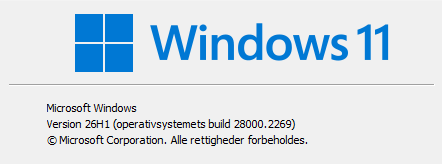
Keeps nagging onw11 pro 26h1 release, stays disabled and ask during every boot if I want to enable SAB

-

TLS 1.3 In A Native Windows XP Application? (LibcURL/OpenSSL SDK)
user57 replied to Bottetoundra719's topic in Windows XP
someone did something like that from what i know it use a proxy where the proxy then handles tls1.3 https://msfn.org/board/topic/183352-proxhttpsproxy-and-httpsproxy-in-windows-xp-for-future-use/ it is build from openssl i think but he rather tell you the story -
 Hello folks! Hope you're doing well. I was wondering how I could get (secure) TLS 1.3 working in an app that targets Windows XP, as most modern servers no longer accept HTTP requests. From what I could find online, I'd need OpenSSL 1.1.1 and libcURL 7.73.0 (although I'm not 100% sure), which have support for TLS 1.3 and modern networking while also staying compatible with Windows XP. My only issue with the two is that despite me having searched for multiple downloads from multiple different repositories, I've only been able to find the executables and source code for them. Perhaps it's a mistake and stupidity on my behalf, but is it possible to directly get the SDK files directly? (Such as the "/include" and "/lib" directories) And if so, would I be obliged to use outdated and non-updated versions of OpenSSL and libcURL, or are there any modern-ish and stable backports? For reference, I'm compiling the app using Code::Blocks 17.12 alongside its bundled MinGW compiler (GCC 5.1.0), targeting 32-bit (x86) Windows XP. Any help would be appreciated. Have a nice day.
 -
Today, I have tested my youtube.lua script again. And it is working in VLC v3.0.23 without any problems. No errors, no loops and no need to click the Play button more times. On older hardware, the video format avc1 is no option. That's why my script uses h264. Here is my last code again with the bracket correction mentioned by @Ben Markson: -- YouTube Link Resolver for VLC with Separate Video and Audio URLs -- Place this script in VLC's lua/playlist directory local yt_dlp_path = 'yt-dlp.exe' local yt_dlp_silent_path = 'hidecon.exe' function sleep(s) local ntime = os.time() + s repeat until os.time() > ntime end function probe() -- Check if the input is a YouTube link return (vlc.access == "http" or vlc.access == "https") and (string.match(vlc.path, "youtube%.com") or string.match(vlc.path, "youtu%.be")) end function parse() -- Construct the full YouTube URL local youtube_url = vlc.access .. "://" .. vlc.path -- Extract "quality" query parameter if present local quality = youtube_url:match("[&?]quality=(%d+)[pP]?") youtube_url = youtube_url:gsub("[&?]quality=%d+[pP]?", ""):gsub("[&?]$", "") -- Remove trailing ? or & -- Get the preferred resolution preset by the user in VLC local prefres = vlc.var.inherit(nil, "preferred-resolution") if prefres < 0 then prefres = 2160 -- Best quality set to 2160p to overwrite VLC's native value of -1 end local allowed_qualities = { ["240"] = true, ["360"] = true, ["480"] = true, ["720"] = true, ["1080"] = true, ["2160"] = true } -- Default quality limited to the preferred resolution taken from VLC's settings local format_string = string.format("bestvideo[height<=%i]+bestaudio", prefres) if quality and allowed_qualities[quality] then format_string = string.format("bestvideo[height<=%i]+bestaudio", quality) vlc.msg.info("Using requested quality: " .. quality .. "p") else vlc.msg.info("No valid quality specified. Defaulting to best available.") end local cmd_hidden = 'hidecon &' -- Start cmd hidden and ... -- No better codec than h264 (an important switch for older hardware). This can of course be changed by the users according to their needs. local codec_limit = '-S "codec:h264"' local video_url = '' local audio_url = '' local yt_dlp_silent_exists = io.open(yt_dlp_silent_path, "r") ~= nil if not yt_dlp_silent_exists then vlc.msg.info(yt_dlp_silent_path .. " not found. Falling back to " .. yt_dlp_path) cmd_hidden = 'PowerShell.exe -windowstyle hidden cmd /c &' -- Start cmd hidden and ... local cmd = string.format( '%s "%s" %s -f \"%s\" -g "%s"', cmd_hidden, yt_dlp_path, codec_limit, format_string, youtube_url ) local handle = io.popen(cmd) video_url = handle:read("*l") audio_url = handle:read("*l") handle:close() else vlc.msg.info(yt_dlp_silent_path .. " found. Running program") local cmd = string.format( '%s "%s" %s -f \"%s\" -g "%s"', cmd_hidden, yt_dlp_path, codec_limit, format_string, youtube_url ) local handle = io.popen(cmd) video_url = handle:read("*l") audio_url = handle:read("*l") handle:close() end video_url = video_url and video_url:gsub("^%s+", ""):gsub("%s+$", "") or "" audio_url = audio_url and audio_url:gsub("^%s+", ""):gsub("%s+$", "") or "" vlc.msg.info("[YouTube Resolver] Original URL: " .. youtube_url) vlc.msg.info("[YouTube Resolver] Video URL: " .. video_url) if audio_url and audio_url ~= "" then return { { path = video_url, name = vlc.path .. " (Video)", options = { ":input-slave=" .. audio_url } } } else return { { path = video_url, name = vlc.path .. " (Video + Audio)" } } end end And today I reduced and optimised my code again and compiled it to a LUAC file. Here is my most recent version for old, weak computers (using h264): https://www.mediafire.com/file/olbadgp55gzn6aj/youtube.luac/file Cheers, AstroSkipper
-
Tested on Windows 98 SE (DirectX 9.0c), no difference in performance, everything as reported earlier. To me the two logs produced seems to be almost equal as with version WDMHDA.020. WDMHDA.20a.N68_VT1705.zip
-

Win10 LTSC IoT lag issues. How to resolve?
NotHereToPlayGames replied to DeathAdderSF's topic in Windows 10
That should be MORE than enough FOR NOW, and only to GET YOU STARTED. There's MORE if you really truly want an OPTIMIZED bloat-free Win10. -
Win10 LTSC IoT lag issues. How to resolve?
NotHereToPlayGames replied to DeathAdderSF's topic in Windows 10
And if you dislike things like "Indexer" (of which I am in that crowd), then you should also dislike and disable C:\Users\Admin\AppData\Local\Microsoft\Windows\WebCache. -
Win10 LTSC IoT lag issues. How to resolve?
NotHereToPlayGames replied to DeathAdderSF's topic in Windows 10
Probably too large of a script to post here, but I also remove "Get Started", "Windows Backup", and EVERYTHING pertaining to EDGE. Technically, I use Edge (as a third when-needed browser) but ONLY AS A PORTABLE, I DO NOT WANT IT "ENTANGLED" WITH THE OS, AND DO NOT WANT THE BACKGROUND UPDATE CRAP. -
Win10 LTSC IoT lag issues. How to resolve?
NotHereToPlayGames replied to DeathAdderSF's topic in Windows 10
I also remove "Security Health App". -
Win10 LTSC IoT lag issues. How to resolve?
NotHereToPlayGames replied to DeathAdderSF's topic in Windows 10
These I disable AFTER install (via a PowerShell script). # Computer Management >> System Tools >> Task Scheduler >> Task Schedule Libray >> Microsoft >> Windows # # Disable: # Application Experience # Autochk # Chkdsk # Diagnosis # DiskCleanup # DiskFootprint # Feedback > Siuf # LanguageComponentsInstaller # MemoryDiagnostic # Power Efficiency Diagnostics # Servicing # Speech # WindowsUpdate -
Win10 LTSC IoT lag issues. How to resolve?
NotHereToPlayGames replied to DeathAdderSF's topic in Windows 10
These are also COMPLETELY REMOVED from my installation .iso. ie, the Selected="true" entries. -
Win10 LTSC IoT lag issues. How to resolve?
NotHereToPlayGames replied to DeathAdderSF's topic in Windows 10
The only "non-waste" of time way for me to compile my list is to provide it IN THE WAY THAT I USE IT. Which in my case is from my WINREDUCER EX-100 config file. All of the Value="5" entries below are my REMOVED services, they're not ever even installed, removed completely from my installation .iso. The Value="4" entries below are my DISABLED services, I allow them to be installed, but they are DISABLED by default. The Value="3" entries below are my MANUAL services. If there is any Value="2" entries, they are AUTOMATIC services. Any Value="1" entries, they are AUTOMATIC (DELAYED) services. Entries with empty value fields just allow the Windows installation process to set them at normal Windows "default". BUT... there are a ton of "services" that have to be "installed" (ie, Windows Indexing/Firewall/Defender are examples), BUT I DISABLE/REMOVE THEM LATER, I just can't disable/remove beforehand. You asked for a list, this is the easiest way to provide one. -
Win10 LTSC IoT lag issues. How to resolve?
NotHereToPlayGames replied to DeathAdderSF's topic in Windows 10
I'll compile "my list". But, a word of warning, if you "have faith" in CRAP like "smartscreen" or Windows Defender, than frankly me compiling a list is a "waste of my time" as you (3rd person plural, not referencing "you" as any ONE person) already has your (3rd person plural) view of how that Win10 should be configured. Which is perfectly fine, of course, it is "your" computer. -
Win10 LTSC IoT lag issues. How to resolve?
NotHereToPlayGames replied to DeathAdderSF's topic in Windows 10
I've had nothing but HUGE success in that regard! Whether you think of my Win10 experience as upgrading from XP, my Win10 is WAY better, faster, and smoother than XP (even on a 10+ year old laptop with only 4 GB RAM !!!). And a "million times" more CAPABLE. No need to run SLOW-AS-HELL web browsers that just INCREASINGLY "can't do sh#t" !!! !!! !!! Hey, "to each their own". I don't have a mobile phone or tablet to "fall back on", I *MUST* have *everything* work on my computer. So yeah, Win10 really is a "bare minimum" these days. Not to be misread, there are some VERY "capable" Firefox Forks. If that's your thing. "To each their own." Or whether you think of my Win10 experience as upgrading from a previous Win10 version, my Win10 LTSC is WAY better, faster, and smoother than those previous versions of Win10. And I'm not talking "placebo effect", I simply do not fall for prey to PE, I believe in Quantifiable Measurements and never "gut feel". -

Win10 LTSC IoT lag issues. How to resolve?
DeathAdderSF replied to DeathAdderSF's topic in Windows 10
1). Will share tomorrow. 2-3). No, it's just a general lag; doesn't matter what I'm doing or how I'm doing it, the lag just randomly pops up when it feels like it -- which is far too often for my sanity. 4). Not 100% sure what you mean by "non-Windows," but the lag isn't selective; it'll happen when just trying to open up the C drive and view files, for example. As I said, this is all new, post-LTSC IoT upgrade. Machine was running perfectly smooth before. I figured LTSC IoT would actually improve performance, not bottleneck the hell out of it. -
Win10 LTSC IoT lag issues. How to resolve?
DeathAdderSF replied to DeathAdderSF's topic in Windows 10
Upgraded from 10586. 3TB space free. SSD manually trimmed, no difference. Search Indexer and Sysmain were already disabled. Any of y'all have an up-to-date list for LTSC IoT of "useless" services that may be disabled? -
Guess I'm back for now, it took a while for my new account to be approved. I rewrote the controller initialization so now it shouldn't fall back into PIO mode and then stop actually sending any messages on NForce controllers. The CORB and RIRB communication also doesn't hold a spinlock the entire time it's waiting for a response. Attached is a version that deomsh can try and see if it works better on his NForce chipset with VIA codec. Tried to pull the jack detection PR I got but the combination of the DPC for jack polling and using a fast mutex to protect the CORB/RIRB communication function causes deadlocks on XP. It works OK on 98 though. Seems that I need to replace the DPC with polling from a kernel thread at passive IRQL, or do things properly and drive all the CORB/RIRB communication with interrupts instead of polling. wdmhda-20-change-init.zip
- Yesterday
-
 I test this driver on my Dell Wyse 5070 on WinXP 64-bit and no ping, no send, no receive data Only see Wifi networks:
 -
 Amazing progress
 -
Hello folks! Hope you all are doing well. As an avid Windows 7 user and enjoyer, I tend to have to rely on backports or older versions of software. However, as expected, there are some cases where this approach hits a wall fast, and modern apps with no backportability happen to be needed. In this case, I've heard many people recommend VxKex, which seems to be an extended kernel of some sorts. However, the general consensus seems to be mixed between VxKex by i486 and VxKex-NEXT by YuZhouRen86. Being unsure, I put them in VirusTotal, the results were 30/66 for VxKex (i486), and 43/68 for VxKex-NEXT (YuZhouRen86). After that, I went to the Behavior section, and both had: - Image File Execution Options Injection (If I recall correctly, this had to do with the kernel hooking.) - Registry Modification (I'd say this is expected behaviour for an extended kernel.) - Input Capture (I recall this had something to do with the pointer input history thing from Windows 8 and later) - Process Injection (Expected) - All the Discovery techniques (Process Discovery, File and Directory Discovery etc.) But, after these, there are 3 (well, 4, but I'll get to that a tad later) that I didn't quite understand: - Data Destruction - Data Encrypted for Impact - File and Directory Permissions Modification I do not know much about why extended kernel would need those, although they might as well just be benign. However, the fourth one I just told you about was unique to VxKex-NEXT, which was: - Virtualisation/Sandbox Evasion Why exactly would an extended kernel have to know whether it's in a sandboxed environment or not? Or is this perhaps a false positive on VirusTotal's (and its scanners') part? I also decided to check out the hashes of these two files on Threat.Rip, and the results came out as VxKex (i486) having a score of 71/100, and VxKex-NEXT (YuZhouRen86) having a score of 100/100! The biggest red flag here seems to be how VxKex-NEXT tried to do Privilege Escalation. I'm no expert at this, as I'm just a paranoid Windows 7 user trying to stay safe hehe! So if you have experience in data and heuristics analysis, then please let me know your thoughts. Have a good day! VxKex (i486): Download Link: https://github.com/i486/VxKex/releases/download/Version1.1.5.1679/KexSetup_Release_1_1_5_1679.exe VirusTotal: https://www.virustotal.com/gui/file/a4c9af98ca721a82e8470ab5f81fcfb2bda74fcbc36bdfbea8854934ad3f0420 Threat.Rip Link: https://www.threat.rip/file/a4c9af98ca721a82e8470ab5f81fcfb2bda74fcbc36bdfbea8854934ad3f0420 VxKex-NEXT: Download Link: https://github.com/YuZhouRen86/VxKex-NEXT/releases/download/1.1.4.2085/KexSetup_Release_1_1_4_2085.exe VirusTotal Link: https://www.virustotal.com/gui/file/8985542047792393c391e63bf1d3cb50e2b199b084772d50057a5f7061d720a5/behavior Threat.Rip Link: https://www.threat.rip/file/8985542047792393c391e63bf1d3cb50e2b199b084772d50057a5f7061d720a5
-
@reboot12 The TXE in the CNVi Bios blocks the card complete in IRQ mode on gemini chipset, here for our j4105 cpu. So, no IRQ, no MSI and no MSI-X are present because of this Bios for the 9560. Even the original(!) OpenBSD 79 driver fell via this scenario under OpenBSD 79, OpenBSD 74 also. So I come to a genius idea: Just change each IRQ call via a Polling call every 1 ms. And voila, I have prove on air, that for OpenBSD 79 this hack works. I get reall traffice, ping works and DHCP works normal, sends RX and TX packages without end. But now we have a problem in XP, that from now also XP has to live without any IRQ, only polling. This gives version poll184_14, which I send to you Dietmar