Dave-H
Content Type
Profiles
Forums
Events
Everything posted by Dave-H
-

Instagram videos not working in Firefox 52 ESR?
Dave-H replied to Dave-H's topic in Browsers working on Older NT-Family OSes
I added an equivalent extra second line to the userContent.css code and the videos now appear on Firefox 52.9 ESR. @-moz-document domain(instagram.com) { div._97aPb > div { display: block !important; } div._97aPb > div > div { display: block !important; } div.Igw0E > div { display: block !important; } div.Igw0E > div > div { display: block !important; } However the dots underneath carousels are still missing, and some, but not all, of the videos still look low resolution for some reason, almost like they are small frame size versions blown up to fill the windows. Very strange, but it's better than not being able to see them at all! -
OK, I've set things up in Stylus, and it works! Thanks very much. The resulting font on Digital Spy looks a bit blurry, but at least things like italics are rendered properly now. All my research indicates that custom.css no longer works in later Chromium versions.
-
That path doesn't seem to exist in 360Chrome.
-
I guess there's no equivalent in Chromium browsers to the {Profile}\Chrome\userContent.css file in Firefox?
-
Oh dear, I really don't want o have to install another extension just to fix this! I was hoping there was a simpler answer than that.
-
Also tried blocking this - https://fonts.gstatic.com/s/librefranklin/v7/jizDREVItHgc8qDIbSTKq4XkRiUf2zc.woff2 Still reverts to Times New Roman. How can I get the same result as just switching off the font in the Inspector produces?
-
I've been trying to disable that Libre Franklin font just on Digital Spy using UBO. The nearest I've got so far is this filter - https://fonts.googleapis.com/css?family=Heebo:400,700|Libre+Franklin:400,700|Material+Icons That works but seems to go too far, and the site reverts to using Times New Roman. If I remove the reference to "Heebo" it doesn't work at all. Is this actually possible with UBO? I don't want to use its sledgehammer of disabling all web fonts.
-
Indeed it does! Is there any way of disabling that font just on that site?
-
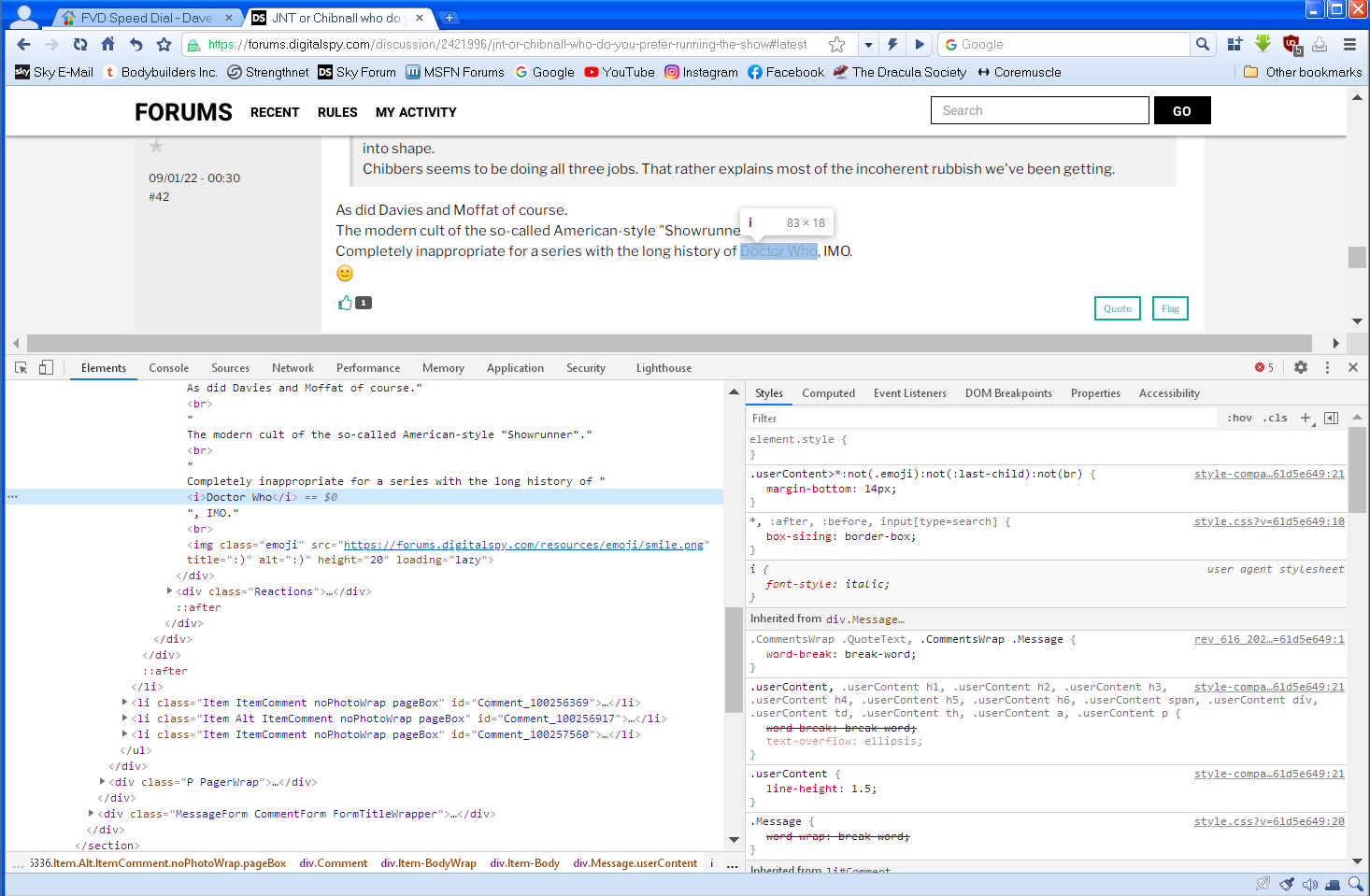
Did the screen grab of the Inspector give you any clues on the italics problem?
-
Now you've blown up that section like that, I can see the problem! That's pretty bad if it's an intrinsic issue with Chromium browsers!
-
@NotHereToPlayGames Does this bear out what you thought? I can't see any obvious reference to "font-size rem" or "letter-spacing rem". This is a png grab BTW, does it look better?

-
So that setting will do nothing on XP? That would certainly seem to be the case! I've always used jpg images for most things. Would something like a png image be better for screen grabs, and if so why?
-
Disabling the DirectWrite font rendering doesn't seem to make much difference to my eyes. It looks as it should and matches how it looks in Firefox to me whether it's on or off, except for the italics problem, which having it on or off doesn't change. Strangely, the post date stamp being in the wrong place on my second screen grab now seems to be OK, I don't know why it wasn't before when I did the grab. I certainly don't want to override all web fonts with something else, I want webpages to look the way the author intended them to!
-
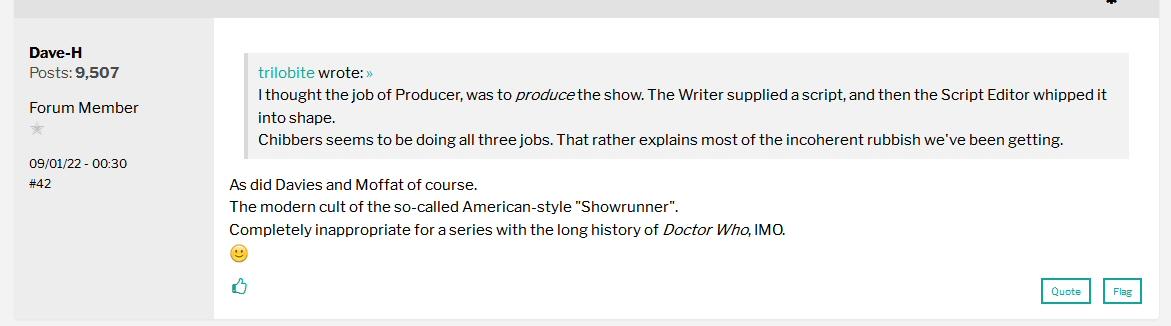
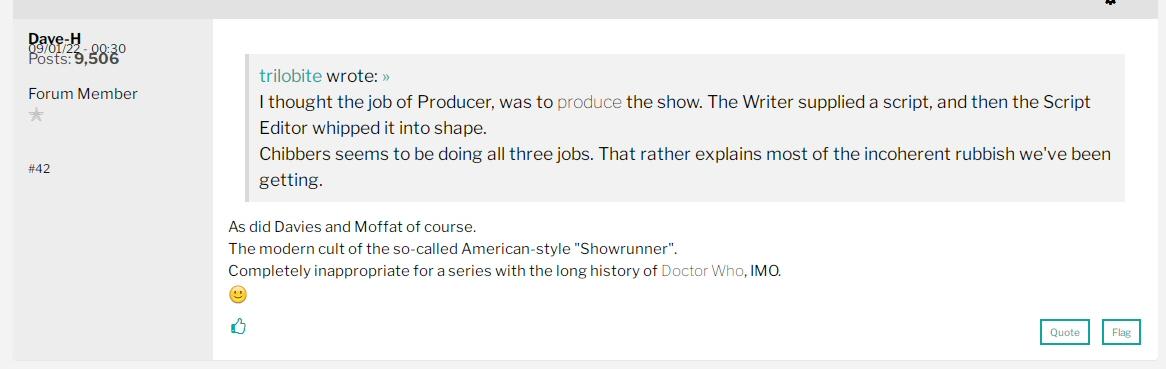
Sorry to raise another query, but there seems to be an anomaly with italic text in 360Chrome. Look at these two examples of a post I made in a Doctor Who forum. In Firefox 52.9 ESR the text in italics appears correctly, but in 360Chrome it doesn't appear in italics, just at reduced level. Is that expected? Firefox 360Chrome The bit on the left is a bit scrunched up on 360Chrome too.
-
Instagram videos not working in Firefox 52 ESR?
Dave-H replied to Dave-H's topic in Browsers working on Older NT-Family OSes
Could be. I removed the UBO filter, and tried that CSS on my Firefox 52.9, with rather strange results. Single videos still don't appear in the feed, I guess their containers are shrunk down to a single line as happened before. Carousel videos do now appear in the feed, but seem to be very poor quality, like they are now low resolution versions, which is very strange! The other thing I noticed is that although the scroll bars are still there on carousels, as they have been for ages on Firefox 52.9, the little row of blue dots which used to be underneath them to show how many things are in the carousel, are now no nowhere to be seen! -
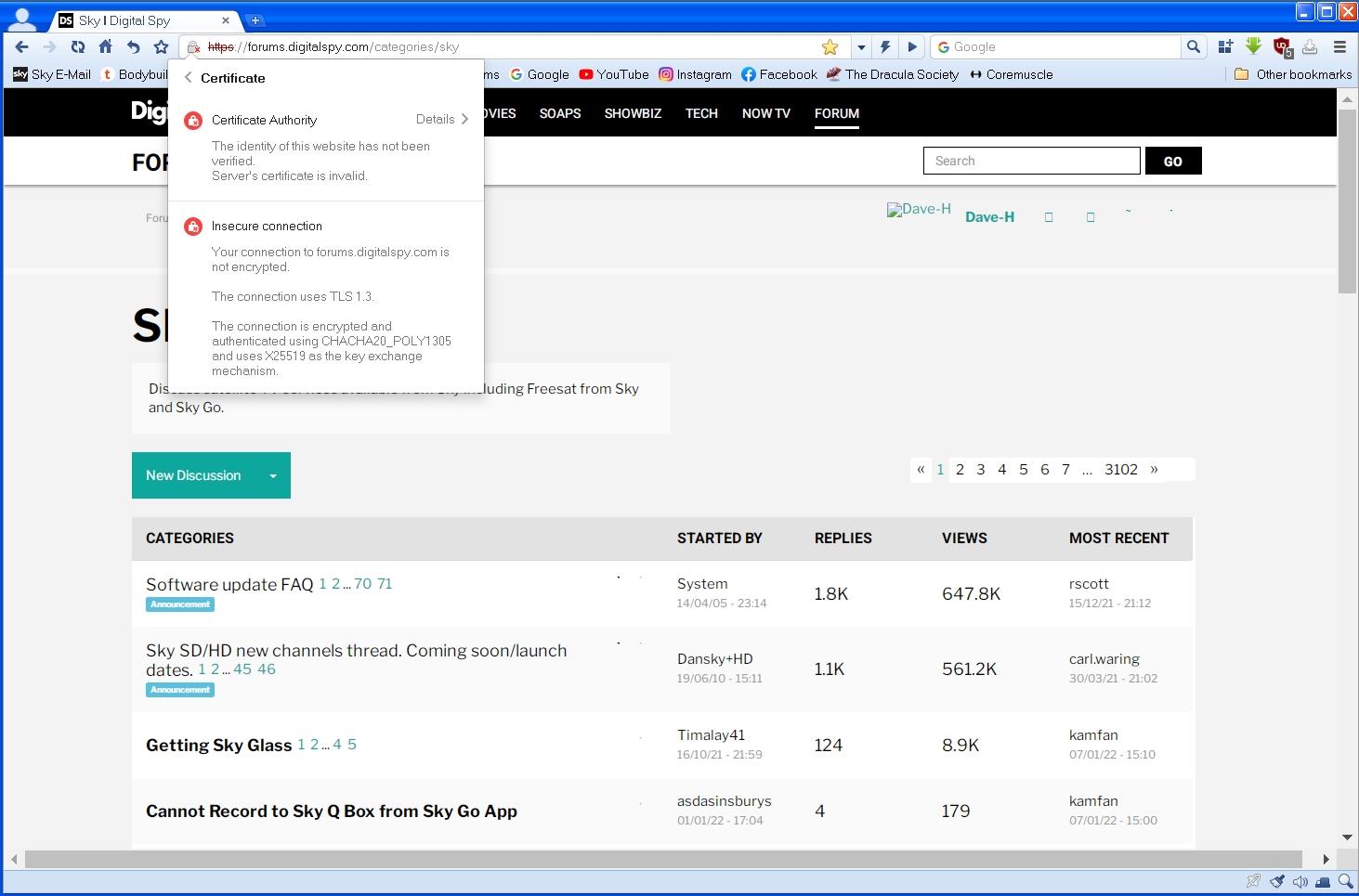
It seems to be fine now. I'm still getting a few sites with insecure connection flags because they contain some resources which are not secure. I guess this is the equivalent of the IE "mixed content" warnings.
-
OK, I think I've resolved the problem! I found a setting that allows you to select "No Proxy" or "IE Proxy". It was set to "No Proxy". If I set it to "IE Proxy", it uses the system proxy settings, which in my case use ProxHTTPSProxy for https sites. This seems to have fixed it.
-
It was checked, I've now unchecked it. The one above it is unchecked too. I'm still seeing the first error, but I haven't seen the second one again yet.
-
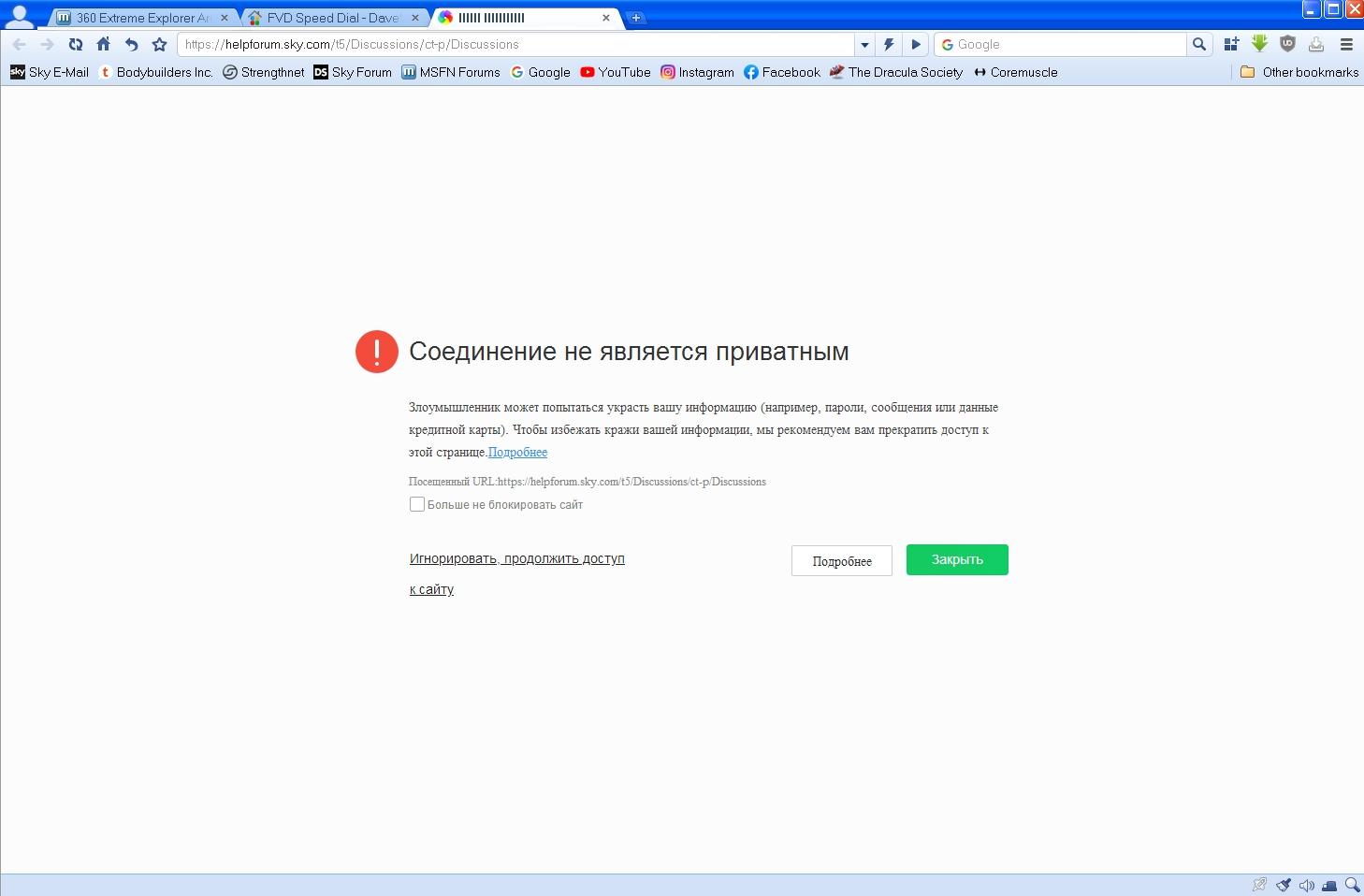
Any idea why I'm getting this on quite a few (but not all) https sites? Sometimes I'm also getting some sort of warning message in Russian about security problems. If I check the checkbox and click the link underneath it, the sites then load.
-
I never use Incognito windows, so that shouldn't be a problem!
-
Thanks, it does actually seem to remember the English setting over a restart.
-
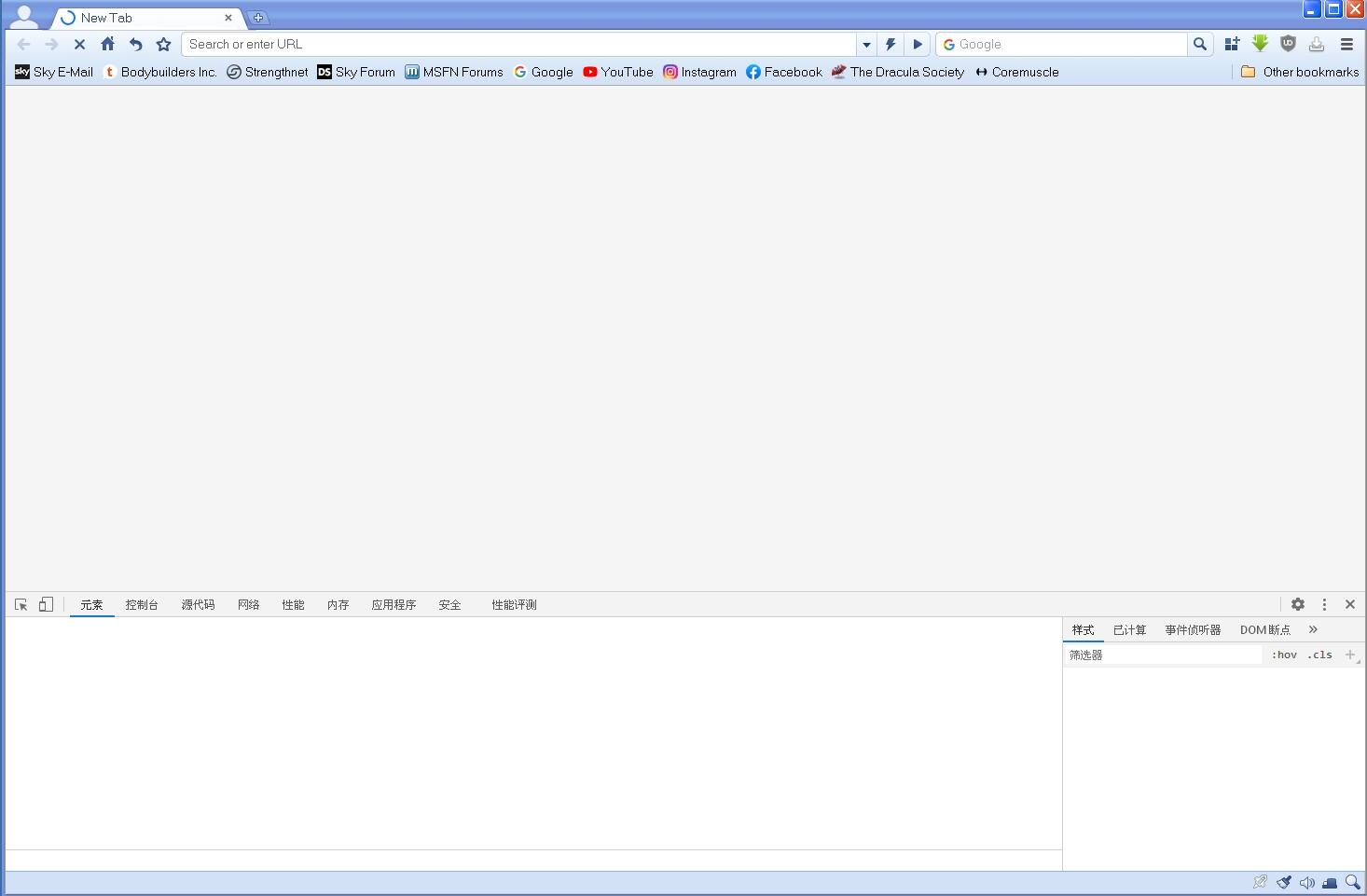
OK, I hit F12 immediately after the browser loaded, and the inspector window came up (complete with Chinese tab labels!) No sign of any activity, but you can see from the screen grab the loading animation on the New Tab. It stays there until I load another page, at which point it get overwritten, and subsequent new tabs don't show it.
-
It's set to open chrome://newtab on startup using the "open a specific page or set of pages" option. If I don't have anything in the home page address field and set it to "open home page" it's exactly the same. I doubt that, it loads pretty fast and works pretty fast, and there's no problem with anything else.
-
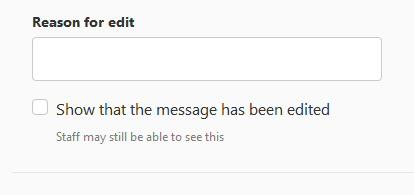
LOL, busted! Yes, "writeable" is correct, which I almost immediately discovered and edited the post. I'm not sure why I thought it was wrong! As regards the editing, when I edit my posts I see this underneath. "Show that the message has been edited" is not checked by default. I thought that was something that came in when the forum software was last updated, but if others aren't seeing it, maybe it's because I'm now a moderator.
-
I did look at that one, but it doesn't flag up wrongly spelled works while you are typing them anywhere, which is what I'm used to with Firefox. However, I have found one which does do that! It's this one here. It uses an online dictionary rather than one stored on the machine, so it's not as fast as the inbuilt Firefox version, but it's pretty good and does everything I need. Well recommended! Just as an aside, do you know why when I load a new tab when the browser starts, it has a progress animation on the tab as if it's trying to load something? This never goes away. It doesn't appear on subsequent new tabs, just the first one when the browser starts up.