NotHereToPlayGames
4 Followers




About NotHereToPlayGames

- Currently Viewing Forums Index
NotHereToPlayGames's Achievements
3.6k
Reputation
-
Okay, but that kind of misses my question. IF this only affects v149, then IT DOES *NOT* EFFECT Supermium. ie, "the sky isn't falling" edit: ie, the "stupidly aggressive" update schedule (that both Chrome and Firefox do!) **CAUSED** the "exploit" so *ONLY* people that "update every d@mn day" (exaggerating for effect) were even effected
-
What does "exists in the wild" *REALLY* mean? ie, does it really affect v144? Or does it just affect those that "thought" they were safe by always running the most recent?
-
Last Version of Programs for Windows NT 4.0
NotHereToPlayGames replied to Leokids123's topic in Windows 2000/2003/NT4
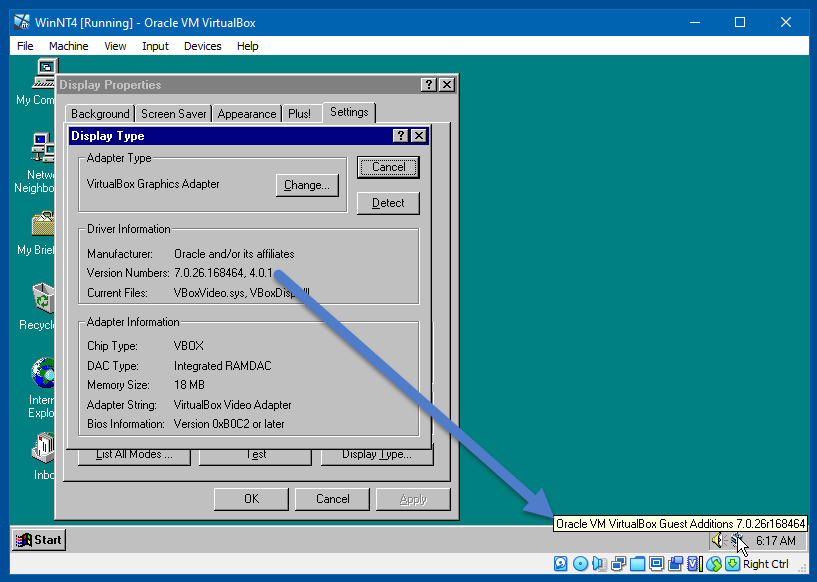
Everything still working fine after upgrading Guest Additions to 7.0.26.
-
Last Version of Programs for Windows NT 4.0
NotHereToPlayGames replied to Leokids123's topic in Windows 2000/2003/NT4
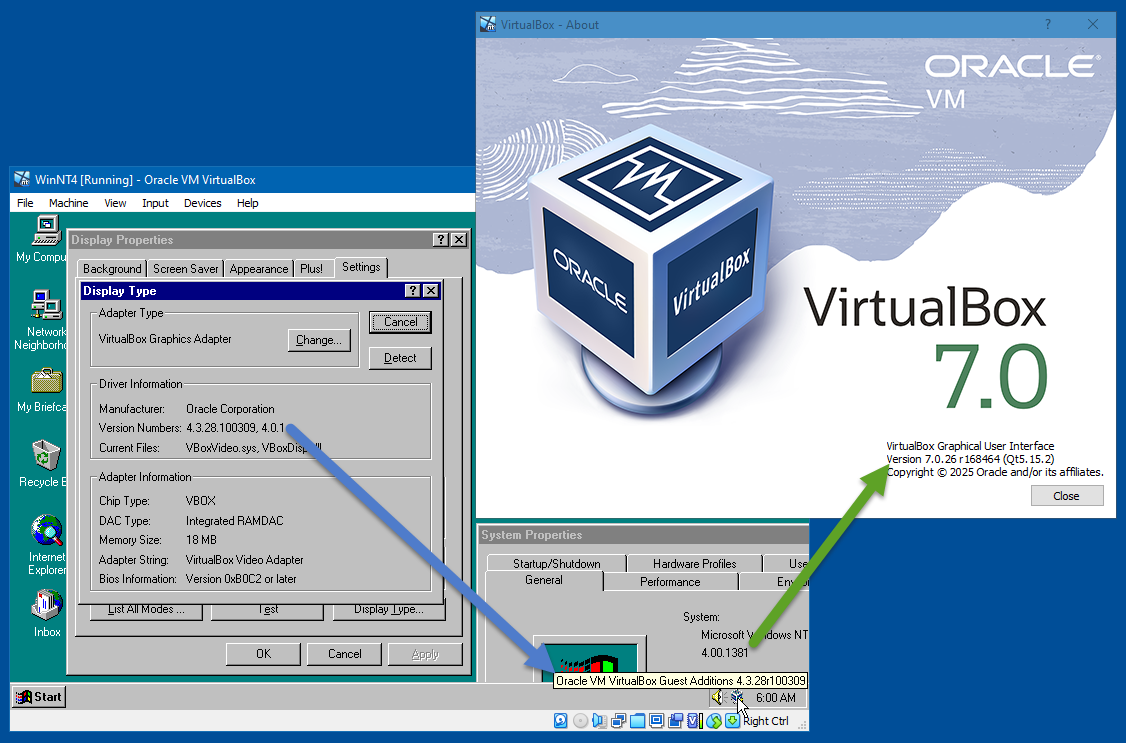
I am using 7.0.26 but upgrading would violate my "workflow process". But what works in 7.0.26 should also work in 7.2.6. My NT4 was installed under 4.3.28, as seen below. Everything (audio and graphics) is working great for me. I will update the Guest Additions to 7.0.26 and that should be the same as if it was installed under 7.0.26 (I'll screencap that shortly).
-
Last Version of Programs for Windows NT 4.0
NotHereToPlayGames replied to Leokids123's topic in Windows 2000/2003/NT4
Guest Additions is a VirtualBox item. Do we know if the OP is even trying in VirtualBox? Or is the OP using something else? I myself have an NT4 VirtualBox VM and zero issues. I would have to pull it from my archives but my guess is that it is VirtualBox v4.x.y. But... that doesn't necessarily say anything at all about NT4 being able to be installed in v5.a.b or v6.c.d or v7.e.f. So yeah, the OP should tell us what virtual machine software he is using, and also what version of that software. -
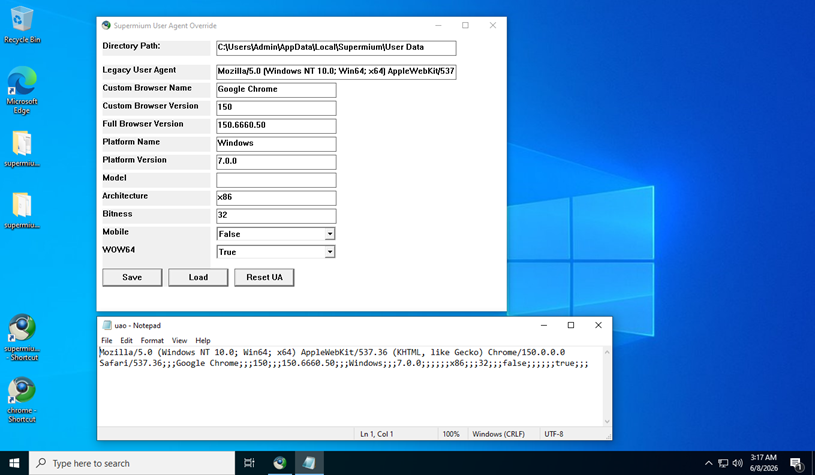
You don't "need" that tool. All it does is create ONE FILE in your profile directory and Supermium looks for that file. It is called "uao" without any dot-extension. Basically follows this format:
-
yep, thanks
-
I didn't look into it that far (will need to wait for another day). But I suspect that for those of us with access to newer-than-XP, we can run it in that, and just copy a file over to XP. That would be my guess, but I didn't look into it. It is writing that info to "something", .ini, .dat, .bin, .txt, config file without extension, "something". Safe assumption because it DOES ASK if you want to OVERWRITE when you make changes and click the save.
-
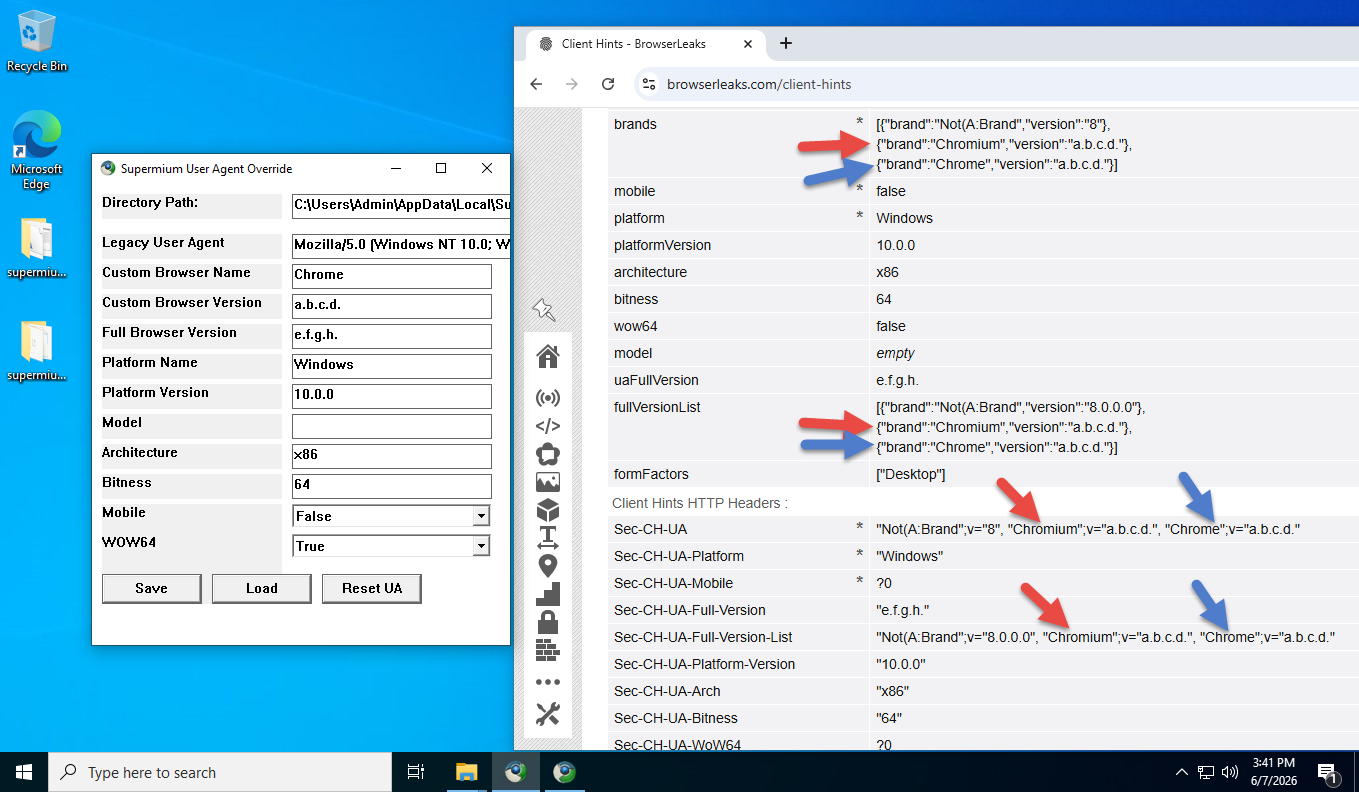
It needs improved. It doesn't really replace the original CH, it "appends" to them. The red arrow is the "original" (the tool DOES change the version, but not the brand). The blue arrow is the tool's "custom" entries. This THREE ENTRY brand isn't "normal", I *think* (but not sure) that most javascript that "reads" this line will only see the ORIGINAL, it will never see that THIRD "appended" entry that follows.
-
Good question! All Chrome-based browsers use WINDOWS'S "cert store". But I also *never* "update" Windows. But I've also *never* encountered "expired" certificates. And I'm also "deadset against" any (including those found at MSFN) "certificate updaters" (cause more harm than good). So yeah, good question, it would seem that my usage (and it sounds like yours too) would &/or should bump into "expired" certs - but again, I never have. In the past, for me at least, that was because I *created my own* certificate for PROXOMITRON and the browser only relied on that certificate. But I dropped Proxomitron in favor of all userscripts and userstyles about a year and a half ago (too many Cloudflare issues that requires Proxomitron [Reborn] to be bypassed). My gut reaction answer was that maybe certs are good for too long into the future so I've never hit an expiration. But MSFN's cert shows only THREE MONTHS between release date and expiration date. This Win10 install is WAY older than that! With no Windows Updates allowed! But no cert error here at MSFN. Sorry, none of that is really an "answer", per se, but adds intrigue to your question. Hmm...
-
MyPal 68
NotHereToPlayGames replied to Jody Thornton's topic in Browsers working on Older NT-Family OSes
If you are talking about feodor2, he has visited within the past ONE WEEK. A little over two weeks for Ascii2. Some members disable this (and one has to wonder "why"), but you can always HOVER OVER a member's name to see if they have visited recently. Sure, some (overly paranoid) types have this disabled. But most members do not. -
Win10 LTSC IoT lag issues. How to resolve?
NotHereToPlayGames replied to DeathAdderSF's topic in Windows 10
Agreed! And I'd need more info (questions already asked) to offer more suggestions. Things like "timestamp telemetry" can lag network folders, but you haven't told us if this is network only. Any and all services with the purpose of "diagnostics" that run in the background 24/7 is just "crap". Sure, if you "like them" or THINK they actually do any good at "diagnosing" issues, then use them ONLY when you have "issues". But in my experience, they never do any d@mn bit of "diagnostics" and should be trashed and disabled! Rely on "good" forums to assist with real debugging and diagnosing (MSFN may not qualify, too many of the GOOD members have been "silenced" by the BAD that run amuck/amok with "fake likes"). et cetera... -
Bummer. AI isn't always that great at writing userscripts. They almost never work as AI provides it but they generally can be edited into a working script. But I do not have "F Book" in order to perform that editing.
-
Win10 LTSC IoT lag issues. How to resolve?
NotHereToPlayGames replied to DeathAdderSF's topic in Windows 10
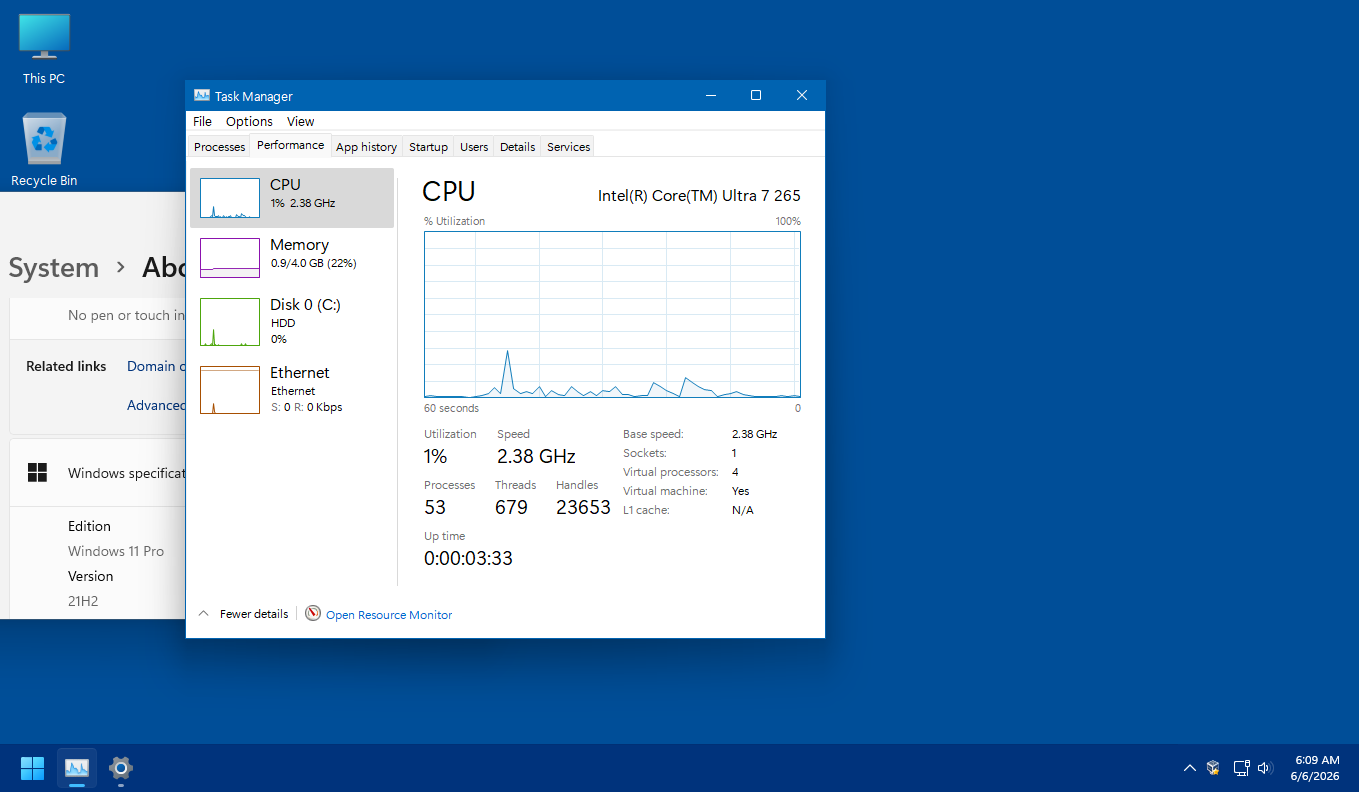
Point being, just from the sake of running a tweaked and debloated Win *TEN*, your process count should be between 37 and 53. Anything higher than that is just a bunch of "crap" wasting resources and bogging down your system. -
Win10 LTSC IoT lag issues. How to resolve?
NotHereToPlayGames replied to DeathAdderSF's topic in Windows 10
And this is Win *ELEVEN* 21H2. Tweaked and debloated. Again, purely as comparative reference.