Channel 2012
Content Type
Profiles
Forums
Events
Everything posted by Channel 2012
-
I can confirm that OneDrive is still not working in the Extended Kernel. The Windows 7 version of OneDrive can install without incident, but gives an "Entry point not found" error, saying "The procedure entry point SspiPromptForCredentialsW could not be located in the dynamic link library credui.dll."
-
[Tutorial] How to install Office 2016 on Windows Vista
Channel 2012 replied to WinFX's topic in Windows Vista
Why does it need to be copied twice? Could the items not just be edited as they are? If not, why not? -
[Tutorial] How to install Office 2016 on Windows Vista
Channel 2012 replied to WinFX's topic in Windows Vista
Got it; thanks. Can you clarify on the difference between step 3 and step 4? -
Question on Control Panel Task Pane theming
Channel 2012 replied to Channel 2012's topic in Windows 7
Just to close the loop on this, I was able to figure it out, at least for Windows 7. The short answer is that the actual image(s) can be changed using a tool such as "CustomizerGod," which, along with the Windows 7 prerelease task pane background, is included with this theme package (it's about the only thing from that collection that I like, and can be used independent of the actual theme). The second piece is the text color, which cannot be changed by that application, and must be modified by a theme. Using UxTheme patcher, the stock Windows 7 theme can be modified like so: Styles > ControlPanelStyle > Tasklink > TextColor : Color font:font segoe ui 9 cleartype textcolor:color solid white >hot textcolor:color light green pressed is same disabled is dark gray page is solid white Finally, for anyone looking to make the caption bar opaque, (in solidarity with Windows Vista) below are the values that you'll want to change. Stock/Old/Original: MaxActive - opacity:int 80 colorizationcolor:int 0 colorizationopacity:int 100 textcolor:color solid black glowcolor:color solid white Active - opacity:int 80 colorizationcolor:int 0 colorizationopacity:int 100 glowcolor:color solid white New/Fresh/Vista MaxActive - opacity:int 0 colorizationcolor:int -16777216 colorizationopacity:int 100 textcolor:color solid white glowcolor:color solid white active - opacity:int 80 colorizationcolor:int 0 colorizationopacity:int 100 glowcolor:color solid white If anyone's curious, I plucked those out of fediafedia's theme, if I remember correctly. -
[Tutorial] How to install Office 2016 on Windows Vista
Channel 2012 replied to WinFX's topic in Windows Vista
Can you clarify what is meant in Step 9 by "Go back to group policies and disable rollback?" -
Lost access to local network after using VPN program
Channel 2012 replied to Channel 2012's topic in Windows 7
Just to provide an update on this, I found that the problem, curiously enough, goes away if I configure a static IP address on that interface. After setting it back to DHCP, the problem immediately returns. I don't want a split tunnel, however. I do not have a VPN connected right now, nor do I plan to for the foreseeable future. -
This is a weird one for sure. Last month, I was testing a VPN program (Cisco QuickConnect) for a customer to make sure that their setup works. Ultimately, the test was semi-successful, and we ended up pointing them in a different direction for VPN, but I lost access to all network resources on my laptop's Ethernet interface after that experiment. Here are the specifics of the symptoms: Cannot ping the default gateway at my home office (192.168.1.1) any longer Can ping an address on the Internet Cannot resolve domain names The wireless interface on the same is not affected, and is my only way to be able to use this network from this computer now As the problem started to occur, some applications were still able to get out to the Internet, (assuming that they still had an active session of some kind going on) but others were not No websites can be reached by name or by IP address I uninstalled QuickConnect right away after this incident and tried again. No change. Tried clearing the Windows routing table. No change. Did a system restore to the time right before the offending program was installed (it was at least nice enough to create a restore point prior to installation). Still no change. Tried reinstalling the Ethernet driver as well. This also was ineffective. To make a bizarre problem even stranger, this only happens on networks with the same subnet (192.168.1.0/24) that I was trying to connect to and from when the problem first occurred. Others are 100% fine and I can work all day long with the same Ethernet card on any other subnet. I checked to make sure that no static IP addressing, DNS, or anything strange like that had been set by the VPN program. None had. Any ideas?
-
Why are you still using Windows 7? Poll from ZDNet
Channel 2012 replied to erpdude8's topic in Windows 7
In my personal life, I still use Windows 7 because the computer's hardware is most compatible with that operating system. Also, with the Windows 8 Release Preview theme, the visual style is still superior and more modern than 8, 8.1, or 10. This is critical for getting through a 10-hour workday from home. As far as the enterprise goes, it comes down to cost. Technology departments are unwilling to invest the time into installing the newer operating system on older hardware that is up for replacement soon, according to their standards. -
This has been a fairly well known problem for some time now. Try turning off Windows Update, installing the prerequisite fixers, then turn Windows Update back on. It should no longer hang on "checking for updates" consuming resources.
-
That's the one! Thanks.
-
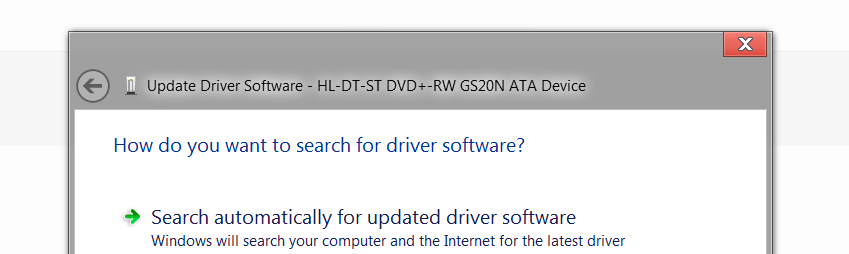
I'm not sure what the technical name for this aspect of the interface is, (that's probably why it's kind of difficult to research) but I have noticed that a lot of custom themes tend to overlook it, especially dark themes: In this example from Windows 8.1, I've applied what is otherwise a very thoroughly designed darker theme, (AeroByDesign) but the text seen in the "add driver" wizard (and other such interface elements) is black with no highlighting. Is there a way to either change the color of this text, or to re-introduce the highlighting, as seen on Windows 7? Windows 7 example:

-
Question on Control Panel Task Pane theming
Channel 2012 replied to Channel 2012's topic in Windows 7
Interesting. I've actually got a Windows 8 computer also that already has OldNewExplorer installed, so if you could tell me the procedure for that, it would still be much appreciated. -
Question on Control Panel Task Pane theming
Channel 2012 replied to Channel 2012's topic in Windows 7
Can you point me to where exactly the setting in Style Builder is to change the text color? That makes sense. I have one question though - there are a couple of Windows 8.1 themes that I've been playing around with in a virtual machine that seem to be able to change the task pane visuals without requiring the modification of shell32.dll. How is this possible? -
Interesting. Could you expand on that? Is it just because the drive in the picture is pointed slightly to the left while the disc is pointed forward?
-
For what it's worth, I tried it out in Windows 8 RTM and found that the problem does not exist there, so it appears to be exclusive to Windows 8.1 and 10.
-
Edit the default aero theme with Windows Style Builder and add the resources from RP, borders, caption buttons, etc... Tried; no luck. This was discussed on the thread in this thread, so I checked the "Explorer & Shell > Explorer > ListView > ListItem" on both the RP and RTM styles, but they actually both have the same images, so something else must be the matter. To be clear, the issue is that the boxes which are supposed to appear when you hover over icons on the desktop simply do not appear with the RP theme; only with the RTM theme. Any ideas?
-
Regarding your rather belligerent statement above... You act as though someone has wronged you, and that you have something to complain about - when in fact you have complete control over what to do about the watermark. ..You clearly feel you get value from the software, since you're trying to use even the pre-release version. So once it's released consider donating the price of a good beer or a lunch to the developer; he deserves our support for making our desktops more tolerable each and every time we use them. Try to understand that nothing is certain in this world, and that not everything is going to be stated just the way you like it. I totally get that and actually would love to donate to this cause that we all feel strongly for, but the dishonesty of this program being labelled as "donationware" instead of the shareware that it is leaves a bitter taste in my mouth and prevents me from doing so.
-
Works great on 10586. However, on Modern App titlebars, it's a bit smaller than usual. here is what I mean. The text and buttons aren't taking advantage of all the space. (If it's too small, here is a link http://i65.tinypic.com/23qrde.png Here is same page on mine. Perhaps it is your themeatlas causing issues. Where did you find the theme atlas with those caption buttons?
-
If they didn't have the retarded watermark in there in the first place, then this wouldn't be a problem at all. Having to install a tweak to get the operating system to a point of "almost acceptable" is bad enough; having to tweak the tweak is just ridiculous.
-
...and some of the real programs got nice ag-effect too.. Nice! So it comes with transparency and white minimize/maximize/restore/close buttons without third-party software or was that a tweak you installed?
-
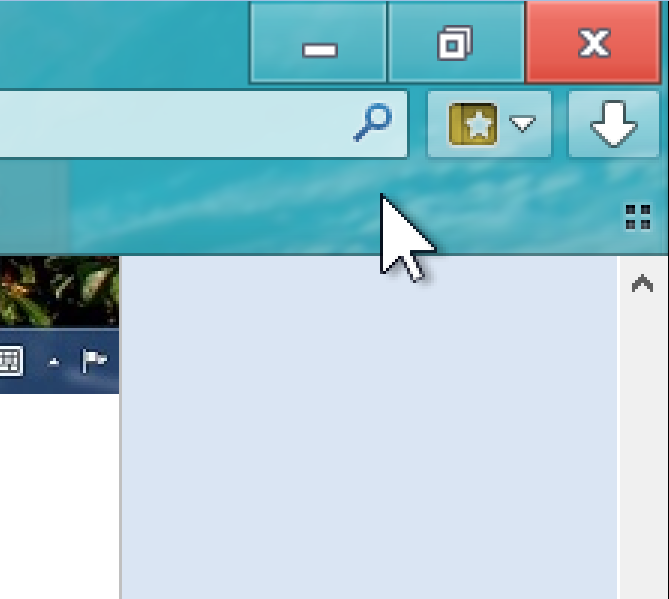
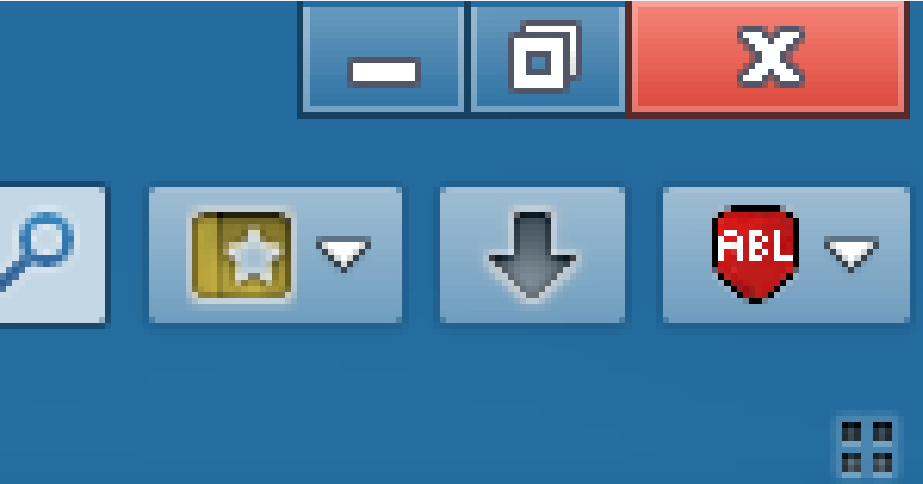
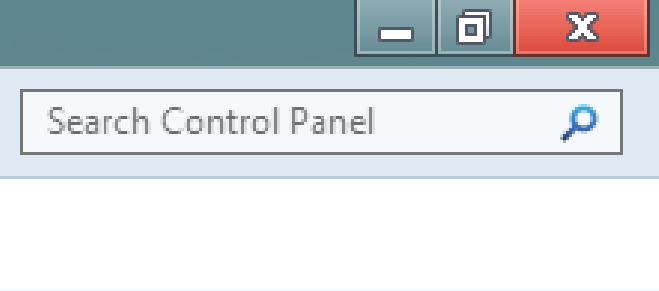
I set up a virtual machine to test out Glass8 for Windows 10, but when I enable the 8RP theme atlas, I'm getting the same glitch as I did when running the equivalent theme on Windows 8.1 - the top row of pixels on the minimize/restore/exit buttons is incorrectly colored, but only when the window is maximized. Is anyone else seeing this problem (depending on your color scheme, you may need to use the magnifier to see it better)? If so, is it fixable? Windows 8RP Atlas glitch on Windows 10: For reference, here's a magnified screenshot of the glitch on Windows 8.1: For even further reference, here's an actual screenshot from Windows 8 Release Preview showing how it is supposed to look:
-
Nice! Any word on getting the minimize/maximize/restore/close buttons from the RP theme too? Because that looks pretty darn close otherwise. I might just have to spin up a 10 VM just for this.
-
Question on Control Panel Task Pane theming
Channel 2012 replied to Channel 2012's topic in Windows 7
Yes. Great, thanks; I think I can handle that. Do you know of any place where I can find the image file for the task pane background or am I going to have to extract it from a Windows 7 beta installation? Could I just collect a copy of shell32 from the beta or might that produce unwanted consequences? -
Any news on that 8RP theme getting ported to the RTM version of Windows 10?
-
Anyone? Bueller... Bueller...