




-
Try my installer Contain Microsoft .NET Framework 2.0SP1x64, 3.0SP1x64 and 3.5x64. Inspired by instructions posted on Aaron Stebner's blog and some installers made by Rogue Spear. can you re-upload your installer ? the link is not working
-
Hello how can i change the script not to restart after it finish and just close/exit the script??
-
Hello is there a greek version of the sp4?
-
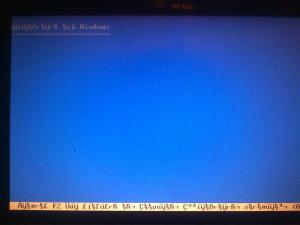
Hello i currently have a problem i tried to install xp greek with the latest driverspacks integrated in a clean windows installation and the characters in the Windows XP setup main blue menu are displaying incorrect like arabic or something like its missing the languuage(it should be greek) the characters are displaying incorrect from from the "Press any key to boot from CD" until the loading of the sata drivers and when it finish loading drivers and shows the disk drives still the characters are faulty. anyone knows whats wrong and how to fix this??? thanks this is what i mean in the photo
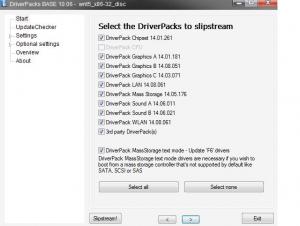
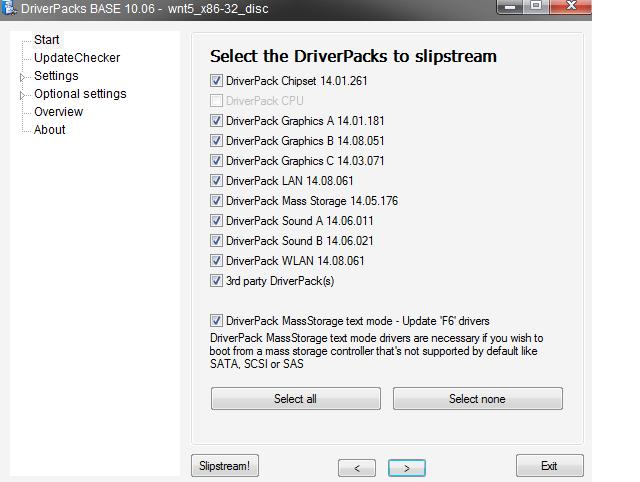
 Hello i have a custom make windows 7 image made with rt7lite that does not have sp1 when i integrate sp1 with rt7lite and make the image after the windows installation some settings are altered like the default modifeid theme and probably some other that i dont know for the moment my question is if its possible to take from the unmodified image the settings before i integrate sp1 and load them to rt7lite or to any other program to have the same settings before i slipstream sp1 to load the default modified theme etc.or if its possible that the iso has a file with the changes rt7lite did before sp1 installation to know what it changes after sp1 integration. i don`t have the rt7lite settings file anymore that's why i ask if there is a way that the settings are in the windows iso somewhere inside in a file. thanksHello i want to install silent nod32 with the settings xml file i have done the silent installation with the following command: ESETNOD32v3.msi /qn but i dont know what to put after to include the xml settings file :/is there a greek version of yumeyao's IE8 addon?? i get the same error herehello i have a silent installer of nod32 and i want also to put the xml settings file how can i do it?Here it is my Setuperr.log file( translated and renamed to txt so i can upload it) setuperr.txtBefore i put the last four programs you can see in the Last "Session.ini" in the end the windows setup was not installing the internal addons included in the SYSOC.INF file, after i add the 4 files, the windows setup is beginning to installing the files in the SYSOC.INF file but it give me this error`s "Path \Windows\System32\Rundll32.exe : Windows cannot access the specified device, path, or file. You may not have the appropriate permissions to access the item and i got the same errors with more files after: Fixmapi,exe odbcconf,exe mstinit,exe regsvr32,exe logagent.exe unregmp2.exe Cmd.... Last Session.iniHello i have a small challenge to solve if someone can help i would appreciate it i have a modified version of xp pro with some internal addons in it for example mozilla, wmp11 etc. that their entries go in the SYSOC.INF file.all integrated with nlite after i integrated the driverpacks and the masstorage text mode drivers with the DPBase program it seems that the internal addons are not getting installed they skipped.It seems that everything in the SYSOC.INF file is not installed at all, before i do this they all installed fine.anyone knows how to correct this.thanks this is a picture of the drivepacks base program i use to include the masstorage drivers
 Hello i have a small challenge to solve if someone can help i would appreciate it i have a modified version of xp pro with some internal addons in it for example mozilla, wmp11 etc. that they go in the SYSOC.INF file.all integrated with nlite after i integrated the driverpacks base with the drivers and the masstorage text mode drivers with the DPBase program it seems that the internal addons are not getting installed they skipped.anyone knows how to correct this.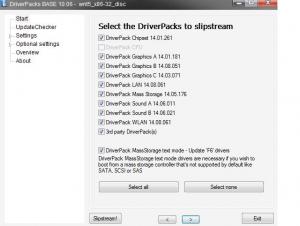


Account
Navigation
Configure browser push notifications
Chrome (Android)
- Tap the lock icon next to the address bar.
- Tap Permissions → Notifications.
- Adjust your preference.
Chrome (Desktop)
- Click the padlock icon in the address bar.
- Select Site settings.
- Find Notifications and adjust your preference.
Safari (iOS 16.4+)
- Ensure the site is installed via Add to Home Screen.
- Open Settings App → Notifications.
- Find your app name and adjust your preference.
Safari (macOS)
- Go to Safari → Preferences.
- Click the Websites tab.
- Select Notifications in the sidebar.
- Find this website and adjust your preference.
Edge (Android)
- Tap the lock icon next to the address bar.
- Tap Permissions.
- Find Notifications and adjust your preference.
Edge (Desktop)
- Click the padlock icon in the address bar.
- Click Permissions for this site.
- Find Notifications and adjust your preference.
Firefox (Android)
- Go to Settings → Site permissions.
- Tap Notifications.
- Find this site in the list and adjust your preference.
Firefox (Desktop)
- Open Firefox Settings.
- Search for Notifications.
- Find this site in the list and adjust your preference.