Everything posted by SIW2
-
-
https://gist.github.com/AlexanderPavlenko/2278427 https://learn.microsoft.com/en-us/previous-versions/windows/it-pro/microsoft-hyper-v-server-2008-R2/ee731893(v=ws.10)?redirectedfrom=MSDN you could try cdobs .cmd file something like this @echo off setlocal EnableExtensions EnableDelayedExpansion pushd %~dp0 set installpath=f: rem thanks to cdob echo Setting USB boot drivers &echo. copy "%installpath%\system32\config\system" "%installpath%\system32\config\system_%random%.sav" reg.exe load HKLM\loaded_SYSTEM " %installpath%\system32\config\system" set ControlSetDefault= call :setReg Default call :setReg LastKnownGood reg.exe unload HKLM\loaded_SYSTEM popd goto :eof :setReg set ControlSet=001 reg.exe query "HKLM\loaded_SYSTEM\Select" /v "%1" >nul 2>&1 && ( for /f "skip=2 tokens=3" %%a in ('reg.exe query "HKLM\loaded_SYSTEM\Select" /v "%1"') do set /a ControlSet=%%a set ControlSet=000!ControlSet! ) set ControlSetNNN=ControlSet%ControlSet:~-3% if %ControlSetDefault%.==%ControlSetNNN%. goto :eof echo. &echo ControlSet "%ControlSetNNN%" used. set Services=HKLM\loaded_SYSTEM\%ControlSetNNN%\Services set Control=HKLM\loaded_SYSTEM\%ControlSetNNN%\Control reg.exe add %Control%\PnP /f /v PollBootPartitionTimeout /t REG_DWORD /d 30000 reg.exe add %Control% /f /v BootDriverFlags /t REG_DWORD /d 0x6 set ControlSetDefault=%ControlSetNNN% goto :eof
-
Great, thanks.
-
Thanks. will wimcapture append to an existing wim ?
-
Happy New Year. Is there a way to use wimlib --snapshot with Wincopy so it can be run from within windows instead of having to boot into pe or another os ?
-
Antivirus is alarmed by it.
-
That is interesting. Presumably there is a limitation on those proprietary oem mobo bios from Dell and possibly others. I didnt use UEFI7 for vista to run in efi mode on gigabyte b75m ds3h ( lga1555 ivybridge) or on gigabyte b365m ds3h ( lga1151 coffeelake) I copied the boot critical files from the hd that was on the b75 to the esp partition on the b365. I have just looked at them and they are the windows 11 files. I had tested win11 out on the b75 which explains that.
-
From within windows 7 you could use winntsetup to apply the vista image to another partition. If you use the apply method, Vista will have the os letter D rather than the customary C, ( unless it had been previously sysprepped ). I had a look at the driverpack for that model,they have them for win7 and for xp, but I didnt see any for vista though some of them also support vista, for example the irst drivers in the win7 pack are 11.2.0.1006 https://www.dell.com/support/kbdoc/en-uk/000122075/latitude-e6530-windows-7-driver-cab which are listed here as supporting vista https://www.techspot.com/drivers/driver/file/information/16292/
-
-
-
-
-
-
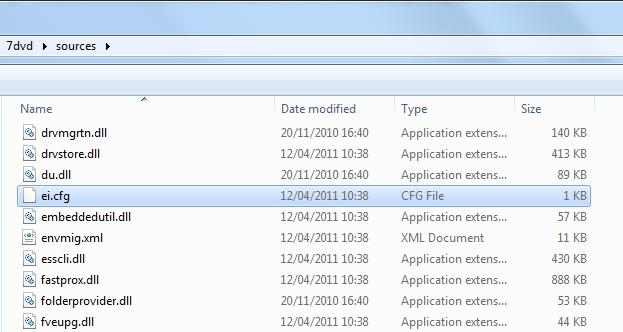
Yes, the SP1 "media refresh" win7 iso work fine for this. It doesnt have the vista license files, so it shows you the win 7 equivalent. Dont worry about that, it actually installs vista. If you want setup to allow you to choose any edition of vista that is in the install.wim, delete the ei.cfg file from the win7 sources folder on the usb stick.
-
-
-
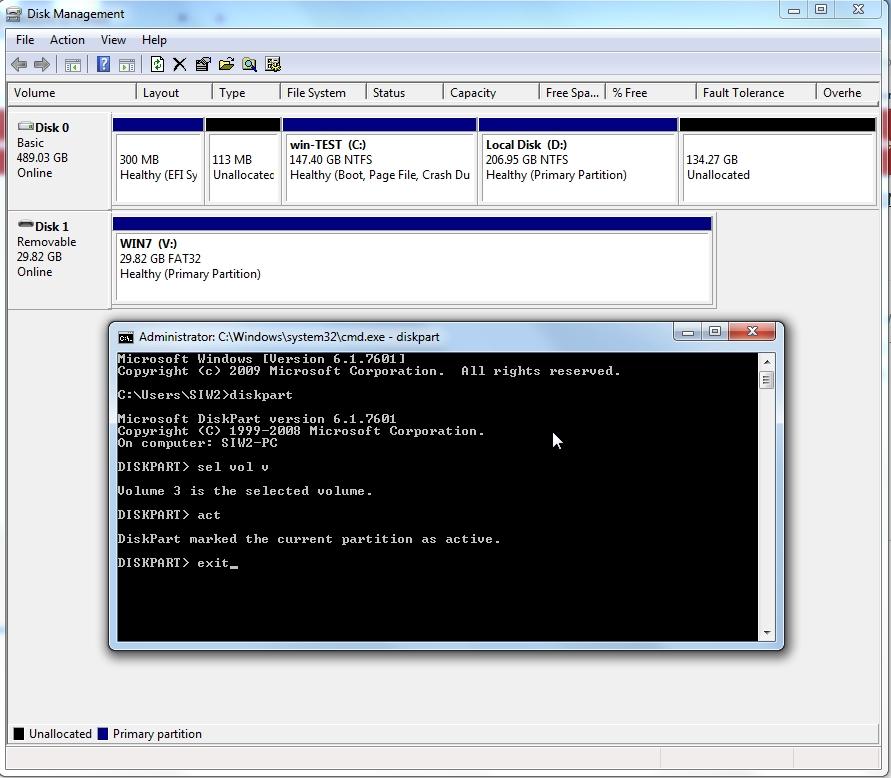
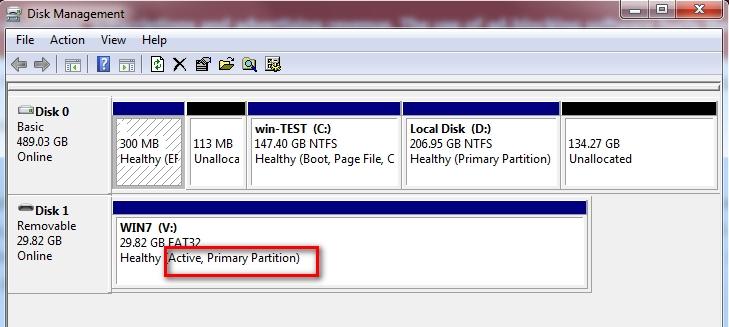
The simplest way is format the usb stick fat32 using disk management. Mark the fat32 partition active. Extract the contents of win7 installation iso onto the usb stick. Rename windows 7 install.wim to something like install7.wim - or delete it. Copy the vista install.wim into the sources folder on the usb stick . ( If your vista install.wim is larger than 4gb, then split it first and copy install.swm and install2.swm or however many there are into the sources folder.) Boot the usb stick in efi mode to do the installation
-
-
-
No. I made it myself.
-
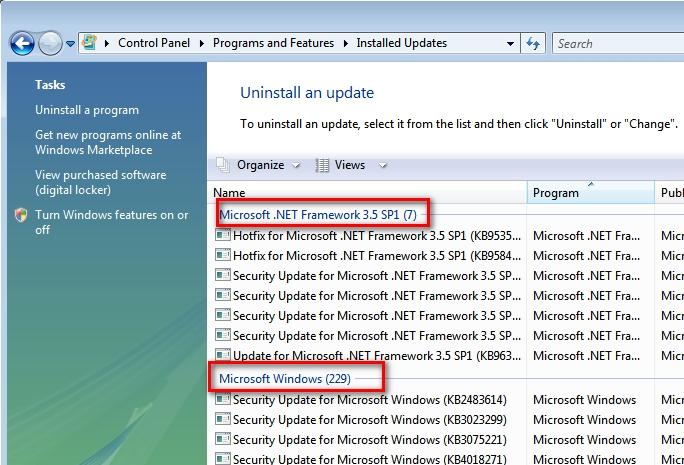
I havent been able to get any vista pe to load reliably on this mobo. Blank screen after the green loading bars Using win7 install media containing updated vista install.wim worked. The successful vista install.wim contains the vista updates till eol ( except net frame 4 which can be added later). No server updates were in it, it is still 6002. It didnt work using the vanilla vista install.wim with no updates. Blank screen after the green loading bars.
-
The only thing missing in dev mgr. Doesn't seem to be causing any problems on this gigabyte b365 ds3H lga 1151 board. Is there a vista driver for this that anybody knows of please?
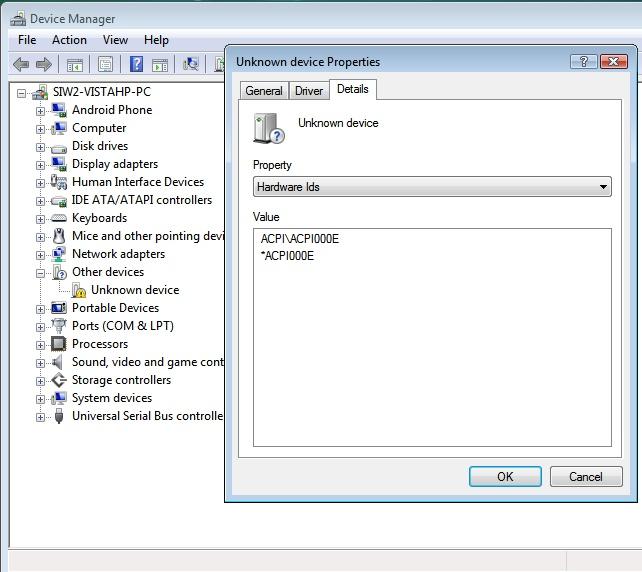
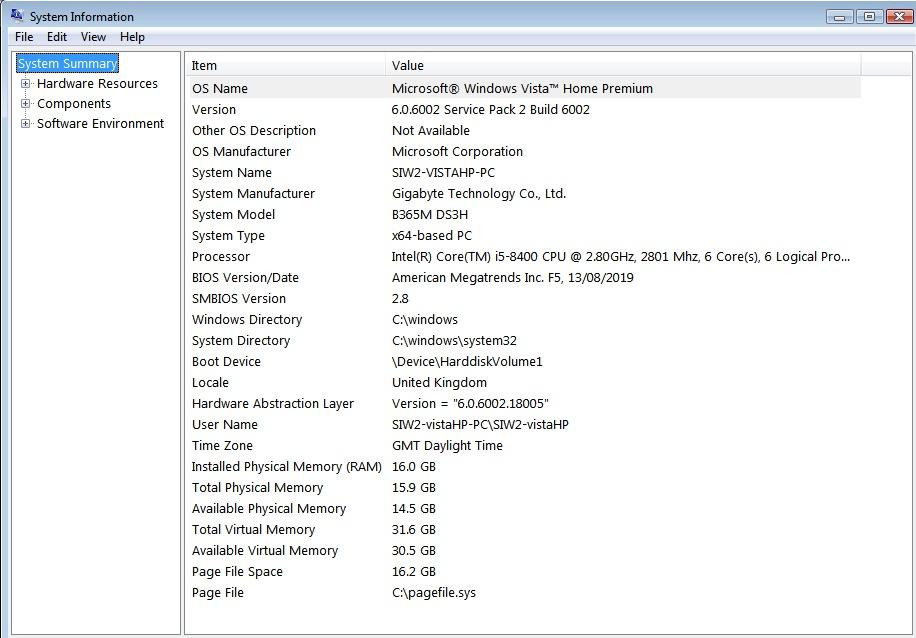
-
If anybody is still working on this: Error C:\remove>remove remove: extraction of C:\Users\SIW2\AppData\Local\Temp\par-53495732\cache-765dd4 40b03a8366b2b9ad7839b678612be6013d/remove.exe (custom Perl interpreter) failed ( errno=17) C:\remove> These are the files in the temp folder it refers to
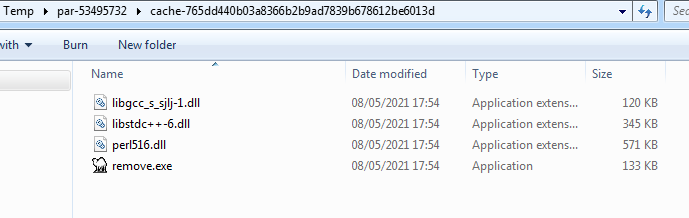
-
I started with iso that already includes sp2. I didn't need to do the reverse integration of the service pack. Then after updates, cleaned up with dism++ before capture into .wim. That makes a big difference.
-
Mine is less than 4gb. It Doesn't include the server updates.