October 5, 200619 yr I have an Aver V80M Motherboard which appears to have some dodgy capacitors. Two of them have the look that they are bloated at the top so that they are not flat but round and one of them has brown stuff underneath it which i assume is electrolyte.So what can I do with this motherboard. Will the Capacitors get worse?
October 5, 200619 yr I have an Aver V80M Motherboard which appears to have some dodgy capacitors. Two of them have the look that they are bloated at the top so that they are not flat but round and one of them has brown stuff underneath it which i assume is electrolyte.So what can I do with this motherboard. Will the Capacitors get worse?Capacitors are designed to puff out at the top to indicate that they are going bad. You have two options:1. Find someone who can solder new capacitors on your motherboard, pretty much as expensive as getting a new mobo, anyway.2. Get a replacement mobo, it is under warranty?When I used to help out at a tech shop, I had a PC with a mobo which had bad caps, and it literally caught on fire. I'm not saying yours will, but it could happen. You should get it checked out immediately. Edited October 5, 200619 yr by Jeremy
October 6, 200619 yr Author its not under warranty, i got it free. Im not sure wether the capacitors were bad before i got it or after i started using it.
October 6, 200619 yr its not under warranty, i got it free. Im not sure wether the capacitors were bad before i got it or after i started using it.Either way, get a new mobo, as Jeremy said.
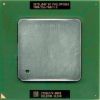
October 6, 200619 yr C’mon, it’s easy to replace and if the board still works then replace those caps. The are no expensive and you don’t have to be an expert to replace them. Just look at the marks (poles) on the caps so you don’t solder them wrong. It’s a slot 1 board, they are hard NEW to find these days .
October 6, 200619 yr Replacing caps on m/boards isn't that easy without proper kit.The m/boards are multilayered and many capacitors have a miniscule copper socket going into the board. So taking it that simple soldering would do the stuff is wrong. Moreso you have to keep the surrounding components under controlled temp, so that you don't end up frying the things easily. Any service centre with good instruments can easily replace the damage.
October 6, 200619 yr "what do you mean by slot 1 motherboard?"http://www.google.com/search?hl=en&q=s...G=Google+Search
October 6, 200619 yr The m/boards are multilayered and many capacitors have a miniscule copper socket going into the board.More information on that? Never saw it before in cheap motherboards.We do it with simple tools and we replaced a lot of them .
October 7, 200619 yr PuntoMX doesn't realize that just because hardware based tasks come easy to him, that not everyone else will find them that easy as well. If I were in the same situation, I would get a new motherboard.
October 7, 200619 yr i have one of the capacitors off, how do i clean off the electrolyte?I use most of the time tinner, altrough it´s a bit agresive. Is it all over the place? Can you post a picture?PuntoMX doesn't realize that just because hardware based tasks come easy to him, that not everyone else will find them that easy as well. Even a nOOb can do it .




Create an account or sign in to comment