woi
-
Posts
50 -
Joined
-
Last visited
-
Donations
0.00 USD
Content Type
Profiles
Forums
Events
Everything posted by woi
-
I created a separate VM for plain KernelEx 2022 (.18 and later updates + Kex22) with no modifications to Kstub and Firefox 29 works there with XP mode. Unsure if it's your non-SSE2 hardware, more likely related to how you setup KernelEX. Also you might need to take a look at sqlite 3.50.1 issue thats happening on Roytam1 browsers post-2025.05.31, those break "Restore Previous Session, Recently Closed Tabs and Recently Closed Windows" and history (if transferred from XP) on 98/ME.
-
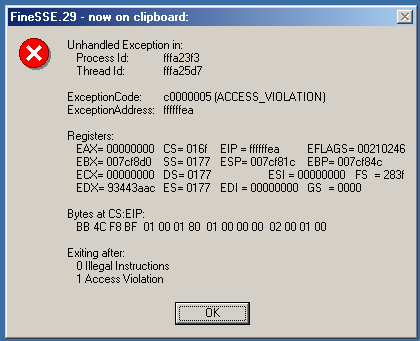
Seems like the crash on Mypal68 is MSVC runtime related, on 2000 + BWC EK if installed using the default settings Mypal68 doesn't launch and crashes after loading CONCRT140 (similar to 9x on DW and FineSSE logs with -lf switch) but this can be fixed by either spoofing the app to XP or reinstalling the extended kernel with NT6 functions enabled. I guess FineSSE v32 might show something similar to that but I could be wrong, that clears out the reason why Mypal68 uses NT6+ functions. Update: I disabled Kexvista and ran Mypal68, looks like it crashes on MSVCP140 instead WATSON22.WLG

-
No, an exception is the furthest I could get (if SystemFunction036 is disabled, I don't need to touch that) but FineSSE lacks any details. That's why I ask for FineSSE updates. Seems like Jumper is about to test Mypal68, only time will tell if he manages to figure out the cause of the issue.
-
There should be a non-SSE2 version of Mypal68 on the GitHub page, you could try running Serpent 52 (IA-32) version first to test Firefox 49 - 52 method then move on to Mypal.
-
There isn't, I only found that out as having SystemFunction036 stubbed caused it to hang without GUI.
-
-
Any news about FineSSE updates? Also I seem to be able to replicate the no-GUI issue that schwups mentioned if SystemFunction036 is stubbed (it doesn't need to be stubbed as KernelEx already has it), not sure if schwups had it stubbed when encountering the no-GUI issue. EDIT: I was wrong, the no-GUI issue probably refers to Firefox 54+. I tested 54.0.1 and it went straight to crash reporter but in background only.
-
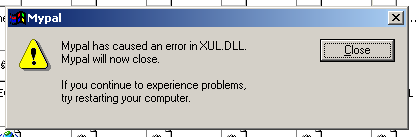
Yes, just the “Mypal has caused an error in XUL.dll” dialog, then crashes. There isn't any unhandled exception.
-
MP68APILOG.zip And yes I already cleared Kstub.log before doing this.
-
Ok so the error code is actually 0xC0000005 not 0xFFFFFFEA (that's the address) as seen on the DW logs and some screenshots above, I mixed up between address code and error code.
-
Doesn't seem to change anything at all Mypal_DBG.txt Update: I tried to do the same thing with Serpent (unmodified) and same error appears (on both DW and FineSSE), but I able to launch it directly on the exe. I guess the debugger is colliding with RaiseException=v4
-
There isn't (I did not save the logs on the screenshot) but it should be same as this one: Mypal_DW.txt And yes I'm using Windows XP Debug mode + RaiseException set to v4.
-
Tested RaiseException=v4, and 0xFFFFFFEA exception seems to appear again in both XP SP3 and XP SP3 (Debug mode): WATSON07.WLG
-
I tried using debug mode with IsDebuggerPresent enabled, seems like it crashes on NSS3 instead of XUL (probably further than it should be?). Here I provided both DrWatson and ApiLog logs for Mypal68 (updated for WATSON05_NODBG.WLG, XP SP3 mode without debug) : Mypal.zip Dependency Walker (XP debug mode):
-
I still can't launch Mypal68 on Dependency Walker (exception in 0xFFFFFFEA): MP68_DW.txt I'm using the one from Firefox 52 (10.0.14393.33), obviously the ones from Mypal68 does not work at all. I have not managed to redirect UCRTBASE to MSVCR140 (MSVCP140?) as the api-ms-win files already redirected there (it still ask for UCRTBASE.DLL), if I redirect those to MSVCP140 it complains about MSVCP140:Free. UPDATE: I launched tried FineSSE and it's the showing same exception Also forgot to mention but I'm using the latest version 74.1.4 (don't be fooled, it's still 68). I'll test the older 68.1x.x versions and see if there's any differences. Update 2: Tested Mypal68 v68.13.1, same error 0xFFFFFFEA, also happens on unmodified Serpent 52 as well.
-
Dependency Walker logs, kinda strange that the broker services error did not appear when running the -17 version: FF54_DW.zip Also is this correct (procwin):
-
OK here it is: KSTUB825.log
-
Is there a way to trigger it? I'm sure I have it enabled on Kstub but couldn't find it. I'll also try ProcWin (I had it on my KernelEx folder).
-
I have tried -16 before, still crashes as the February 15th version. And yes the "Couldn't initialize broker services" error also came up. Here are the logs of the -16 and -17 version in a zip file, I'm using ApiLog. Not sure if this what you meant by Kexstubs.log. FF54_16_17.zip
-
Unfortunately 54.0a1 (2017-02-14) is the newest version I could launch, I have not managed to find out what's causing the crashing issue. I'm kinda new to Kstub.ini, and ApiLog/Dependency Walker doesn't to give any clue. I thought you could maybe help since I managed to omitted the use of DWMAPI & AVRT (see spoilers above) and I'm think you use those DLLs from other extended kernel instead of the KnownDLLs + LZ32 that jumper mentioned long time ago. However for Mypal68, I forgot to mention this but I managed to get to the point that this error comes up. I have stubbed keyed event functions to z4 and Cred---- functions to CredFree. This error is kinda familiar, I've seen it on Serpent before the GetLastError workaround. And yes nothing fixes the error as you mentioned.
-
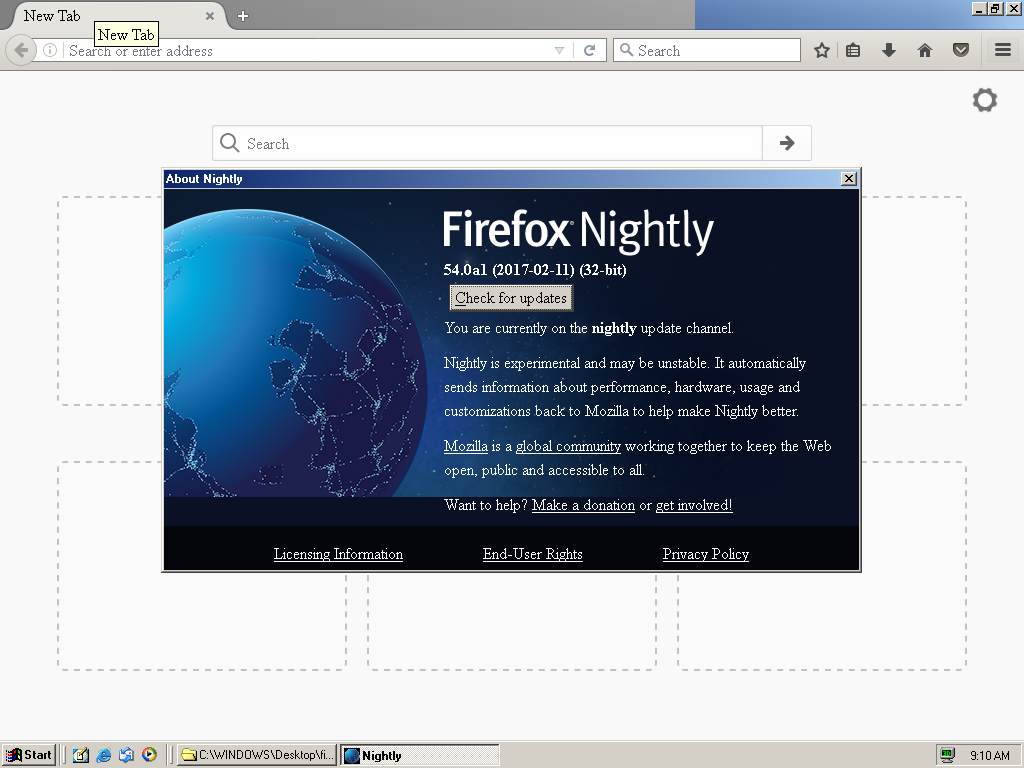
Update: I got 54.0a1 (2017-02-14) to work and that's the highest version that I'm able to launch. Later version launchs for a split second before crashing, I have not fixed the issue yet. While for AVRT.DLL, OCAPI AVRT.DLL works fine instead of the KnownDLLs + LZ32.DLL redirection. There isn't any freezing issues but does not fix the crashing issue on Firefox 54.0a1 (2017-02-15).
-
Recently I have tried running Firefox 53+ on my Windows ME VM, turns out it can launch with XP dlls + either Vista 5112 or ReactOS (2014) DWMAPI, but with this method I can't launch 54.0a1 (2017-02-10) as the DLL is not sufficent enough. Vista SP2/One-Core-API DWMAPI.DLL freezes the whole browser during start so I don't want to bother with that. I tried the safer way by using the KnownDLLs + LZ32 method, I redirected DWMAPI to LZ32 and added the following functions on my Kstub.ini: This way I managed to get 54.0a1 (2017-02-10) working and also for the February 11th version I think AVRT.DLL was mentioned here but I do not want to try experimenting with Windows Vista/7+ dlls so I did the same to AVRT.DLL and added these stubs to LZ32 (Kstub.ini): And now Firefox 54.0a1 (2017-02-11) works fine at least in firefox safe mode, normal mode does not want to launch for some reason. (Update: Normal mode works fine after some tests): Though the font looks kinda weird. (I think this also happened on XP OCAPI at some point) Also I can't get 54.0a1 (2017-02-15) to work, a splash of window appears for a second. But it does launch. Also FYI I disabled e10s in about:config. Sure these versions are a crapshoot for Windows 9x + KernelEx, but I really like to push KernelEx to it's limits, also I'm curious about the state of Mypal68 on Windows 9x + KernelEx. Does it still crashes with RaiseException=v4? Since you mentioned that it's related to RaiseException, also I wonder if the implementation of NT SEH (correct me if I'm wrong) is even possible in KernelEx. I don't think returning v4/GetLastError is enough.
-
Great! I just compared 2.40.4519 and 2.40.4520 and the only different is that you have to change 00087AD0 instead of 00087760. Patched it and now Serpent 55 launches without ApiLog, even works on Kstub824 as well.
-
Is there really something like this for 2.40.4520? I've fully updated the installation (Windows ME) using the unofficial SP1. I don't really have the copy of 2.40.4519 somewhere, If I had one I'll try to see the difference and try to patch the newer "OLEAUT32.DLL" file.
-
Update on Kstub825: Not sure whats going on but now both IE and Explorer works fine with Kstub825, something to do with my KernelEX/Windows installation I guess? The Kstub825.ini doesn't have enough functions to launch Firefox-based browsers by default so I had to add several functions and now it launches again.