


we3fan
-
Posts
296 -
Joined
-
Donations
0.00 USD
Content Type
Profiles
Forums
Events
Posts posted by we3fan
-
-
COMODO Internet Security Premium 12.0.0.6818
I was curious to test this COMODO Antivirus, so here are my test results:
Day of testing: 5th of July 2026, few days ago
I didn't install Comodo Firewall from installer
Asks me to reboot before using the program hmm, OK I rebootedWith Internet OFF, all scans don't work hmm, all say 'Scan Aborted' after 1 second hmm; if I try any type of Scan it says 'STATUS: Updating' and then
'STATUS: Scan Aborted' after 1 second hmm.With Internet ON, all scans don't work hmm, all say 'Scan Aborted' after 3 seconds hmm; if I try any type of Scan it says 'STATUS: Virus Database
Update (1.7 %): Checking for updates...' and then 'STATUS: Scan Aborted' after 3 seconds hmm.So my conclusion with this COMODO Antivirus for now is:
All scans don't work hmm, all scans abort after 1-3 sec hmmThere are few places in the Options where you can 'disable Virus database Update before Scan', I disabled all of them (I think) and all other similar
options, but I still couldn't get it to work, I couldn't get 1 proper Scan hmm.
Has anyone tried this COMODO Antivirus?
Does the Scan work properly for you, or you also get 'STATUS: Scan Aborted'?1 -
On 5/31/2026 at 3:39 PM, soggi said:
Hey...
Sorry, that I wasn't here for some ~3 years but mostly always put the new releases to my tools page (https://soggi.org/misc/tools.htm) as a mirror.
Hi soggi, good to see you back.
 1
1 -
-
I see, thanks.
0 -
On 6/14/2026 at 12:05 AM, reboot12 said:
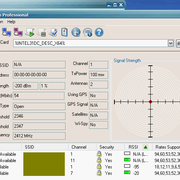
Only see Wifi networks:

Hi reboot12,
Which version and build of WirelessMon do you use?
0 -
On 6/19/2025 at 8:56 AM, j7n said:
Often you need to turn off javascript after the page is loaded, or it won't load right without it. I still use Opera 12 (very old) which allows this without an extension.
Hi j7n,
I guess this is NOT possible because it's quite old, but I wanted to ask you, Can Opera 12 open Cloudflare-protected sites with this turn-off-javascript method?0 -
@NotHereToPlayGames
I see, thanks ArcticFoxie, I appreciate it.0 -
@NotHereToPlayGames
Yes, v122 has the #extension-mime-request-handling flag, I had the default "Always prompt for install", but changing it to "Download as regular file"
still didn't help for Cloudflare.
I remember some time ago when Cloudflare accepted v122, with "Always prompt for install" I was able to download another CRX, it prompted to install the
extension initially but when I cancelled that it just downloaded the .crx file.
Thanks guys.
So we can't do anything for Cloudflare-protected sites, with slightly older browsers?
And the only way is to use the LATEST browser?
Cloudflare plays hard ball.0 -
I use Supermium v122, it worked fine for opening Cloudflare-protected sites until April 2026.
But since May 2026 it can't open Cloudflare-protected sites anymore, it can render the sites perfectly fine but the Cloudflare doorman says: "NO ENTRY
FOR YOUR BROWSER"!Test page:
https://www.crx4chrome.com/crx/353803/
https://www.crx4chrome.com/go.php?p=353803&i=ncigbofjfbodhkaffojakplpmnleeoee&s=zsYGZ5McvPQqw&l=https%3A%2F%2Ff6.crx4chrome.com%2Fcrx.php%3Fi%3Dncigbofjfbodhkaffojakplpmnleeoee%26v%3D0.1
I try to download v0.1 Crx but I CAN'T download the .crx file hmm, the Cloudflare security verification keeps loading in an endless loop.Will browser-spoof with UA work for Cloudflare-protected sites? And if YES, any recommended UA strings for me to try?
0 -
Yes, the flag is present in the version that I use, v122 :
WebAssembly Garbage Collection
Enables the experimental Garbage Collection (GC) extensions to WebAssembly. – Mac, Windows, Linux, ChromeOS, Android, Fuchsia, Lacros
#enable-webassembly-garbage-collectionBut it is NOT present in v144 .
Since the flag is not present in v144, this probably won't work, but it's worth a try maybe:
add switch --disable-webassembly-garbage-collection or something similar.0 -
chrome://flags/#enable-webassembly-garbage-collection WebAssembly Garbage Collection
I don't know what the "Default" is, but try setting it to "Disabled".0 -
The Registry entry should NOT be there, I agree.
I once tested a program on the Desktop, and it automatically added its own entry (program name) in one of these Registry locations, and it showed a similar Event Viewer message, that's why I mentioned it.
0 -
On 5/14/2026 at 12:08 AM, kuja killer said:
Every time i open the browser, or close it i think... it keeps logging this error message in the event viewer about "garbage collector".
Check if you have a "Supermium" entry in your Registry in these locations:
[HKEY_CURRENT_USER\Software\Microsoft\Windows\CurrentVersion\Run]
[HKEY_CURRENT_USER\Software\Microsoft\Windows\CurrentVersion\RunOnce]
[HKEY_LOCAL_MACHINE\SOFTWARE\Microsoft\Windows\CurrentVersion\Run]
[HKEY_LOCAL_MACHINE\SOFTWARE\Microsoft\Windows\CurrentVersion\policies\Explorer\Run]IF you have, deleting it might fix your event viewer problem.
0 -
-
14 hours ago, Multibooter said:
There are several versions 15.2, e.g. https://www.hirensbootcd.org/hbcd-v152/ [592MB], which lists Registry Editor PE 0.9c. is this the one?
Hi Multibooter, yes this is it.
0 -
22 hours ago, NotHereToPlayGames said:
This is the profile that I use:
Thanks ArcticFoxie, much appreciated.
0 -
On 3/3/2026 at 4:04 PM, NotHereToPlayGames said:
And xp-AntiSpy is the "easiest" route to achieve that on new installs.
Yes it sure looks like an easy way to do that.
I don't have much experience with this program.
You suggest to install it, or portable works fine also?
Which Profile and Mode do you use?22 hours ago, chermany4ever said:It seems FDM can't reach the web.
I see, yes a lot of things to consider, not easy to pinpoint what could be the problem.
I haven't used xp-AntiSpy much, but it seems to be a good essential program.
1 -
19 hours ago, chermany4ever said:
Tried downloading several links from different sites and couldn't get anything to download.
This will not stand, man.
Hmm, it's really strange that FDM downloading doesn't work for you and it works for NHTPG.
If we rule out that the download problem is NOT something in the program Settings itself, then I wonder if there is some way to troubleshoot and find out why FDM downloading doesn't work on your system.
I also noticed NHTPG has xp-AntiSpy installed for this test, not sure if that changes something or is just for extra security.1 -
-
On 11/22/2022 at 4:51 AM, xrayer said:
Hi, please is there some unofficial build of Telegram client newer that 1.8.15?
Hi, Telegram 5.6.3 for XP:
https :// www.sendspace.com/file/qnu3ex0 -
21 hours ago, nicolaasjan said:
I didn't realise there were so many still using SP2 (why?).
I will consider building the next version with PyInstaller 5.13.2 again.
But do note, that in the future that may not be possible any more, due to the changes they make. Consider upgrading to SP3.
In the meantime, here is a build that should work on SP2.
SP3 on my old 2006 laptop feels a bit bloated and slower, SP2 feels cleaner and faster, so that's why I use SP2.
Thanks, I appreciate it.0 -
1 hour ago, nicolaasjan said:
The latest version of my yt-dlp is now built with PyInstaller 6.17.0.
Unfortunately it is not compatible with Windows XP SP2 any more (got a personal message from a forum member).
Hi nicolaasjan,
I still use XP SP2 for now, I tested the latest yt-dlp 2025.12.06 and when I try to download a video it says: "... api-ms-win-crt-convert-l1-1-0.dll was not found." hmm, it doesn't work with any command I try. (example: yt-dlp --version )
Can you please keep yt-dlp be able to work on XP SP2 if possible?
I would also like to say a big THANKS to you nicolaasjan for all your hard work with yt-dlp and making video download possible on older OSs.
1 -
I see, OK thanks again.
And thanks for the axe-IE tip, I will definitely try it.
0 -
Thanks @NotHereToPlayGames, I really appreciate it.

I have been avoiding IE6 like the plague for the last 20 years, so I haven't even touched it for 2 decades. No wonder I didn't even think to try that.
I opened IE6 for 5 seconds and then closed it - 360Chrome still can't open ht-tpS sites.
I opened IE6 for 10 seconds and then closed it - 360Chrome now can open ht-tpS sites, good.
I guess (on my PC) it needs some time to unblock the blockage in the background (Registry).I suppose there is no harm in opening IE6 for 10 seconds, but I am not 100% sure, so I wanted to hear your opinion.
It opens this blank white page by default: http://www.microsoft.com/isapi/redir.dll?prd=ie&pver=6&ar=msnhome
Is there any risk in opening IE6 for 10 seconds?0
Antimalware, firewall, and other security programs for Windows XP working in 2023 and hopefully beyond
in Windows XP
Posted
I see, Thanks.
I wonder if the problem I have with COMODO Internet Security Premium 12.0.0.6818 is ON MY END because I have some problem with my current XP SP3
installation or maybe I am missing something (.NET Framework, Visual C++, or a KB update).
I will wait until at lease 1 person reports the same problem before I totally dismiss this version and delete the installer.
If a normal Quick Scan lasts more than 10 seconds they can stop the scan and that means it works for them and it doesn't work for me.
If a normal Quick Scan says 'Scan Aborted' after 1-3 seconds that means they are having the same problem as me, and this version REALLY has a
problem.
I wanted to see if the Scan is fast or slow, and in case it finds an infected file - does it have the option to CLEAN the infected file successfully?
Do you remember what version was the old COMODO Antivirus that you used in the past?
I want to try it and see if it also gives me a 'Scan Aborted' problem.