



Skip to content
View in the app

A better way to browse. Learn more.

MSFN

A full-screen app on your home screen with push notifications, badges and more.

To install this app on iOS and iPadOS
  1. Tap the Share icon in Safari
  2. Scroll the menu and tap Add to Home Screen.
  3. Tap Add in the top-right corner.
To install this app on Android
  1. Tap the 3-dot menu (⋮) in the top-right corner of the browser.
  2. Tap Add to Home screen or Install app.
  3. Confirm by tapping Install.

icanttellyou

Member
  • Joined

  • Last visited

  • Country

    Lithuania
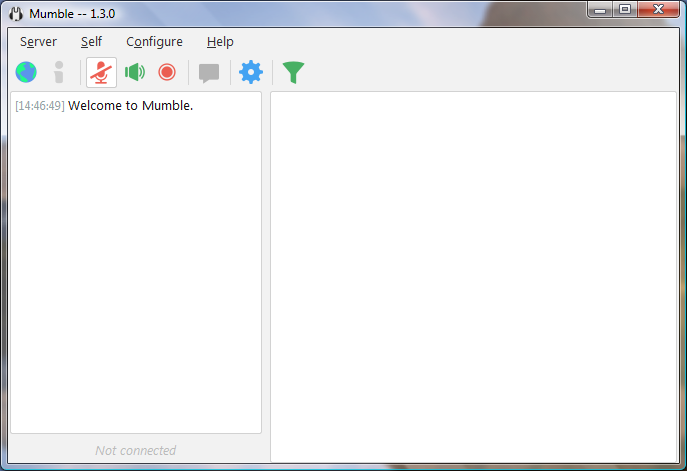
  1. It errors out if I try to run the x64 version of Mumble 1.3.0 but not the x86 one.
  2. Thank you for correcting my mistake as 1.3.0 x86 works fine for me.
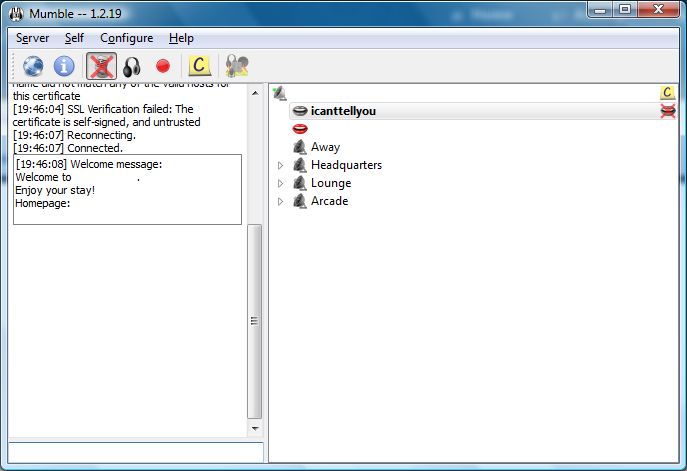
  3. Add Mumble 1.2.19 to the list, this is the last version to run on Vista, as 1.3.0 needs a library in kernel32.dll
  4. It looks nice, it works nicely but there is a problem. I can't import passwords from a .csv file, not even from Chrome or Firefox. Also I am sorry if I bumped this post.
  5. Hmmmmm. I tried out the 360 Extreme web browser because I have issues using New Moon so I tried it out and i found one problem. It can't import passwords from a .csv file, nor even import settings from Chrome or Firefox (It needs profiles from version 57 or newer). So I tried out the slightly older Yandex Browser. It works perfectly fine.
Account

Navigation

Configure browser push notifications

Chrome (Android)
  1. Tap the lock icon next to the address bar.
  2. Tap Permissions → Notifications.
  3. Adjust your preference.
Chrome (Desktop)
  1. Click the padlock icon in the address bar.
  2. Select Site settings.
  3. Find Notifications and adjust your preference.