




-
Microsoft Visual C++ 2015-2019 Redistributables (14.29.30024) This build of the Microsoft Visual C++ 2015-2019 Redistributables is dated 24/03/2021 and succeeds the last official build dated 13/08/2020. It was discovered at archive.org by MilkChan. These packages can be uninstalled from the Add/Remove Windows Components control panel. Unfortunately it is not possible re-install it due to the long file names Microsoft have used requiring them to be truncated into the 8.3 format on the Windows installation disk. File: Microsoft_VC++_2015-19_Redistributable_Addon_Enu.7z (DropBox) File: Microsoft_VC++_2015-19_Redistributable_Addon_Enu.7z (Google Drive) MD5: 553956AA051414A44999DB8413F9F9D3 SHA-1: 2A1D87056D77E0EA1B0B8EEBAB6B5762376D9CF4 Release date: 21/06/2026 Size: 4839 KB File: Microsoft_VC++_2015-19_Redistributable_Addon_Intl.7z (DropBox) File: Microsoft_VC++_2015-19_Redistributable_Addon_Intl.7z (Google Drive) MD5: 6858EA0F02799D80DE3B6E171CAB1E72 SHA-1: 427B07C7D4A429548EA5AD6941A7C5B8CCACC699 Release date: 21/06/2026 Size: 4933 KB File: Microsoft_Visual_C++_2015-2019_Minimum_Runtime_Addon.7z (DropBox) File: Microsoft_Visual_C++_2015-2019_Minimum_Runtime_Addon.7z (Google Drive) MD5: 87987EE147D92A71B07F3BC03EE4E096 SHA-1: 9D56AD378B3CB85DA86E091B0277ED142314C3AD Release date: 21/06/2026 Size: 968 KB
-
As of May 2026 Thorium and Serpent are able to cope with Cloudfare, but New Moon struggles with scripts and cannot complete Cloudfare verification. I gave up on MyPal a few weeks ago, and I seem to remember that it could not cope with Cloudfare.
-
Kernel Mode Driver Foundation Service 1.9 File: WDF_Addon_Server2003.7z (Dropbox) File: WDF_Addon_Server2003.7z (Google Drive) MD5: 55A2BF3032159C79B04FEBD92B74380E SHA-1: 9A11DD2D0D77C7B32CBAB9359B98232807F50F00 Size: 229 KB Build date: 24/05/2026 File: WDF_Addon_XP.7z (Dropbox) File: WDF_Addon_XP.7z (Google Drive) MD5: 5D097BA9EA6C6CBF3A6124CCC4F8E696 SHA-1: 28141E154F507C646285DE0E749C5ED41DE43907 Size: 229 KB Build date: 24/05/2026 You will probably not need this because XP Drivers that require KMDF include it in the driver package and it is installed at the same time as the driver. MilkChan made a KMDF addon for Server 2003 because it is required for the Windows Portable Device Media Transfer Protocol Driver. This addon can be uninstalled in the Add or Remove Programs control panel applet.
-
Microsoft User Profile Hive Cleanup Service File: UPHC_1.6d_Addon.7z (Dropbox) File: UPHC_1.6d_Addon.7z (Google Drive) MD5: E997F06B4053C75D97053D3B32EADB30 SHA-1: CF74E59CAC47AFE39F45A8D951B8699FACA68999 Size: 166 KB Build date: 01/03/2026 File: UPHC_2.0.49.0_AddOn.7z (Dropbox) File: UPHC_2.0.49.0_AddOn.7z (Google Drive) MD5: 6467A65E860D9EB7600C1162A572ED05 SHA-1: 36BE8B2C2908DD2D75DCDFCF0DAD17F175738422 Size: 113 KB Build date: 01/03/2026 Here is an edited version of the description provided in the readme that accompanied the installers: The UPHC service is visible in the Windows Components Wizard, so you can uninstall it if you want. You should also be able to install UPHC from the INF files in the unpacked addons using the right click context menu and left clicking "Install". README.txt
-
I have tried experimenting with batch installs of addons from the RVMi GUI and the commandline. To install a batch of addons enter something like this in the box titled "Choose AddonPack(s) (Optional) enter the path to the folder containing the addons followed by a separator the the file names of the addons with a separator between them C:\Addons\Dir1|Addon1.7z|Addon2.7z|Addon3.7z|Addon4.ini|Addon5.ini Alternatively, you could integrate a batch of addons from the commandline like this: RVM_Integrator_1.6.1b2.1.exe /INTEGRATE /SOURCE:"C:\WinXP Source" /ADDONS:C:Addons\Dir1,Addon1.7z,Addon2.7z,Addon3.7z,Addon4.ini,Addon5.ini You can discover the commandline parameters by changing into the RVMi folder from the console, and entering this RVM_Integrator_1.6.1b2.1.exe /? There are commandline parameters for every option in the GUI, so this should be a powerful technique, but in practice I found that at least one of the addons was not completely processed leading to the text mode part of setup stalling at the file copy stage. Not recommended.
-
If you examine twsfprintpdf.inf you will see the manufacturer's name is given as Intelligent Software Systems Inc and the device ID is "TW SF Print PDF Driver" = PDF, LPTENUM\TWSFPrinter_14062010_300 LPTENUM seems to be an acronym for LPT enumerator. The LPT enumerator is used to obtain identification information from LPT port hardware and calls the printer class installer using this INF file. You can read more about it in this Microsoft article Printer connected to an LPT port. As far as I can tell this is a plug and play hardware driver and not a PDF printer driver, but I cannot understand why they use the word "PDF" in the description. I have never seen a Microsoft PDF printer driver available as a downloadable installer, and only Windows 10/11 have printing to PDF included as a feature.
-
****************NOW WORKING*************** Windows Portable Devices Media Transfer Protocol File: WPDMTP_Addon.7z (Dropbox) File: WPDMTP_Addon.7z (Google Drive) MD5: A566C5359EB28DB18BD982CF45721F57 SHA-1: D7ADB67C5DED4AACA20A1571D13DA4421E8DF08B File Size: 2596 KB Build Date: 31/05/2026 File: WDF_Addon_Server2003.7z (Dropbox) File: WDF_Addon_Server2003.7z (Google Drive) MD5: 55A2BF3032159C79B04FEBD92B74380E SHA-1: 9A11DD2D0D77C7B32CBAB9359B98232807F50F00 Size: 229 KB Build date: 24/05/2026 Update 31/05/2026. This addon is now working under Server 2003 after replacing ptusb.inf with the version from Windows XP. When a MTP compliant device is plugged into a USB socket the Found New Hardware wizard will prompt the user for automatic installation of the MTP driver. I followed MilChan's suggestion and installed the Kernel Mode Driver Framework service which enabled automatic installation of the MTP driver without the Found New Hardware wizard being invoked. Links to my KMDF addon are included here This addon will enable the exposure of a portable device's file system in Explorer and permit the transfer of media files between a PC and a portable device like a camera, smartphone and portable media players. It is installed at the same time as WMP11, so this addon is only required if you have WMP9, have removed WMP with an addon or use Windows 2003. It has been tested using a different micro USB cable that solved the problem of Windows not recognizing my Windows phone. The MTP driver should install automatically as soon as the portable device is plugged in, but the Found New Hardware wizard will be activated if wcid.inf is present and the device is WCID compliant. In this case close the Found New Hardware wizard because WinUSB drivers are not required. I decided not to delete wcid.inf using this addon because there could be the possibility that a device maybe WCID compliant, but not MTP compliant. You could delete wcid.inf before connecting your device to prevent the Found New Hardware wizard from appearing if you want.
-
I could be one of three people still making update packs and addons for Windows Xp and 2003. This thread provided some insight into a problem I have struggled with involving deleting a locked file at startup. This code from my addon for the RyanVM Integrator did not work: [EditFile] HIVEDEF.INF,AddReg,Addline5 [Addline5] HKCU,"SOFTWARE\Microsoft\Windows\CurrentVersion\RunOnce","apphelp.dll",,"%SystemRoot%\Temp\movefile.exe /accepteula %SystemRoot%\System32\apphelp.dll """" Normally you could use INF variables like %10% and %11% that would be expanded to C:\WINDOWS and C:\WINDOWS\System32 respectively, but these do not work in the hive files in the i386 directory such as hivedef.inf. Looking at the posts here I did manage to put the command in a batch file to get it to run at startup and generate the PendingFileRenameOperations value in the Session Manager key. Here is the successful entry in my addon: [EditFile] HIVEDEF.INF,AddReg,Addline5 [Addline5] HKCU,"SOFTWARE\Microsoft\Windows\CurrentVersion\RunOnce","apphelp.dll",,"cmd.exe /q /c %SystemRoot%\Temp\locked.bat" This is the content of the batch file: @echo off reg add "HKCU\SOFTWARE\Microsoft\Windows\CurrentVersion\RunOnce" /v apphelp.dll(2) /t REG_SZ /d "%SystemRoot%\Temp\movefile.exe /accepteula %SystemRoot%\System32\apphelp.dll \""" /f Exit As you can see it is possible to include a path variable like %SystemRoot% in a registry value in some circumstances without it having to be expanded by placing it in an expandable string value.
-
Here are some links to Interlink Mail and News taken from the Internet Archive that include useful information and working download links: Interlink Addons Page 30-05-2023 Enigma Mail Index of Releases 3.1 Interlink Index of Last Releases 23-05-2023 Interlink Homepage 11-02-2023 Here are links for direct downloads of all the Interlink addons up to May 2023 that should work with Mailnews. I include only the last versions of these addons. ABPrime 3.1.7770 Ambassador 1.2.0 Australium 5.1.0 Bamboo Feed Reader 2.3.2 BrowserTickTock 0.1.4 Classic Password Editor 1.0.3 Clickety Touch 'n Push 1.0.1 Cute Buttons 0.5.7 DOM Inspector 3.1.7534 EHPrime 1.5.7795 Enigma Mail 3.1.7 Extension Developer 1.1.5 Extensions Preference Menu 2.13.18 Fireshot 0.98.95.3 Fox Clocks 4.2.3 IsAdmin 2.5.2 kakusu 1.1.8 Milestone 1.0.6 Minama 1.0.2 MoonScape 7.1.1 New Scrollbars 1.2.8 Notestruck 1.0.5 Password Backup Tool 1.3.0 Periodic Table of XUL Elements 1.2.1 Photonic 4.0.0 Quick Filters 3.12.3 Quick Folders 4.14.2 Quick Passwords 3.11 Splashed 1.4.2 Stylem 2.2.6 Tangerine Moon 3.1.0 Tango Moon 3.1.0 Toolbox Plus 1.1.2 Here are links for direct downloads of extra Interlink search plugins up to May 2023 that should work with Mailnews. Searx.url Start Page.url The Online Slang Dictionary.url The Weather Channel.url Tumblr.url Urban Dictionary.url Webopedia.url Wiktionary.url Yandex .url Also Thunderbird extensions for versions of Thunderbird before 68 should be compatible with XUL based email clients like Mailnews. If you can install version 52.9.8194.of Interlink on a Windows 7 or above machine let me know how you got on.
-
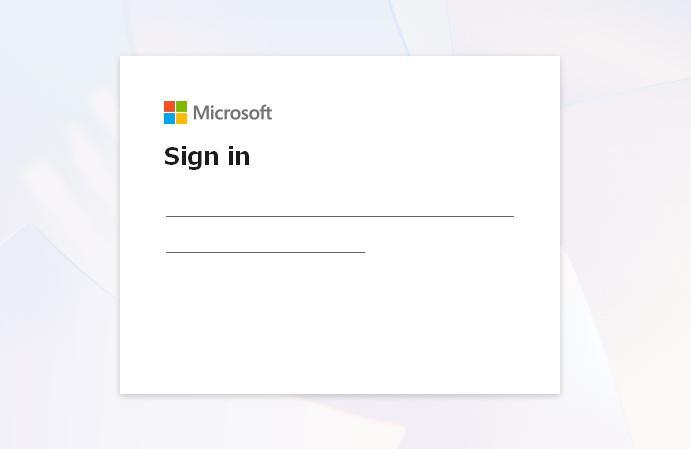
There appears to be no documentation supplied for Mailnews, so I hope someone can help me with Gmail and Microsoft Outlook.com mail. They both require OAuth2 authentification, but only Gmail can connect to the server if I use IMAP. When I use POP3 as the incoming Gmail server I receive this message: OAuth2 does not appear to work with Microsoft Outlook.com mail and it produces the login window uploaded here. I tried enabling 2 step authentification and generating an app password to be used as a normal password, but I receive an error message saying "Username and password not accepted". Does this mean that Mailnews needs to be registered with Microsoft for OAuth2 to work?
-
I think that you are right about HKCU settings should go to HIVEDEF.INF, and not to HIVECLS.INF. I must have misinterpreted these instructions. Here is an extract: As you can see Hivecls.inf creates Classes in HKEY_CURRENT_USER. here are the RunOnce entries in Entries_NetMeeting_DeleteAddon.ini that reset driver signing to the default of warn at the last reboot: [EditFile] HIVEDEF.INF,AddReg,Addline1 HIVEDEF.INF,AddReg,Addline2 [Addline1] HKCU,"SOFTWARE\Microsoft\Windows\CurrentVersion\RunOnce","DriverSigning",,"reg add ""HKLM\SOFTWARE\Microsoft\Driver Signing"" /v Policy /t REG_BINARY /d 1 /f" [Addline2] HKCU,"SOFTWARE\Microsoft\Windows\CurrentVersion\RunOnce","DriverSigning2",,"reg add ""HKCU\SOFTWARE\Policies\Microsoft\Windows NT\Driver Signing"" /v BehaviorOnFailedVerify /t REG_DWORD /d 1 /f"
-
I am one of three people still making addons and update packs using the RyanVM Integrator, and I discovered this problem after patching syssetup.inf. A satisfactory solution to the problem of the battery driver not found message after the completion of the Windows installation is to add this line to HIVECLS.INF to set driver signing to "ignore": HKCU,"SOFTWARE\Policies\Microsoft\Windows NT\Driver Signing","BehaviorOnFailedVerify",0x10001,0 and this line into HIVESFT.INF to set driver signing to "ignore": HKLM,"SOFTWARE\Microsoft\Driver Signing","Policy",0x00001,0 Here is the complete entries in the entries.ini file: [EditFile] HIVECLS.INF,AddReg,Addline6 HIVESFT.INF,AddReg,Addline7 [Addline6] HKCU,"SOFTWARE\Policies\Microsoft\Windows NT\Driver Signing","BehaviorOnFailedVerify",0x10001,0 [Addline7] HKLM,"SOFTWARE\Microsoft\Driver Signing","Policy",0x00001,0 RunOnce values added to HIVECLS.INF reset driver signing to the default "warn" setting at the end of the Windows installation.
-
I have found a satisfactory solution to the problem of the battery driver not found message after the completion of the Windows installation. I have added this line to HIVECLS.INF to set driver signing to "ignore": HKCU,"SOFTWARE\Policies\Microsoft\Windows NT\Driver Signing","BehaviorOnFailedVerify",0x10001,0 and this line into HIVESFT.INF to set driver signing to "ignore": HKLM,"SOFTWARE\Microsoft\Driver Signing","Policy",0x00001,0 Here is the complete entries in the entries.ini file: [EditFile] HIVECLS.INF,AddReg,Addline6 HIVESFT.INF,AddReg,Addline7 [Addline6] HKCU,"SOFTWARE\Policies\Microsoft\Windows NT\Driver Signing","BehaviorOnFailedVerify",0x10001,0 [Addline7] HKLM,"SOFTWARE\Microsoft\Driver Signing","Policy",0x00001,0 RunOnce values added to HIVECLS.INF reset driver signing to the default "warn" setting at the end of the Windows installation. Previously I used an Optional Components section in an inf file to copy batt.dll to the System32 folder near the end of the Windows installation. Now I can eliminate these inf files and sysoc.inf will not be clogged up with masses of entries for the Windows Components removal addons. This should complete the Windows Components removal addons which now produce no entries in setuperr.log and System File Checker does not flag any missing DLLs. I just have to rebuild all thesel addons and upload them once again.
-
Thanks for this clever tip that I have never read anywhere else. I tried it and it works! Here is my solution using the integrator. I have discovered that setup reads the paths in the DestinationDirs section of the installation INFs of Windows components and registers these folders somewhere as protected. It is not possible to remove these INFs from the source because they are signed by nt5inf.cat, and their absence would cause setup to be aborted half way through. My solution is to over-write these INFs with a dummy INF that contains a few lines in the Version section like this example [Version] Signature= "$Windows NT$" LayoutFile=layout.inf [DefaultInstall] and delete the INF late in the setup. I have tried this with Speech Support, Movie Maker, and internet Connection Wizard and it seems to work. Here is the latest addon that incorporates this technique. File: SpeechSupport_DeleteAddon.7z (Dropbox) File: SpeechSupport_DeleteAddon.7z (Google Drive) File: SpeechSupport_DeleteAddon.7z (4Shared) MD5: 86FF6CEE0B6E50FF0DE292B9CC9E6908 SHA1: 995DC283DCC585AB1F175933544AB621CCED46C4 Size: 339 KB Build date: 13/09/2025
-
Can anyone suggest a solution to the problem of orphan folders left behind when using the addons to remove Windows Components. I have empty folders in my system including Outlook Express, netmeeting, msagent, and usmt. These folders are locked by either Winlogon.exe or Explorer, or both, and if you use a utility like Unlocker to remove the handle to them and delete them they are recreated during boot time. Ideally one would be able to hack a Windows DLL that maps the paths to these protected folders, but I am not expert enough to do this. The only other solution I can think of is to execute an unlocking utility using the registry Run key so that the folders are deleted at each boot time. I know of three of these utilities that support commandline usage. Iobit Unlocker deletes files and folders fully, but shows a dialogue box saying "The operation completed successfully", because it does not have a silent switch. Unlocker moves deleted files to the Recycle Bin which rapidly fills up with empty folders. Lockhunter will delete files and folders fully, but it will not execute from the HKLM or HKCU Run key for some reason.