reboot12
Content Type
Profiles
Forums
Events
Everything posted by reboot12
-
 @Dietmar If disconnect cable from i219 then in WinDbg: vs7_4_1g_megate_v49: LinkState -> DOWN 10Mb FD After I connect cable then "cable unplugged" message - I can't disbale connection in WinXP
 -
But what type - Uni or Multiprocessor ??? i219con next - https://pastebin.com/C9YX1BvL ping fro i219 to router - nothing ping from other PC to i219: TXRECLAIM b9712008 00080603 b9712400 0104010a 00000000 b9715800 0ac85000 00000000 00000200 00000000 b9715810 00000000 00000000 00000000 00000000 b9715820 00000000 00000000 02000000 00000000 vs7_4_1g_megate_v49: TX watchdog repair regs TDH=00000000 TDT=00000000 TCTL=0104010a TXDCTL=02000000 DMATXCTL=00000000 TDBAL=0ac85000 TDLEN=00000200 TXRECLAIM b9712008 00080603 b9712400 0104010a 00000000 b9715800 0ac85000 00000000 00000200 00000000 b9715810 00000000 00000000 00000000 00000000 b9715820 00000000 00000000 02000000 00000000 vs7_4_1g_megate_v49: TX watchdog repair regs TDH=00000000 TDT=00000000 TCTL=0104010a TXDCTL=02000000 DMATXCTL=00000000 TDBAL=0ac85000 TDLEN=00000200 TXRECLAIM b9712008 00080603 b9712400 0104010a 00000000 b9715800 0ac85000 00000000 00000200 00000000 b9715810 00000000 00000000 00000000 00000000 b9715820 00000000 00000000 02000000 00000000 vs7_4_1g_megate_v49: TX watchdog repair regs TDH=00000000 TDT=00000000 TCTL=0104010a TXDCTL=02000000 DMATXCTL=00000000 TDBAL=0ac85000 TDLEN=00000200 TXRECLAIM b9712008 00080603 b9712400 0104010a 00000000 b9715800 0ac85000 00000000 00000200 00000000 b9715810 00000000 00000000 00000000 00000000 b9715820 00000000 00000000 02000000 00000000 vs7_4_1g_megate_v49: TX watchdog repair regs TDH=00000000 TDT=00000000 TCTL=0104010a TXDCTL=02000000 DMATXCTL=00000000 TDBAL=0ac85000 TDLEN=00000200
-
@Dietmar i219con - https://pastebin.com/E1TaPuFW ping to i219 (static IP) from other PC: vs7_4_1g_megate_v49: TX watchdog repair regs TDH=00000000 TDT=00000000 TCTL=0104010a TXDCTL=02000000 DMATXCTL=00000000 TDBAL=0aa2e000 TDLEN=00000200 TXPROG_IN deep=0 restore=1 regs=b9785000 b9785008 00080603 b978ab50 00000008 e001c25c 00000000 b9785400 0104010a b9785410 0060200a b9788800 0aa2e000 00000000 00000200 b9788810 00000000 b9788818 00000000 b9788828 02000000 b9788820 00000000 b978882c 00000000 b9789a80 00000000 b97850c4 00000000 GOODMAC loops=c8 needpcim=0 regs=b9785000 b9785008 00080603 b978ab50 00000008 e001c25c 00000000 TXPROG_OUT b9785008 00080603 b978ab50 00000008 e001c25c 00000000 b9785400 0104010a b9785410 0060200a b9788800 0aa2e000 00000000 00000200 b9788810 00000000 b9788818 00000000 b9788828 02000000 b9788820 00000000 b978882c 00000000 b9789a80 00000000 b97850c4 00000000 vs7_4_1g_megate_v49: TX watchdog repair regs TDH=00000000 TDT=00000000 TCTL=0104010a TXDCTL=02000000 DMATXCTL=00000000 TDBAL=0aa2e000 TDLEN=00000200 TXPROG_IN deep=0 restore=1 regs=b9785000 b9785008 00080603 b978ab50 00000008 e001c25c 00000000 b9785400 0104010a b9785410 0060200a b9788800 0aa2e000 00000000 00000200 b9788810 00000000 b9788818 00000000 b9788828 02000000 b9788820 00000000 b978882c 00000000 b9789a80 00000000 b97850c4 00000000 GOODMAC loops=c8 needpcim=0 regs=b9785000 b9785008 00080603 b978ab50 00000008 e001c25c 00000000 TXPROG_OUT b9785008 00080603 b978ab50 00000008 e001c25c 00000000 b9785400 0104010a b9785410 0060200a b9788800 0aa2e000 00000000 00000200 b9788810 00000000 b9788818 00000000 b9788828 02000000 b9788820 00000000 b978882c 00000000 b9789a80 00000000 b97850c4 00000000 vs7_4_1g_megate_v49: TX watchdog repair regs TDH=00000000 TDT=00000000 TCTL=0104010a TXDCTL=02000000 DMATXCTL=00000000 TDBAL=0aa2e000 TDLEN=00000200 TXPROG_IN deep=0 restore=1 regs=b9785000 b9785008 00080603 b978ab50 00000008 e001c25c 00000000 b9785400 0104010a b9785410 0060200a b9788800 0aa2e000 00000000 00000200 b9788810 00000000 b9788818 00000000 b9788828 02000000 b9788820 00000000 b978882c 00000000 b9789a80 00000000 b97850c4 00000000 GOODMAC loops=c8 needpcim=0 regs=b9785000 b9785008 00080603 b978ab50 00000008 e001c25c 00000000 TXPROG_OUT b9785008 00080603 b978ab50 00000008 e001c25c 00000000 b9785400 0104010a b9785410 0060200a b9788800 0aa2e000 00000000 00000200 b9788810 00000000 b9788818 00000000 b9788828 02000000 b9788820 00000000 b978882c 00000000 b9789a80 00000000 b97850c4 00000000 vs7_4_1g_megate_v49: TX watchdog repair regs TDH=00000000 TDT=00000000 TCTL=0104010a TXDCTL=02000000 DMATXCTL=00000000 TDBAL=0aa2e000 TDLEN=00000200 TXPROG_IN deep=0 restore=1 regs=b9785000 b9785008 00080603 b978ab50 00000008 e001c25c 00000000 b9785400 0104010a b9785410 0060200a b9788800 0aa2e000 00000000 00000200 b9788810 00000000 b9788818 00000000 b9788828 02000000 b9788820 00000000 b978882c 00000000 b9789a80 00000000 b97850c4 00000000 GOODMAC loops=c8 needpcim=0 regs=b9785000 b9785008 00080603 b978ab50 00000008 e001c25c 00000000 TXPROG_OUT b9785008 00080603 b978ab50 00000008 e001c25c 00000000 b9785400 0104010a b9785410 0060200a b9788800 0aa2e000 00000000 00000200 b9788810 00000000 b9788818 00000000 b9788828 02000000 b9788820 00000000 b978882c 00000000 b9789a80 00000000 b97850c4 00000000 ping from i219 to router - there is nothing in WinDbg In normal boot mode I run game Spider Solitaire and at some point, the message "Cable disconnected" appeared for a moment. @Dietmar What HAL driver you use? I use acpiapic_mp:
-
My Browser Builds (Part 5)
reboot12 replied to roytam1's topic in Browsers working on Older NT-Family OSes
Yes, I have cloudflare loop in betaarchive.com - not possible enter to site -
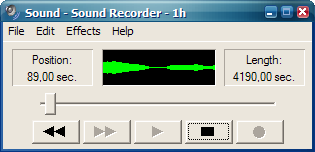
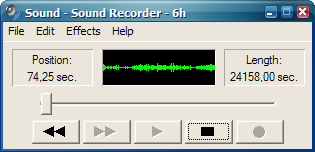
For WinXP there is such a patch: https://www.leechermods.com/2008/12/windows-sound-recorder-utility_28.html Is there any patch for the 64-bit version? EDITED OK, I did it - now you can record about 1 or 6 hours I tested recording over 60 seconds and it works.

-
When we create the i219 driver for XP, I will start thorough testing CSMWrap 2.0.0 and two new versions 2.1.0 and 3.0.0
-
@Dietmar I tried map network drive to i219 WinXP PC - https://pastebin.com/5Wv46Hb0 If change i219 from static IP to DHCP then PC no set IP and I don't know what IP to ping. In router no any request and no any offer IP. PC has no IP configuration. WinDbg data only show while ping from router to i219 if card has set static IP and mask but in WinXP connection properties is always 0/0 packet
-
ping from WinXP to router - Request timed out, 0/0 packet, in WinDbg nothing ping from router to WinXP - Request timed out, in WinXP 0/0 packet but in WinDbg this messages: ISR TXRECLAIM b9788810 00000000 b9788818 00000000 RXPOLL b9787810 0000000e b9787818 00000009 ISR TXRECLAIM b9788810 00000000 b9788818 00000000 RXPOLL b9787810 00000012 b9787818 0000000e ISR TXRECLAIM b9788810 00000000 b9788818 00000000 RXPOLL b9787810 00000017 b9787818 00000012
-
@Dietmar i219harder - https://pastebin.com/0H27rk3D But ME and AMT is Disabled in BIOS
-
@Dietmar I use this industrial motherboard every day with WinXP 64-bit and have no problems - your acpi.sys mod, USB3, NVMe and AHCI - I use in Legacy mode but UEFI also works. I don't understand any of this - the i219 card works without any problems in WinPE (Win10) regardless of what settings I have in the BIOS
-
@Dietmar i219wakeup - https://pastebin.com/JNacvWPg
-
@Dietmar I cannot disable and/or uninstall your i219 driver if the system has been running for some time. To do this, I need to disable/uninstall the driver immediately after starting WinXP - same noticed on other your drivers - not only ForceDMA
-
@Dietmar i219ForceDMA - https://pastebin.com/cjLmTE9L Using pciutils tools I compare PCI Configuration Space i219 card in WinXP 32-bit and WinPE 10 64-bit - BusMaster is Enabled only other IRQ:
-
@Dietmar OK, see you tomorrow.
-
@Dietmar Okay, we're done for today - I have other things to do. Should I check something else because I'm logging out?
-
@Dietmar i219 nextn - https://pastebin.com/J71GwSxQ
-
@Dietmar https://pastebin.com/KnpqErj4
-
I don't think so - my router has last DHCP query from Win10 (WinPE):
-
@Dietmar i219253 2 - https://pastebin.com/B9bum1fu I have to stop for today because I've had enough.
-
@Dietmar i219253 - https://pastebin.com/69LHVy8u
-
@Dietmar I already download boot.wim (~640 MB) from Win10 x64 22H2 Updated Feb 2023 - maybe this have own driver for i219. I don't want to install Win10 on the disk, but I just want to run WinPE (installer) and check if the i219 card works. Yes, this version WinPE has driver and i219 works OK with my router (same cable):
-
Something is bad with power in this and some previous drivers - WinXP Turn Off OK but PC not - CPU fan speed up, black screen, PC in not powered off. I must force press and hold for some seconds power off button on case.
-
@Dietmar i219v24 - 1 Gbps 0/0 https://pastebin.com/ML8zsEpM
-
@Dietmar i219v22 - in normal mode - cable unplugged (after restart PC also) WinDbg Breaked - https://pastebin.com/SRwAbEQd
-
@Dietmar Now I change Enabled to Disabled this options: LAN1 Option ROM = Disabled VT-d - Disabled All other options (if present in my BIOS) are Disabled i219v1n check DMA bit - https://pastebin.com/LeCeqbiu