




Everything posted by Damnation
-
@George King Sure I'll test it. @Mov AX, 0xDEAD Thanks for all your hard work! much appreciated!
-
My APIC Table - Multiple APIC Description Table: 0x00000000BCBCD000 and my CPU SSDT I don't see anything abnormal though. @Mov AX, 0xDEAD do you see anything?
-
@Mov AX, 0xDEAD Regarding my setup where it's only enumerating Cores 10-19? why would it just be those cores and not also 0-9 and 20-32? is there an incorrect count somewhere?
-
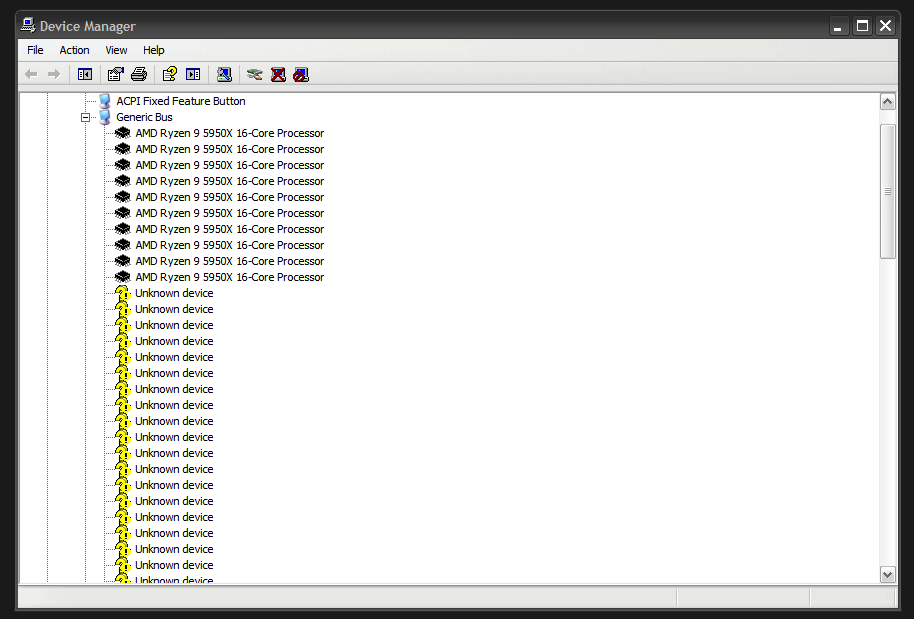
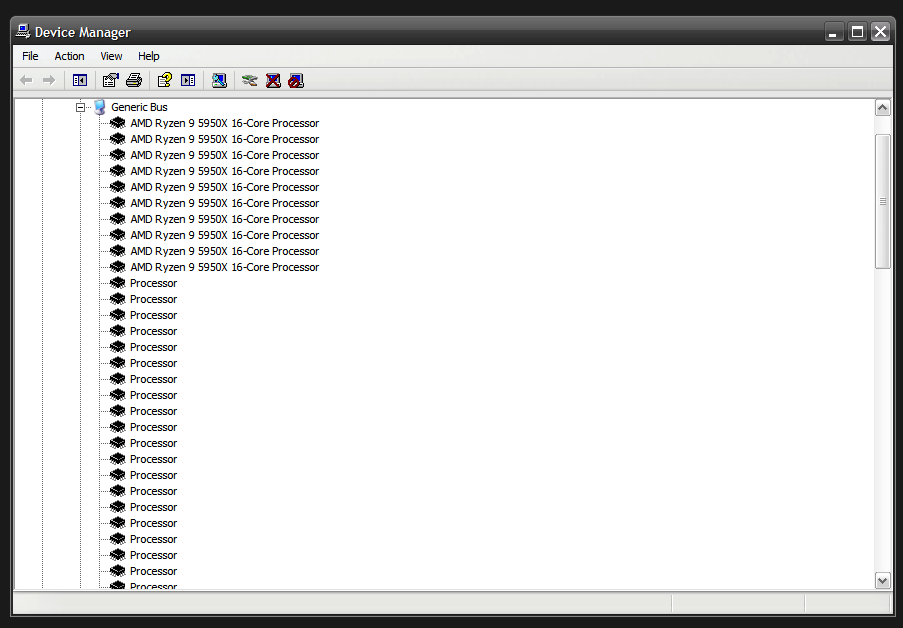
@Mov AX, 0xDEAD @George King @Dietmar Only partially working Cores 10 - 19 seem to be working, the rest are all "Unknown Device" - I've no idea why. edit: I can manually brute force install them and they work, but having to do a manual processor install isn't the best. It's almost solved though. I hope you'll have a solution for this @Mov AX, 0xDEAD - Thanks again for all your hard work!
-
@Jakob99 I believe @George King has compiled both of these, there should be a link in this thread for them somewhere.
-
@Chuterix CFF Explorer works well.
-
@li1ven Here https://www.gigabyte.com/au/Motherboard/GA-Z97X-Gaming-3-rev-10/support#support-dl-driver
-
@Pikachu062 I'm not sure why you made up a fake 4090 ti for this video, but OK, the rest of the video looks legit.
-
wdmstub source found on gitlab - https://resources.oreilly.com/examples/9780735618039/-/tree/master/9780735618039_files
-
@Dietmar That'll be easy to do once I have the board in hand, it's currently in transit on its way to me. I'd imagine the E2-6110 at 1.5ghz wouldn't be that fast, but if I'm targeting windows 98 it's plenty.
-
@reboot12 That's interesting, I didn't know some boards let you do that. As far as I know, there is no way to tell which version of ACPI spec your board uses, but I haven't looked into it. @Dietmar I'm not sure how to extract the ACPI tables from this boards BIOS - do you know of a way to do it?
-
@Dietmar I've purchased an ASRock QC6000M - take a look at it's ACPI version https://www.asrock.com/mb/AMD/QC6000M/index.asp#Specification ACPI 1.1 compliance wake up events So I know this'll support XP out of the box, but I'm wondering if, since it's ACPI 1.1, if this will support Windows 98 acpi.sys?
-
@Dietmar Did you need to do anything different for the board to accept a modded BIOS? or it just accepted the modded BIOS without complaint?
-
Sorry to necro this old thread. Does anyone know if the full source code of Walter's wdmstub.sys was ever released? If so, where can I find it? edit: found it archived on gitlab: https://resources.oreilly.com/examples/9780735618039/-/tree/master/9780735618039_files
-
I wonder if the new Z790 boards for 13th gen intel CPUs still have CSM or have gone pure UEFI?
-
@ArtP2000 I think @George King has a version that has this function implemented.
-
@Dietmar @Mov AX, 0xDEAD Apparently this is some UEFI BIOS source code from Intel according to 4chan. https://git.tcp.direct/TheParmak/ICE_TEA_BIOS I wonder if this could help us get UEFI Booting on XP working better? or maybe make a portable CSM executable that can make a UEFI Class 3 system have a CSM?
-
Here is the win2000 extender I've built, along with ACPI, AHCI and USB3.0 drivers I've been trying to get working with it. Before trying out the drivers, remember to place ntoskrn8.sys, storport.sys, storpor8.sys and h8l.dll into \SYSTEM32\DRIVERS anyone is welcome to try it. https://ufile.io/hvtvh7sp
-
@Cixert Try GParted on linux, I've had good luck with that, maybe it'll let you set a smaller cluster size there.
-
@msquidpl You can grab the needed files from your XP SP3 CD in either SP3.CAB or DRIVERS.CAB
-
@msquidpl There's a better patcher out there - use this one: https://ufile.io/rupc8lgv
-
XP doesn't support GPT disks by default. You can patch it in by swapping out some drivers with some from server 2003 though.
-
I am also interested in finding out if this is possible.
-
@Dietmar Alright, no worries.
-
@Dietmar I know this is targeting windows 2000 but would you be interested in helping debug these BSODs? or you're not interested?