-
Thank you, xpclient! Much of Windows wouldn't be the same without Classic Shell.
-
Have you tried any of these options?
-
Would you please be so kind to post the link?
-
The download link of the SDK does not offer the required feature for Vista.
-
Hello, I am having trouble with a Windows Vista installation... it takes a very long while to boot. I have run a complete chkdsk, defragmented the HDD, and scanned for malware but the problem persists.
-
Try to create a shortcut of the executable, not a shortcut of the shortcut... Navigate to C:\Program Files\Internet Explorer\iexplore.exe and create a shortcut to the desktop from there.
-
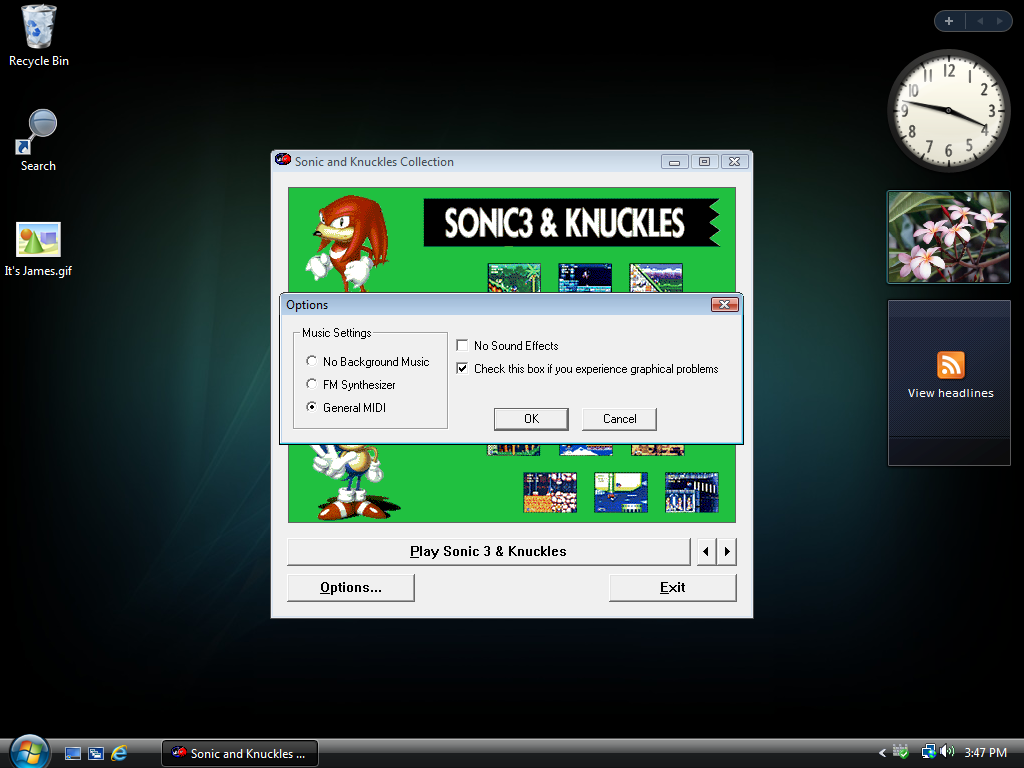
I've actually made it work on Vista by installing it in Windows 98 compatibility mode... Leaflame, I am not sure which version you are using, but there should be a couple of options for sound/video in the file menu. I will have to get back to you. EDIT: Reinstalled it today on Vista, and it works without compatibility mode! Will send screenshots of options later, hopefully they will be of assistance.
-
LeaflameSD, did you ever resolve your issue?
-
Is this it? http://support.microsoft.com/kb/256015 http://download.microsoft.com/download/win98SE/Update/6467/W98/EN-US/256015USA8.EXE
-
-
IIRC, click on your name on the Hotmail page. Signing out of Messenger should prevent the window from opening again.
-
You hear a click every few minutes? Backup and replace the disk ASAP. I'm not even sure if it's the disk making the noise... If there is a problem, wouldn't ScanDisk have 'found' anything?
-
Hello, I am looking for a compatible disk diagnostic tool(s) for Windows 98SE ( ). I am aware of ScanDisk and I have already run a full scan in DOS; no errors were found. But for some reason, I hear this "click" every few minutes, and I just want to be sure.
-
Did you find a solution to your problem, Sophy?
-