jaclaz
Content Type
Profiles
Forums
Events
Everything posted by jaclaz
-
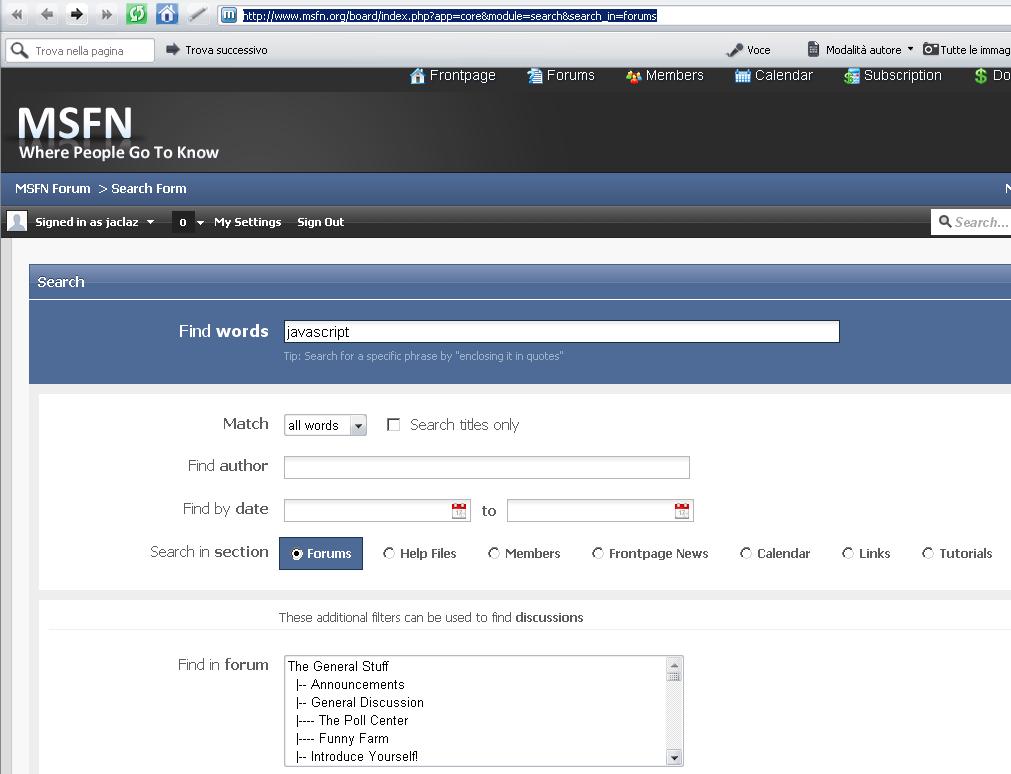
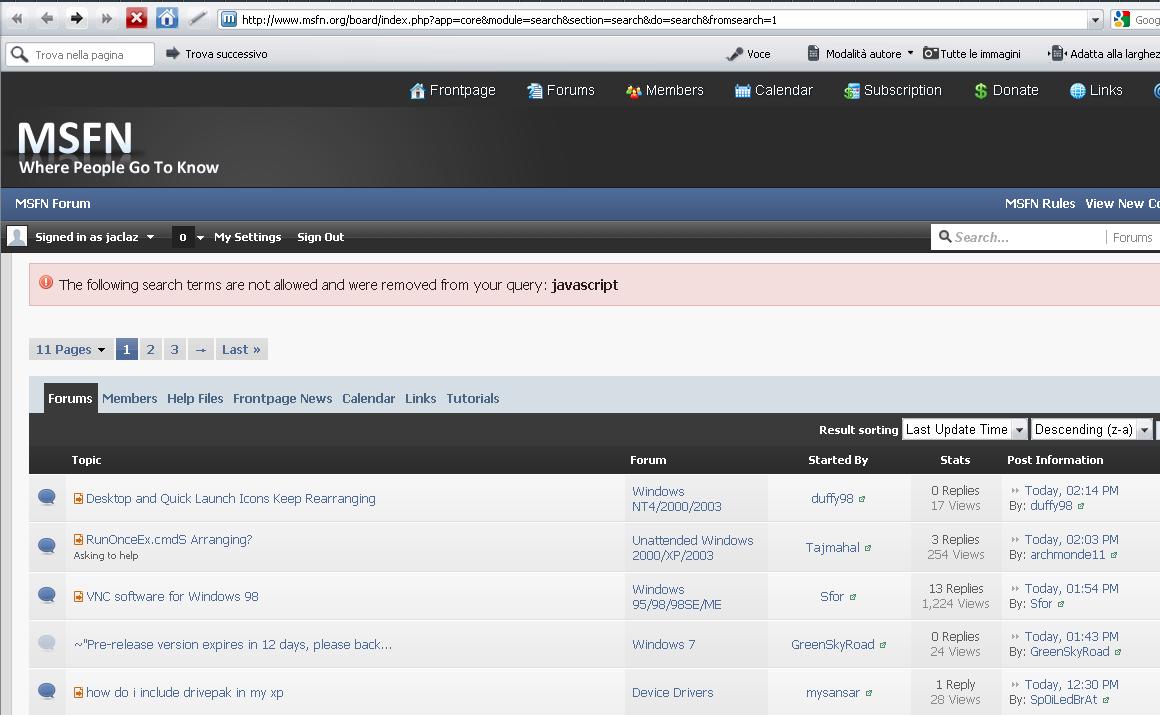
Confirmed. http://www.msfn.org/board/index.php?app=core&module=search&search_in=forums java *is* a four-letter word, but javascript?

-
Let's wait for the data from OP ....and we'll see what can be done jaclaz
-
Wouldn't Task Manager (once enabled the I/O and Byte read/write columns) be simpler? jaclaz
-
Most probably there are some leftovers in the Registry. These can be traced back by doing some searches in the Registry, but probably working as well and easier would be to do a couple iterations of Registry cleaning with RegSeeker: http://www.hoverdesk.net/freeware.htm In my experience if you simlply delete everything it finds "non kosher" never created a problem, but you may want to review the items it lists before actually backing them up and deleting them. jaclaz
-
Good (which still means bad , but now we have a better idea of what is happening ). To recap current situation and clear problem at hand: Normal booting: BIOS->HD->MBR->Bootsector of Active partition->NTLDR First set of commands: BIOS->Stick->grub4dos->HD->MBR->Bootsector of Active partition->NTLDR (FAILED) Second set of commands: BIOS->Stick->grub4dos->HD->Bootsector of Active partition->NTLDR (FAILED) Third set of commands: BIOS->Stick->grub4dos->HD->NTLDR (WORKING) This should mean that the problem is (at least) the bootsector of the partition). The output of gometry (hd1) tells us that you have a drive with a geometry of 16383x255*63=163,192,895 sectors * 512 = 134,754,762,240 bytes. On it you have a single partition FAT, type 0xC, i.e. FAT32 LBA mapped. <- can you confirm that this is what you have (once booted into WinXP?) I would like to have also the output of just the command (on a new boot from stick and WITHOUT previously re-mappping drives): root (hd1,0) to understand how big it is this FAT32 partition... In any case what you can do is to fix the bootsector CODE and the MBR one, just in case. get: bootpart: http://www.winimage.com/bootpart.htm mbrfix: http://www.sysint.no/nedlasting/mbrfix.htm (unzip/copy/whatever in such a way so that you have them available in the booted system) boot the system using the third set of entries, open a command window, navigate to the folder where you have the above utilities and run: MbrFix /drive 0 driveinfo [ENTER] You should get some info about the internal hard disk. VERIFY that drive 0 is the internal hard disk! If yes, then: MbrFix /drive 0 fixmbr [ENTER] This will rewrite win2K/XP/2003 MBR CODE Now: MbrFix /drive 0 getactivepartition [ENTER] You should get as result partition 1 IF NOT run: MbrFix /drive 0 /partition 1 setactivepartition [ENTER] Now run bootpart as follows: BOOTPART [ENTER] You should get something like: IF YES (and this data is coherent with what you got with the previous root(hd1,0) under grub4dos), run: BOOTPART WINXP BOOT:C: [ENTER] An updated table of bootpart parameters is here: http://www.winimage.info/forum/viewtopic.php?f=1&t=276 Try booting without the stick connected. Note, you can also try doing it in two iterations, in the first ONLY use BOOTPART (if the problem is ONLY the bootsector it should be solved) and if it doesn't work by itself, then run also the MBRFIX set of commands. jaclaz
-
Sure just trying to: http://en.wikiquote.org/wiki/Albert_Einstein jaclaz
-

How standard are slim optical drives ?
jaclaz replied to Ponch's topic in Hard Drive and Removable Media
Naah, you are not "lucky" they are "standard" (of course there may be a few "exceptions", of course, but nbasically they are - apart the "plastic" all alike) See here: jaclaz -
Well, that is a possibility , but since it is right before an EXIT (which in my view is also not *really*needed ) and right after a SHUTDOWN command , I doubt the specific batch won't "work properly". jaclaz
-
cannie , don't take this question as an aggressive one, but can you please explain HOW the warranty is supposed to be lost by re-partitioning a hard disk? Or if you prefer, WHERE you learned this bit of info that is completely new to me and actually the exact contrary of what bookie32 assertedly had from HP? Rest assured that it is perfectly possible to avoid Dynamic disks using an extended partition (though there is not really any particular problem that I know of with Dynamic disks, as long as they are not mirrored and striped, and they remain "simple volumes", at least ) jaclaz
-
Are you by any chance attempting to attach "binary" files, or however anything that is not any of: a .jpg or .gif or .png picture a plain text file (or similar, like .htm, xml, etc.) a compressed archive .zip or .7z ? Try compressing files into a .zip archive, and attach the actual .zip. Check that the .zip is within the size of your allowed upload. If not, post it on any free file hosting site and post a link to the uploaded .zip. @myselfidem Very good suggestions , though personally (better be safe than sorry ) I would make a dd-like (forensic sound) image of the WHOLE internal disk "as is", EXPECIALLY for the first experiment, and in case of any trouble simply restore the image. jaclaz
-
And are you going to post WHICH exact version you are now using or is this info considered confdential? You did actually re-register the "new" .dll, didn't you? http://www.ehow.com/how_6104004_replace-user32_dll.html jaclaz
-
May I ask WHY? jaclaz
-
Or maybe just using Windows 7 built-in tools. The more likely to be a good candidate for the "move" are IMHO (strangely enough ): the actual C: partition (remember this is the one you have to modify anyway to make space for the "backup partition" ) the "HP-tools" one Can you post some details or - ideally - a copy of the actual MBR as attachment inside a .zip or .7z? And please also: a screenshot in disk management a report about free space available in each partition I would like to check a couple of things, and think a bit about possible "alignment" problems before attempting to suggest you which one is better suited and a possible procedure. jaclaz
-
Yep , once you have a general idea (through the given links), if you have problems, do post a directory listing of the partition containing the files and some more details (like is it hidden normally, is it FAT32 or NTFS, etc.) A quick search for that models hints that what you have in it is most likely just the recovery partition with an image of the "factory status", but maybe it is still possible to re-create a working setup disk using those files. jaclaz
-
I am not very familiar with that version, but the "standard" filtering has changed a bit. http://www.contextures.com/xlautofilter01.html If you are familiar with VBA, and more generally with scripting, you may find this useful (which BTW is the living proof from the actual mouth of the wolf that BOTH CoffeeFiend and myself are actually right ): http://support.microsoft.com/kb/257819/en-us Also: http://vbadud.blogspot.com/2008/05/using-excel-as-database.html http://itknowledgeexchange.techtarget.com/beyond-excel/ A couple "old school" thingies (ITALIAN, sorry ) but the code should be easily understandable and google translate often does miracles . http://www.ennius.altervista.org/vba/vba78.php http://www.ennius.altervista.org/vba/vba79.php But there quite a bunch of methods/ideas/possibilities, another one: http://xldennis.wordpress.com/2010/09/25/create-sql-server-compact-edition-database-with-vba/ It is not clear to me (yet ) if you are actually plan to write a small VBA or you are going to just use "plainly" Excel "normal" features. jaclaz
-
Heck! Your crystal ball seems like MUCH better tuned than mine that rarely shows that kind of precision... And tarots and I-Ching are even worse.... jaclaz
-
I beg to differ For a trivial amount of data (like 1500 lines are) Excel is a rather handy solution, and it offers "by default" nice filtering criteria in a substantially more "user friendly" or "common use" way. Of course with Access one can create a "better protected from casual user mistakes" app, but is it worth the effort if you are not familiar with the app? I personally doubt it. @Aquilla Which Excel version (or Office version) are you using? FIrst basic tutorial I found (Excel 2003): http://spreadsheets.about.com/od/datamanagementinexcel/ss/excel_database.htm jaclaz
-
Not really, actually a couple solutions are still possible, though obviously workarounds, and NOT "additional primaries". A partition can be made "logical volume inside extended" and keep bootability (if needed). If using grub4dos is allowed, a "rotating set" of primary partitions is possible. @bookie32 Let me know if any of the above just hinted thingies may suite you and I'll post more info. jaclaz
-
The entries in BOOT.INI seem like "right". So the flashing cursor is likely to be a problem with (probably) the bootsector of the C: drive (or a missing Active partition in the MBR). Edit the BOOT.INI on the stick (NOT the one on C:\), adding to it a line: C:\grldr="grub4dos" If a file named menu.lst exists on the stick, rename it to menuold.lst. Boot from the stick, one way or the other (i.e. directly or through the above added entry) you should be able to get to a grub4dos prompt. In it type: geometry (hd0) [ENTER] and geometry (hd1) [ENTER] and post results. From them it should be easy to get if the stick is (hd0) and the actual hard disk is (hd1) that is how they should be and if the hard disk has the partition active. IF you are positive that the hard disk is (hd1) , try: map (hd0) (hd1) map (hd1) (hd0) map --hook rootnoverify (hd0) chainloader +1 boot (press [ENTER] after each line) the above should give the SAME effect of when you boot without the USB stick. Reboot and try: map (hd0) (hd1) map (hd1) (hd0) map --hook root (hd0,0) chainloader +1 boot (press [ENTER] after each line) Please note that in the above (hd0,0) means first partition of the hard disk, if you installed to any partition but the first one, it should be changed, like (hd0,1) for the second partition and so on. What happens? Reboot and try: map (hd0) (hd1) map (hd1) (hd0) map --hook root (hd0,0) chainloader /ntldr boot (press [ENTER] after each line) Please note that in the above (hd0,0) means first partition of the hard disk, if you installed to any partition but the first one, it should be changed, like (hd0,1) for the second partition and so on. What happens? Report. jaclaz
-
Seagate 7200.11 fail & fine dataset
jaclaz replied to DerSnoezie's topic in Hard Drive and Removable Media
Can he/she? jaclaz -
Well, this should put grub4dos on the USB stick. Good. As said this is strange. The general idea is that the stick "generated" by the batch is re-usable n times. It is likely that you somehow managed to "install" the XP boot files directly on the USB instead of on the actual hard disk, as daddy_fizz suggested. But no problem it can be easily corrected. Boot to the installed XP. Make sure you have "hidden and system files" visible. Check that in your USB stick root there are: NTLDR NTDETECT.COM BOOT.INI files (and that the same files are NOT in root of the hard disk) If the above applies, simply copy the files from the USB stick to the hard disk. Then, remove the system and hidden and read only attributes to BOOT.INI (open a command prompt, and assuming that the drive where XP is installed is actually C: type): attrib -s -h -r C:\boot.ini [ENTER] and open BOOT.INI in Notepad. Copy it's contents and paste them in your next post. Post also if the actual drive where XP is installed is actually assigned letter "C:" Confirm that you have a file "grldr" in root of the stick. jaclaz
-
Yep, this is more or less expected, that way you stop the spinning while the heads are still reading, I was thinking about disconnecting it from the heads BUT NOT from the motor, but sure it would be anyway risky. I'll keep an eye to see if anyone comes out with a solution.... Can you check the SMART (what I personally call "DUMB" ) status as in here?: http://www.pcs-computer.com/hardware/data-storage-systems-4171.html Or, in other words, does it "feel" like a BSY or a LBA0? jaclaz
-
Just a stupid idea, but HOW long (I mean seconds, tens of a second, hundreds of a second) does it take to get to the: ? I am thinking if having the PCB connected intially and disconnected during the "boot phase" may be possible. According to this (Russian but google translate does a fairly good work): http://hddhelp.com.ua/7200-12.htm the 7200.12 behaves very like the 7200.11, it is strange that the approach changed, however (still same source): http://www.hddhelp.com.ua/seagatelp.htm the LP series appears like being also defective, though AFAIK (yet ) there is nothing published about unbricking them. This should be the manual (if useful): http://www.seagate.com/staticfiles/support/disc/manuals/desktop/Barracuda%20Green/100649225b.pdf jaclaz
-
Plenty. Which app/method did you use? Which OS did you actually install? When you boot from the USB do you get a grub4dos menu? jaclaz
-
The Solution for Seagate 7200.11 HDDs
jaclaz replied to Gradius2's topic in Hard Drive and Removable Media
It may. Can you please re-post to a NEW thread aptly titled? Something like: This way it will have better visibility and will NOT be "buried" in this unrelated thread (where most people won't be able to find this info and where there will be NO discussion about this OTHER drive model, see read-me-first). jaclaz