Leaderboard


Popular Content
Showing content with the highest reputation on 01/14/2026 in all areas
-
At the beginning of my Odyssey, I investigated all folders and registry keys belonging to Panda Dome. Therefore, I also found the location of these background images. Additionally, I analyzed the registry accesses of Panda Dome, in particular with regard to the background images. But I have not yet identified the core of the problem. Unfortunately, it is in my nature to solve problems. The pictures are totally unimportant, but I still have to solve the problem. Especially if it works in my other partition. But in any case, thanks for your efforts!2 points
-
Revo Uninstaller 2.4.5 is the last free version for Windows XP which is offered as an installer and a portable release. You can get it here: https://www.revouninstaller.com/version-history/. Revo Uninstaller Pro 3.2.1 (installer/portable) is the last paid version for Windows XP. It's a very important tool to get rid of remnants regarding antivirus/antimalware programmes.2 points
-
Well it's good to have that confirmed, but I'm afraid it makes RogueKiller useless to me.2 points
-
I got a reply from Adlice to the supprt ticket I filed in terms of RogueKiller: So what was posted here has been confirmed. RogueKiller's real-time protection was never designed for older operating systems such as Windows XP. But at least we have a scanner that still runs on Windows XP in the latest version.2 points
-
I initially had assumed that the background images were downloaded so they could be changed all the time, but as I'm sure you're aware, they are actually stored locally, in my case in D:\Users\All Users\Application Data\Panda Security\Panda Security Protection\Res\4252\Images. Whether they are replaced by new downloaded images every now and again, I don't know.1 point
-
The interface can't load their background images. Today, I have replaced the version 20.02.01 by 21.01.00 for better comparison with Panda Dome 21.01.00 on my other Windows XP partition. In the latter, Panda Dome 21.01.00 runs fine. Unfortunately, I also had other issues with the version 21.01.00 I already posted here. I really hope that these hourly service restarts won't happen again.1 point
-
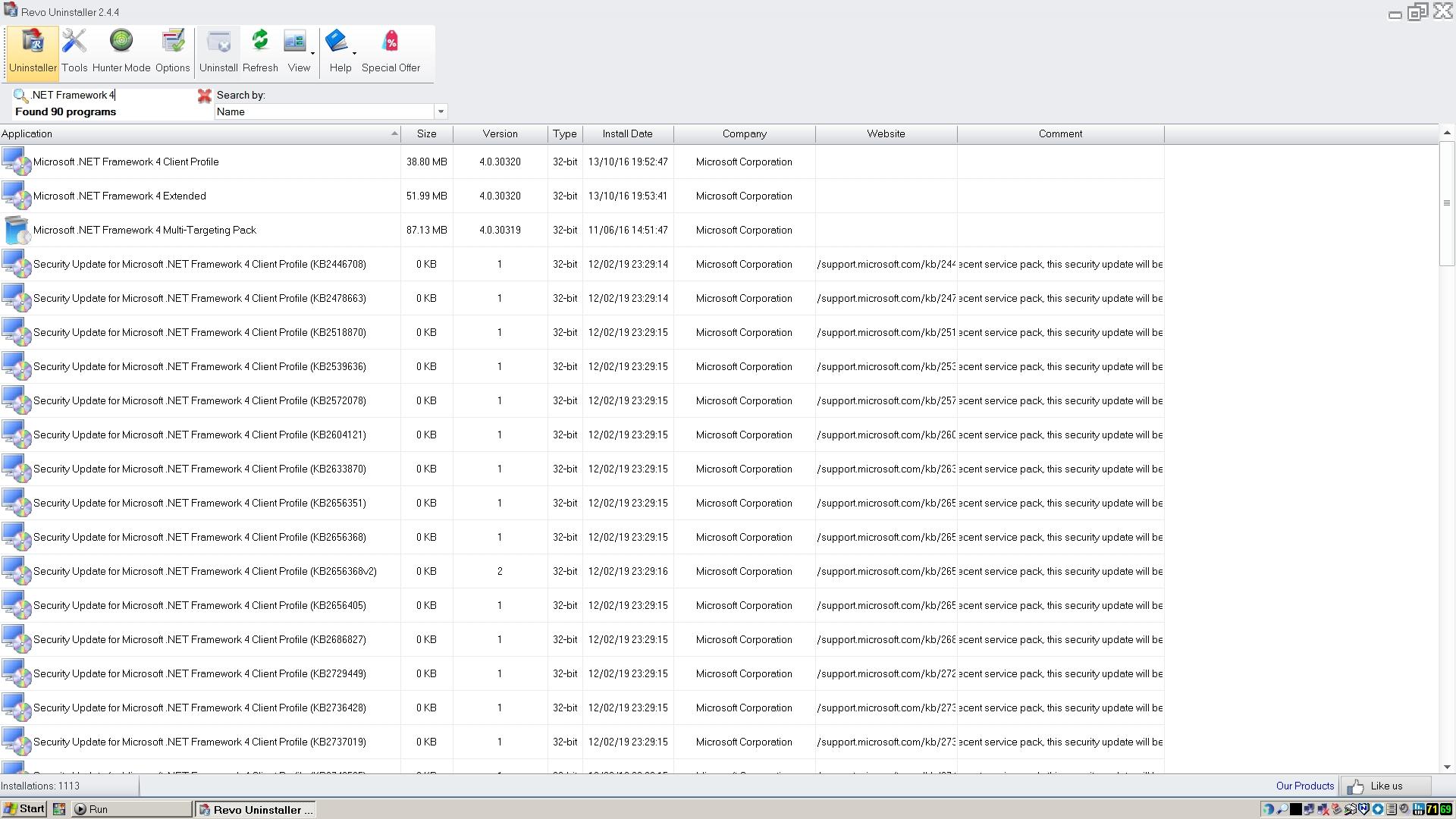
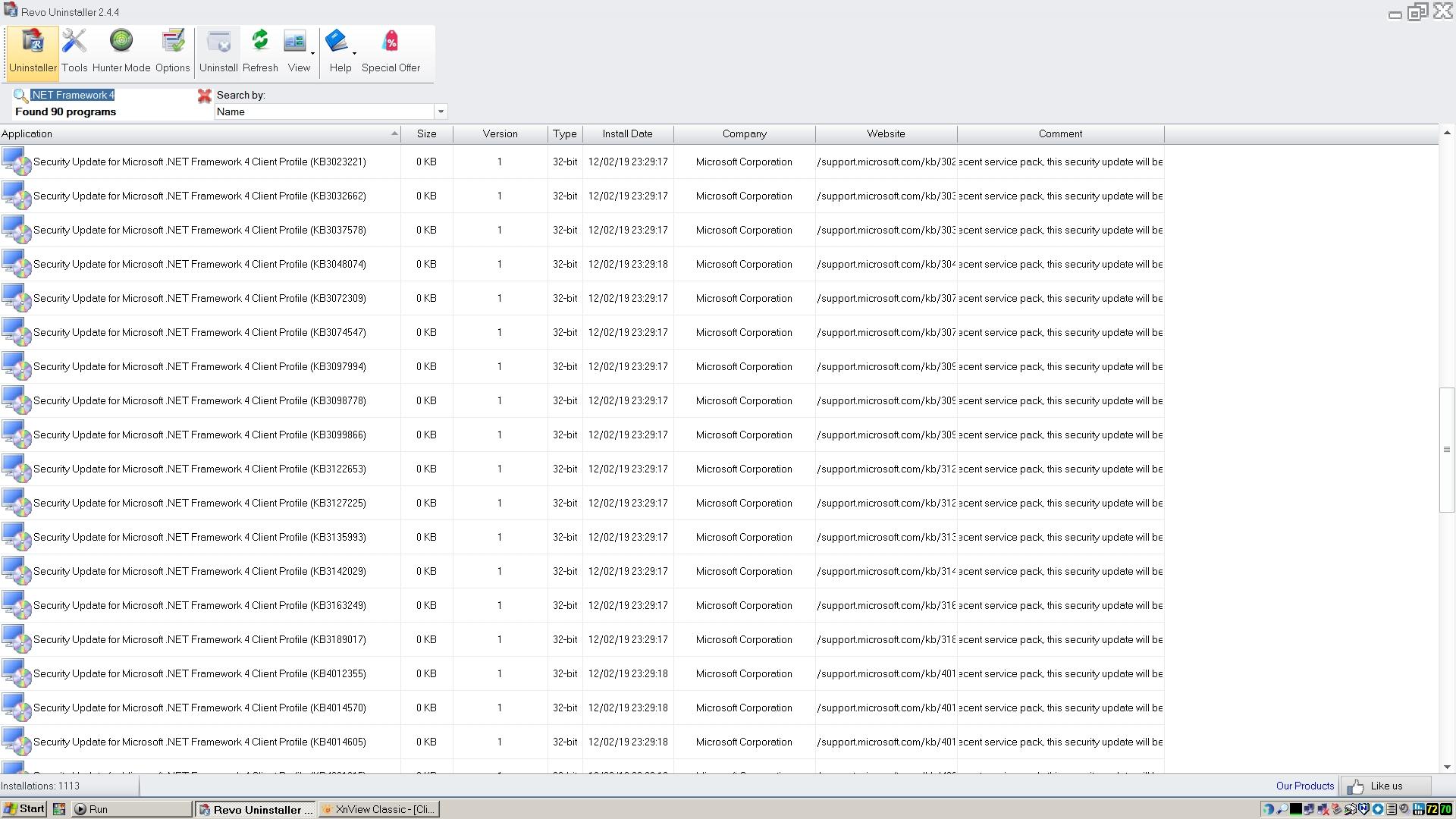
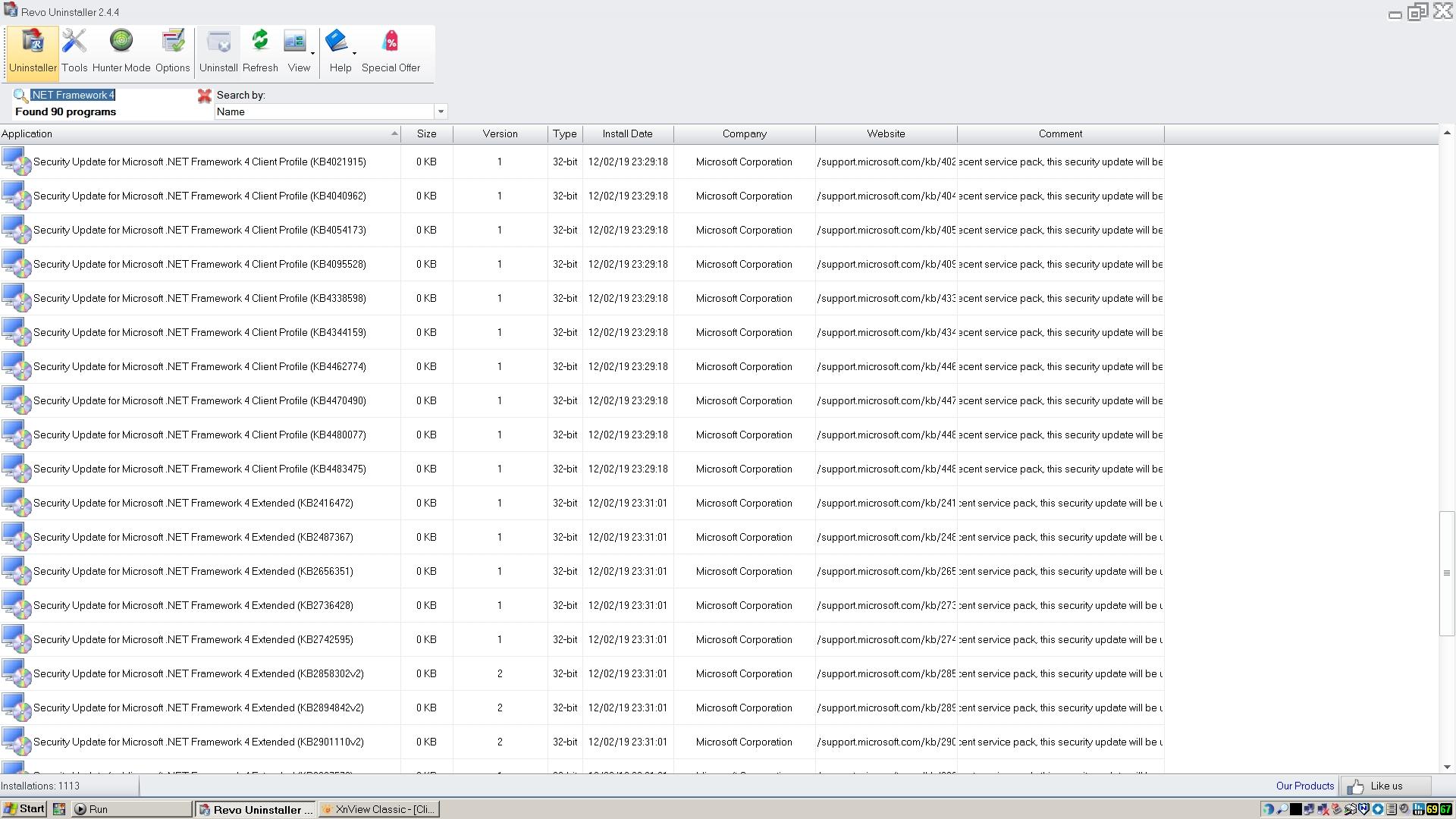
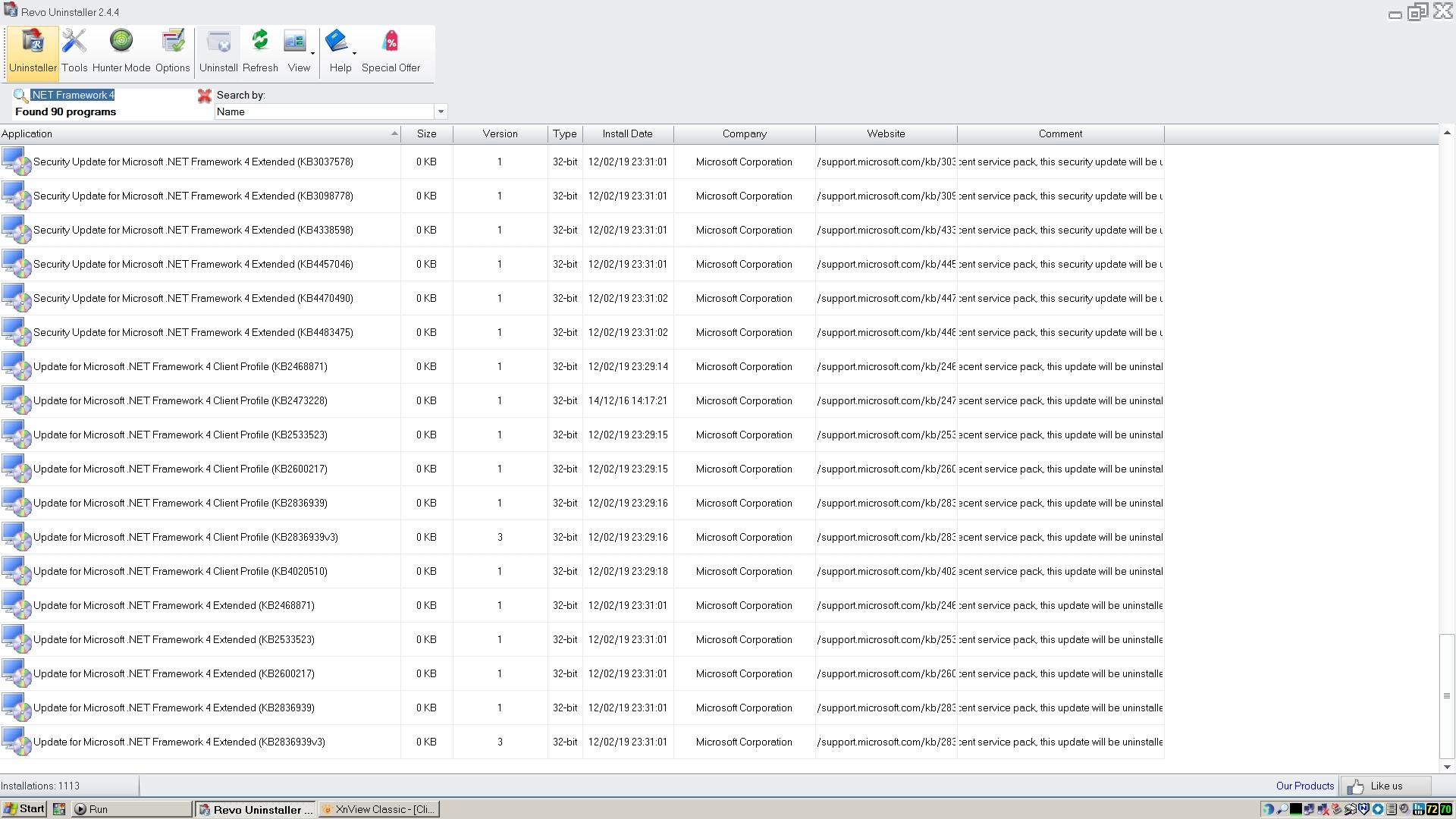
Thank you very much for the new screenshots! Now, I can see all your 90 entries in terms of Microsoft .NET Framework 4. Hope it will help me to find more missing updates for fixing Panda Dome.1 point
-
I don't remember doing any reinstallations or system repairs at that time. Anyway, here's the output from Revo Uninstaller using the search term you recommended. I hope that gives you what you need. Strange that as well as the updates apparently all having been installed on the same date, they all appear to be 0KB in size!
 1 point
 -
Now I've finally got it working properly, Superium 122 seems to be pretty good on 32 bit XP. It still eats memory voraciously, so I still get the 'out of memory' tab freezes, but I've not seen any problems with fonts or any other display issues, once I got the scaling right. I still think it's a very impressive piece of work, and a boon for XP users.1 point