All Activity
- Past hour
-
 At the beginning of my Odyssey, I investigated all folders and registry keys belonging to Panda Dome. Therefore, I also found the location of these background images. Additionally, I analyzed the registry accesses of Panda Dome, in particular with regard to the background images. But I have not yet identified the core of the problem. Unfortunately, it is in my nature to solve problems. The pictures are totally unimportant, but I still have to solve the problem. Especially if it works in my other partition. But in any case, thanks for your efforts!
 - Today
-
 I initially had assumed that the background images were downloaded so they could be changed all the time, but as I'm sure you're aware, they are actually stored locally, in my case in D:\Users\All Users\Application Data\Panda Security\Panda Security Protection\Res\4252\Images. Whether they are replaced by new downloaded images every now and again, I don't know.
 -
The interface can't load their background images. Today, I have replaced the version 20.02.01 by 21.01.00 for better comparison with Panda Dome 21.01.00 on my other Windows XP partition. In the latter, Panda Dome 21.01.00 runs fine. Unfortunately, I also had other issues with the version 21.01.00 I already posted here. I really hope that these hourly service restarts won't happen again.
-
Thanks for the Revo Uninstaller download link! Is the rolling news entry working at the bottom of your Panda Dome interface dashboard, or is it just the wallpaper that's missing?
-
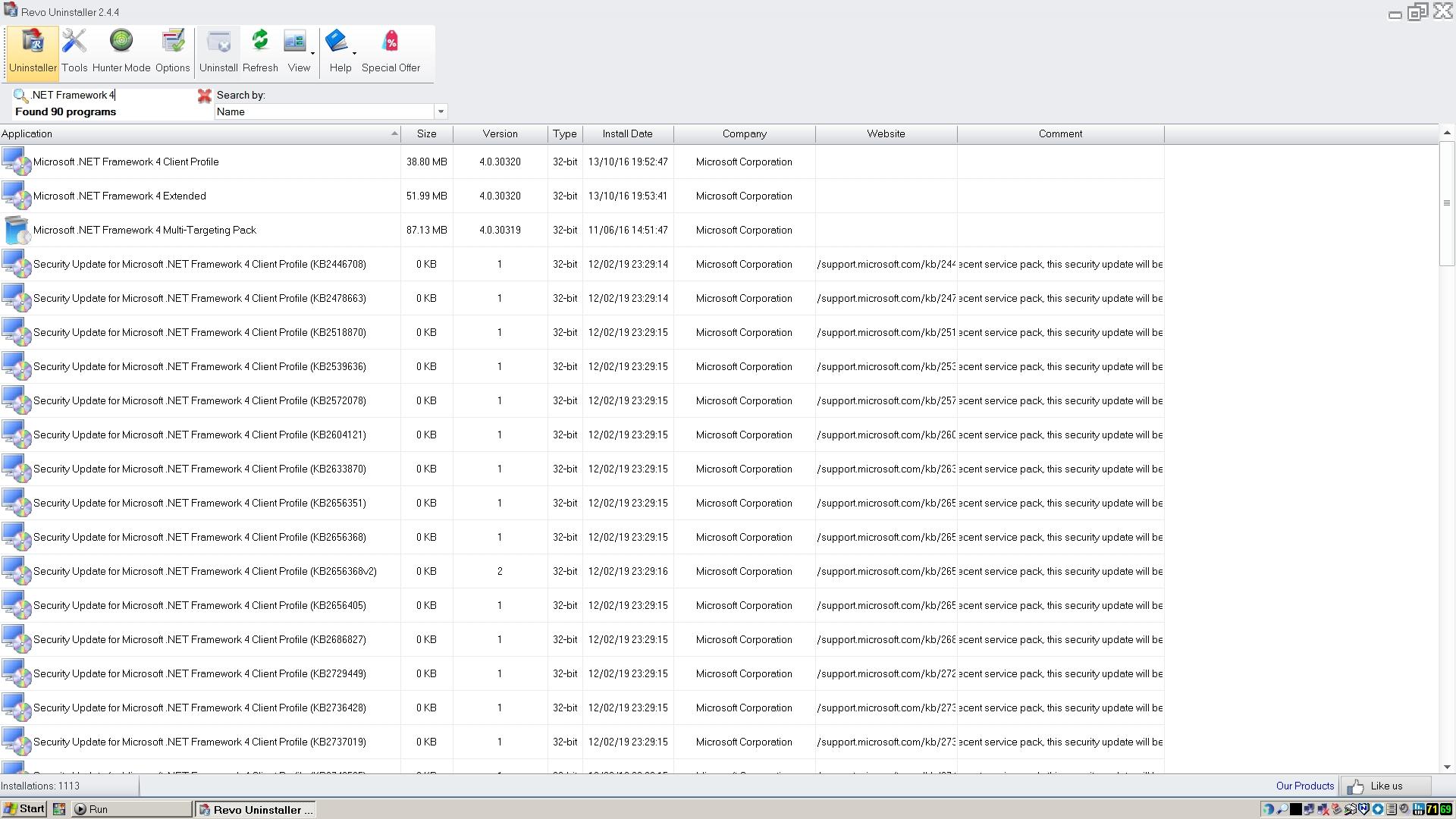
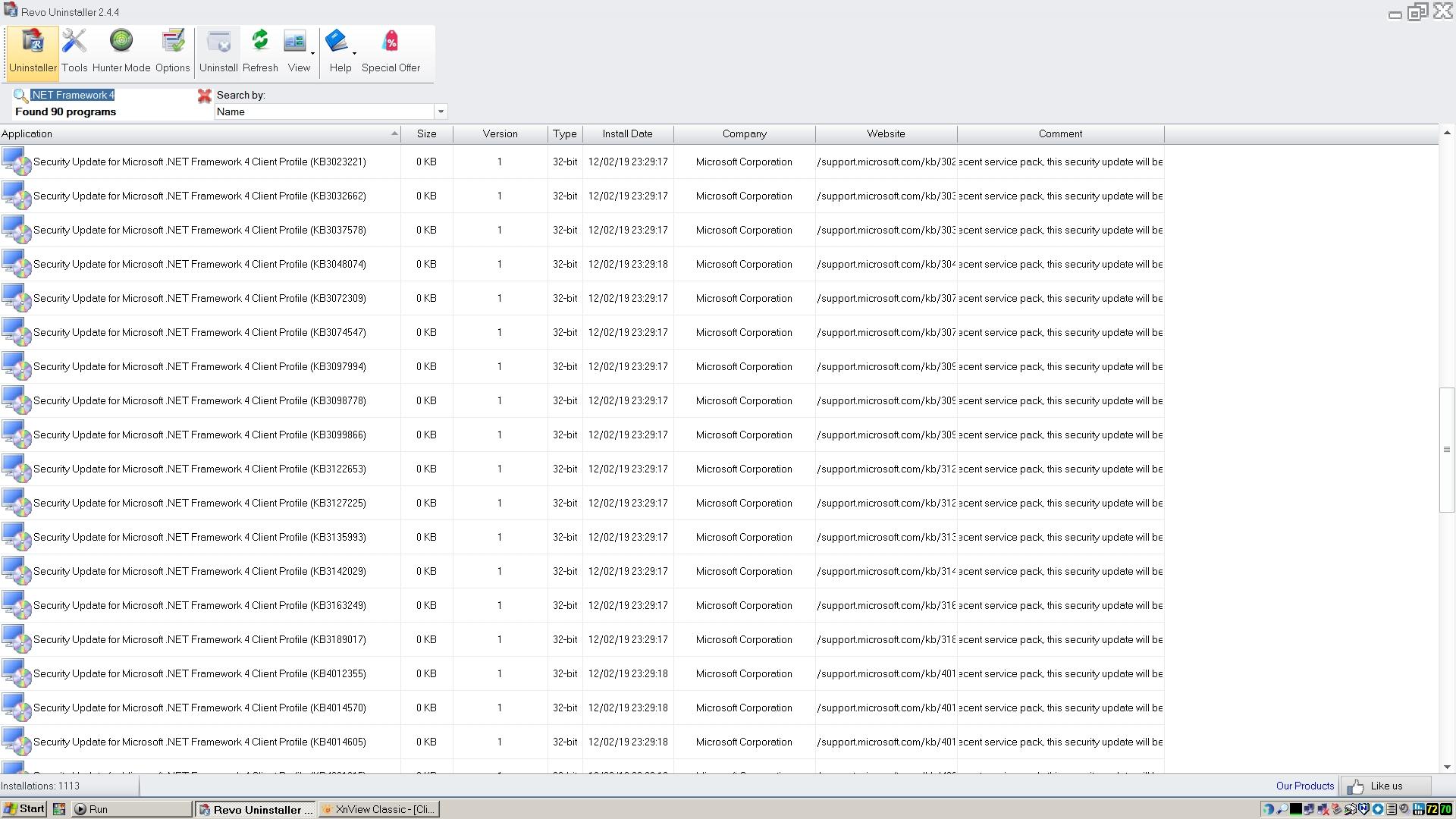
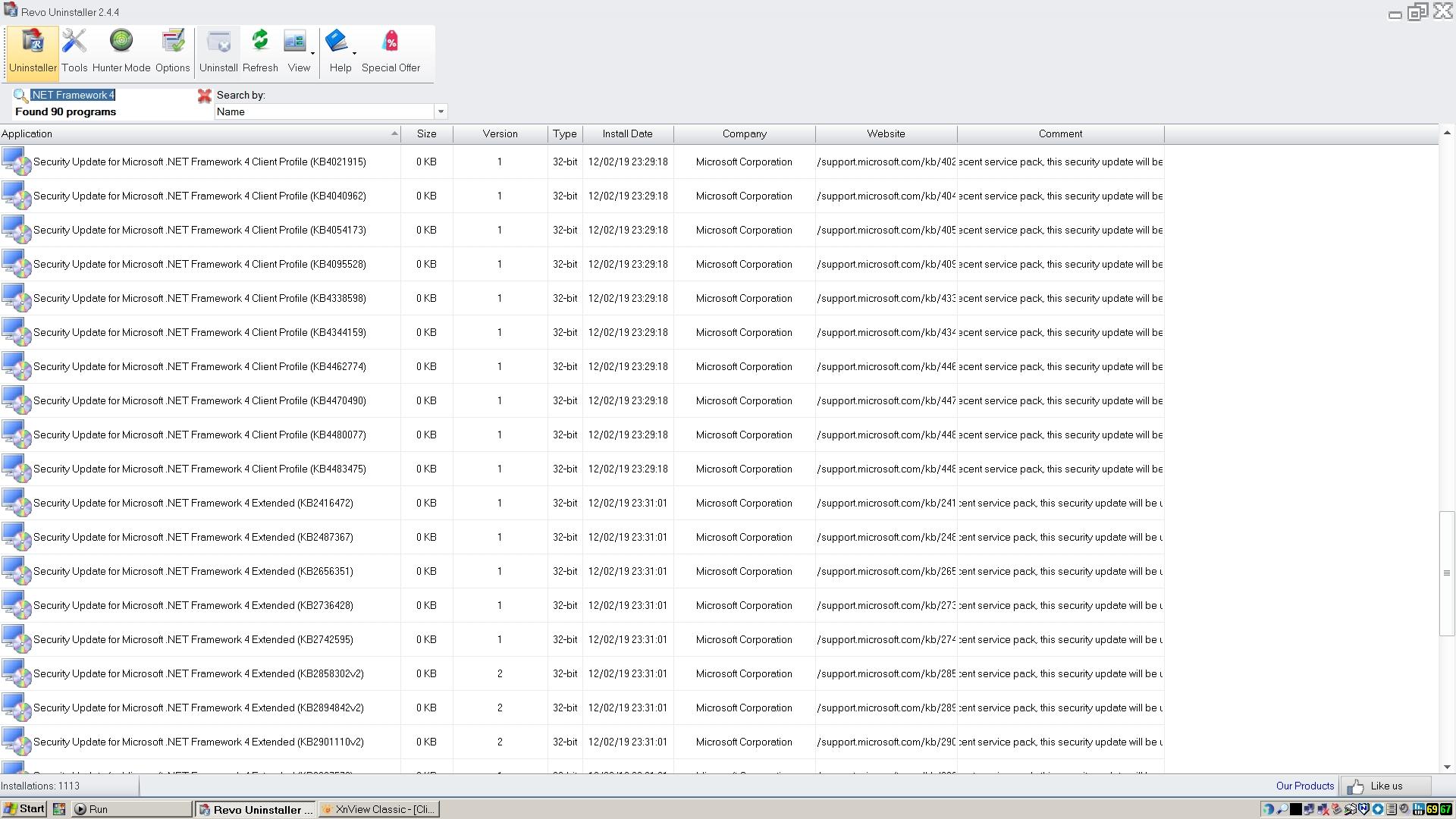
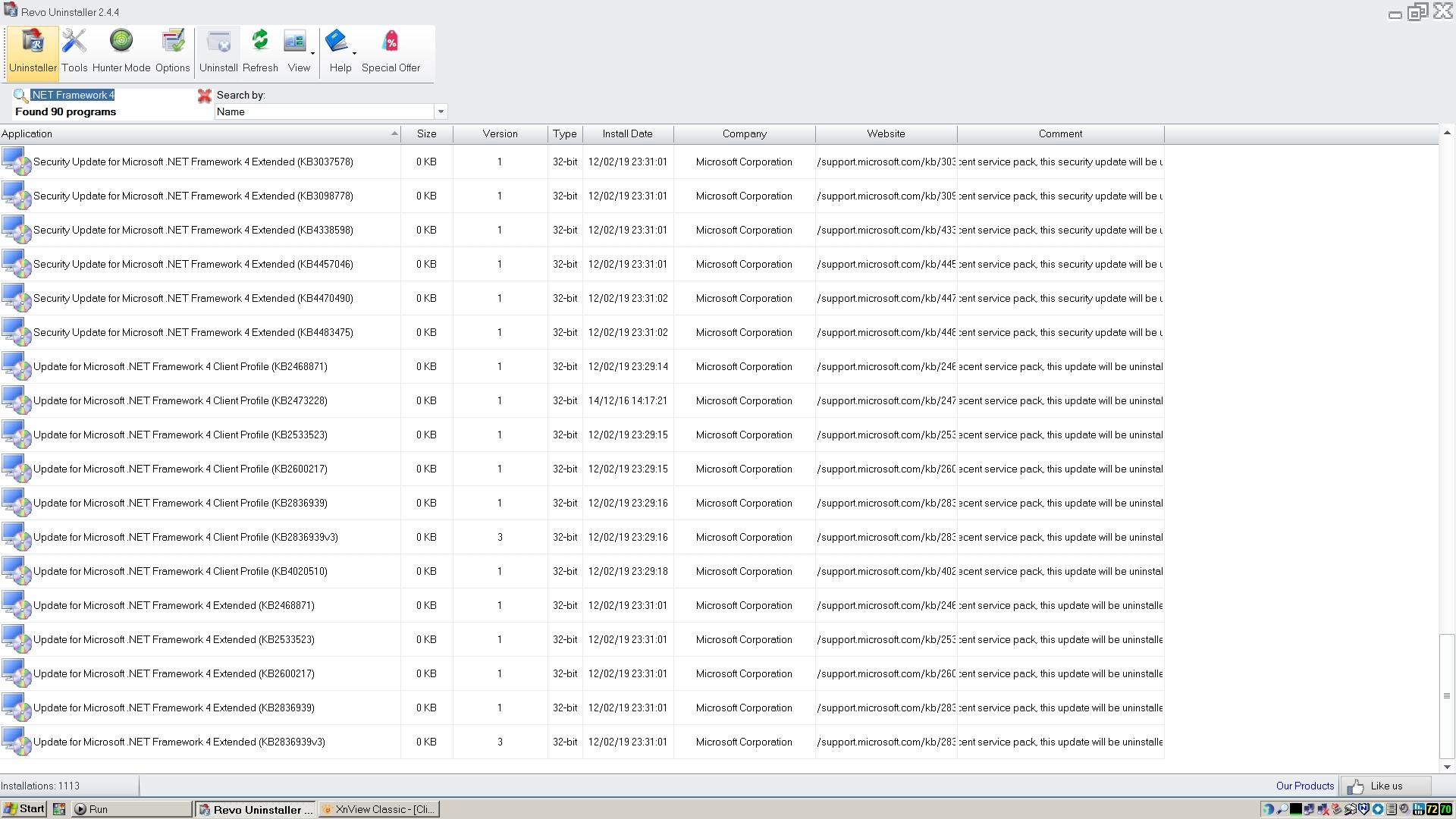
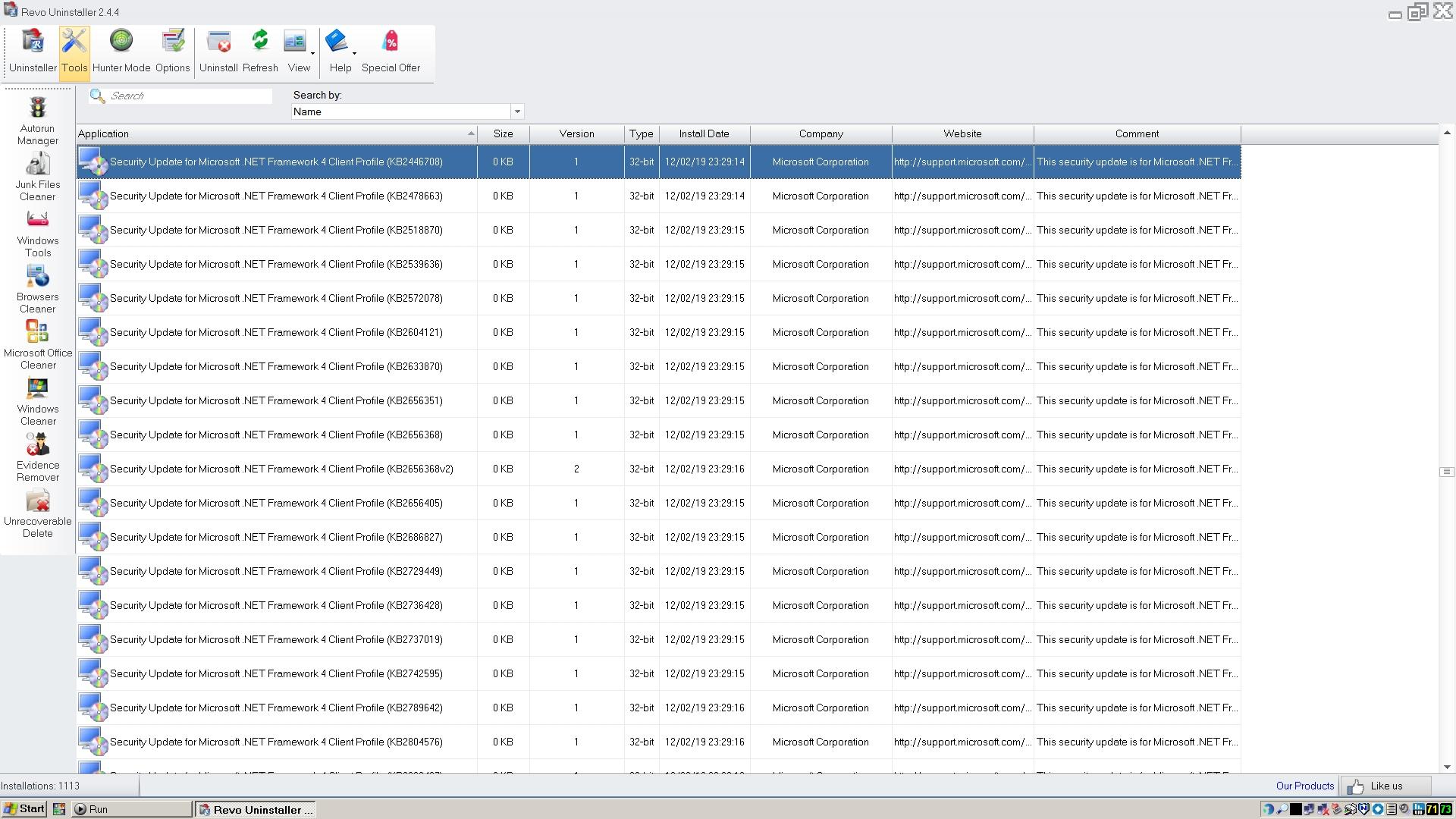
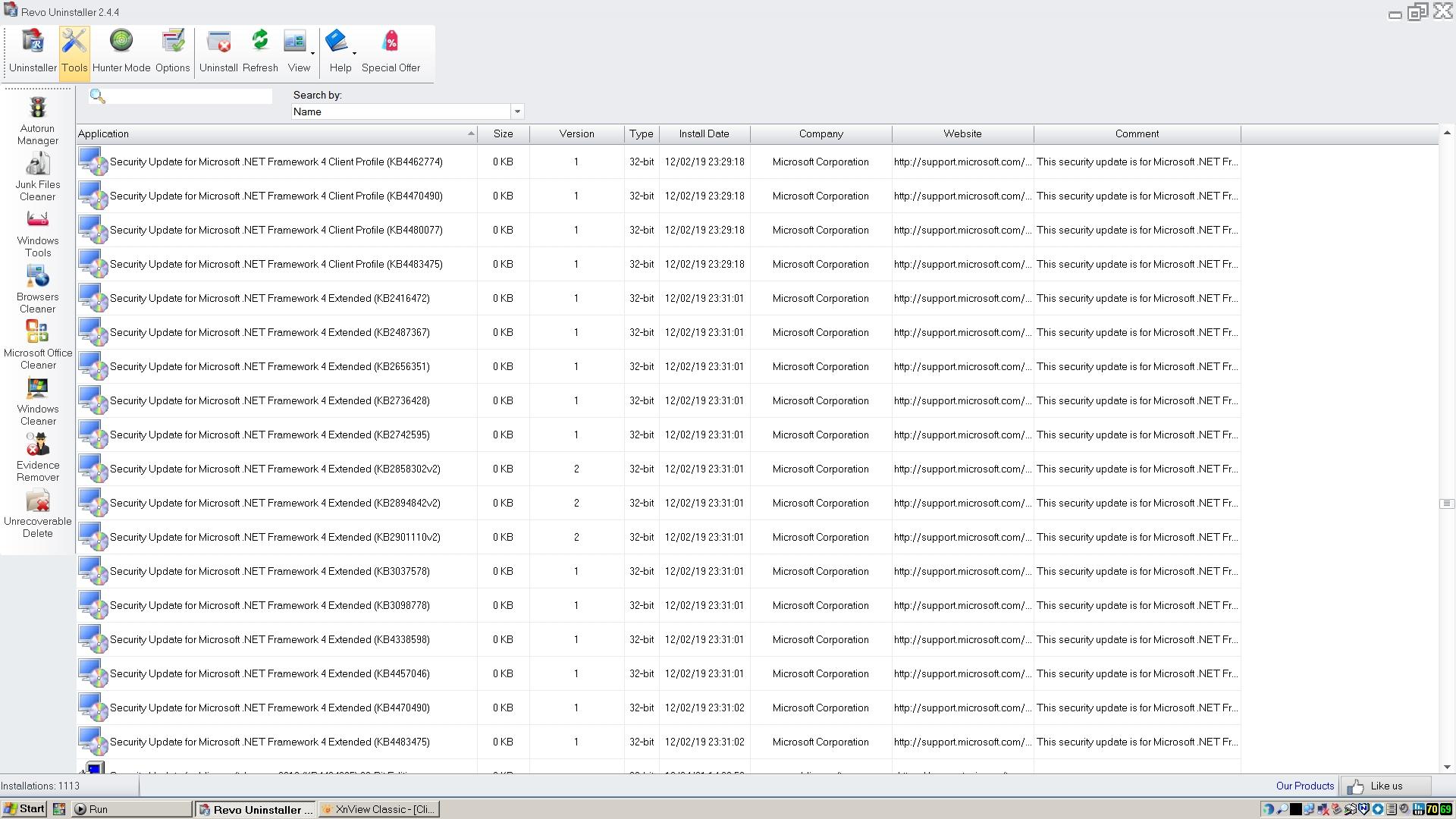
Thank you very much for the new screenshots! Now, I can see all your 90 entries in terms of Microsoft .NET Framework 4. Hope it will help me to find more missing updates for fixing Panda Dome.
-
Revo Uninstaller 2.4.5 is the last free version for Windows XP which is offered as an installer and a portable release. You can get it here: https://www.revouninstaller.com/version-history/. Revo Uninstaller Pro 3.2.1 (installer/portable) is the last paid version for Windows XP. It's a very important tool to get rid of remnants regarding antivirus/antimalware programmes.
-
Good thought, I suppose I could have installed it in February 2019, but I've no memory of that. The Revo installation file I have archived is from March 2023, so I guess that's when I would have last installed/updated it. Still OT of course, but do you happen to know what the last version is that will run on XP? My version is 2.4.4 and when I run it, it tells me there's a newer version, downloads it, and then says it won't run on my operating system when it tries to install it!
-
 <OT> Maybe you installed Revo on that date? And the 0KB is a Revo bug? </OT> Same here. It didn't seem to slow down my 18yr old computer (now with XP POSReady), so of course that was a plus.
 -
I don't remember doing any reinstallations or system repairs at that time. Anyway, here's the output from Revo Uninstaller using the search term you recommended. I hope that gives you what you need. Strange that as well as the updates apparently all having been installed on the same date, they all appear to be 0KB in size!

-
Well it's good to have that confirmed, but I'm afraid it makes RogueKiller useless to me.
-
If you add 20+ applications to the Start Menu, it will fill the entire screen. Why isn't there a scroll bar like there is in All Programs? Icon count does not work with this. Resizing works well only with All Programs, but does not respond well in the Start Menu, adding an extra space for the next program added. Will it be possible to add folders to the Start Menu? Currently, only exe files can be added.
-
I got a reply from Adlice to the supprt ticket I filed in terms of RogueKiller: So what was posted here has been confirmed. RogueKiller's real-time protection was never designed for older operating systems such as Windows XP. But at least we have a scanner that still runs on Windows XP in the latest version.
- Yesterday
-

Native (WDM) HD Audio driver for Windows 98se/Me
jumper replied to Drew Hoffman's topic in Windows 9x/ME
If it's a full driver, identify the subset of headers and link libraries needed. Include them directly into your source package. Once working, replace them with open-source versions from Wine or ReactOS. (Check for availability first!) If it's a mini-driver, the framework might not be available as open-source. -
@Dave-H Thanks for your screenshots! They are much better. But to get all entries in terms of Microsoft .NET Framework 4.0, you have to enter the string ".NET Framework 4" into the search form since there are entries for the main installers, security updates and normal updates. With my search string ".NET Framework 4", you get all of them. Additionally, the number of all entries found will be shown (very important for quick comparison). And using small icons reduces the height of the lines which means less pages. All can be done even in the free version. If doing a repair or reinstallation, the current date and time will be assigned to all processed entries.
-
Fair enough, as long as the conversation is kept directly relevant to the use of Panda Dome on XP, or indeed any other AV program. Sorry, I have now realised that the details of the .NET 4 updates on Revo Uninstaller are not with the actual installation records, as they are called 'Security Update for....' so appear in a different place in the list! Here they all are, enjoy! The last two images have duplicated entries. Why they all seem to have the same installation date i'm not sure, I don't remember doing an OS reinstallation in February 2019!
-
I always post on-topic. You should actually know that. And Panda Dome needs Microsoft .NET Framework 4.0 to run at all under Windows XP. My issues could be related to that. So, I need this information to fix issues with my Panda Dome installation. And I had several issues with this anti-malware programme. Thanks for your screenshot but unfortunately, it is not really helpful since there is no complete list of all updates. I need only detailed information about Microsoft .NET Framework 4.0 in terms of Panda Dome. So what could be more on-topic than that? In my thread, all things related to security programmes under Windows XP are definitely on-topic. I am always happy to help others, but now I need some help in the form of detailed information. Strictly according to the principle: manus manum lavat.
-

Native (WDM) HD Audio driver for Windows 98se/Me
Drew Hoffman replied to Drew Hoffman's topic in Windows 9x/ME
The Dell Mini 9 seems to have a USB keyboard and track pad, the Acer Aspire N450 netbook has a PS/2 Keyboard but USB Track pad, the Latitude E6400 has both ps/2 keyboard and track pad which is good since I can't get the USB controller drivers to install on that. Also my driver is still not producing any sound from IDT codecs it seems. That's all the old laptops with HDA I had immediately available. On another topic, does anyone have tips on getting a driver to build without the official Microsoft DDK? I probably shouldn't be redistributing the full sample code and headers, even if Microsoft themselves have uploaded newer DDKs to Github under more permissive licenses. -
I don't have Revo Uninstaller Pro, only the free version, but will this do? Putting my moderator's hat on, I have to say that any prolonged discussion about POSReady updates, C++ Runtime versions, or .NET versions, would be of course off-topic for this thread. I know I've been guilty of posting off-topic remarks here myself recently, but if this is now likely to be a prolonged discussion, it needs to be in a new thread please. Cheers, Dave.
-
@Dave-H Have you installed Revo Uninstaller (Pro) on your Winows XP partition? If so, can you post screenshots of all Microsoft .NET Framework 4.0 updates for comparison taken from Revo Uninstaller? Inside its settings, you can enable to show all system updates. To list all updates, you can enter in the search form the string ".NET Framework 4" I have already repaired my Microsoft .NET Framework 4.0 installation and installed some old updates (before POSReady) which, strangely enough, have somehow disappeared. Here are mine:
-
In my main article about Panda Dome, I posted download links to get the most recent installer. Even a link to a legacy installer.
-
@AstroSkipper Thanks for the report. I'm using version 21 with no apparent impact on boot times, but I do have a quite powerful, although old, setup. I have found an offline installer which is supposedly for version 23, but if I run the installer it says it has to first uninstall the version I've already got, which I'm not keen on doing as it's working so well. A shame that it won't just update. Strangely, the version numbers of the 21 and 23 installation files seem to be identical in the file properties, although they are obviously not the same, the 23 version is quite a bit larger. There appears to be no mention of version numbers on the Panda site, which is unusual. I might ask their chatbot what the latest version actually is, and whether 21 should have updated itself.
-
Still catching up. Appears AstroSkipper's partition has other issues. Not to state the obvious if it has already been discussed. TON of action here lately in this thread and just getting started.
-
I am in-process of installing XP POSReady2009 on a "demoted" 'spare' 18yr old computer. Found this - https://msfn.org/board/topic/184770-howto-create-a-windows-xp-sp4-dvd-with-all-driverpacks-and-some-apps-repost/ This will be my very first POSReady. Which version of Panda Dome shall I install first?
-
Here is a short report on the Panda Dome version 20.02.01 currently installed on my computer. This version runs very well under Windows XP without any performance problems. This Panda Dome version also does not significantly delay Windows startup. It only takes approx. 2 min. This is a good value for my old box. However, I have not yet been able to solve one problem. The application background remains green. No images can be loaded. Although it's not important, I don't understand why this is the case. Here is a screenshot of this issue and one taken from the settings where the image can be selected: This issue has been the case in all versions of Panda Dome (18.07.04, 20.02.01, 21.01.00, 22.00.00, 22.02.01 and 22.03.05) installed on my Windows XP partition with all POSReady updates. This issue doesn't exist on my Windows XP partition without POSReady updates.
-
So slight update. Perfect solution to solve OCD+ADHD+task-switching multipotentiality personality "disorder" ("out of chaos comes order"). Ever since "finally" DITCHING XP and upgrading to a nosed-decked-sectioned customized Win10, I basically now never watch one thing at a time. My screens are divided into drag-and-drop "zones" (be it the computer with two monitors or the computer with three monitors or the computer with five monitors). I once had TWENTY FOUR videos all playing simultaneously just TRYING (and failed!) to get them to buffer-lag or audio-stutter or pixelate. But I *failed*. Even running TWENTY FOUR videos and I couldn't intentionally run into any stuttering or pixelating video issues! Of course, that was just to "test the extremes". Generally speaking, I have a MINIMUM of THREE videos (big-blue + yellow + orange) [with horizontal bar at bottom split in two, one for email, one for texting]. Or the horizontal bar has sports scores or news headlines, depending on time of day, season of year. So I now have the big-blue "zone" running the Audio Limiter Pro extension (has to be manually activated before drag-drop into windowed headerless popout). And all of the other "zones" running the Volume Limeter extension. The zones are set up to mute/unmute simply by clicking inside the zones.