kwisomialbert
About kwisomialbert

kwisomialbert's Achievements
16
Reputation
-
Hi I have Supermium last version, passwords not saved, password manager empty, no offer to save passwords. Is that normal for this version. Thanks. Edit: Solved by deleting the profile and importing csv file
-
My Browser Builds (Part 5)
kwisomialbert replied to roytam1's topic in Browsers working on Older NT-Family OSes
Now its working Using VPN -
My Browser Builds (Part 5)
kwisomialbert replied to roytam1's topic in Browsers working on Older NT-Family OSes
The links not working -
Hello in facebook and messenger web versions in messages when i text someone. first letter is repeated always like: ggood morning; hhello
-
All links
-
My Browser Builds (Part 3)
kwisomialbert replied to roytam1's topic in Browsers working on Older NT-Family OSes
Not working with basilisk 52 -
My Browser Builds (Part 3)
kwisomialbert replied to roytam1's topic in Browsers working on Older NT-Family OSes
Try to add search plugins folder in basilisk\browser searchplugins.zip -
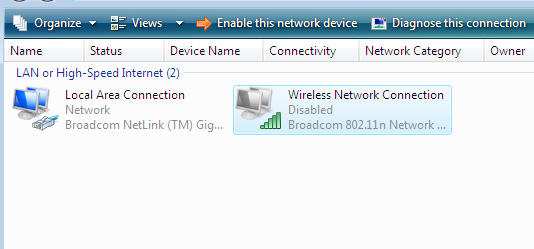
Hi I installed windows vista lite ... Everything is working well except the wireless connection.. the wifi light is ON but cannot enable it BTW the ethernet is working Any solution pls

-
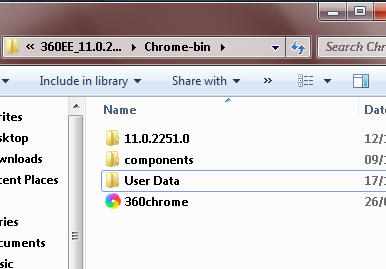
I dont know really... this version of 360EE is portable..
-
In User Data folder (same directory of 360chrome.exe), create a new folder ..rename it LuxLOL for example.. Send two shorcuts of 360chrome to the desktop... one for the default profile and the other for your new profile Right click on each shortcut, click on properties..shotcuts.. in taget, add at the end: (space)--profile-directory="Default" (space)--profile-directory="LuxLOL" it looks like that for example: "C:\Programs\360 browser\Chrome-bin\360chrome.exe" --profile-directory="Default" "C:\Programs\360 browser\Chrome-bin\360chrome.exe" --profile-directory="LuxLOL"
-
My Browser Builds (Part 3)
kwisomialbert replied to roytam1's topic in Browsers working on Older NT-Family OSes
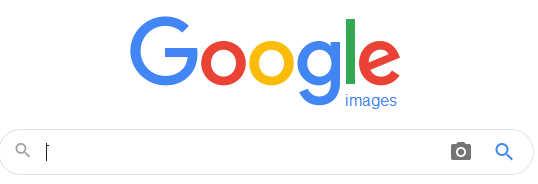
Last NM27 Google images new version
-
Default browser not working bc it is portable version i think
-
My Browser Builds (Part 3)
kwisomialbert replied to roytam1's topic in Browsers working on Older NT-Family OSes
Thanks; live videos work now for ArcticFox in desktop mode.. i was using mobile mode of youtube -
My Browser Builds (Part 3)
kwisomialbert replied to roytam1's topic in Browsers working on Older NT-Family OSes
idk -
My Browser Builds (Part 3)
kwisomialbert replied to roytam1's topic in Browsers working on Older NT-Family OSes
Does it work for you with Arcticfox?