




-
I'm trying the latest New Moon 28 (win32) and the dowloads are broken. No menu at all if you want to save a single image, for example. Can someone confirm this too? Serpent 52 (win32), same problem...
-
>>Meh. Solved. It was an addon...
-
Finally I managed to do it. No more BSODs with my old games and programs, at least for now. I can say the 344.75 driver is the best choice so far.
-
I recently installed a GEFORCE GT 710. But a few BSODs from time to time ruin my day. I have the 368.69 driver, since the newer one was even worse. My question is, what should I modify in the installation files to be able to use one of the drivers that you mention? Is it in the nvaci.inf file? I tested and modified this line ... [NVIDIA_Devices.NTx86.5.1] %NVIDIA_DEV.0DCE.0564.1025% = Section001, PCI\VEN_10DE&DEV_128B&SUBSYS_27113842&REV_A1 <= %NVIDIA_DEV.0DCE.0565.1025% = Section002, PCI\VEN_10DE&DEV_0DCE&SUBSYS_05651025 %NVIDIA_DEV.0DCE.0566.1025% = Section001, PCI\VEN_10DE&DEV_0DCE&SUBSYS_05661025 %NVIDIA_DEV.0DE9.0487.1025% = Section002, PCI\VEN_10DE&DEV_0DE9&SUBSYS_04871025 ... ... I'm a bit lost here ... [Strings] DiskID1 = "NVIDIA Windows XP (32 bit) Driver Library Installation Disk 1" NVIDIA = "NVIDIA" NVIDIA_DEV.128B = "NVIDIA GeForce GT 710" <===== NO EFFECT NVIDIA_DEV.0DCE.0564.1025 = "NVIDIA GeForce GT 555M" NVIDIA_DEV.0DCE.0565.1025 = "NVIDIA GeForce GT 555M " NVIDIA_DEV.0DCE.0566.1025 = "NVIDIA GeForce GT 555M " NVIDIA_DEV.0DE9.0487.1025 = "NVIDIA GeForce GT 630M" NVIDIA_DEV.0DE9.0488.1025 = "NVIDIA GeForce GT 630M " ... ... And the installer continues until I get a message saying that it wants to install NVIDIA GeForce GT 555M and I have decided not to continue. I am trying to install version 347.09, but any suggestions are welcome. Some help? Thanks!
-
Fire Alpaca 32 2.4.3, the installer fails on my XP. However, the portable version works properly... The page does not show that XP is supported.
-
I think the latest version of MediBang Paint PRO that didn't give me any trouble was the 8.0 https://www.mediafire.com/file/dtuslvldp4e4q78/MediBangPaintProSetup-8.0-32bit.exe/file
-
I'm confused with that...
-
I have the same error here, I tried to open the old omni.ja file, but it detects an error. When it opens, the nsHelperAppDlg.js file is not there.
-
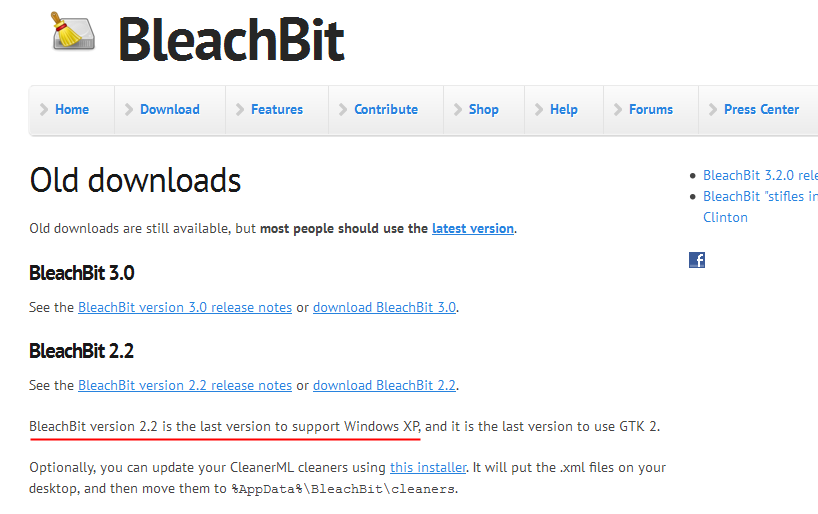
The latest version of Telegram 1.9.3 can be installed but is no longer compatible with XP. So, I guess the support's over.
-
Hehe! My second name is laziness... I finally installed it and everything seems right. Thanks for the tips, VistaLover!
-
So, does anyone know if PotPlayer 1.7.20977 works without breaking anything? It's a pain to do a reinstallation and set it all up again if not.
-
Pardon me Roytam, but i think you posted a link to an old version of palemoon 27. I grabed the new one from your index page. It's correct?
-
So far I'm back to PotPlayer version 1.7.18958. The new one doesn't really work as expected.
-
That's my situation, FranceBB. I have the HWiNFO32 program always at hand, to let me know when the CPUs enter toaster mode before self-destruct.
-
I use DuckDuckGo. It's not a bad search engine and I love the psycho face of that duck ...