deomsh
Content Type
Profiles
Forums
Events
Everything posted by deomsh
-
@tyukok: Nice board. Are all Power Management options disabled? See Page 2-7 of the User manual.
-
@tyukok: Thanks for the file. Look no good, the codec readout is'nt as it should be. All I can do is take a look at your system. I need full specs (motherboard, including Revision; in case of a laptop full model name). Further: are you using WIN98se?
-
@tyukok: The id is the HDA controller. But nevermind, I will search for the ALC1220 data sheet. Did you hear absolutely nothing during boot? Please attach latest HDALOG.TXT
-
@Dave-H: Yes, but situation is different now. At the time I was an active member of Watler's Win3x forum, I asked him if he could gave me room for Win9x experiments. Although he was a bit sceptic, he gave me room and even tried and criticized my INF-file. I made a statement about on MSFN only. But since a year ago the forum ended, so new opportunities for MSFN.
-
@tyukok: My INF-file doesn't make an entrance in Device Manager -> Multimedia, only in System Devices, (according to Windows conventions for HDA controllers). Your CODEC_VID=$14F1 CODEC_DID=$2BFA in HDACFG.INI doesn't look to me as ALC1220. Since you have CODEC Index=$1 in HDACFG.INI, I would suggest trying HDAICOUT.HDA.100 first (file in previous post). Rename to HDAICOUT.HDA, copy to your Windows directory and reboot.
-
@Dave-H: Good to here your system is stable with the 16-bits HDA driver. I still have no definitive opinion regarding stability issues, but I will do thourough testing with Virtualbox, no real risks involved (thanks to UCyborg)... Working with an unknown system was stimulating, especially with such a careful tester. Gave me some new insights and idea's too. As a sort of spinoff from this project I made three quasi-universal versions of HDAICOUT.HDA. Instructions which one to choose inside. Especially useful if there is the Sound of Silence after installation of the driver. Hdaicout.hda.000 Hdaicout.hda.100 Hdaicout.hda.200
-
Driver Packs for Windows 95,98/98SE,ME
deomsh replied to soporific's topic in Windows 9x Member Projects
@hfuria: Please search with Google the full filename "DP_w98_1.01.exe" (including quotationmarks), etc. -
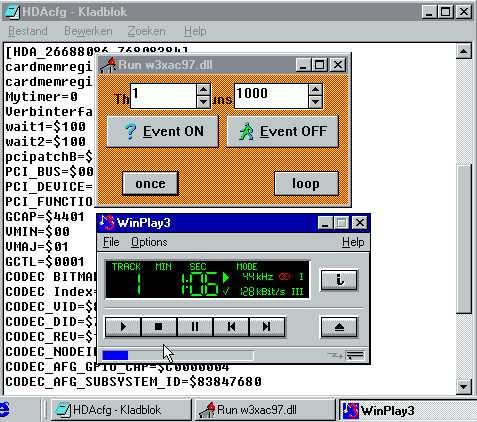
@UCyborg: I managed to install Win98se in VirtualBox 5.2.6 r120293 (I have 32 bits Windows 10 as a Host). OutputWidget=$03 is working for me too. Volume slider in Media Player functions. Sound is really bad with HDA, but almost acceptible with HDARUN. If you like to try, set Mytimer=0 in HDACFG.INI. After reboot: Run -> HDARUN. Don't forget to click the LOOP button before playing sound. Afterwards first stop the sound, then click LOOP again before shutting down HDARUN. Extreme low Vcache settings are helpfull against clicking noise in the background, but multitasking is not an option.

-
@Dave-H: If you can live with your erratic Sound Mapper we're done. Enyoy the Sound! BTW: be aware of possible stability issues I mentioned in one of my post's of April, 11
-
@UCyborg: Great! But if Volume Widget=$03, than your sound is coming from DAC1, connected to Pin Widget 0C. If sound is still bad, you can try with OutputWidget=$03 in your HDACFG.INI, although HDAICOUT.HDA should have configured this Widget already.
-
@Dave-H: Nice that Line1 is working. According to your Motherboard manual Line2 is for the HDA front panel (page 2-23). Can probably made working too. @farfigs11: Thanks for the files! The STAC9200 data sheet mentioned node 0B as Master Volume. Verbs are Standard. Try VolumeWidget=$0B in HDACFG.INI. But are you sure about your codec? HDACFG.INI indicates a different one. BTW According your HDACFG.INI I don't think your system will accept my version of the "universal" HDAICOUT.HDA. But since you have sound you should try without.
-
@UCyborg: The XML-file won't open, there is some error dialog in my program (Windows 10). But I compared your codec graph with the Widget Diagrams in the data sheet, All Widgets seem to match. I can't see how VirtualBox will connect output's from Pin Widgets to your Host's (physical) Audio, but there are four possibilities according to the data sheet. In the mean time I found out that the Volume Knob needs Verbs different of VolumeWidget one's, so a Volume Knob will probably not work with VolumeWidget setting in HDACFG.INI. All I can suggest is trying one of the four Output-connected DAC's, they all have a Volume/Mute function. You can try VolumeWidget=$02 / VolumeWidget=$03 / VolumeWidget=$04 or VolumeWidget=$05. Always reboot inbetween.
-
@Dave-H: Hereby version 202. If you want an Analog Audio input: enabling last line is mandatory. Further: you can choose out of five channels. I guess you have to enable Line2. Instructions are included in the file. Dave-H_ALC883_Hdaicout.hda.202 @farfigs11: Thanks for testing, nice that minfilecache=8192 and maxfilecache=8192 worked for you. If you attach HDACFG.INI and HDALOG.TXT I can take a look at your basic settings.
-
@DAVE-H: Thanks. As far I can see only four lines in HDAICOUT.HDA are needed for your Supermicro X7DAL-E+ server board. My assumption is that Pin widget 014 is hardwired to your Output Jack (according the data sheet that should be 'normal', but Motherboard manufacturers sometimes have other idea's). ------------------------------------------------------------------------------------------------ HDAICOUT.HDA ------------------------------------------------------------------------------------------------ Begin $2017FF00; CODEC RESET Function group 2 $2017FF00; CODEC RESET DOUBLE ! $21470740;AC_VERB_SET_PIN_WIDGET_CONTROL;out_enable $2143B000;AC_VERB_SET_AMP_GAIN_MUTE;unmute_output End ------------------------------------------------------------------------------------------------ This version of HDAICOUT.HDA will ONLY work with following settings in HDACFG.INI: OutputWidget=$02 and VolumeWidget=$0C. They should be already there in your HDACFG.INI. Maintaining SleepingWidget=$02 will do no harm. For convenience I attach above HDAICOUT.HDA as version 201, including a small Easter Egg. You will find it if you read the last part of the file. Dave-H_ALC883_Hdaicout.hda.201 BTW: this version is NOT designed for all possible ALC883 codec implementations!
-
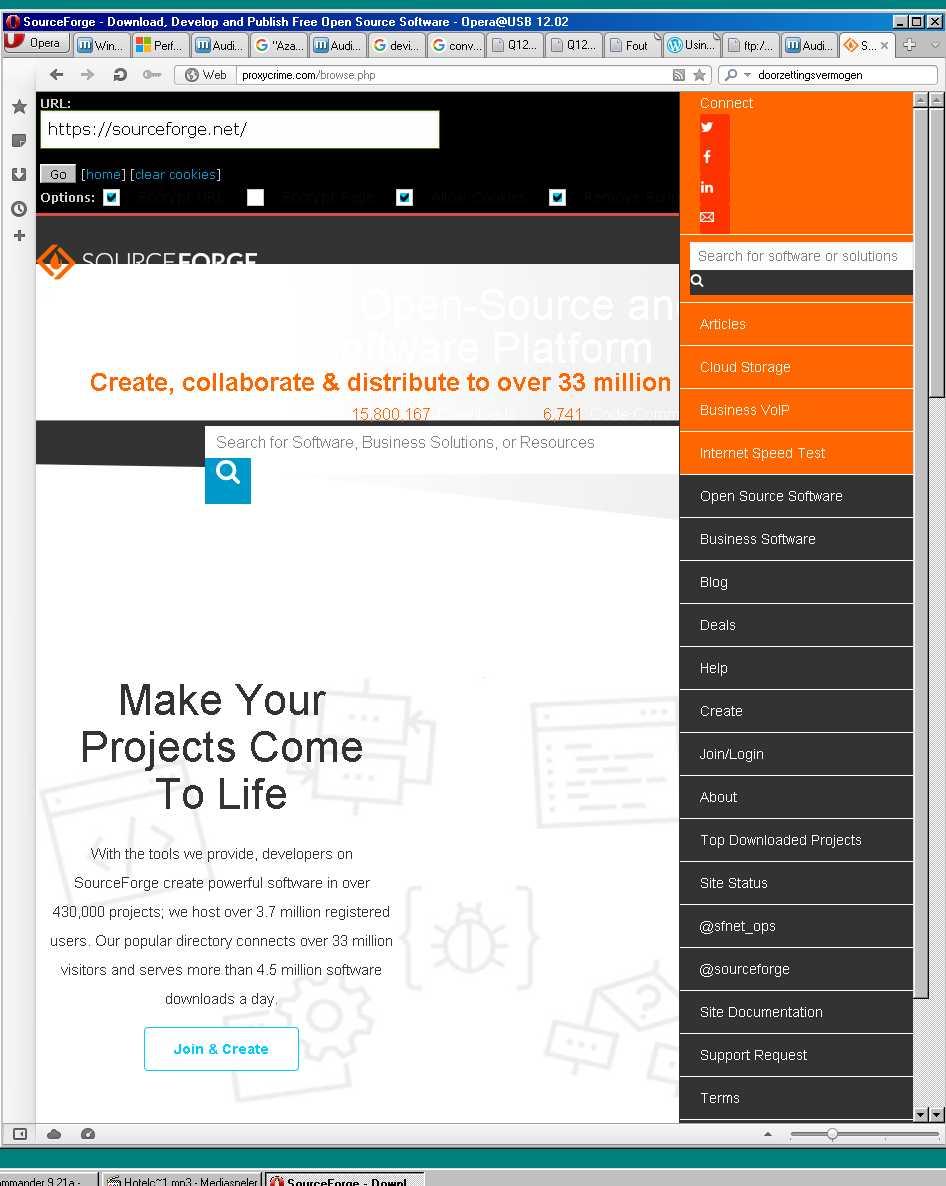
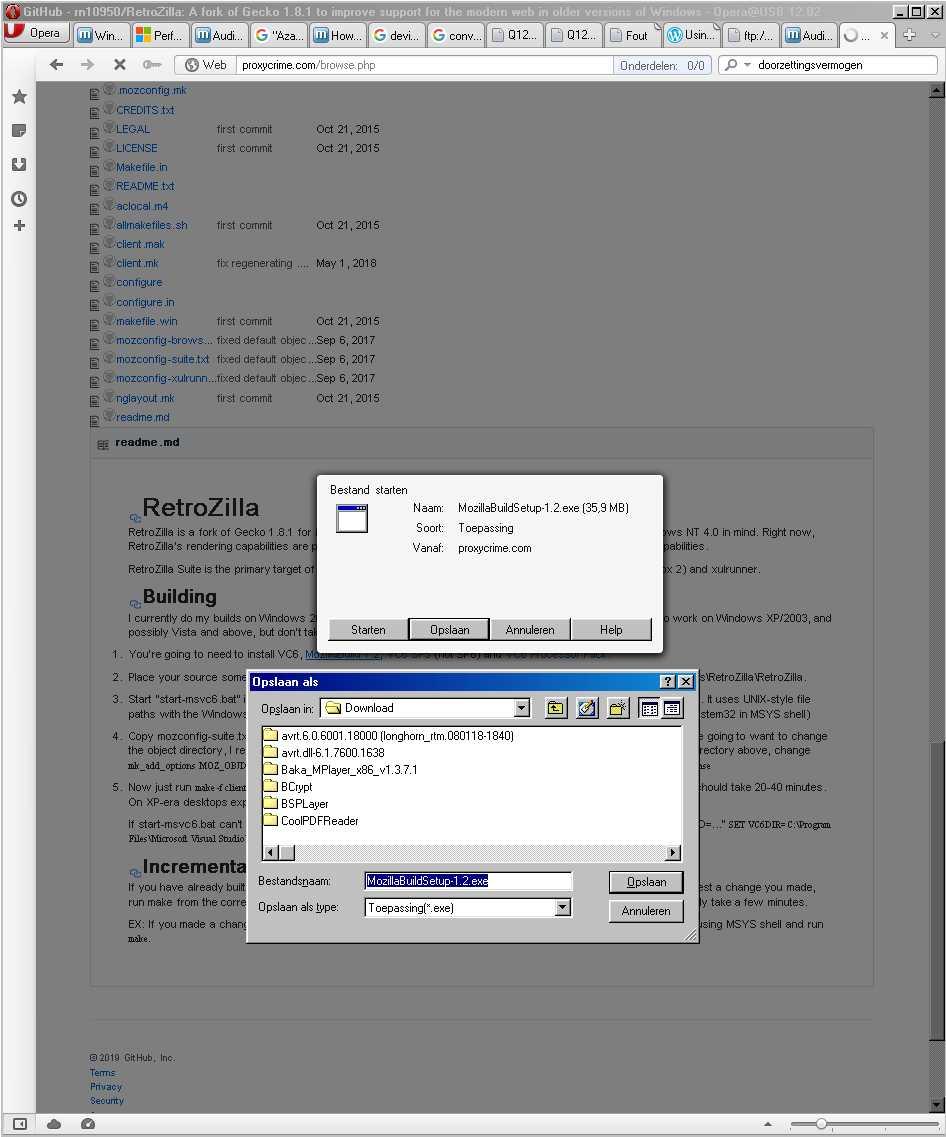
I didn't talk about direct access, but about using a webproxy. I used http://proxycrime.com to have at least a sort of access. Good rendering is a different issue, although Opera has always User mode as ultimate remedium.
-
@Dave-H: Thanks for testing. Any difference with your Sound Mapper? Less "pops" is an interesting observation, I will try on my ALC662 system. BTW: please attach HDAICIN.TXT after booting my last version of HDAICOUT.HDA, so I can see which Verbs of the almost 200 Verbs are truly needed.
-
@Dave-H: I finished the Realtek ALC883 HDAICOUT.HDA. If you'de like to test: rename your working version to HDAICOUT.OKE , rename the new file to HDAICOUT.HDA , copy to your %windir% and reboot. Please attach HDAICIN.TXT Dave-H_ALC883_Hdaicout.hda.200
-
@UCyborg: Thanks a lot. At first sight STAC9921 seems to be fully implemented in Virtualbox. Is it possible to attach the saved xml, so a can take a closer look? Mine is 389KB (File -> Save Working Codec as -> STAC9921.xml). Did you test Mpxplay is pure MS-DOS?
-
@Dave-h: I think you're right about activate.exe, maybe the name of a file with same funtion in one of Watler's other Audio drivers. But I don't know for sure. It doesn't seems important to me. Watler explicit mentioned HDARUN.EXE if a Multimedia Timer is needed, as in Win3.x Standard mode. Don't use HDARUN in Win9.x if possible, can give really bad crashes. That's my concern because you first had to use it as a sort of "Lender of last resort". HDARUN must be started manually after each startup, you will be aware if you are using it.
-
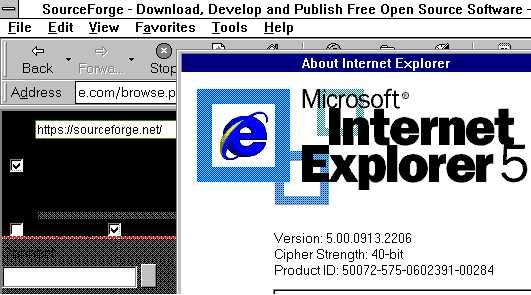
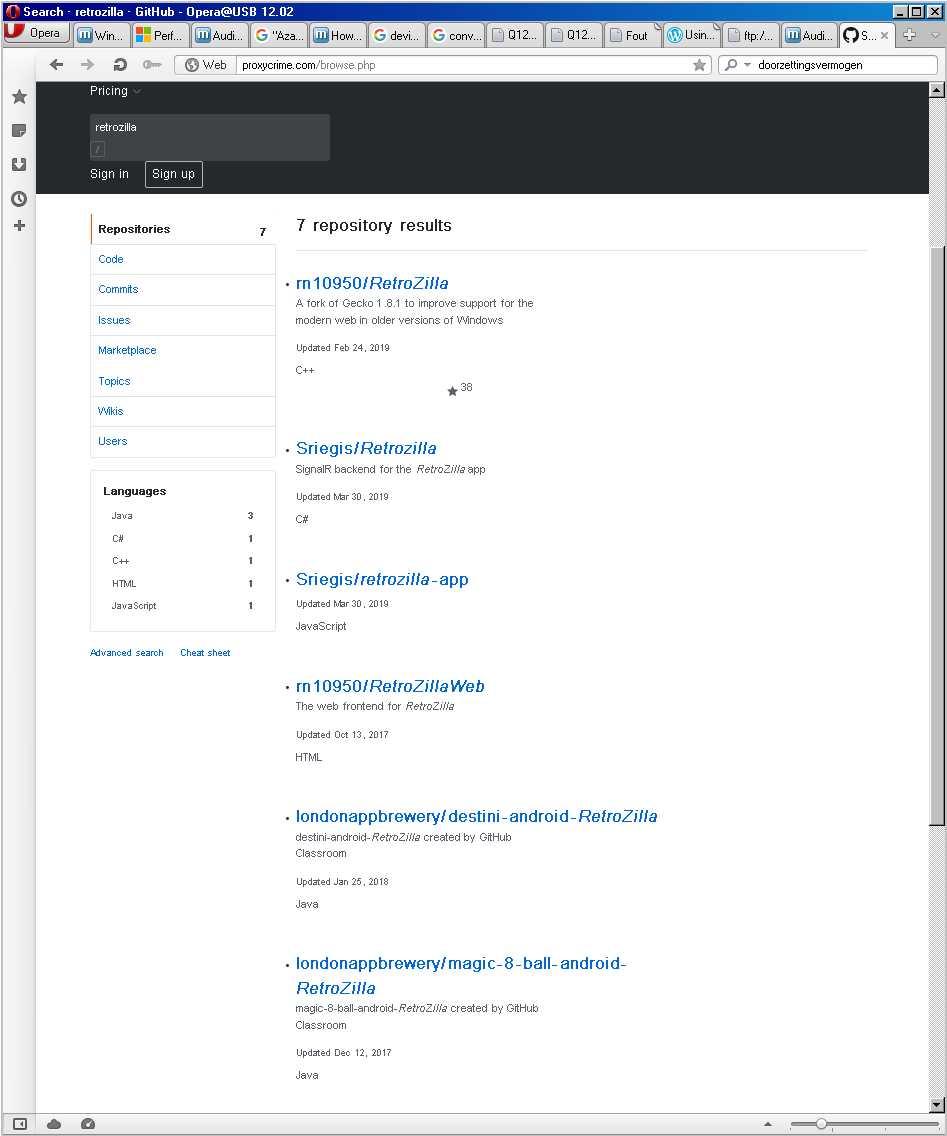
Of course Siria is right, but luckily the situation is much better on Windows 3.1 browsers with a webproxy as workaround. Although I must admit that IE2.0 didn't work and with IE5.0 downloads are not possible. Just checked situation with Opera 12.02 on Windows 98se:
-
@Dave-H: Thanks for your kind words, but without your patience and perseverance there would have been no success, although we are not finished yet in my opinion. You still didn't tell if you can play Digital Audio without HDARUN (so Mytimer=1). Also I am still working on a ALC883 version of HDAICOUT.HDA i'de like to have tested. About files: you need to save HDA2.DLL, OEMSETUP.INF, HDATSR.EXE, WAVEOUT.EXE, HDARUN.EXE (indeed in folder activate), the README's and for more convenient install my GENHDA16.INF. Further for your system working versions of HDACFG.INI and HDAICOUT.HDA of cause.
-
@dencorso: Thanks. Don't forget Watler made the Win3.x driver! I did only some minor things.
-
@Dave-H: Only WAVEOUT.EXE is needed, other files are the source code (16-bits Delphi). I don't know how @ABCDEFG made his picture, but your observations are right, only first two digits of four are changed by moving a slider of WAVEOUT. Actually there are 255 steps of 256. Your codec's Volume Widget has only 127 steps (7F in Verb 20C3B07F). No idea what the box is ment for you marked with an arrow. Only "0" ist working. It is sad there is no possibility to direct WAVEOUT directly to different Volume Widgets. I wrote once a HDAICOUT.HDA to listen Analog Audio CD, redirected through the codec to my Output Pin Widget. I only could use AHDA17O to set the Audio CD volume by sending appropiate Verbs, for Digital Audio I could use the Volume Control of - say - Mediaplayer. Luckily my headphone has Volume Control.
-
@Dave-H: Good news. About the PCM-values: @ABCDEFG is right. You can check HDACFG.INI. After changing one slider of WAVEOUT the PCM-value will be updated in HDACFG.INI (definitely after clicking the Button). There is no need to edit the value. Last volume setting is saved, should be still there after reboot. Please check on your system. Delays and pops: fully normal. You are still using a (modified) 'universal' HDAICOUT.HDA. I am working on an ALC883-version. The file will be ready in a few days. Some Verbs I want to use are a bit complex. Are you still using HDARUN with Mytimer=0, or is Mytimer=1 working too? Sound quality should be a better without use of HDARUN.
-
@Dave-H: Yes. According to the ALC883 data sheet 0C should be the Volume Widget all jack's are connected to. Please check if one of the other jack's of your back-panel gives sound, just for testing purposes. Is PCM=$FFFFFFFF in HDACFG.INI? Did you try WAVEOUT.EXE? It's included in HDADRV9j.7z. If you click the waveOutGetDevs-button you should see the same as in my picture in the post I mentioned. I was just testing the Volume Widget of my ALC662 codec: mine is according to the data sheet, is working with WAVEOUT and is independent of settings in HDAICOUT.HDA. Try playing a MP3 with Windows' standard mediaplayer too, and check if the volume slider is working.