Skip to content
View in the app

A better way to browse. Learn more.

MSFN

A full-screen app on your home screen with push notifications, badges and more.

To install this app on iOS and iPadOS
  1. Tap the Share icon in Safari
  2. Scroll the menu and tap Add to Home Screen.
  3. Tap Add in the top-right corner.
To install this app on Android
  1. Tap the 3-dot menu (⋮) in the top-right corner of the browser.
  2. Tap Add to Home screen or Install app.
  3. Confirm by tapping Install.

DomagojBirsic

Member
  • Joined

  • Last visited

  • Country

    Croatia
  1. DomagojBirsic changed their profile photo
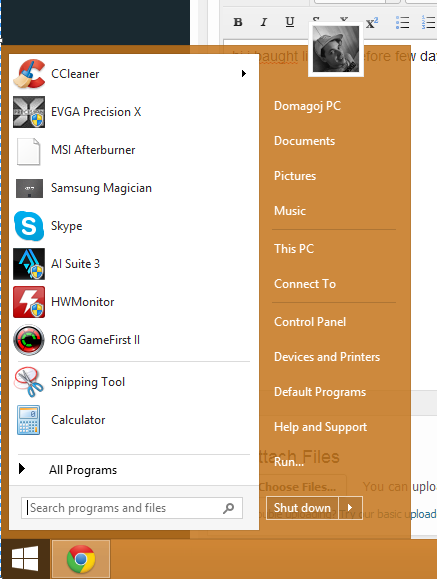
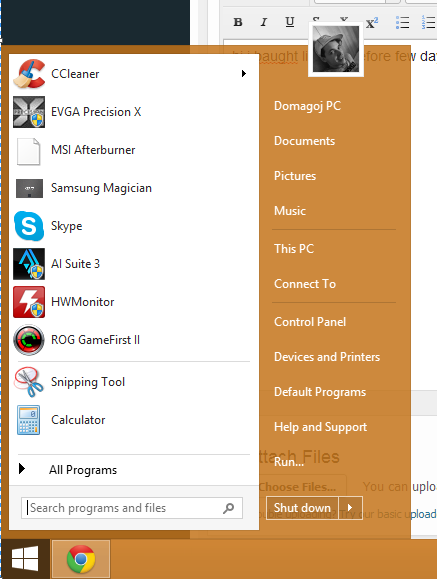
  2. i see icon in explorer if you mean this http://i.imgur.com/TZXB59w.png kaljkuas i want to fix the icon bug of programs not windows icon i will give you pic http://www.bug.hr/_cache/949149f8ddd66c8ddc831a68e82fc692.jpg?rand=933524392 MSI ICON DOSENT WORK ITS WHITE AND CPUZ ICON IS WHITE DOSENT WORK how to fix that?
  3. clenaer didnt help im using normal startisback from original site...im on win 8.1 i have 1.6.1 version
  4. hi i bought licence before few days and i want to ask why is this hapening sometimes i dont see icon of program i have 8.1 64bit clean install on SSD samsung EVO 250gb? thank you
  5. hi i bought licence before few days and i want to ask why is this hapening sometimes i dont see icon of program i have 8.1 64bit clean install on SSD samsung EVO 250gb? thank you

Account

Navigation

Configure browser push notifications

Chrome (Android)
  1. Tap the lock icon next to the address bar.
  2. Tap Permissions → Notifications.
  3. Adjust your preference.
Chrome (Desktop)
  1. Click the padlock icon in the address bar.
  2. Select Site settings.
  3. Find Notifications and adjust your preference.