Skip to content
View in the app

A better way to browse. Learn more.

MSFN

A full-screen app on your home screen with push notifications, badges and more.

To install this app on iOS and iPadOS
  1. Tap the Share icon in Safari
  2. Scroll the menu and tap Add to Home Screen.
  3. Tap Add in the top-right corner.
To install this app on Android
  1. Tap the 3-dot menu (⋮) in the top-right corner of the browser.
  2. Tap Add to Home screen or Install app.
  3. Confirm by tapping Install.

asdfdsa

Member
  • Joined

  • Last visited

  • Country

    Canada
  1. I stopped autochk from running, there is no difference in boot time.
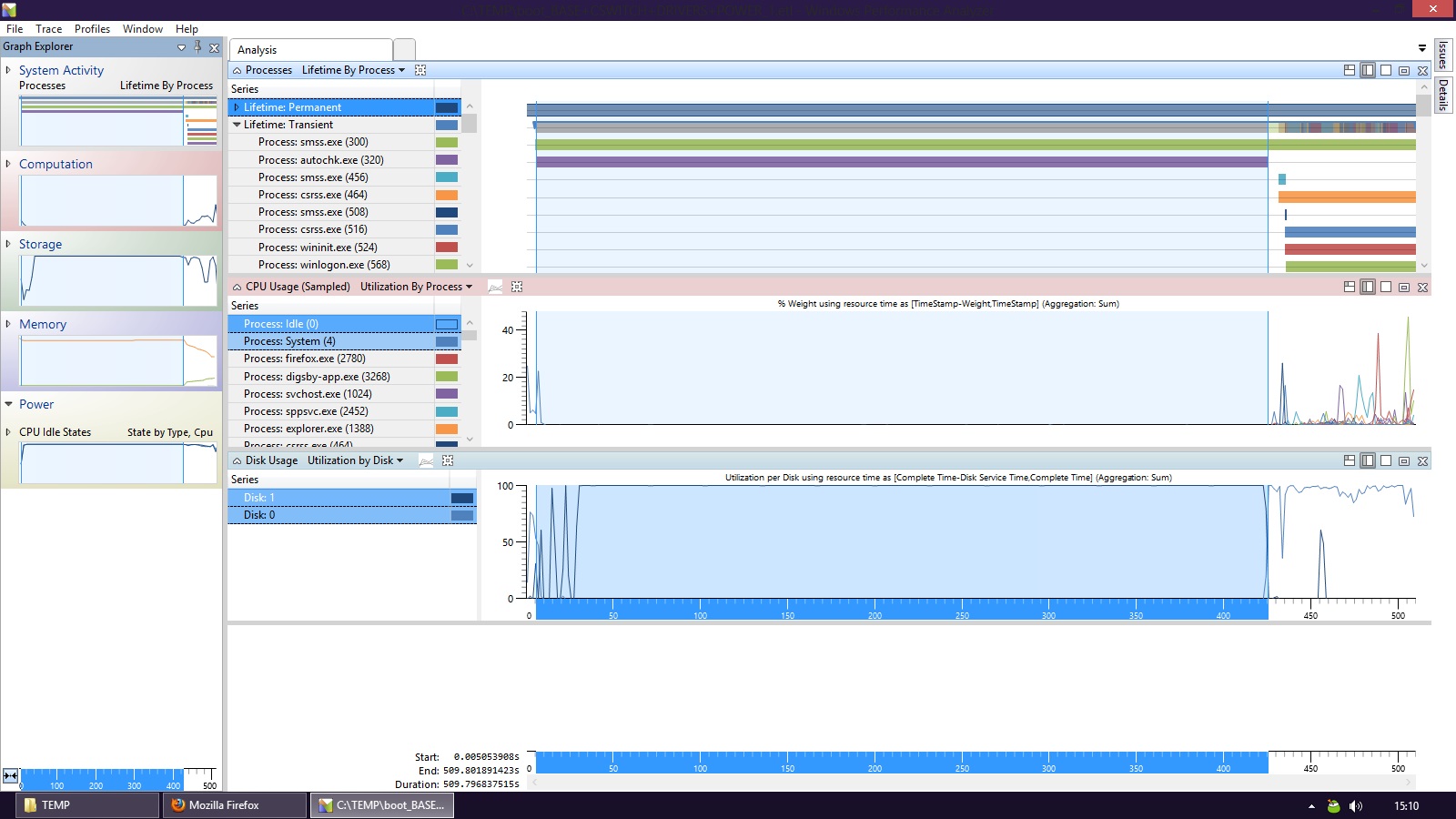
  2. Again there was little to no difference in boot time. Any idea why smss.exe would be taking so long?
  3. All I got from the graph was ' System Processes (4) ' Also I renamed Autochk.exe, but there was no difference in the boot time.
  4. The fast startup option in the power options? I am using it. My ETL is 100mb
  5. yes, those are 3 critical Windows processes which run all the time. Ignore this. I was asking because my fresh install of Windows 8 takes 5+ minutes or so to boot. summary_boot.xml
  6. <unexpectedLonglived> <process name="smss.exe" startTime="5376" endTime="-1" lifetime="-1"/> <process name="csrss.exe" startTime="426505" endTime="-1" lifetime="-1"/> <process name="csrss.exe" startTime="428346" endTime="-1" lifetime="-1"/> is this normal?

Account

Navigation

Configure browser push notifications

Chrome (Android)
  1. Tap the lock icon next to the address bar.
  2. Tap Permissions → Notifications.
  3. Adjust your preference.
Chrome (Desktop)
  1. Click the padlock icon in the address bar.
  2. Select Site settings.
  3. Find Notifications and adjust your preference.