-
Not much of a rap fan, but I like Eminem. Buy it dude.
-
Rob is the man.
-
Once you've used it for a while and gotten past the learning curve Photoshop rules.
-
As a big fan of Kevin Smith's movies, I'm not sure even J-Lo and Affleck can **** up the new one. He hasn't made a bad picture yet.
-
Without a doubt, WinRAR.
-
Have to agree on FF VII, best RPG of all time at least.
-
31 here. Feel 50 though.
-
I can't justify having to pay to play a game I just bought outright.
-
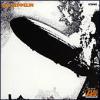
Led Zeppelin :afro:
-
The native 32 bit support on AMD's 64 bit chips will win the day.
-
Wow, I think that about covers it, you da man. Thanx.
-
Has anyone covered how to add harddrive controler drivers when setup asks for them? Can a silent install be interupted to do this and restarted?
-
Performace per dollar AMD beats the pants off Intel. But yeah the heat issue is a problem.
-
I guess I need to get a life. 10-12 hours a day.
-
Loved the movies, haven't read the books as of yet. Maybe it's a good time to start.